Create Vendor Pages on Your Store
Steps
- On Garnet, ensure vendor has completed their information in
Settings > Vendor Profile - Publish the page to automatically create a vendor collection page (unless you create no vendor collections)
- Go to
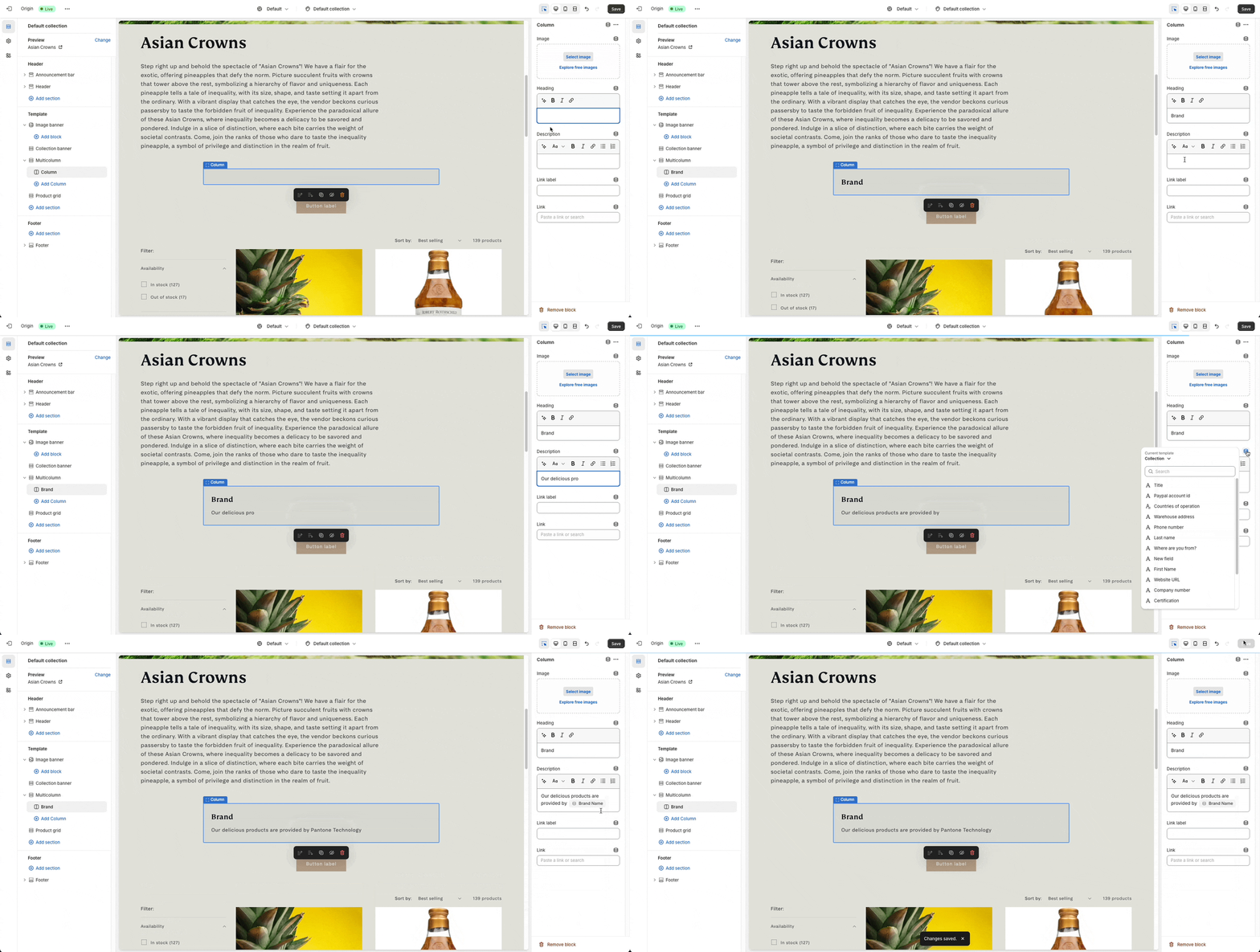
Shopify > Edit Theme > Create a collection template - Customize your collection template as you wish (you can use dynamic data)
- Allocate your vendor collection to this collection template