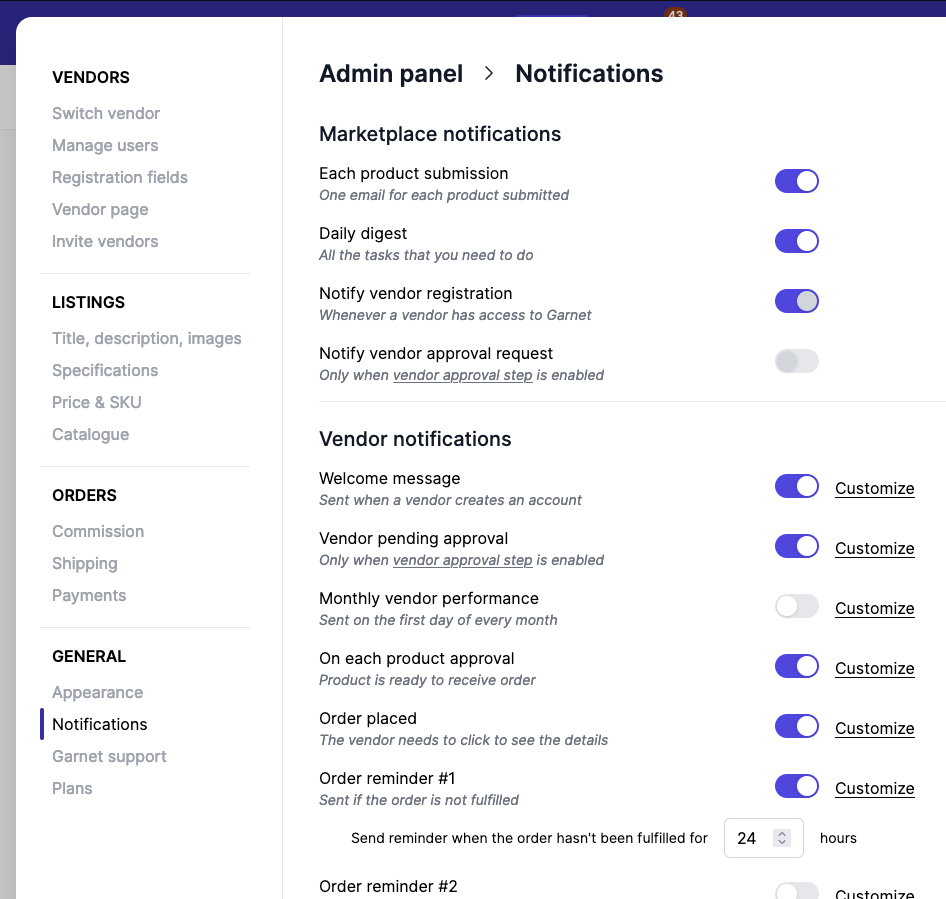
Set Up Vendor Notifications
Notifications can be managed completely outside of Garnet if you prefer to integrate with an email provider (Klaviyo, Brevo, Mailchimp). You can also configure them directly in Garnet.
Steps (Garnet native notifications)
- Go to
Garnet > Admin Panel > Vendors > Notifications - Select the notifications you would like to send
- Click
Customizenext to each email to edit design - Customize sender and recipient email addresses at the bottom of the page
- Contact us to authenticate your email on Garnet Brevo account