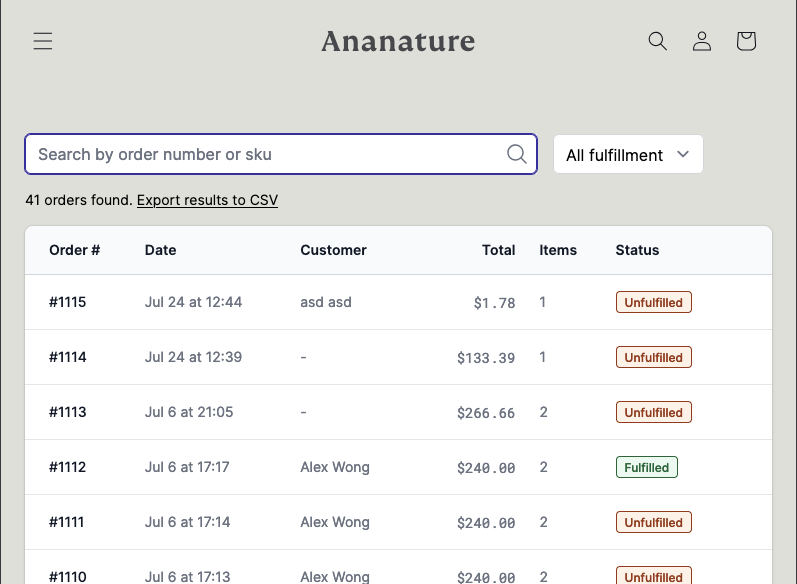
Appearance
Single Sign On (SSO)
Single Sign On (or SSO in short), allows the marketplace to combine Garnet Marketplace accounts login with their own login. A common use-case is when a marketplace has their own services (Shopify custom login, web app, mobile app, software...) with registered users, and want to provide one-click access to Garnet Marketplace.
Contact us to enable this feature.
Shared secret
Garnet will provide you with a shared secret. This secret is used to cryptographically sign in your vendors without a password.
DANGER
Do not send it via email and do not display it on your website's code. The shared secret gives vendors access to your application.
If you happen to have displayed the shared secret, revoke it immediately and create a new one.
Overview
With SSO, a marketplace can use the shared secret to generate links that will login users. For example:
https://seller.ananature.com/auth/sso/access?t=1722061252886&vendor=Asian%20Crowns&redirect=/orders&hmac=cf36bb5215fe351e7a39e0c15e7b6b0f33f3f69ba05b4f1a7bb1ffaaaaaaaaaaA few comments:
- SSO endpoint is
/auth/sso/accessfrom your custom domain, vendoris vendor name (hereAsian Crowns)tis the epoch timestamp of the requestredirectis the redirect URL (here/orders, default toproducts)hmacis the HMAC SHA256 signature.
We will learn here how to generate the HMAC signature with the shared secret to authenticate the marketplace's users.
HMAC computation
txt
garnet_domain = 'seller.ananature.com'
vendor        = 'Asian Crowns'
redirect      = '/orders'
shared_secret = 'xxxxxxxxxxxxxxxxxxxxx'
timestamp     = getUnixTimestamp()

key_for_hmac = `{timestamp}.{vendor}`
hmac = hmacSha256(key_for_hmac, secret, 'hex')

sso_url = `https://{garnet_domain}/auth/sso/access?t={timestamp}&vendor={vendor}&redirect={redirect}&hmac={hmac}`
liquid
{% assign store         = shop.permanent_domain | split: "." | first %}
{% assign vendor        = customer.id %}
{% assign name          = customer.name  %}
{% assign email         = customer.email | downcase %}
{% assign shared_secret = shop.metafields['app--16570220545--garnet'].shared-secret.value %}
{% assign timestamp     = 'now' | date: "%s" | times: 1000 %}
{% assign redirect     = '/messages' %}

{% capture key_for_hmac %}{{email}}.{{name}}.{{timestamp}}.{{vendor}}{%- endcapture -%}
{% assign hmac = key_for_hmac | hmac_sha256: shared_secret  %}

{%- capture base_path -%}https://{{ store }}.garnet.center/auth/sso/access{%- endcapture -%}
{%- capture sso_link -%}{{base_path}}?t={{ timestamp }}&vendor={{ vendor }}&store={{ store }}&name={{ name }}&email={{ email | url_encode }}&hmac={{ hmac }}&redirect={{ redirect | url_encode }}{%- endcapture -%}
js
// Do not use this code in the browser
// It must be run server-side
const garnetDomain = 'seller.ananature.com';
const vendor = 'Asian Crowns';
const redirect = '/orders';
const sharedSecret = 'xxxxxxxxxxxxxxxxxxxxx';
const timestamp = Date.now();

const keyForHmac = `${timestamp}.${vendor}`;
const hmac = crypto.createHmac('sha256', sharedSecret).update(keyForHmac).digest('hex');
const ssoUrl = `https://${garnetDomain}/auth/sso/access?t=${timestamp}&vendor=${vendor}&redirect=${redirect}&hmac=${hmac}`;
If you only need to call API from the front end, you can leave redirect empty.
Garnet in an iFrame
To add Garnet in an iFrame on your app, you can use the following pseudo code on your server-side engine. Note that the request now contains an &embedded. Without it, Garnet will prompt a dialogue to open Garnet in a new tab.
liquid
<iframe width="100%" height="3000px" src="{{sso_url}}&embedded" >
</iframe>
Pretty iframe
Most Shopify themes are adding a border around the iframe. You can add style="overflow: hidden; border: 0; outline: none" in the iframe code to disable it.