
Live shipping rates
Live shipping rates enable vendors to generate accurate shipping labels based on the customer address, the vendor's warehouse address, and the package size and dimensions.
The live rates are available:
- to customers when they checkout their order,
- to vendors when they fulfill an order.
Shipping aggregator
By default Garnet live rates are powered by Shippo. If you are in a region where another provider has a better service, Garnet also integrates Shipmondo and Easyship, and the Garnet Team can integrate additional carriers.
Overview
Customer checkout
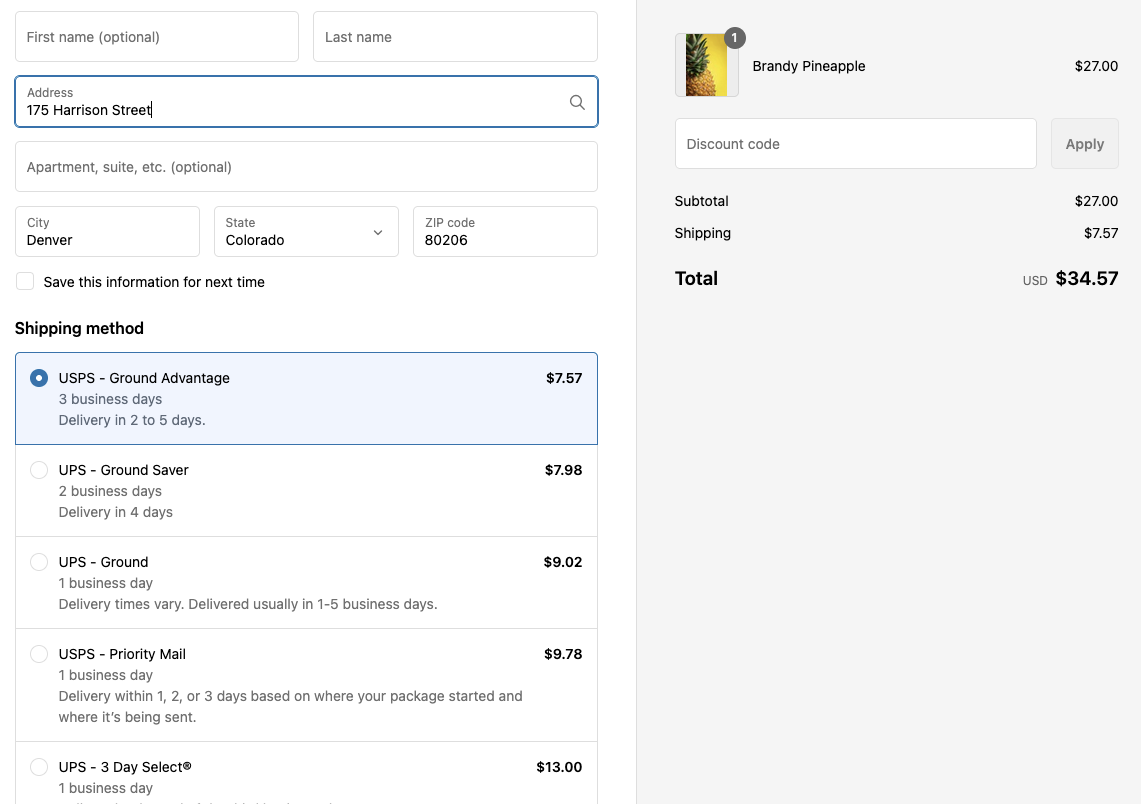
Garnet can automatically compute exact rates from the customer address, the vendor warehouse address, and the item's weight and dimensions.
Vendor print a label
Vendors purchase the shipping label directly from the order fulfillment view. The label is paid by the marketplace's carrier account. When the shipping fees go to the vendor (Transfer shipping fees to the vendor, on by default), the label's price is deducted from the vendor's payout. When the marketplace keeps the shipping fees, the vendor's payout does not change. See who pays for the label.
Live shipping demo
Video demonstration - 10 minutes
Blog article
Refer to our blog post on marketplace shipping to choose your type of shipping.
Marketplace setup
Connect a carrier account in Garnet > Admin panel > Shipping > Connected Carriers: Shippo, Easyship or Shipmondo. Then turn on Enable live shipping rates in Garnet > Admin panel > Shipping > Settings.
Vendors can then set their shipping address in Garnet > Settings > Shipping.
Select preferred courier services
Vendors and marketplace admins can restrict which carrier services are available for shipping label purchases. This is useful when only specific couriers are relevant to a vendor's region or shipping needs.
Navigate to Garnet > Settings > Shipping and click "Select carrier services". From there, search and pick the courier services you want to use. Only selected services will appear when purchasing a shipping label.
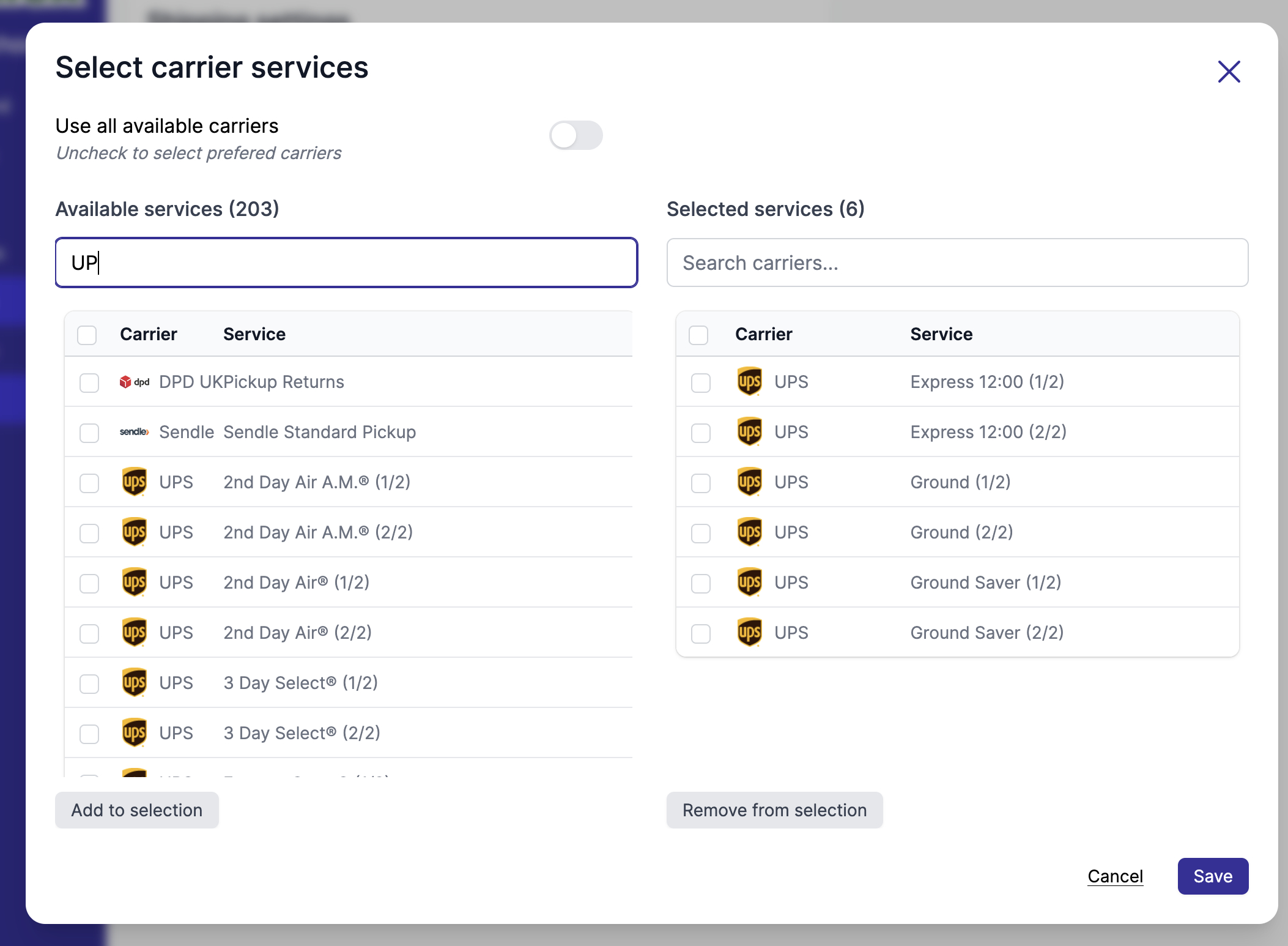
This feature is available for Shippo, Easyship, and Shipmondo integrations.
Duties and taxes (DDU or DDP)
When an order crosses a border, the customer may owe import duties and taxes. Choose who pays them in Garnet > Admin panel > Shipping > Settings, under Duties and taxes on international shipments (shown once Enable live shipping rates is on):
- Paid by the customer on delivery (DDU): the default. The rate at checkout only covers shipping, and the customer pays duties and taxes to the carrier when the parcel arrives.
- Included in the shipping rate at checkout (DDP): the rate at checkout includes the estimated duties and taxes, so the customer has nothing more to pay on delivery.
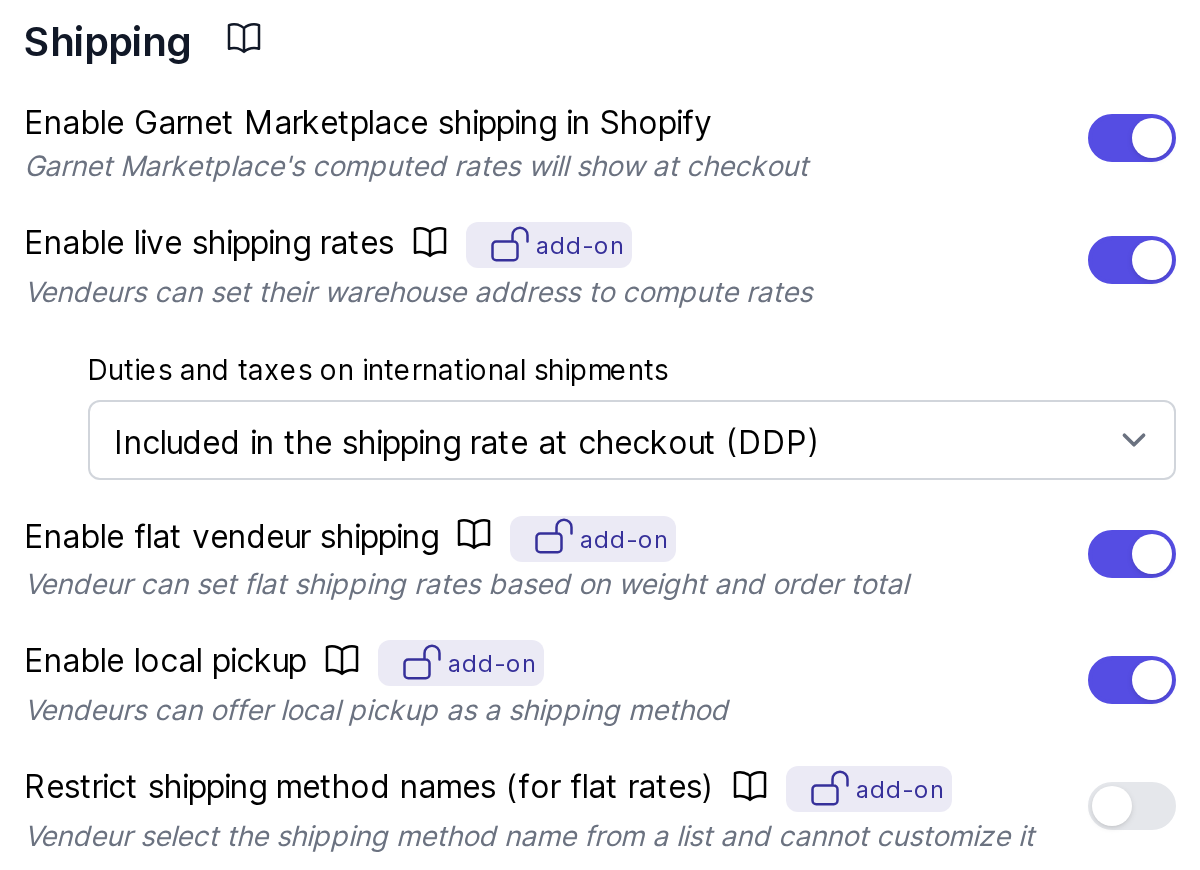
The choice applies to the rates shown at checkout and to the labels vendors purchase, with every connected carrier, so the label matches what the customer paid. With Easyship, DDP needs an Easyship plan that calculates duties and taxes. With Shippo, check that your carriers support DDP.
Vendor Setup
Vendor should fill their warehouse address, contact details, and default package size to be able to use live shipping rates, under Garnet > Settings > Shipping.
The vendor must fill out this form to enable the live shipping rates for their products:
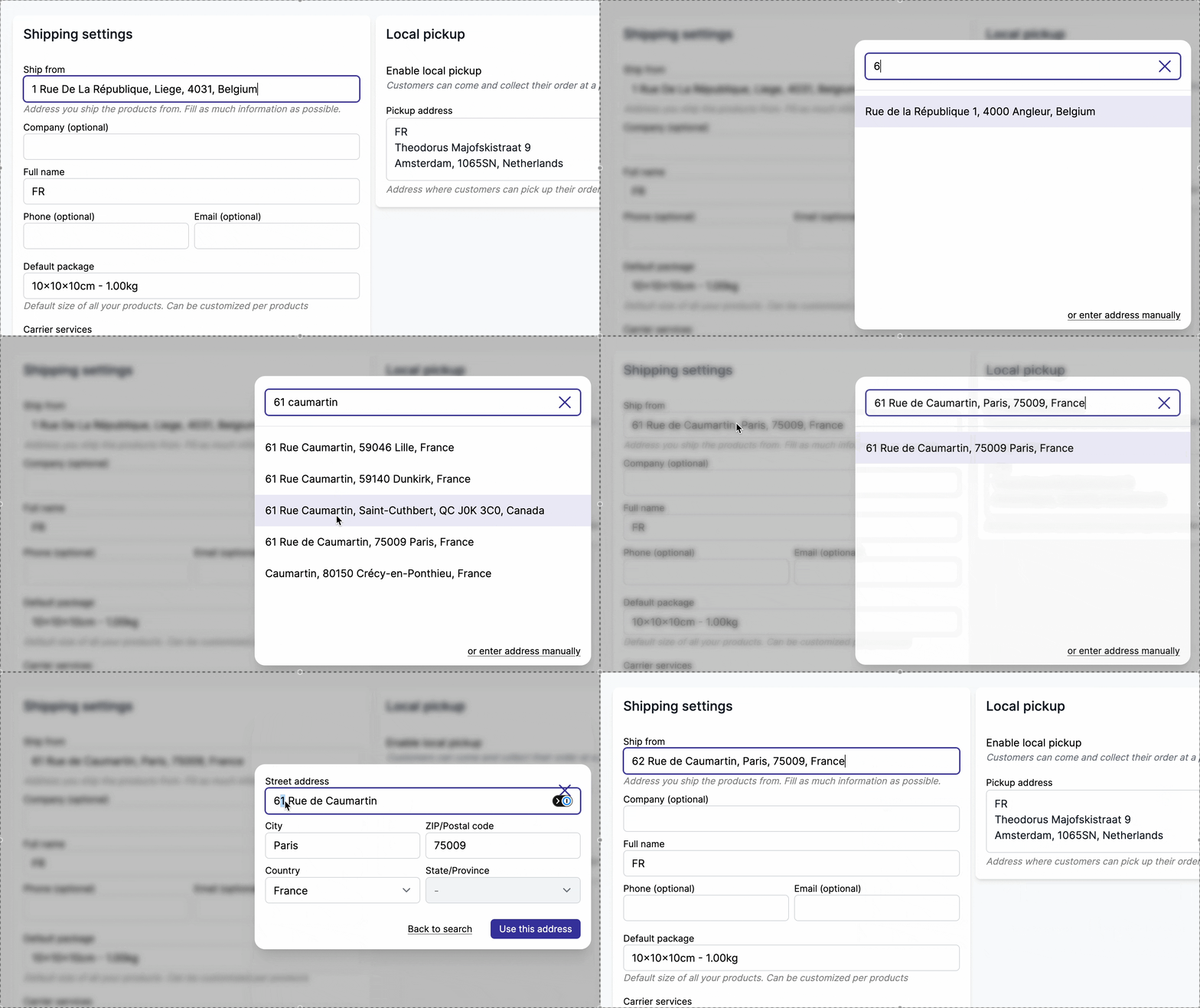
- Ship from: The warehouse address, used by Shippo and Garnet to compute the rate between the customer's address and the vendor's warehouse address. Start typing and pick the address from the list — the street, city, postcode, state and country are filled in for you. Use
or enter address manuallyfor an address the search cannot find.
- Shipping contact: The company, full name, phone and email, used by Shippo to contact the vendor to pick up the package.
- Default package: Used by Garnet, to provide a default package dimension and weight when a product package was not set.
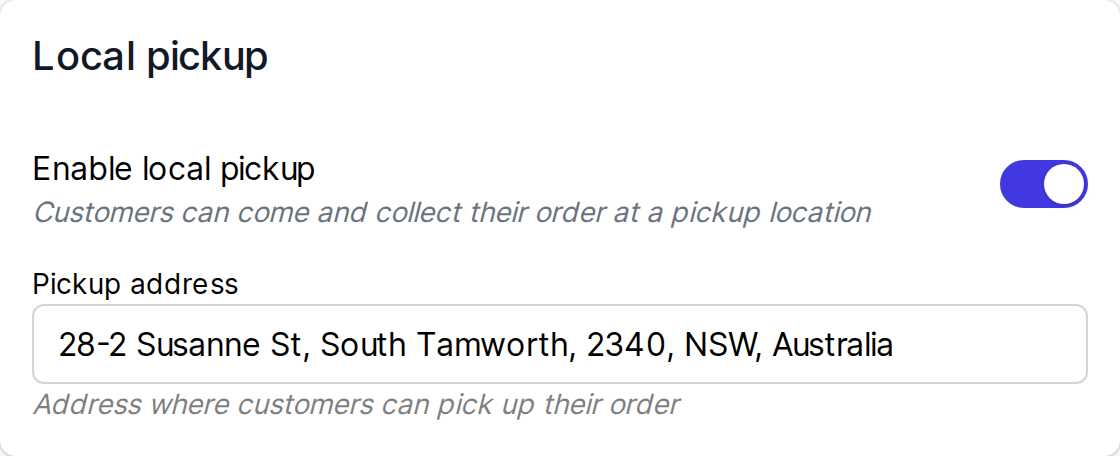
- Local pickup: Allows customers to pickup the order at the vendor's pickup address. Note that this feature can be turned off in
Admin Panel > Shipping > Settings.
Product package details
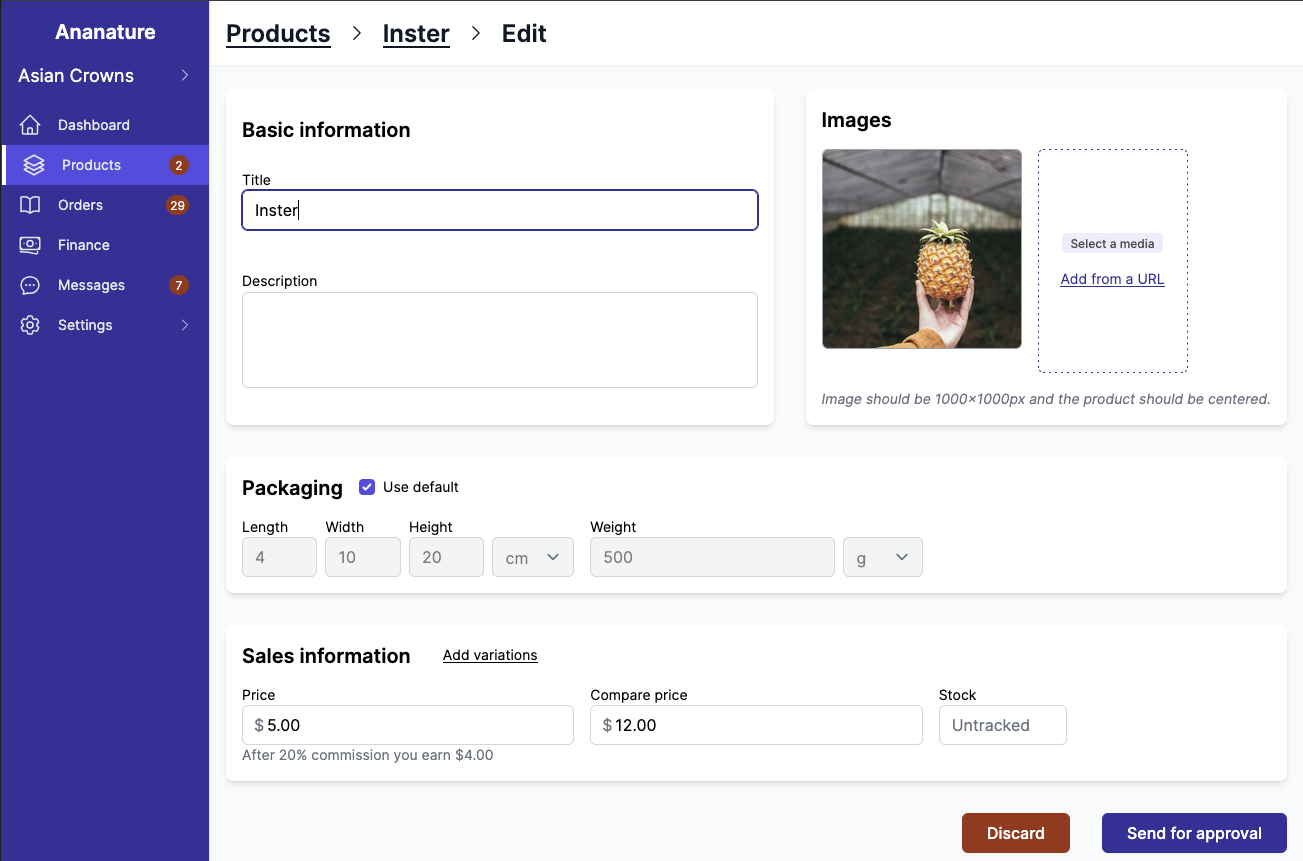
When editing a product with the live shipping rate feature enabled, the vendor can edit individual product's packaging size.
Local pickup
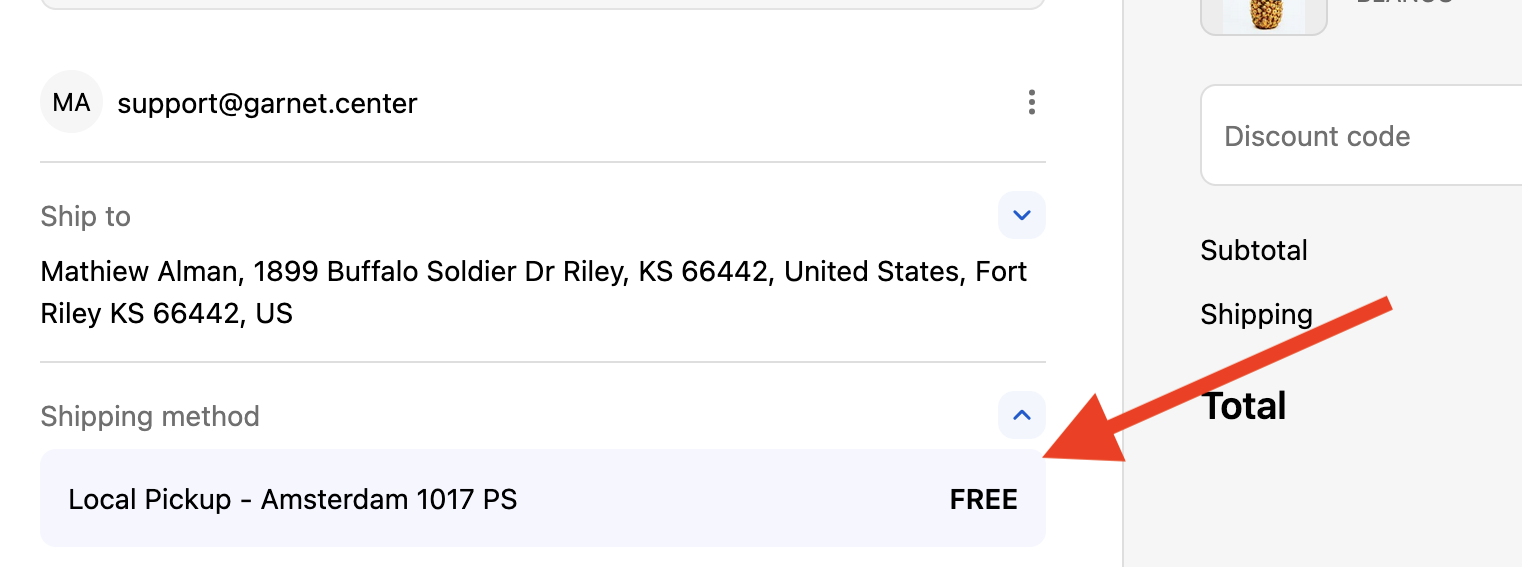
When local pickup is turned on, customers can come and collect the item at the vendor's pickup address for free.
The vendor sets it under Garnet > Settings > Shipping > Local pickup > Pickup address, right on the page. It starts as the warehouse address: to change it, click the address, start typing and pick the new one from the list, or use or enter address manually for an address the search cannot find. A unit or building name goes in the street. Customers see only the city and postcode of the pickup address at checkout, so no contact name is needed.
The shipping will show to all customers. Local pickup will always appear last in the list of offered shipping rates, so standard shipping remains the default option. Each product can be made available or unavailable for pickup, always at the same pickup address.
Product overrides
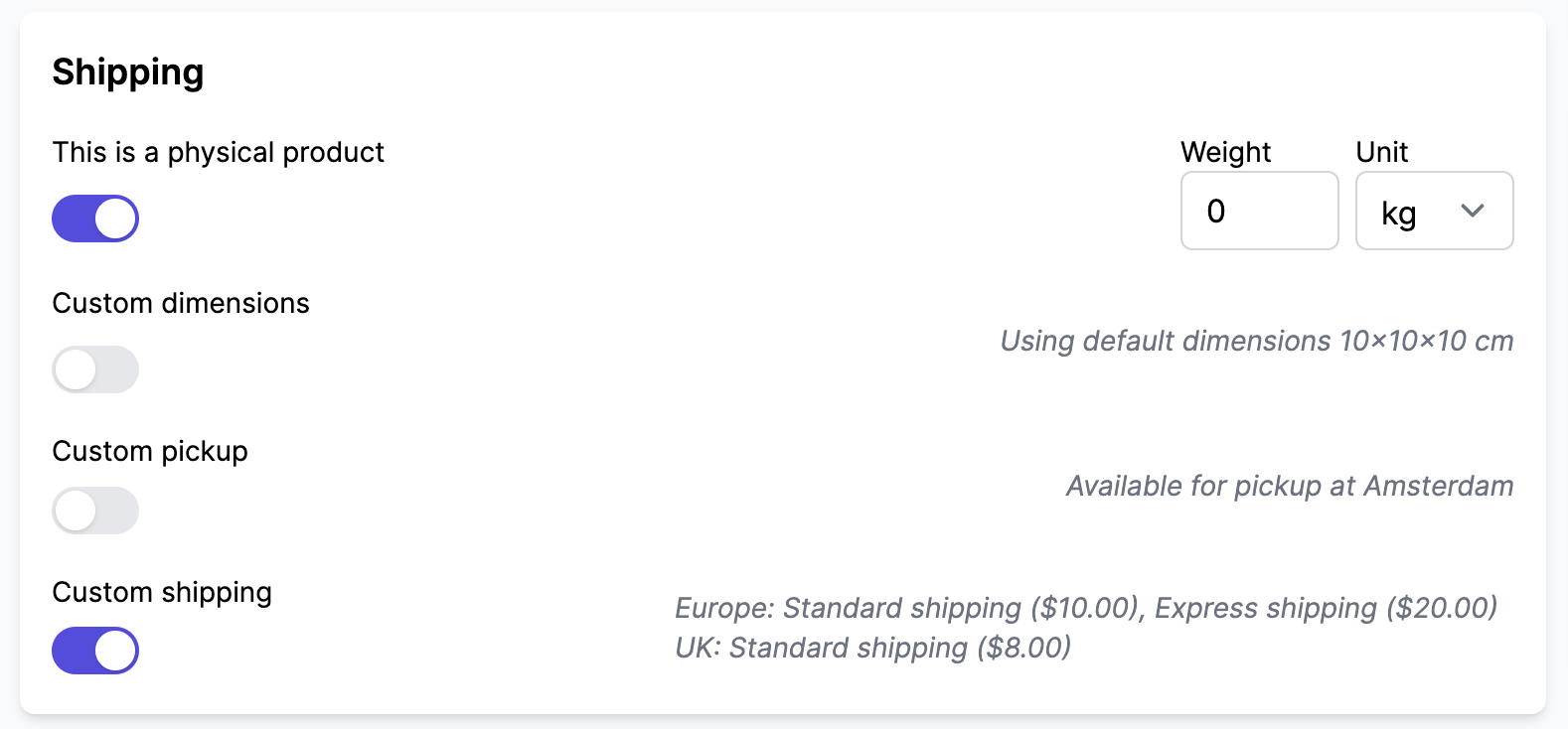
Changing the shipping configuration gives the vendor granular settings at the product level.
With all shipping features turned on, the product shipping section will look like this:
Test your rates
Use the shipping rate tester to simulate checkout rates and verify your live shipping configuration.