
Shipping troubleshooting
Start with the shipping rate tester: it shows the rates Garnet returns for a given cart and address, so you know whether the issue comes from Garnet or from Shopify.
My rates are not visible?
Shopify caches the calculated rates for several minutes. Please wait and try again later and use a different shipping address.
Alternatively, try to turn off and on again the feature Enable Garnet Marketplace shipping in Shopify.
There are unexpected rates in the cart
If you installed any other shipping management application, you might get shipping rates from Garnet and other apps.
To resolve the issue, you can either:
- uninstall the other shipping management app
- or remove the other shipping management carrier rate
For 2, you can go to Shopify > Settings > Shipping and delivery > Shipping > General. From there, ensure only the rate Garnet Marketplace is defined.
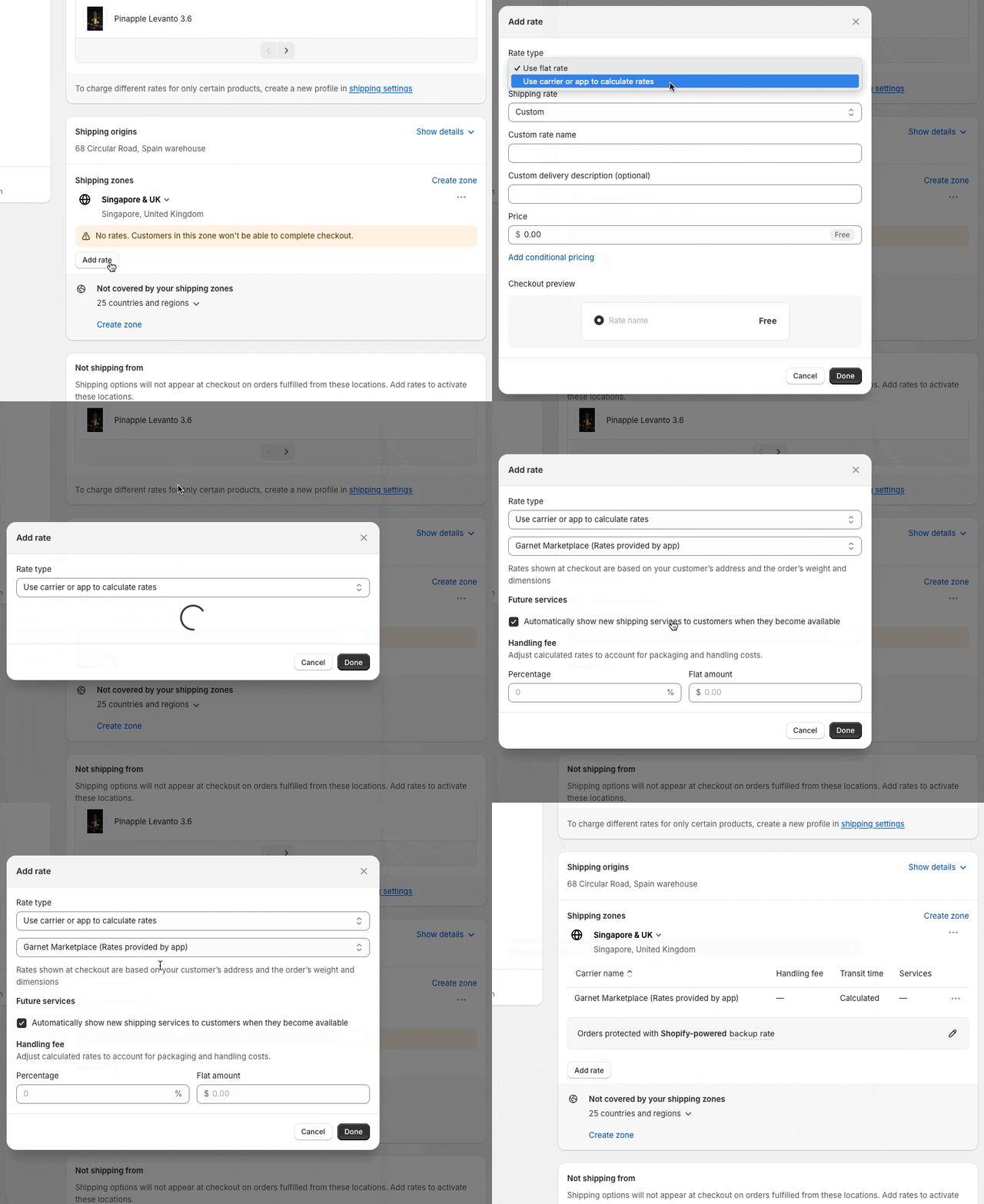
I have specific shipping profiles
In that case you will need to set Garnet as shipping rate provider in your shipping rates. Here is how you can add Garnet Marketplace carrier rates:
Shipping is not supported by your Shopify plan
Shopify require the merchant to be on a specific Shopify plan to be able to use third party shipping. Refer to this article to learn more about it.
The availability of third-party carrier-calculated shipping depends on your store's plan:

    Shopify Plus: Available and included in plan.
    Shopify Advanced: Available and included in plan.
    Shopify Grow: Available for an additional monthly fee if your store is on a monthly subscription plan, or included in an annual billing plan.
    All other plans: Not available.
Shipping cost not displayed to the vendor
See shipping labels.