Shopify product synchronization
Synchronization delay: real-time
What is synchronized?
With the Shopify integration, the following information is imported from the vendor's Shopify to the marketplace:
- product title and SEO title,
- product description and SEO description,
- product and variant images,
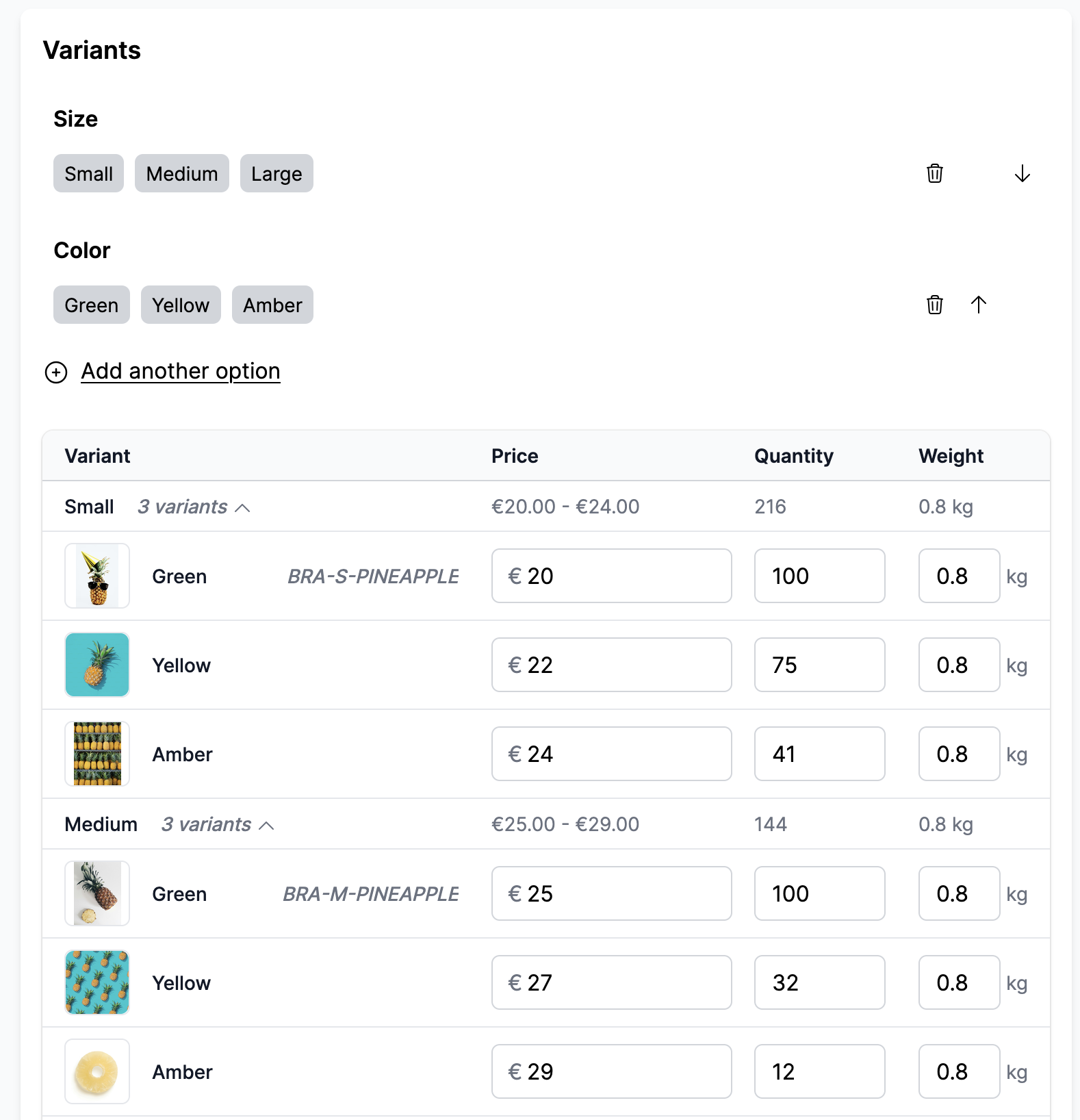
- variants price, stock and stock policy,
- product variations.
Which products are synchronized?
The marketplace decides which products are imported, not the vendor: either every product of the vendor's store, or only the ones it approves in Garnet. See Synchronise specific products.
Price and compare price transformation
The vendor can review the price transformation of each marketplace in the Garnet Seller app, and change it with ⋯ > Edit price rule unless the marketplace keeps that setting to itself.
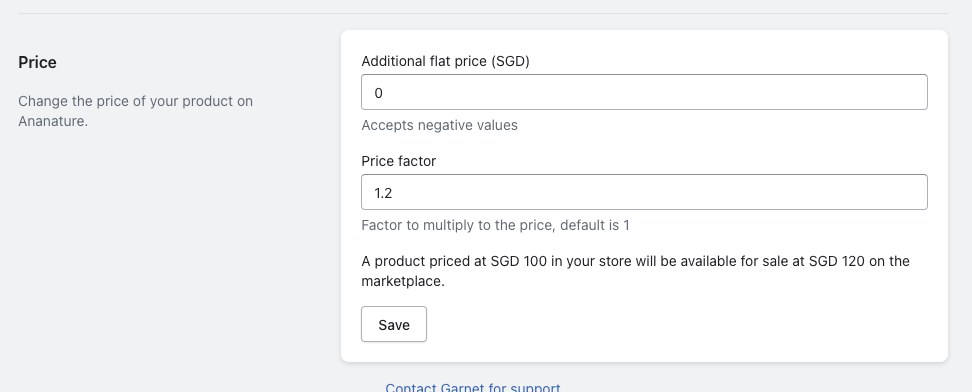
Vendor update price view on Garnet Seller
Once changed, it can take up to 10 minutes to update all prices.
Manage different currencies
Garnet converts no currency during a price sync: the marketplace price is the seller price times the price multiplier. When the seller connects a store that trades in another currency than the marketplace, Garnet sets that multiplier to the live exchange rate, provided it is still at its default of 1. The rate is a snapshot taken at connection time, so adjust the multiplier when the exchange rate moves, or to add a margin.
For instance, if the seller store is in EUR and the marketplace store is in USD and the exchange rate is 1 EUR = 1.078 USD, the multiplier is 1.078.
Prices are always stored in the marketplace currency.
Untracked inventory
If the vendor does not track the inventory of their product, they will be marked as untracked inventory on Garnet.
Sanitized product description
For privacy reasons, all <scripts> and <iframe> tags are removed from the product description.
Updates and approval
Only price/stock updates will be propagated automatically.
When another visible field is edited (title, description, images or compare price), Garnet will generate a new submission that needs to be approved by the marketplace.
Product deletion
When a product is deleted or removed from the Garnet Seller sales channel, the linked product is also deleted on the marketplace both as a submission, and as a product.
Metafields synchronization
By default, Garnet Marketplace does not provide metafield synchronization. If metafield synchronization is important to your business, our team can provide a quote for such customization.
Variant image synchronization
The Shopify integration properly synchronises the variant image. If the Do not synchronize content is turned off, the image will only be added once and never overriden.
Advanced integration settings
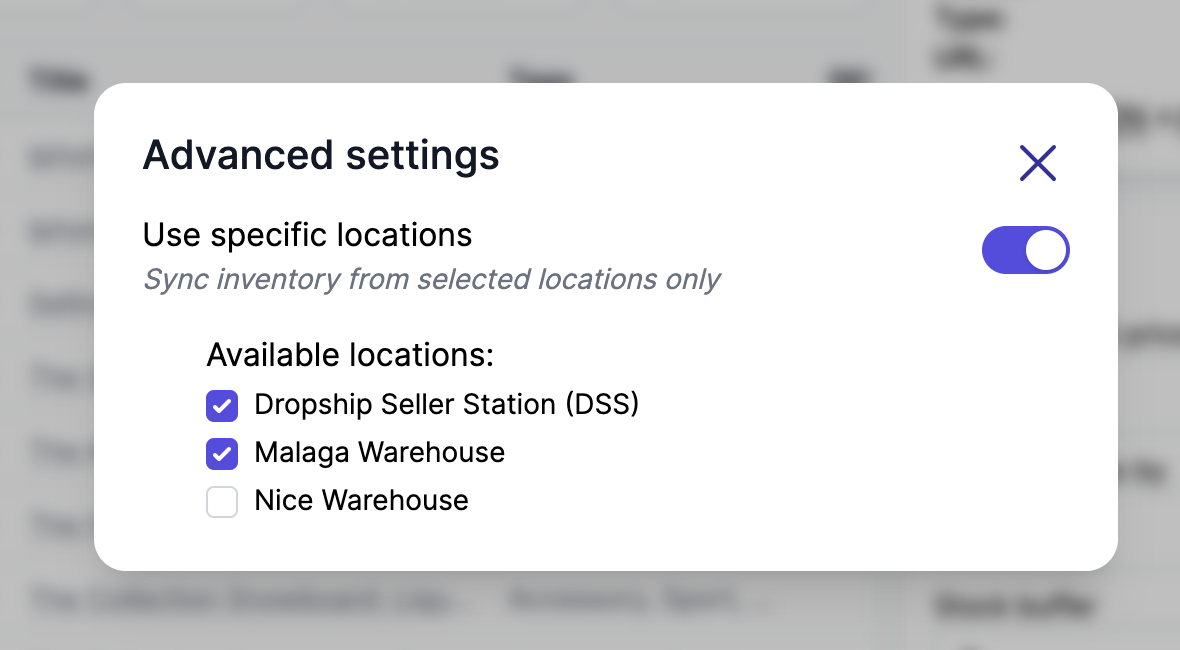
Location selection
Vendors with multiple Shopify locations can choose which locations to sync inventory from. Enable "Use specific locations" to pick individual warehouses or fulfillment centers. If not selected, inventory is synced from all locations by default. The list shows how many locations are selected out of all active ones.
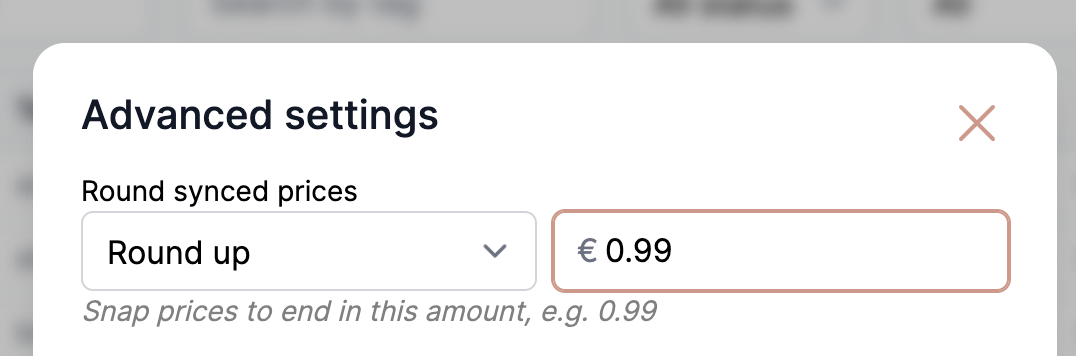
Price rounding
On top of the price transformations, synced prices can be snapped to always end in a chosen amount (charm pricing, e.g. 0.99). Pick a direction and the target ending under Garnet > Vendors > Integrations > Advanced:
- Round up — to the next price ending in the amount (e.g.
12.30→12.99), - Round down — to the previous one (e.g.
12.30→11.99), - Round to closest — to the nearest of the two.
Rounding is applied after the flat fee and percentage. Select No rounding to disable it.