
Install Shopify integration
For vendors handling their products and orders on Shopify: instead of doing countless CSV exports/imports, you can use the Garnet Seller sales channel to have real-time integration with Garnet with no effort.
Integration scope
- ✅ Easy install with Garnet Seller
- ✅ Connect to several marketplaces
- ✅ Garnet Seller available in multiple languages (English, French, German, Italian, Spanish, Dutch)
- ✅ Product synchronization
- ✅ Order synchronization
- ✅ Fulfillment status
- ✅ Tracking synchronization
Speed
The integration is optimized for performance:
| Operation | Speed |
|---|---|
| First import | ~50 products/min |
| First import (Shopify Plus) | ~180 products/min |
| Product update → Marketplace | 0.30s |
| Order creation | 0.22s |
| Tracking update | 0.82s |
| Price/stock update | 0.31s |
| Content update (images, description) | 1.4s-3.2s |
Garnet Seller
Garnet Seller integrates gracefully with other applications. So if the vendor uses fulfillment or product management apps, it will still work.
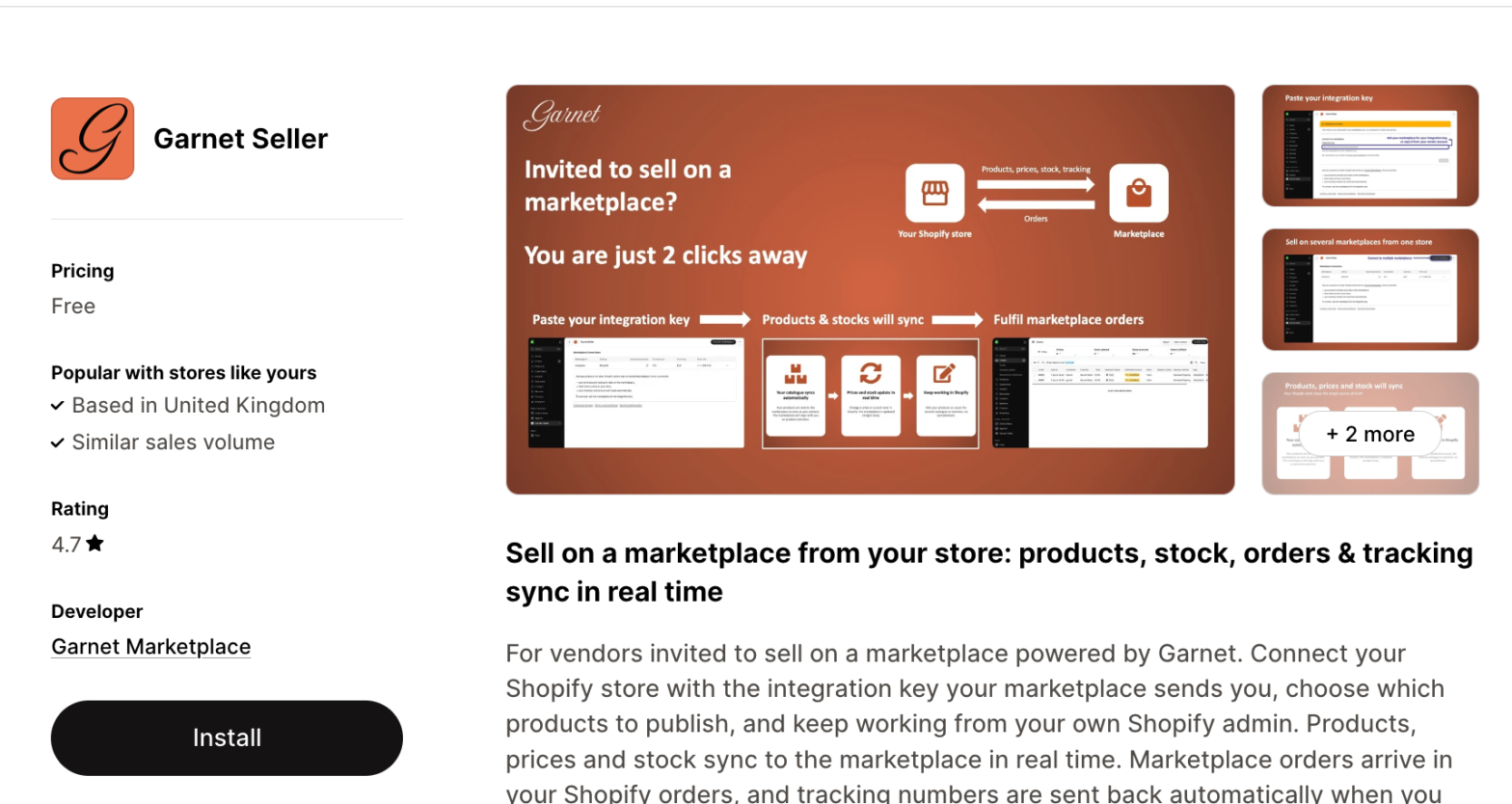
Garnet Seller allows synchronizing seamlessly with Garnet Marketplace the following:
- Orders: when the marketplace receives an order, it is forwarded to the vendor.
- Products: when the vendor updates a product that the marketplace imported, the change is reflected on Garnet and on the marketplace store.
- Trackings: when the vendor fulfills an order, the marketplace receives the tracking.
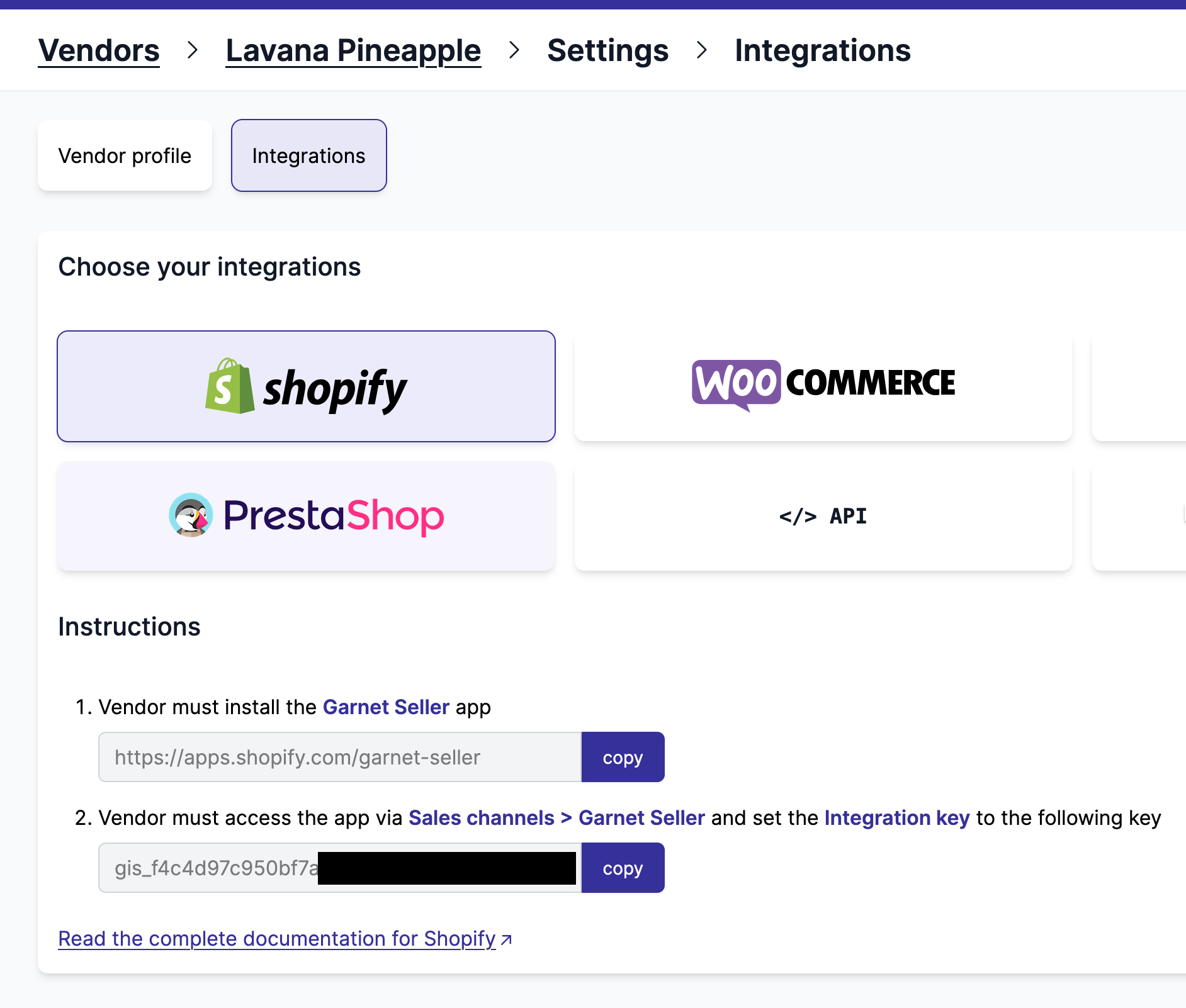
1. The marketplace gives the integration key
The marketplace admin opens the vendor, goes to Settings > Integrations and selects Shopify. The Instructions show the link to the Garnet Seller app and the vendor's integration key: copy both and send them to the vendor.
2. The vendor installs Garnet Seller
The vendor must download the Garnet Seller app on the app store (free for the vendor).
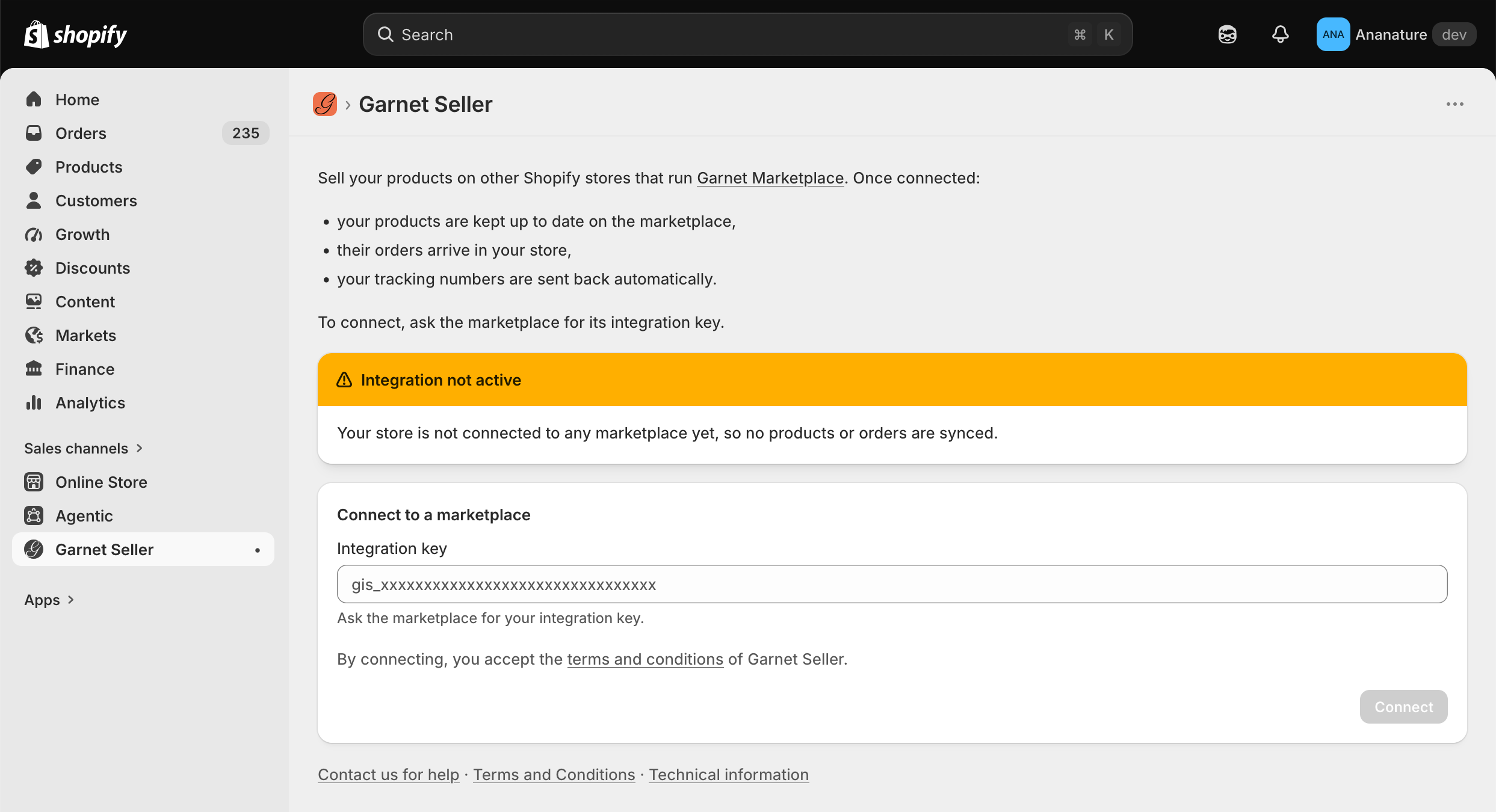
Once installed, the vendor pastes the integration key and clicks Connect. A vendor selling on several marketplaces repeats this with each marketplace's key, using Connect marketplace. The app then lists every connected marketplace:
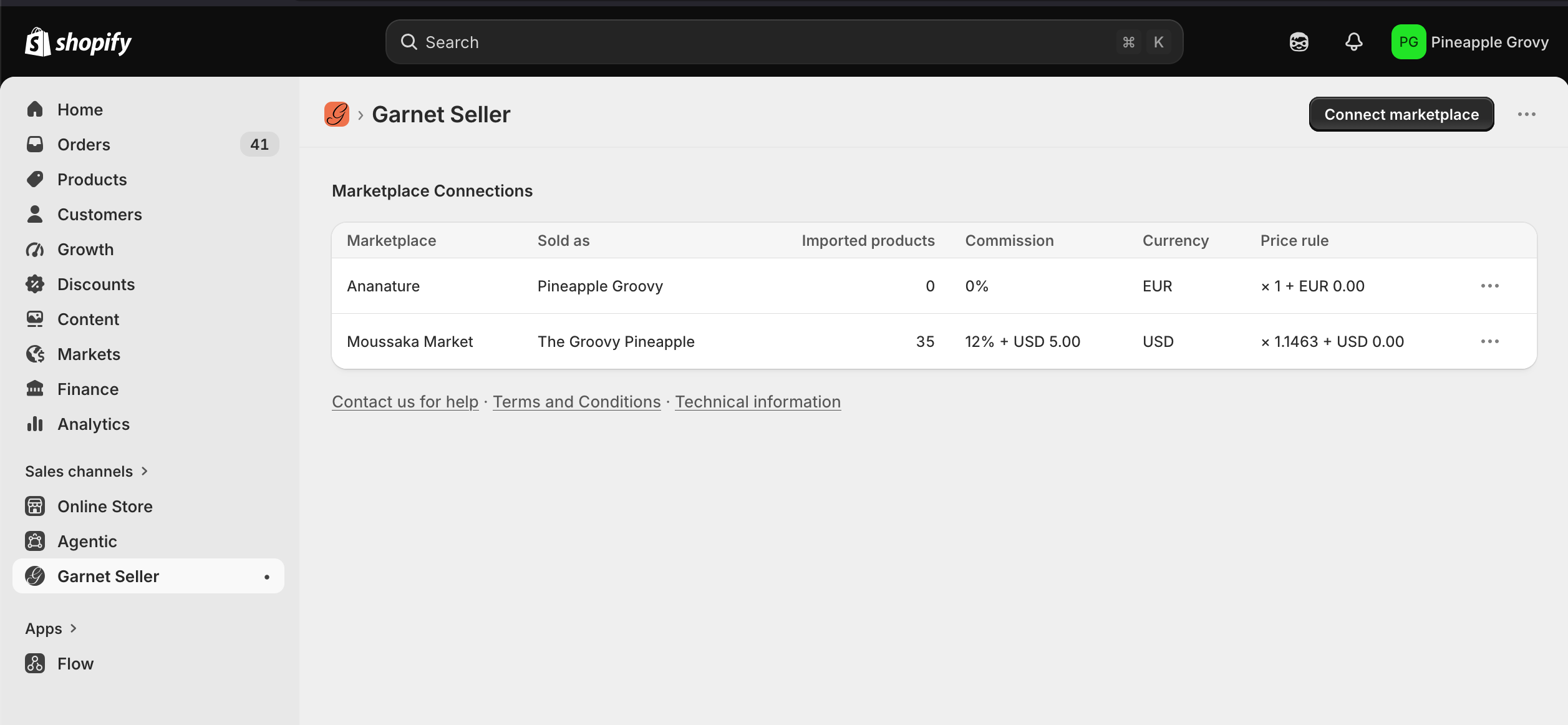
When the vendor's store trades in a different currency than the marketplace, Garnet sets the integration's price multiplier to the live exchange rate before importing the products, unless the multiplier was already changed from 1.
For each marketplace, the vendor sees the name they sell under, the number of synchronised products, the commission, the marketplace currency and the price transformation. The ⋯ menu opens their products on Garnet, edits the price transformation (unless the marketplace keeps that setting to itself) and disconnects the marketplace. Disconnecting one marketplace leaves the others connected. The marketplace, not the vendor, decides which products are imported.
Garnet Seller is available in English, French, German, Italian, Spanish and Dutch. It follows the language the vendor chose for their Shopify admin, and falls back to English for any other language.
View the vendor's shipping profiles
The marketplace admin can review the shipping rates a vendor configured on their own Shopify store without leaving Garnet: go to Garnet > Vendors > (vendor) > Settings > Shipping and select Use Shopify rates. Each of the vendor's shipping profiles is listed with its zones, conditions (price or weight ranges) and prices, so you can check them before the buyer is charged.
The data is read through the Garnet Seller app, so it is only available once the vendor has installed it. Vendors who let a carrier app quote rates at checkout (e.g. Intuitive Shipping) expose no fixed prices — those rates show as Calculated at checkout. See Shopify shipping rates to charge these rates at checkout.