Order synchronisation
Integrations that support it forward each marketplace order to the vendor's store, so the vendor fulfils it from the tool they already use.
Paid orders only
Orders are only forwarded to the vendor's eCommerce platform once they are paid. Authorized (but unpaid) orders are not forwarded.
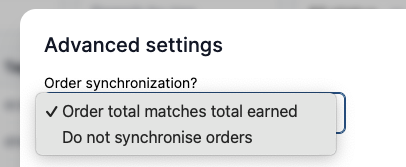
Do not synchronise orders
The marketplace can turn off order forwarding for a specific vendor. When this setting is active, paid orders are no longer sent to the vendor's eCommerce platform — product and stock synchronisation are not affected.
This can be configured in Garnet > Settings > Integrations, by clicking on a connected integration, then Advanced, and selecting Do not synchronise orders under Order synchronization.
Order integration metafield
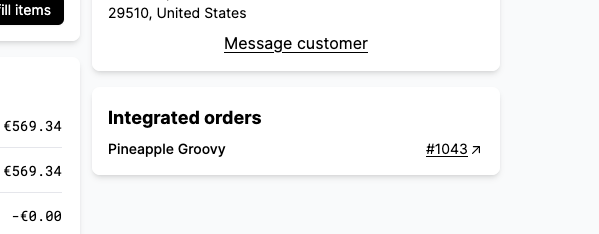
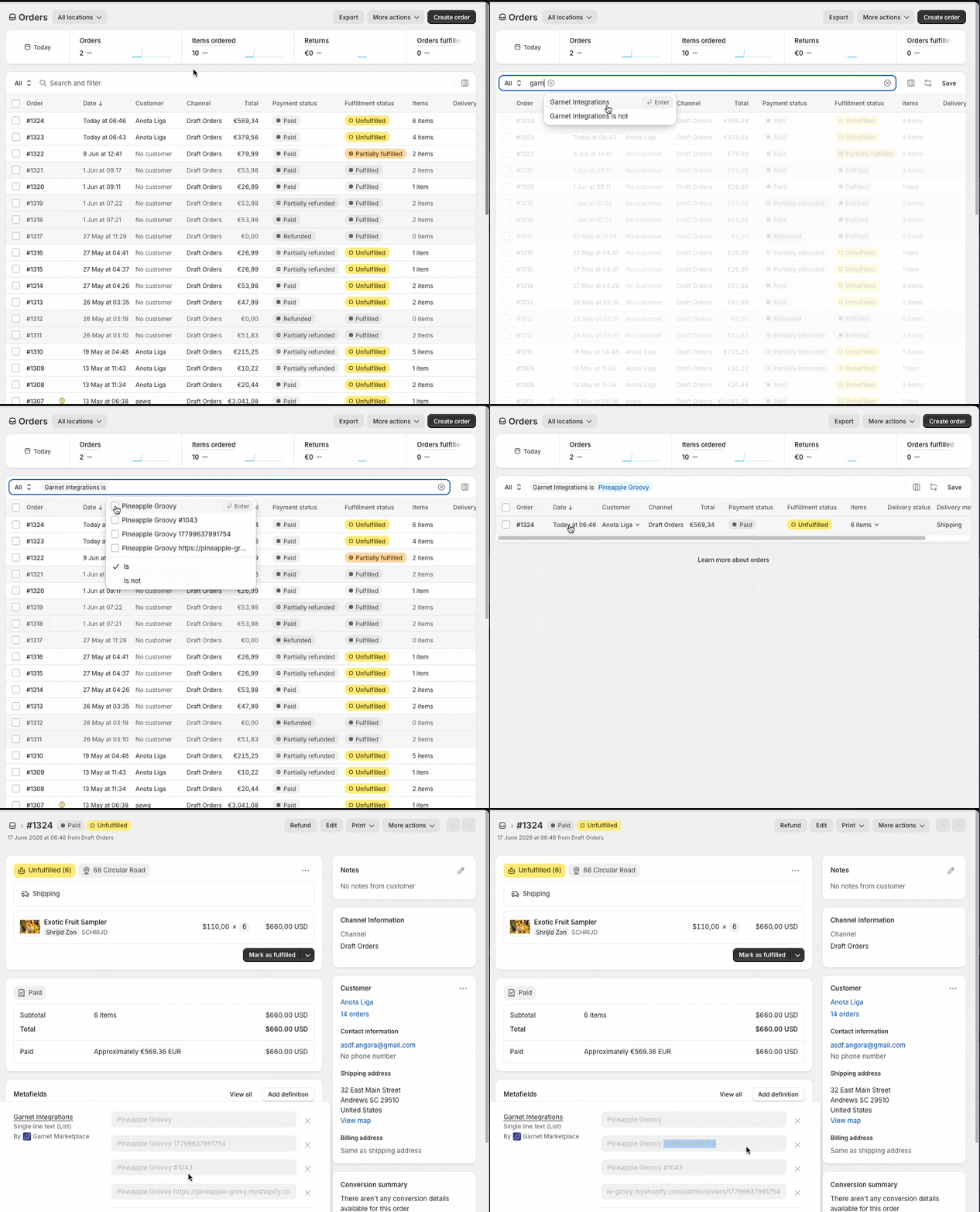
When an order is forwarded to a vendor's store, Garnet records integration details as a metafield on the marketplace order. This metafield includes the vendor name, the vendor's order ID, order name, and a direct link to the order in the vendor's store.
This metafield is filterable in Shopify admin, which means you can search orders by vendor name or by the vendor's order name directly from the Shopify orders list.
Shopify only
This feature is currently available for Shopify integrations only.
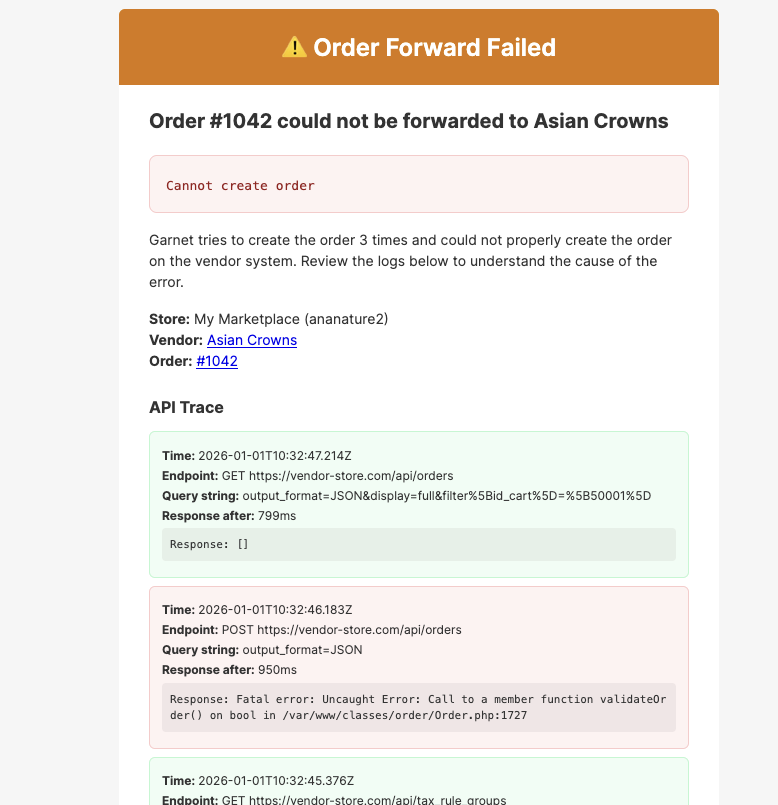
Order forwarding failure emails
When an order fails to be forwarded to a vendor's store (Prestashop, Shopify, or WooCommerce), Garnet sends an error notification email that includes a full API trace showing every request made during the attempt. Each request displays the endpoint, query string, response time, and response body, color-coded by status (green for success, red for errors). This makes it much easier to diagnose integration issues without checking server logs.