
Squarespace integration
This documentation hasn't been written yet but the feature is live. Contact us to learn more about it.
Integration scope
- ✅ Easy install with one link
- ✅ Product synchronization
- ✅ Order synchronization
- ✅ Fulfillment status
- ✅ Tracking synchronization
- ❌ Order cancellation
Installation
1. Find the installation link
The installation link can be found in Garnet > Settings > Integration > Squarespace. The vendor must follow this link to start the Squarespace integration. The link can be sent to the vendor by the marketplace.
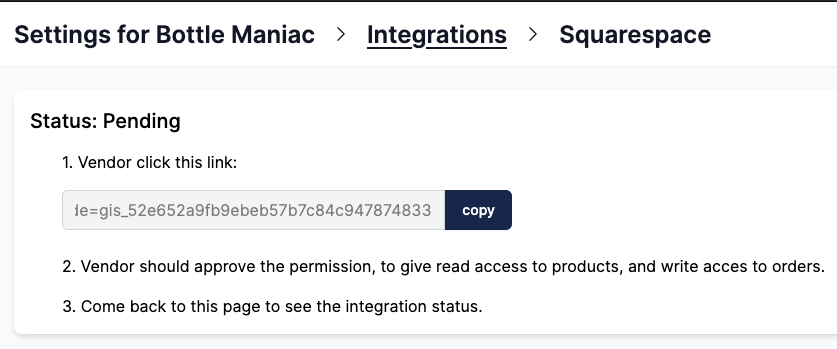
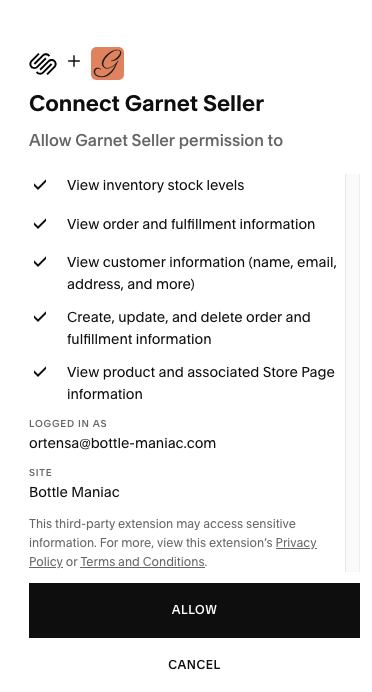
2. Vendor follows the link
The vendor will then need to approve the permission to access products and create orders.
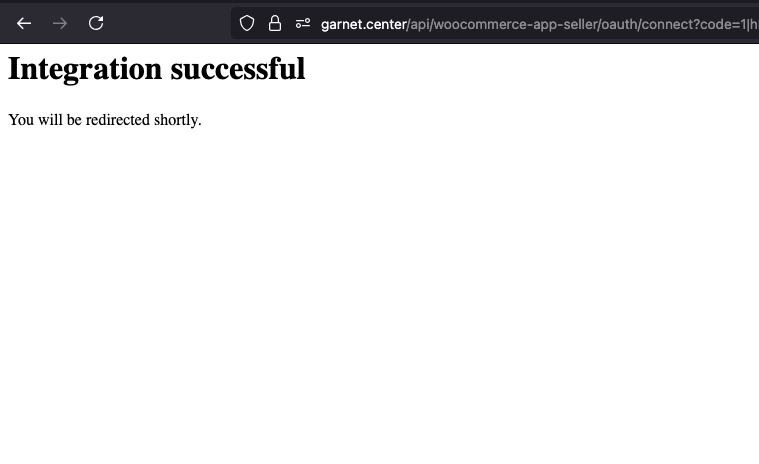
3. Integration completed
That's it, the vendor will be redirected to Garnet and can login if they have an account. All their products will be sent to the marketplace.
How products and tracking sync
Squarespace does not notify Garnet when a product changes, so Garnet checks each vendor's store every 15 minutes. Products edited since the last check are updated on the marketplace, and a sample of imported products is refreshed each time, which picks up stock changes. A product hidden on Squarespace is not imported unless the marketplace imports inactive products. A product deleted on Squarespace is archived on the marketplace, never deleted.
Squarespace does notify Garnet when the vendor marks a marketplace order fulfilled. The marketplace order is then fulfilled with the vendor's latest tracking number, or without tracking if the vendor gave none.
How to locate marketplace orders
Each order created by the marketplace is labeled with the channel name set to the marketplace name (e.g. MyMarketplace) and includes the original marketplace order number as an external order reference (e.g. #1042). Vendors can use these fields to filter and identify orders coming from the marketplace in their Squarespace dashboard.
Order cancellation
Cancellations are not forwarded to the vendor's Squarespace store. The Squarespace Commerce API only allows creating and fulfilling orders — there is no endpoint to cancel one — so an order cancelled on the marketplace stays open in the vendor's Squarespace dashboard.
Vendors are informed through the order cancelled email instead, and must cancel the order manually in Squarespace > Commerce > Orders.
TIP
Make sure the Order cancelled notification is enabled in Garnet > Admin Panel > Vendors > Notifications, otherwise Squarespace vendors have no way to learn that an order was cancelled.