
Your account
Every vendor and marketplace admin has a page to manage their own account: their name, the app's language, their password, the devices they are logged in on, and, for admins, the AI apps connected to the marketplace. It only ever shows the account of the person logged in.
Open it with the account icon in the menu, or from the profile menu with Your account.
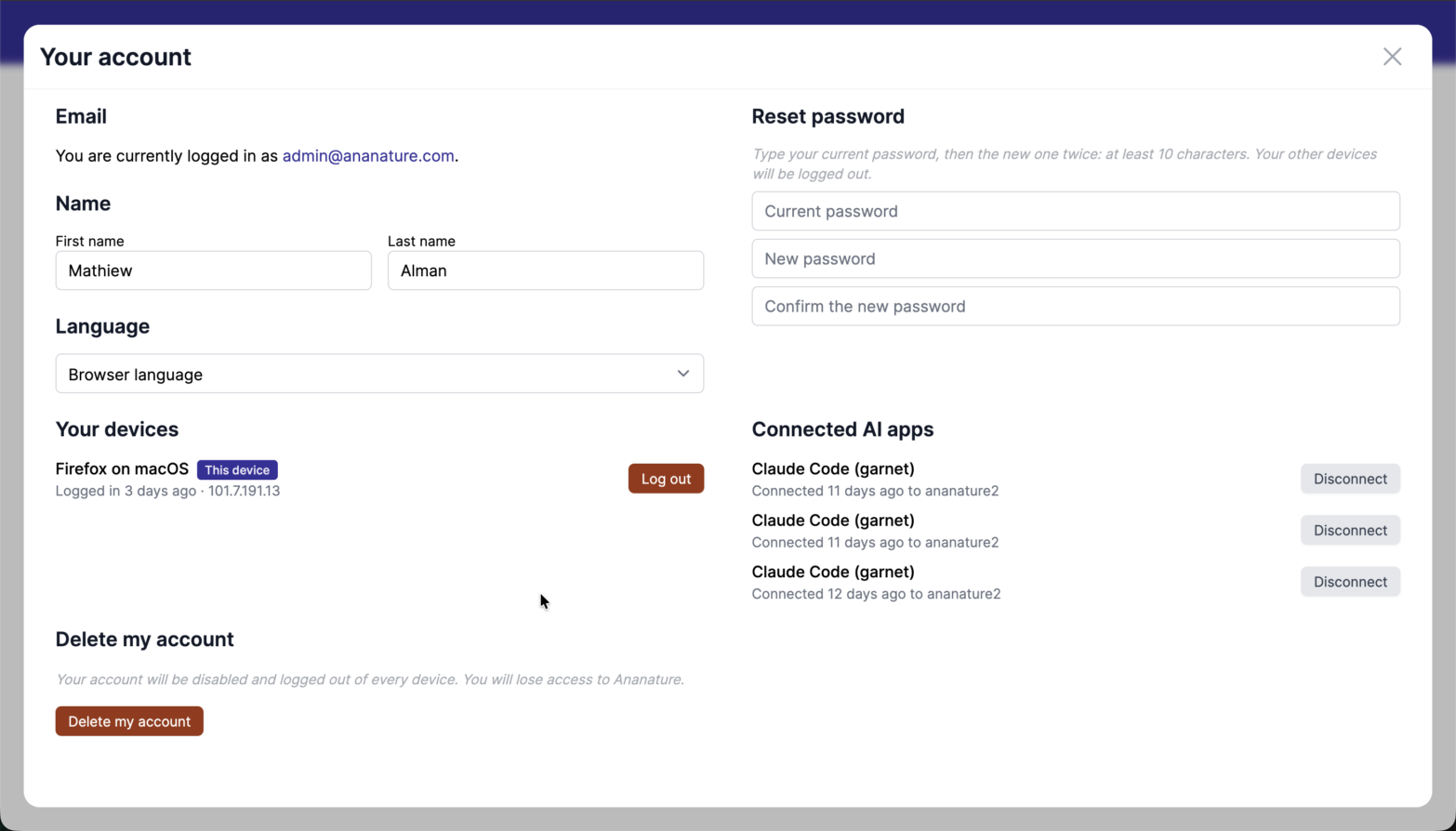
Log out and Disconnect ask for a second click to confirm.
Name and language
The first and last name are saved for the account.
The language applies to the whole app, on every device the account logs in on. Browser language follows the language of each browser instead.
Reset password
Type the current password, then the new one twice: at least 10 characters. Every other device the account is logged in on is logged out, and so are its connected AI apps. The device used to change it stays logged in.
An account that signs in through Shopify has no password: the marketplace owner's access follows their Shopify admin account. Someone who forgot their password resets it from the login page, see Change password.
Your devices
Each browser the account is logged in on is listed with the date of its login and its IP address, the current one marked This device. Log out ends the session of that device: use it on a device you no longer use or do not recognise.
Connected AI apps
Marketplace admins see the AI apps, such as Claude, connected to the marketplace with their account. Disconnect cuts an app off at once.