
Product settings
These settings are in Admin Panel > Products > Settings. They apply to every product created on the marketplace. The same screen also holds:
- Approval & access: whether new products need the marketplace's approval.
- Discounts: let vendors create discount codes.
- Catalog & offers: let customers make an offer and vendors add custom options.
- Product subscription: sell products on a subscription with Seal Subscriptions.
Default units
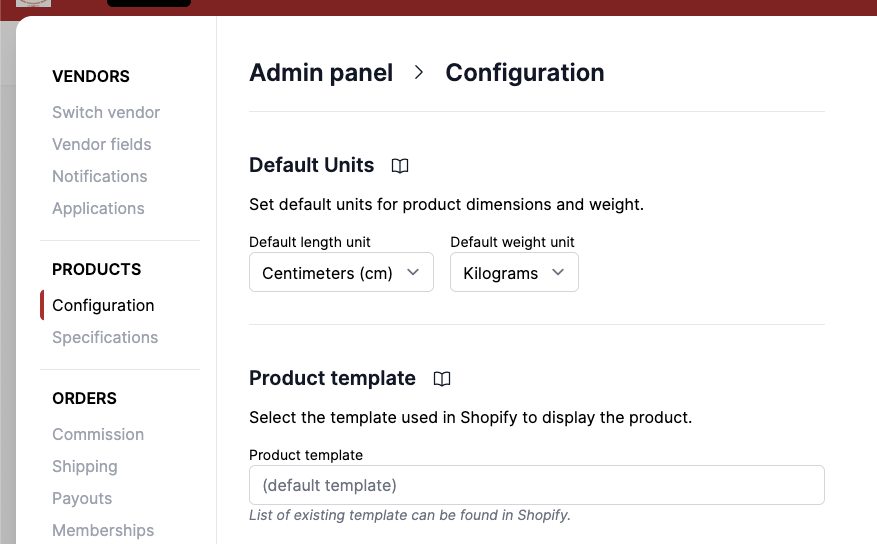
These default units will be pre-selected when vendors create new product listings, ensuring consistency across your marketplace.
Length units: Centimeters (cm), Inches (in), Feet (ft), Meters (m), Millimeters (mm), Yards (yd).
Weight units: Grams, Kilograms, Ounces, Pounds
Product template
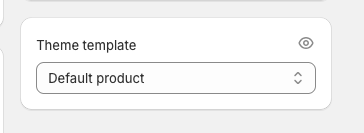
Products can be created using a different Shopify theme template. If not specified, it will use the default template specified by your theme.
The theme can be found in Shopify > Product > Theme template.
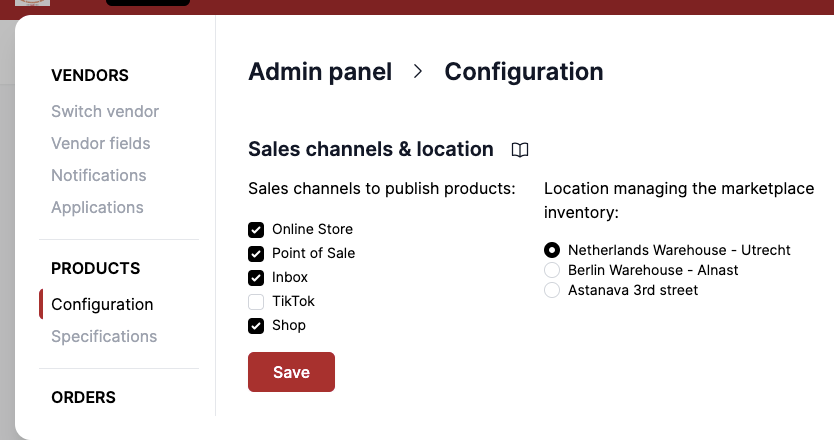
Sales channel and location
The marketplace can customize in which location the product will be created, and in which sales channel it will be published. Garnet will always create products in the same location.
Edit products in other location
Garnet supports editing products in other locations. If the marketplace created products and assigned it to locations that are not the default location, vendors will still be able to edit them.