
Wix integration
Vendors selling on a Wix site connect it with Garnet Seller, our app for Wix: the vendor installs it, pastes an integration key, and the site is connected.
Integration scope
- ✅ Easy install with Garnet Seller
- ✅ Connect to several marketplaces
- ✅ Product and stock synchronisation
- ✅ Order synchronisation
- ✅ Fulfilment status, including partial shipments
- ✅ Tracking synchronisation
The site needs Wix Stores with its current product catalog: a store still on Wix's previous catalog cannot be connected yet.
1. Get the integration key in Garnet
The marketplace and the vendor can get the integration key in Garnet > Settings > Integrations > Wix.
2. Install Garnet Seller on the Wix site
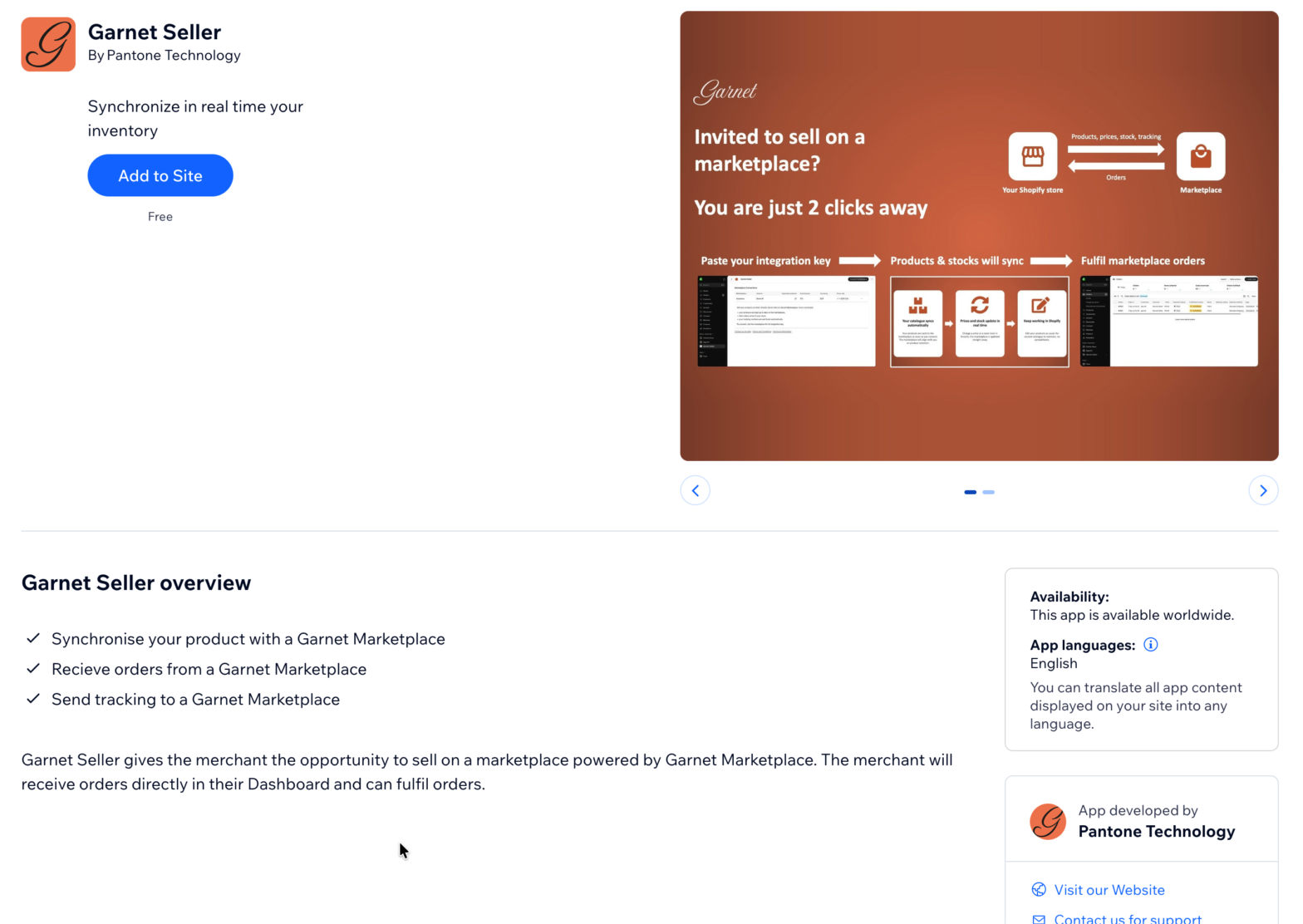
The vendor opens the Garnet Seller installation link and clicks Add to Site. The app is free.
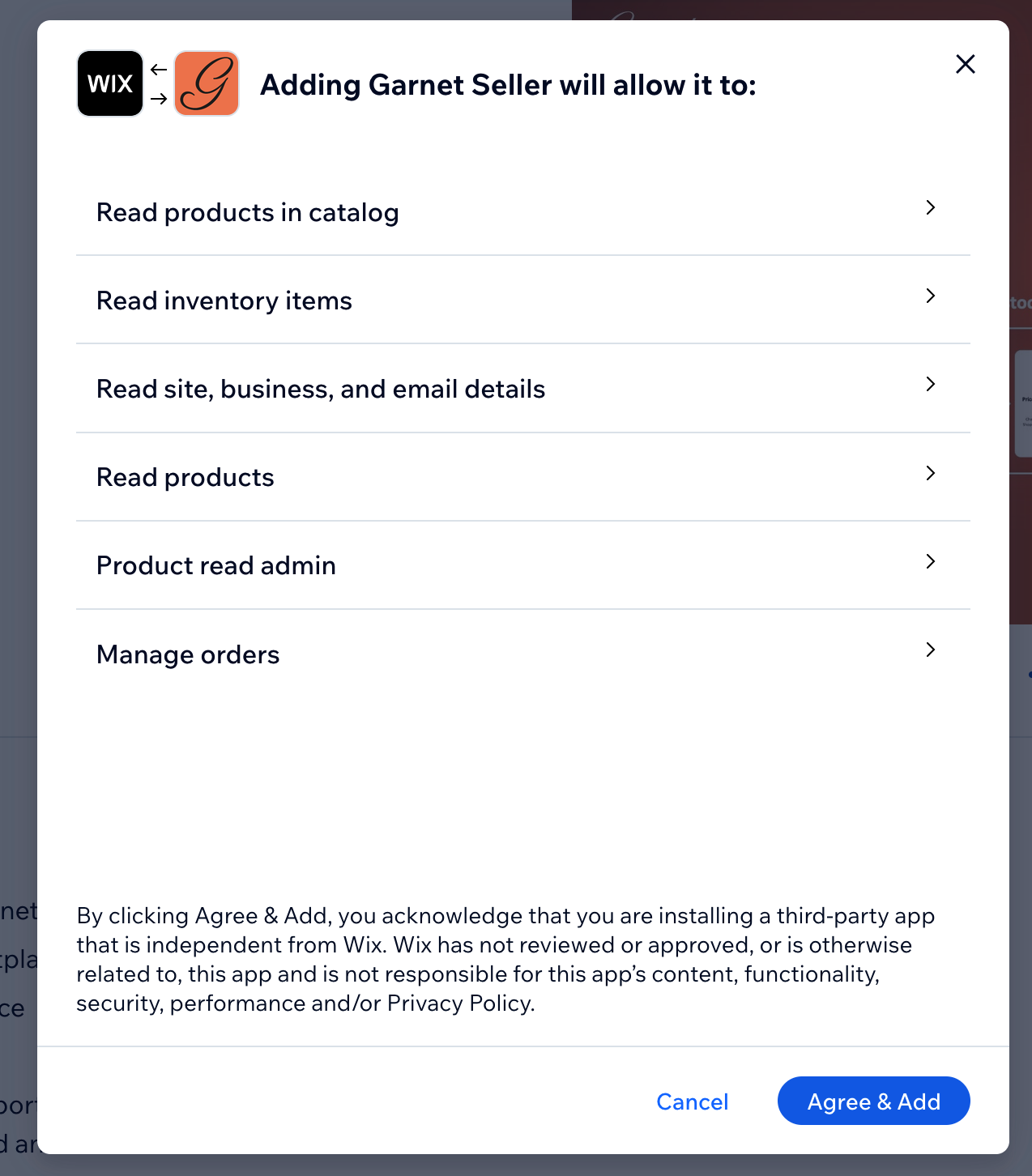
Wix then lists what the app may do on the site: read the products and their stock to send them to the marketplace, and manage orders to create the marketplace's orders. The vendor clicks Agree & Add.
3. Paste the integration key
Garnet Seller opens in the Wix dashboard, under Apps > Garnet Seller. The vendor clicks Connect marketplace, pastes the integration key and clicks Connect.
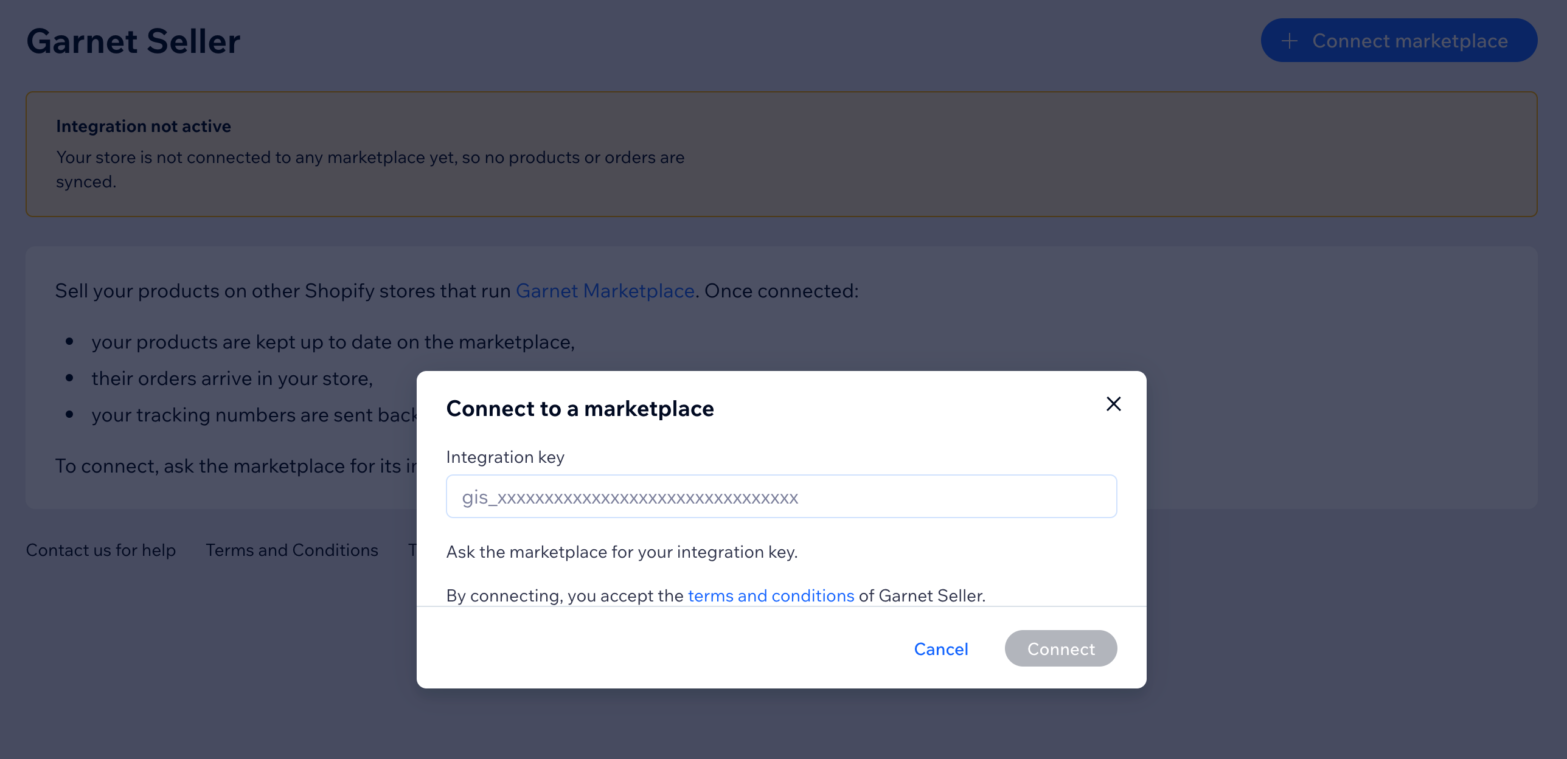
That's it, the Wix site is integrated. Its products appear on the vendor's integration page in Garnet within a few minutes.
Manage the marketplace connections
The Garnet Seller page lists every marketplace the site is connected to.
- Connect another marketplace: click
Connect marketplaceand paste that marketplace's integration key. A site can be connected to several marketplaces at once. - Edit the price rule: change the multiplier and the amount added to each price. The option is hidden when the marketplace does not let vendors edit their integration settings.
- Disconnect: products stop syncing with that marketplace and its orders no longer reach the site. The same integration key reconnects it later.
Uninstalling Garnet Seller from the Wix site disconnects it from every marketplace.
Products and stock
Products sync as soon as they change on Wix: name, description, images, options, variants, prices, SKUs and stock. A variant whose stock Wix does not count, only marking it in or out of stock, is sent with a stock of 999 while in stock. Prices go through the integration's price rule.
Deleting a product on Wix deletes it from the marketplace.
Orders
When a customer buys the vendor's products on the marketplace, Garnet creates the order on the Wix site, already approved and paid:
- each line is the vendor's Wix product and variant, with its image, options and SKU, at the vendor's own Wix price, and Wix updates the stock as for any order,
- the shipping address is the customer's, and the email is obfuscated when the marketplace chose to,
- Wix does not email the customer about it.
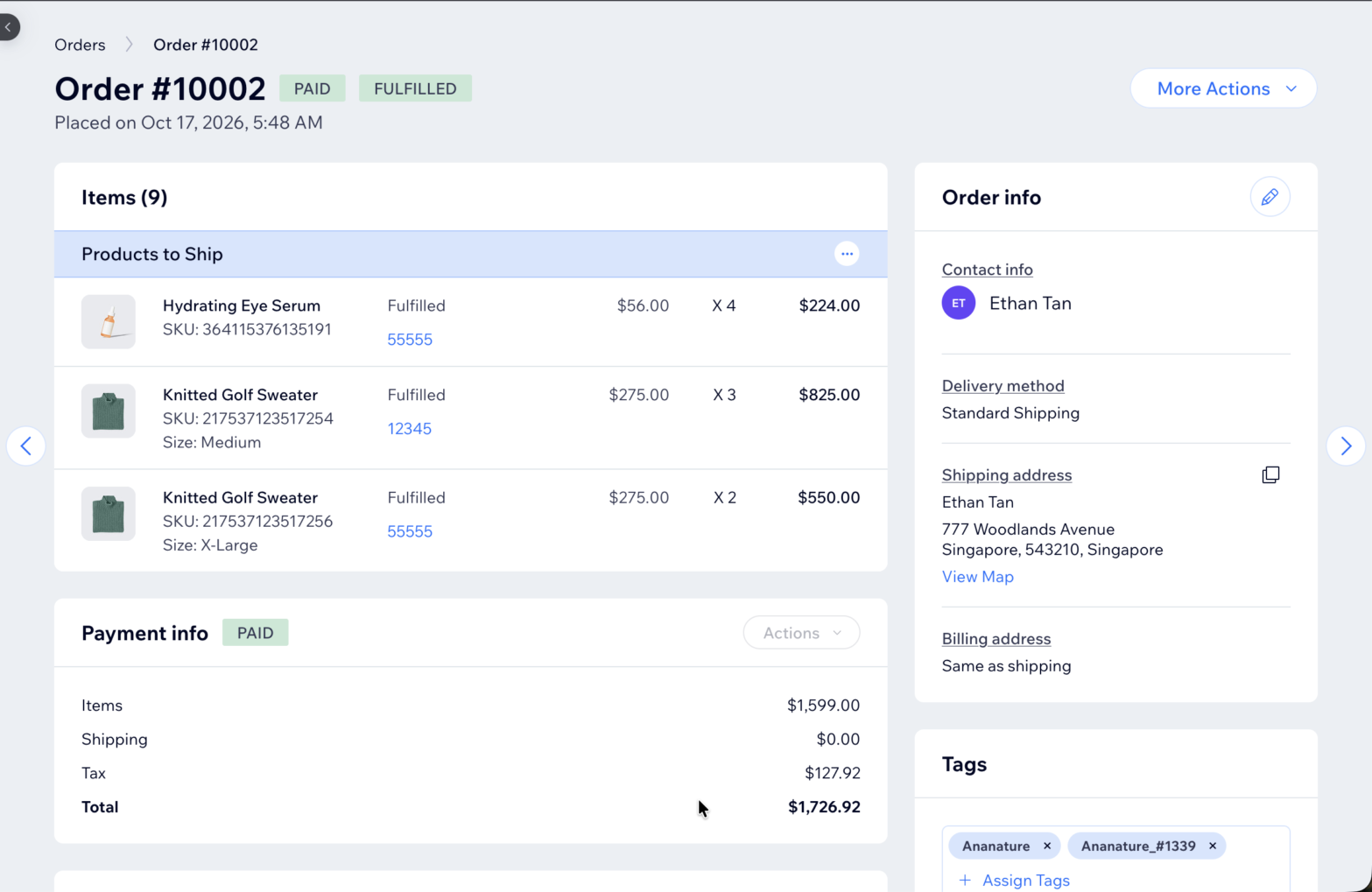
How to locate marketplace orders
Each order created by the marketplace carries two tags: the marketplace name (e.g. MyMarketplace) and the marketplace name with the order number (e.g. MyMarketplace_#1042). Its channel reference is the marketplace order number too. Vendors filter their Wix orders on these tags to find the marketplace's, or one order by its marketplace number.
Tracking
The vendor ships from Wix as usual. Each shipment added to the Wix order, with its tracking number, fulfils the same items on the marketplace order, so the customer receives the tracking of every package. An order marked as fulfilled in Wix without a shipment fulfils whatever is left on the marketplace order, without tracking.