
Populate vendor details
Quite often the marketplace needs to inject some vendor-related information. For example, on the product page, we need to have the vendor name that redirects to the vendor page.
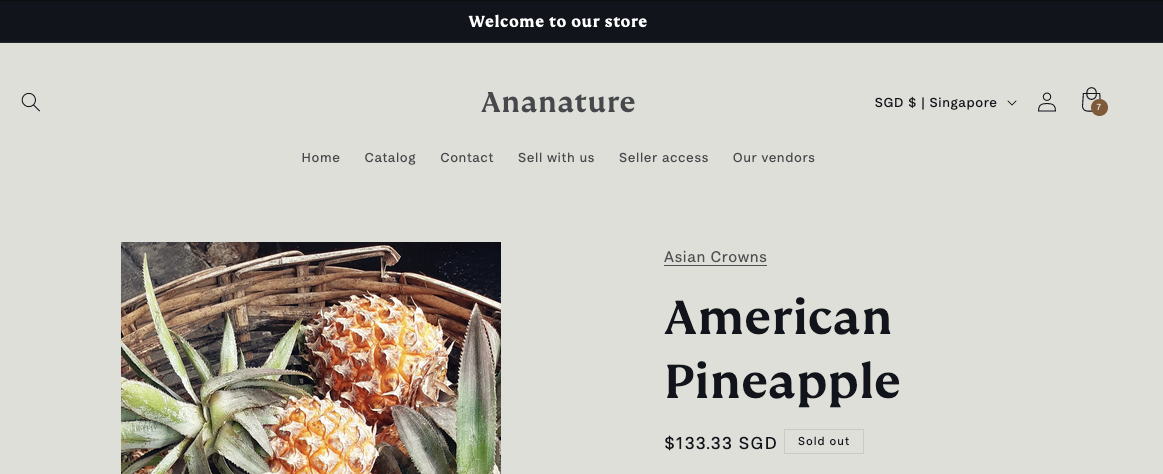
With a theme component
Add the theme component Add vendor links in your theme. Go to Shopify > Themes > Customize > Products then add the component as shown in the screenshot.
The component does not render any visuals: it points the vendor links of the page to the vendor's collection. It reads the vendor from your store's data, so it adds no request to the page.
The component can be added anywhere on the page.
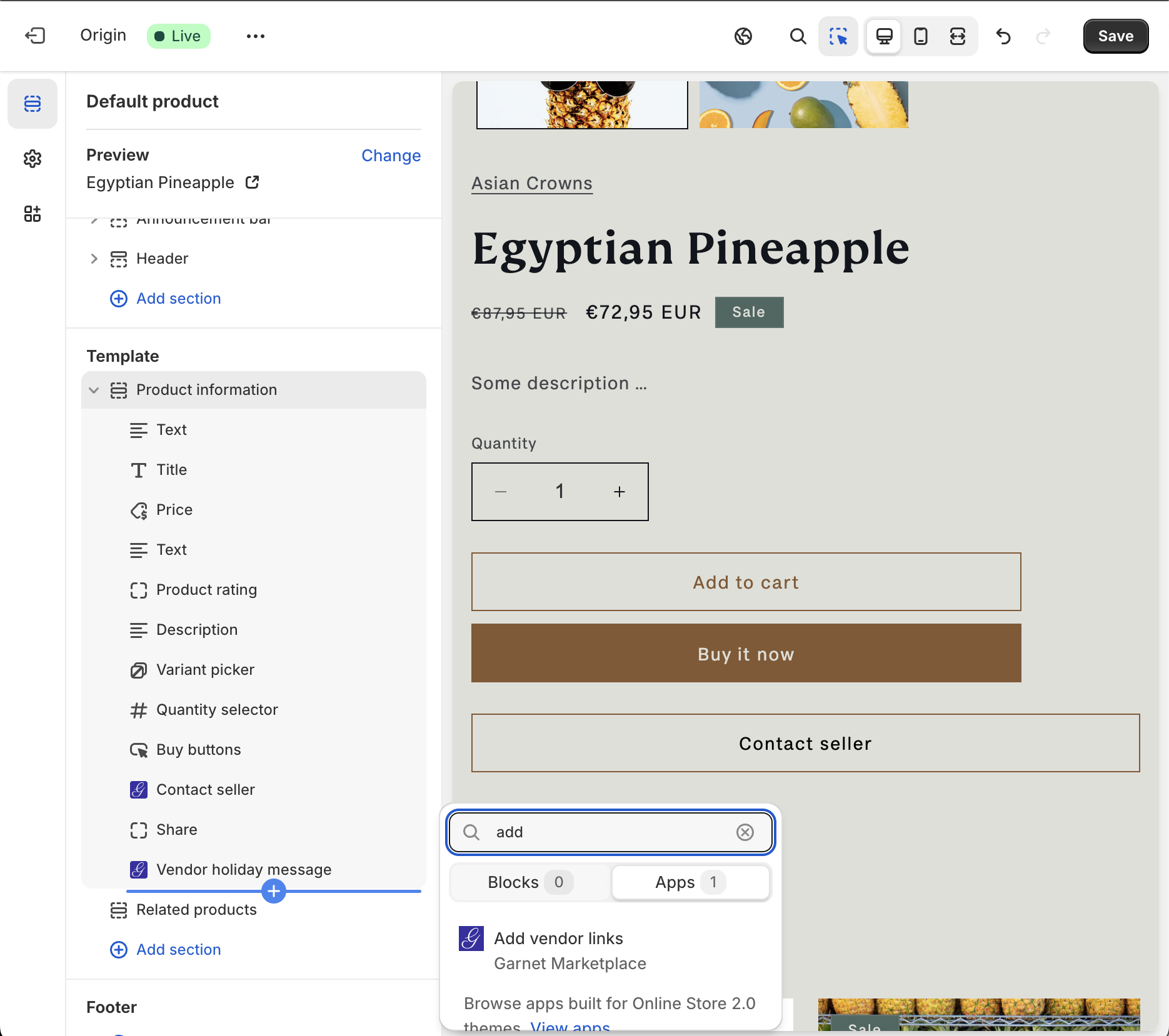
Add vendor linkcomponent
Link to the vendor page instead of the collection
By default every vendor link points to the vendor's collection, /collections/<vendor>. Tick Link to the vendor page instead of the collection in the component settings to point them at the vendor's own page instead, /pages/vendors/<vendor>, the page built from the Garnet Vendors metaobject.
That page only exists once your theme has a metaobject template and the vendor's profile is published. Vendors whose profile is still a draft keep linking to their collection, so nothing points at a missing page while you review them.
What the component changes
- All links, blocks and paragraphs whose text is exactly the vendor name point to the vendor's page.
Details
html
<a href="#">Asian Crowns</a>Becomes
html
<a href="/collections/asian-crowns">Asian Crowns</a>- All links to
#garnet-vendor-page, and all links with the attributedata-garnet="$collectionUrl", point to the vendor's page.
Details
html
<a href="#garnet-vendor-page">See more about Asian Crowns</a>Becomes
html
<a href="/collections/asian-crowns">See more about Asian Crowns</a>Vendor fields and image
Until September 2026 a script from Garnet could also fill registration fields (data-garnet="phone") and the vendor image (data-garnet="$imageUrl") on the page. That script is no longer available. To show a vendor's details on the product page, use the vendor profile component or a vendor page.