Order details
Open an order from the Orders tab to access this view. The details on the page only represent the order split for the connected vendor.
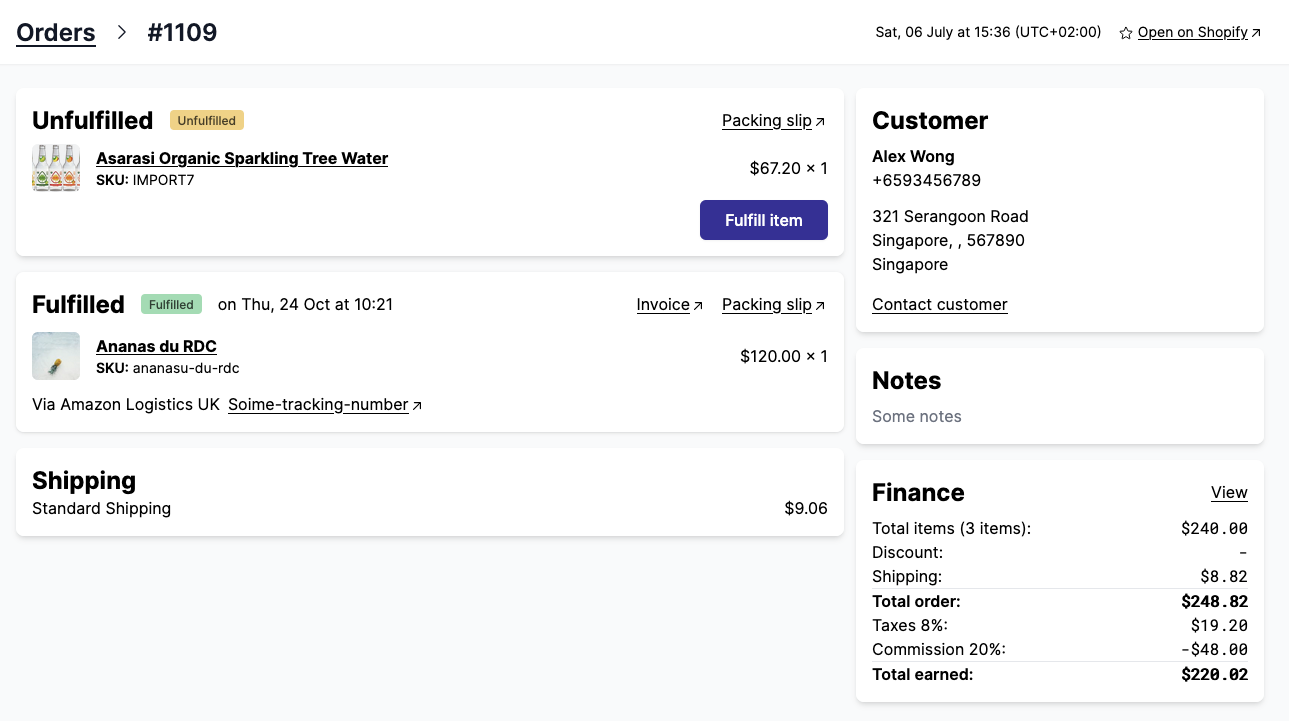
The order details contains the following information:
- Line items to be fulfilled and the fulfillment interface
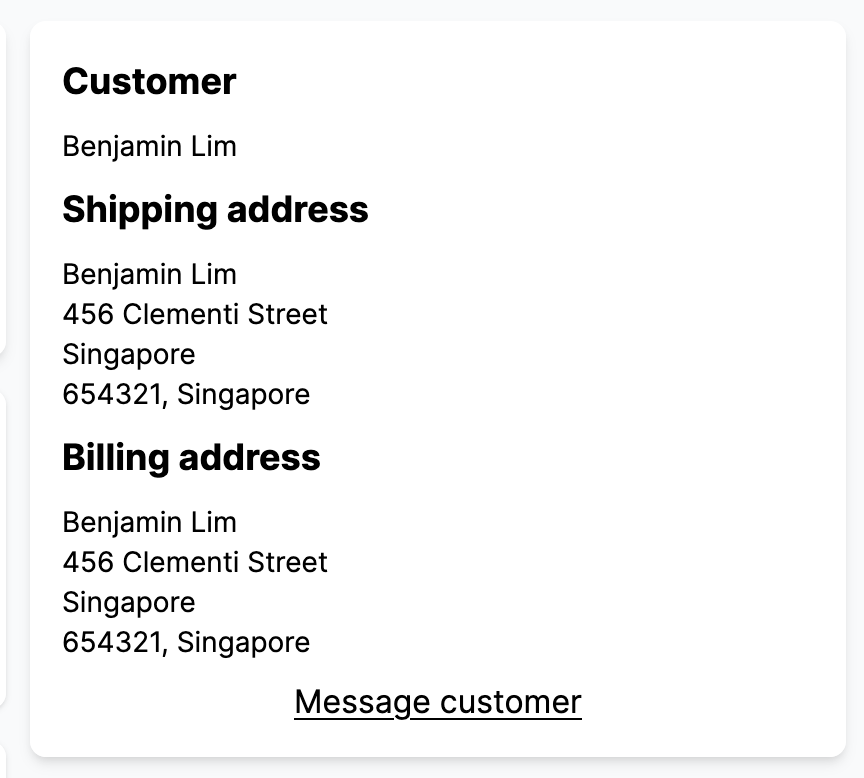
- Shipping information with the phone number and full address
- Order finance details
- Past fulfillments (if any)
- Cancellation and refunds (if any)
- Order notes, order attributes and line items attributes (if any)
Checkout our Shippo integration if you are looking to improve the vendor shipping experience.
Open an order from Shopify
Marketplace admins can jump from an order in their Shopify admin straight to the same order in Garnet.
- Open the order in
Shopify > Orders - Click
More actions - Under
Apps, clickView in Garnet
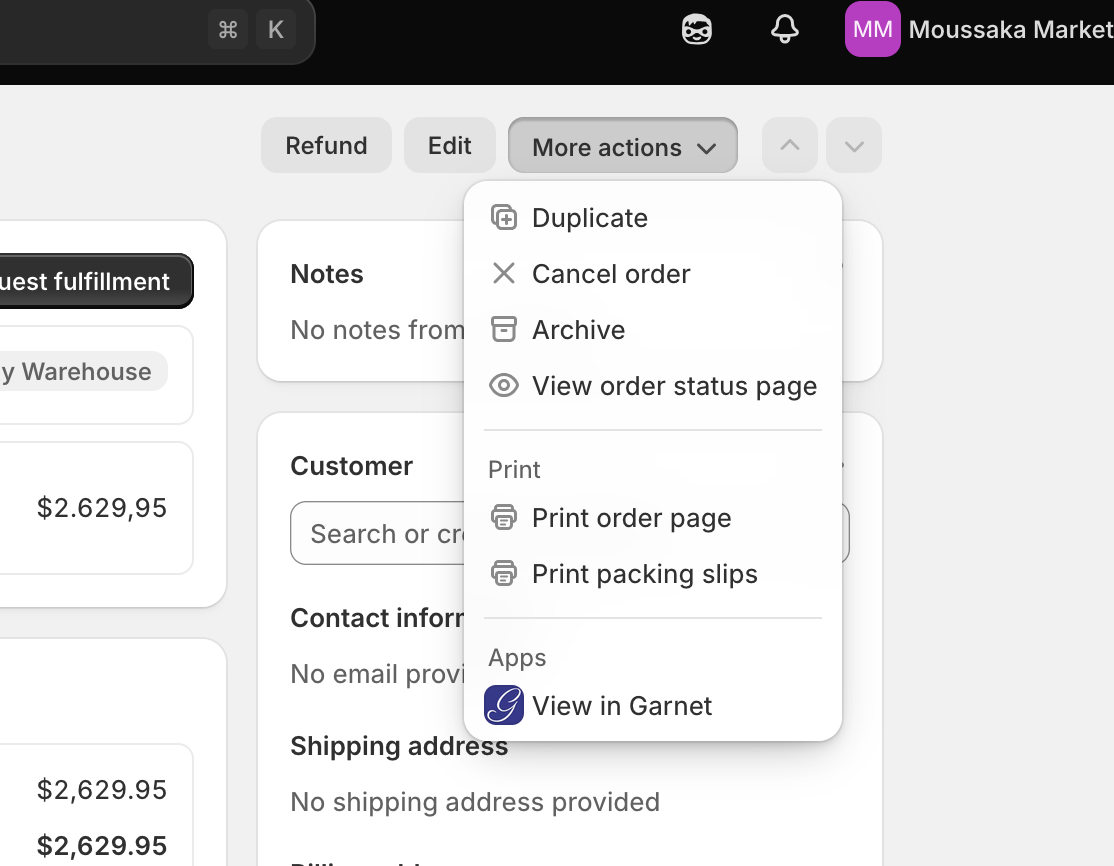
The link is available on every marketplace with the Garnet app installed, no setup needed. The same action exists on Shopify products.
Fulfill an order
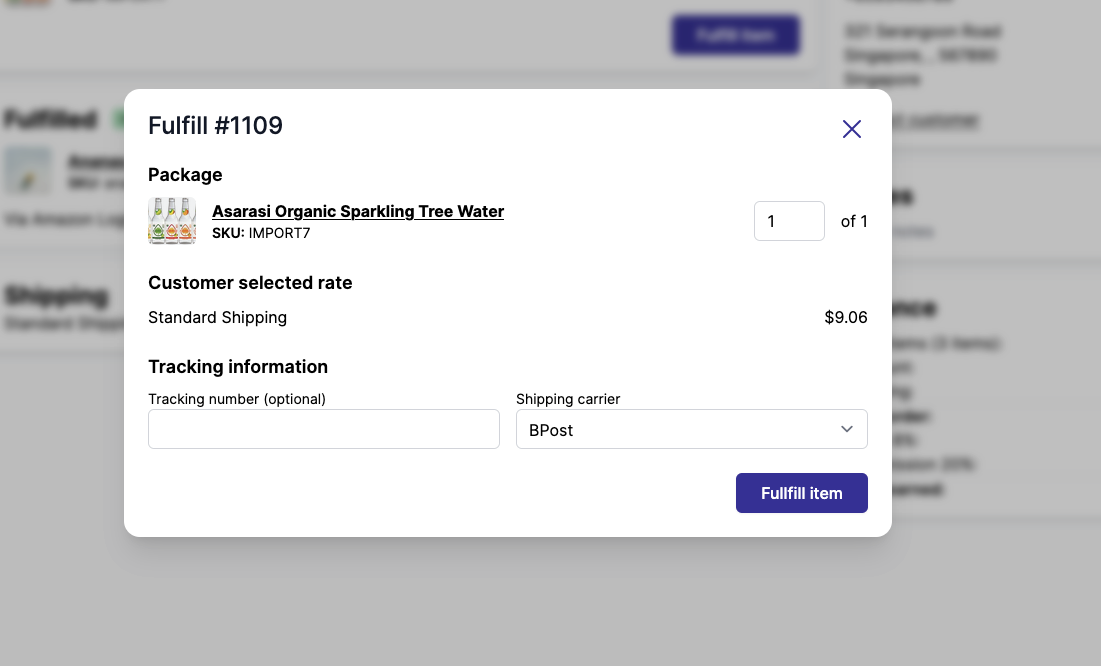
Clicking Fulfill items will open a popup window, from there the vendor can set the tracking number and the tracking carrier.
If the vendor is using a carrier not in the list, they can set the carrier to Other which prompts the tracking URL to the vendor.
All tracking fields are optional by default. Marketplaces can turn on Require a tracking number in Garnet > Admin Panel > General > Order settings: Fulfill items then stays disabled until the vendor enters a tracking number. Labels printed through Shippo, Easyship or Shipmondo already carry a tracking number, so they are not affected.
To fulfill several orders at once, use bulk fulfill from the order list.
Cancelled fulfillments, for instance after a voided label, are not shown on the order: only the shipments that actually went out are listed.
Auto-fulfill
Marketplaces can auto-fulfill digital orders. The setting is included in all plans and is available in Garnet > Admin Panel > General > Order settings.
Note that high risk orders are not automatically fulfilled.
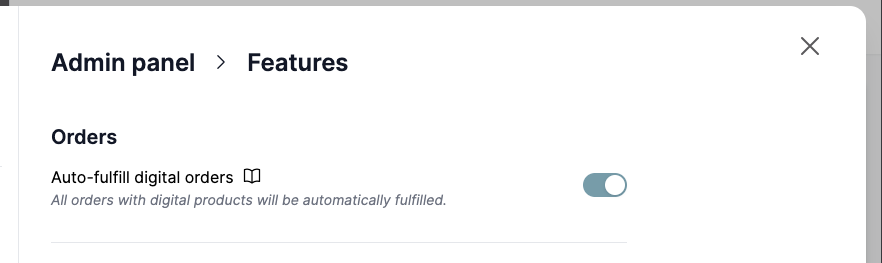
Auto fulfilled orders do not send a notification email to the customer.
Cancel and refund an order
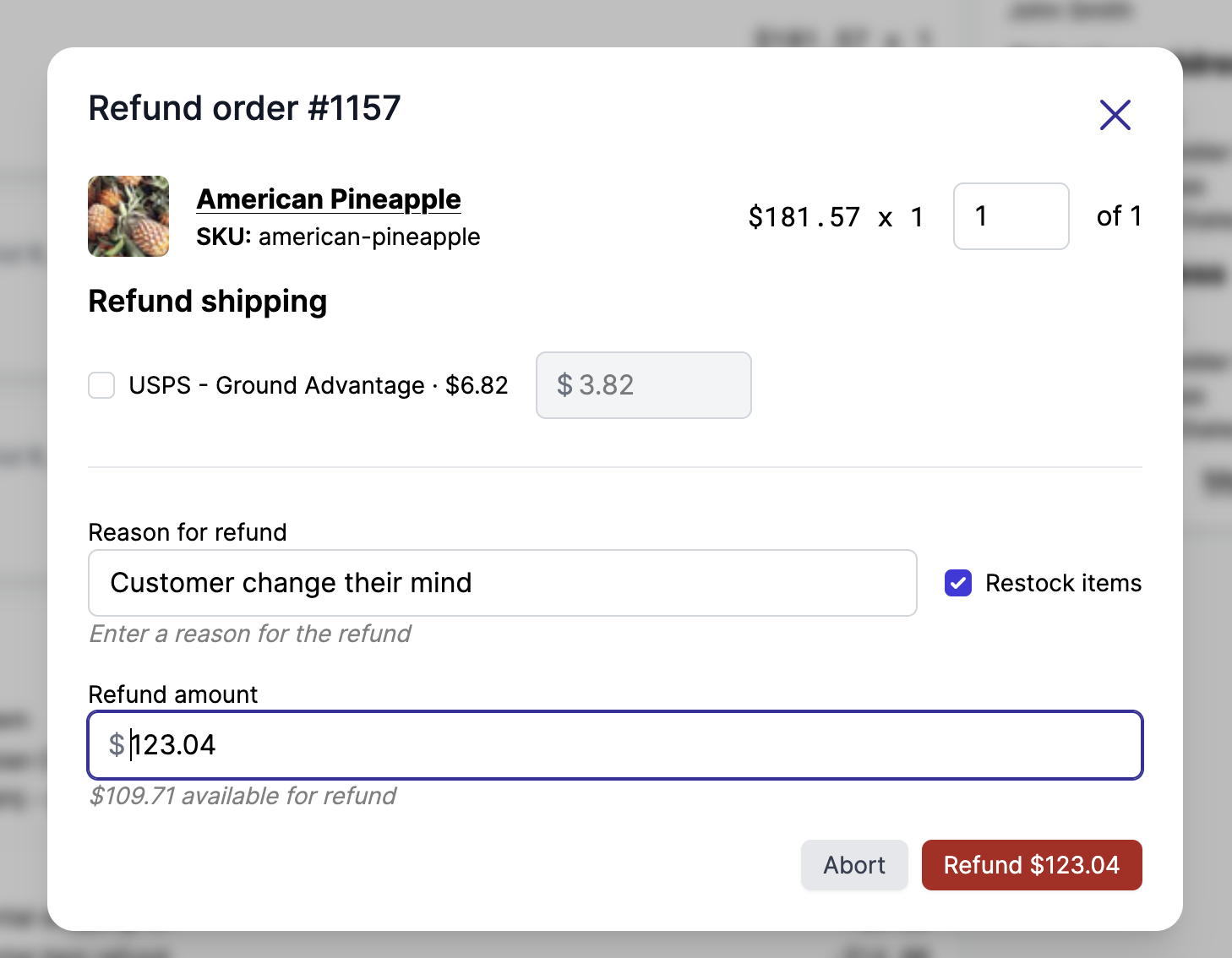
Marketplace admins can cancel or refund orders directly from the order details page.
- Refund: Click
Refundto select line items, quantities, and refund amount. You can choose to restock inventory. The refund is processed through the original payment provider. - Cancel: Click
Cancelto open a dialog where you can select the cancellation reason, add a staff note, and choose whether to refund the payment, restock inventory, and notify the customer.
Both actions update the order status and are reflected in the order finance section.
Print invoice and packing slip
From the order details page, marketplace admins can print an invoice and a packing slip for each order. Click Print invoice or Print packing slip to generate and download the document.
Both templates are customizable from Garnet > Admin Panel > Vendors > Notifications. See the documents template page for more details.
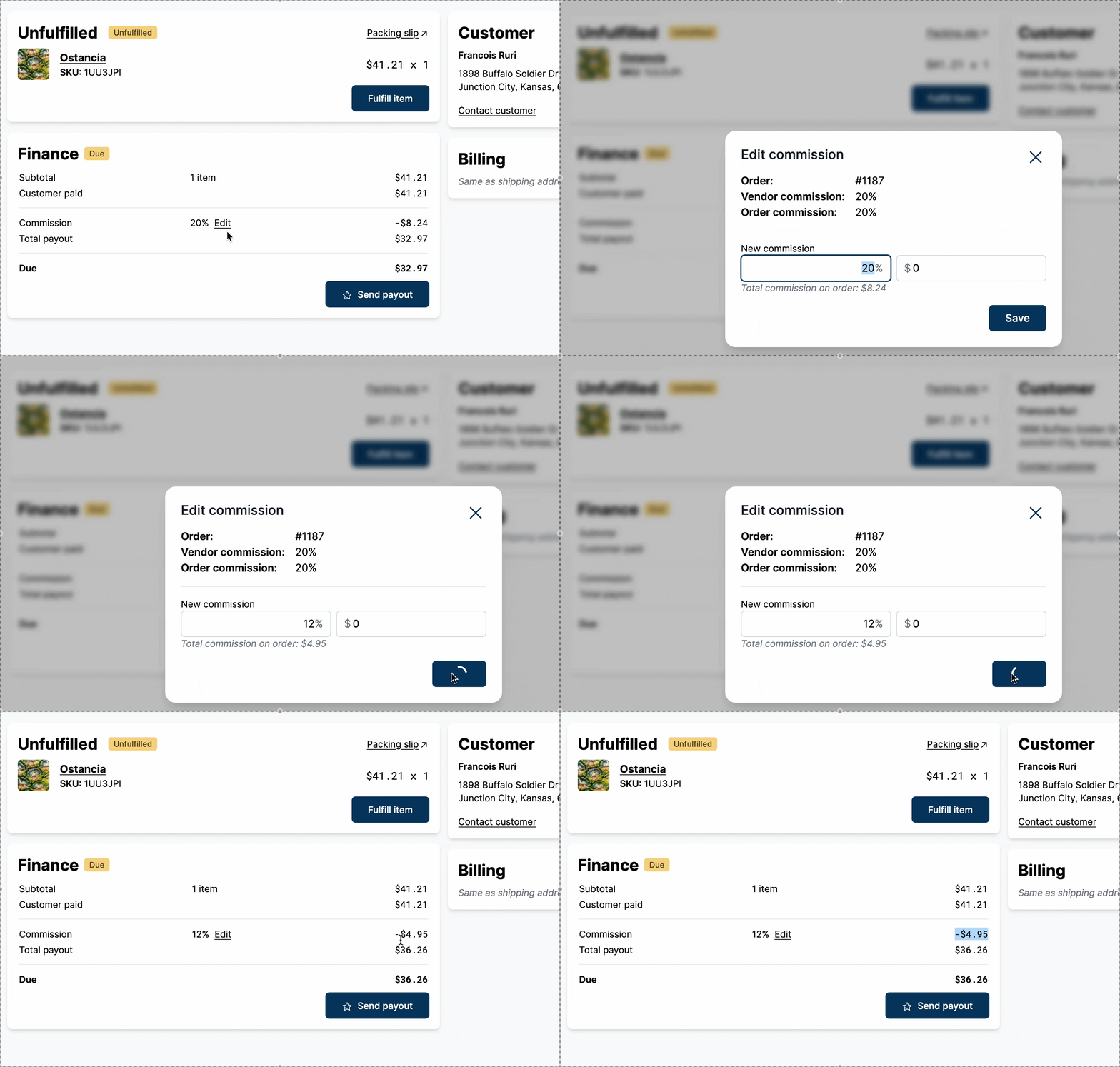
Edit order commission
The marketplace can change the order commission
Allocate a discount
By default, who pays for a discount follows your finance settings: the marketplace, or the vendor whose items were discounted. On a single order, marketplace admins can split a discount between the vendors of the order and the marketplace instead.
- In the order's
Financesection, clickAllocatenext to the discount - Set each vendor's share, as a percentage or an amount. When you change a share, the next one adjusts so the shares always add up to the whole discount, and the marketplace funds what the vendors do not
- Click
Save
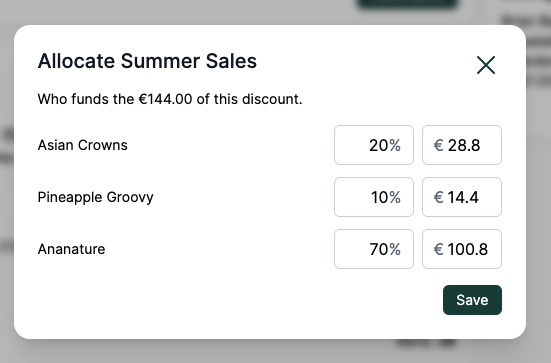
The vendors' payouts are recomputed straight away. Every vendor of the order can fund part of a discount, even one given on another vendor's items. On each vendor's order, a line above the commission shows the part of the discount it does not fund, which is added to its payout.
Allocate a shipping refund
A refunded shipping is taken from the payout of the vendor whose shipping was refunded. To share it differently, click Allocate shipping next to the refund in the order's Finance section and set each vendor's share the same way. The marketplace funds what the vendors do not, shown on each vendor's order as a Shipping refund line above the commission.
Payout adjustment
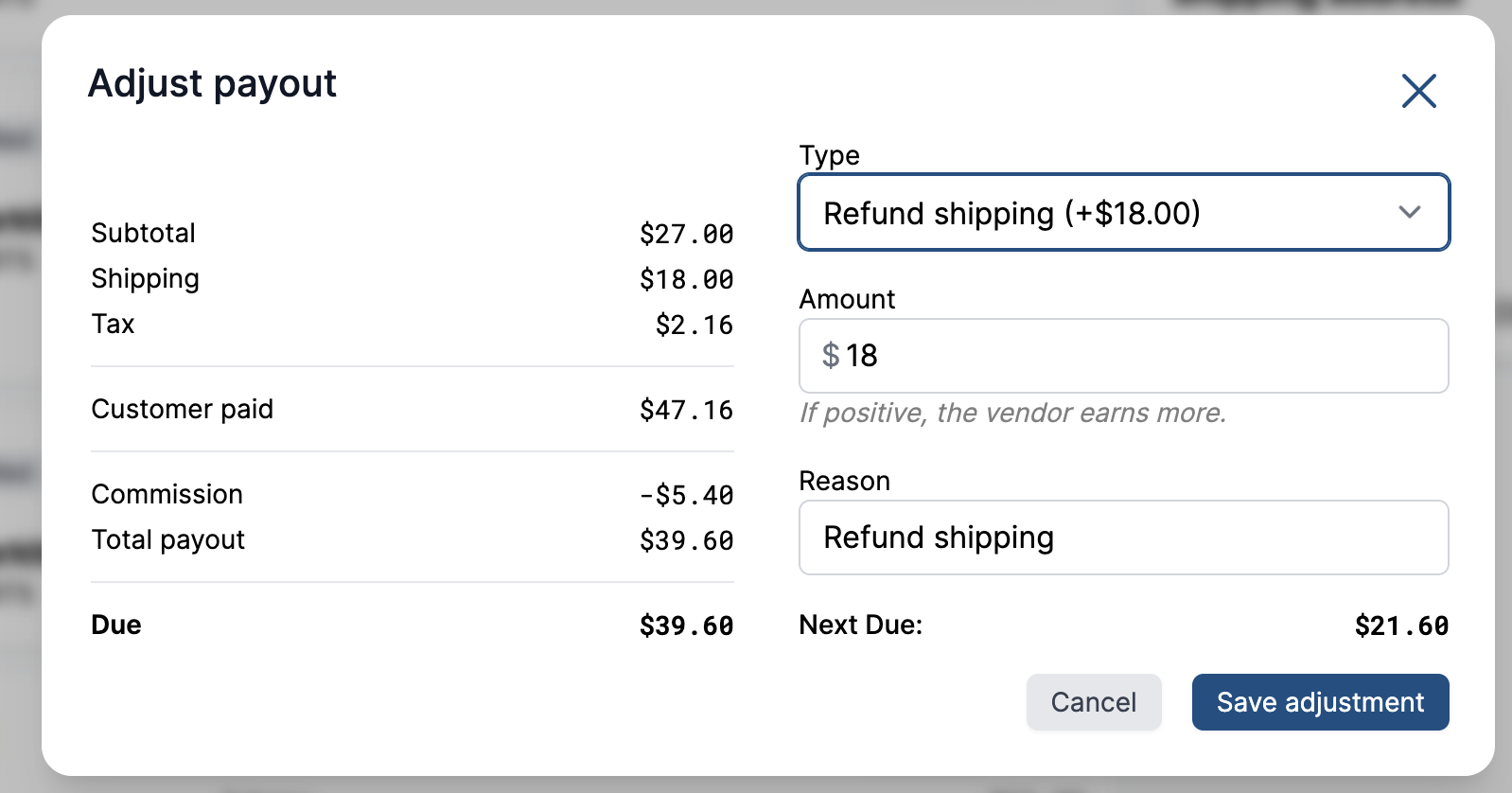
Marketplace admins can apply an arbitrary correction to a vendor's payout on a single order. From the order's Finance section, click Adjust payout to open the dialog.
Type: defaults to
Custom adjustment. You can also pick a preset, which prefills the amount and the reason:Refund shipping,Refund taxes,Refund discountsorRefund commissiongive the order's shipping, tax, discount or commission total back to the vendor.Refund payout "…"reverses a payout already recorded on the order, such asRefund payout "Past order". A payout marked as fully paid is reversed for the whole payout amount.Refund adjustment "…"undoes an adjustment added earlier.
Presets that would amount to zero are not listed.
Amount: a negative amount increases the payout sent to the vendor (raising the amount
Due), a positive amount records money as already paid and decreases it. The dialog spells out how much more or less the vendor will earn, and the finance breakdown on the left previews the adjustment and the resultingDueas you type.Reason: a note explaining the adjustment, kept for auditing.
Adjustments are append-only: each one is recorded as its own Adjustment line in the order finance section, apart from the Payout sent lines, and cannot be edited or removed. To reverse an adjustment, add another one with the opposite amount, or pick its Refund adjustment preset. Adjustments also count on orders marked as fully paid, so the amount Due reflects them.
Configure which fields are visible
In Admin Panel > General > Order settings, the marketplace can configure the fields visible to the vendor. Garnet's default works for most marketplaces and you change it based on your business. Based on your industry, you might want the vendor to see or not see information like the customer email, phone number, or even their full name.
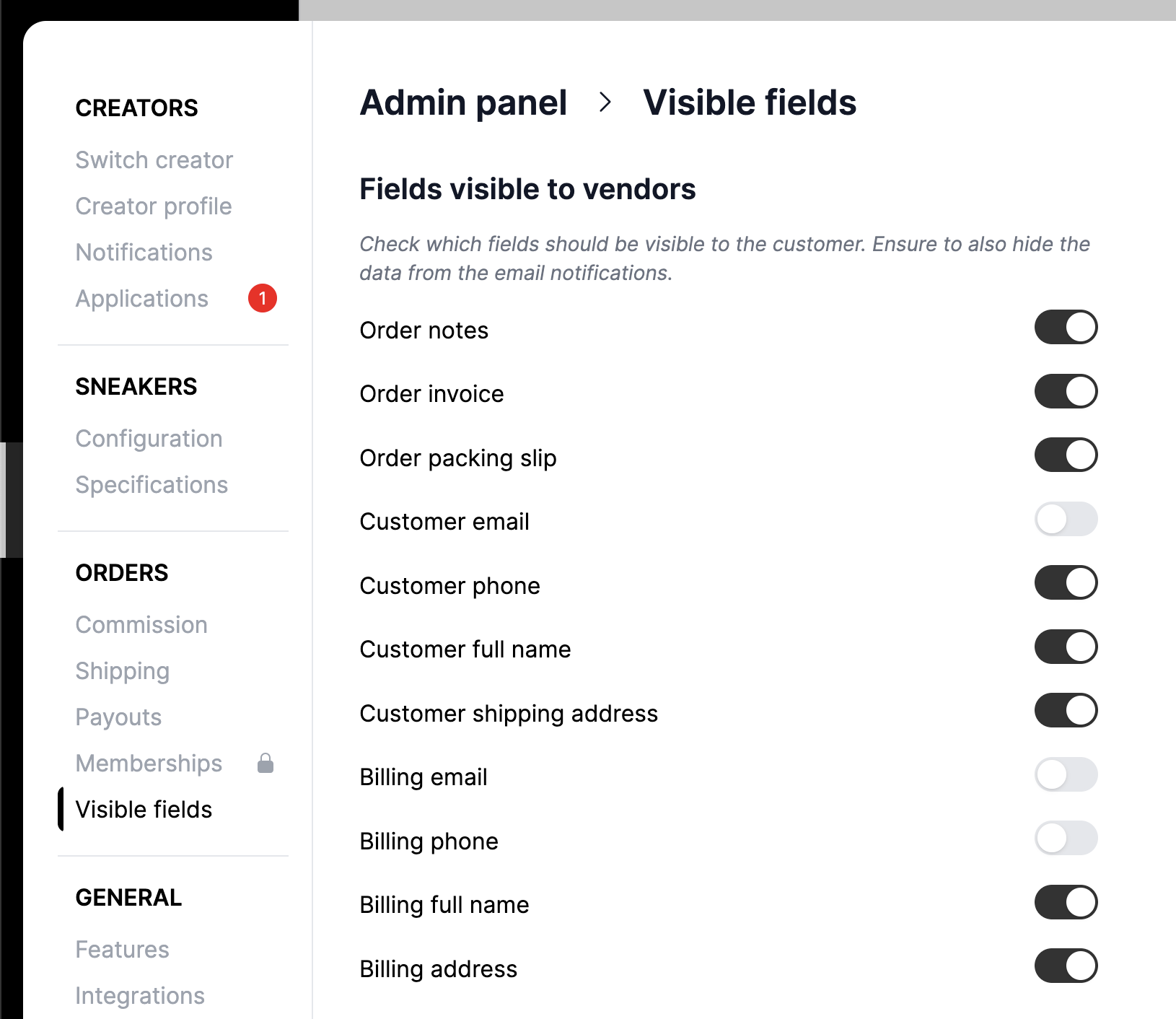
Customers fields are then available on the right side of the order.