
Message moderation
Garnet Marketplace has various moderation mechanisms. The main goal is to:
- prevent fraudulent customers to abuse the chat to spam or scam vendors,
- prevent customers and vendors to bypass the marketplace.
The Garnet Team put in place several measures to cope with many use cases. For security reason, we keep this information private.
If you are a marketplace and you are interested in having a stronger moderation for your users, let's discuss.
Archive a conversation or a customer
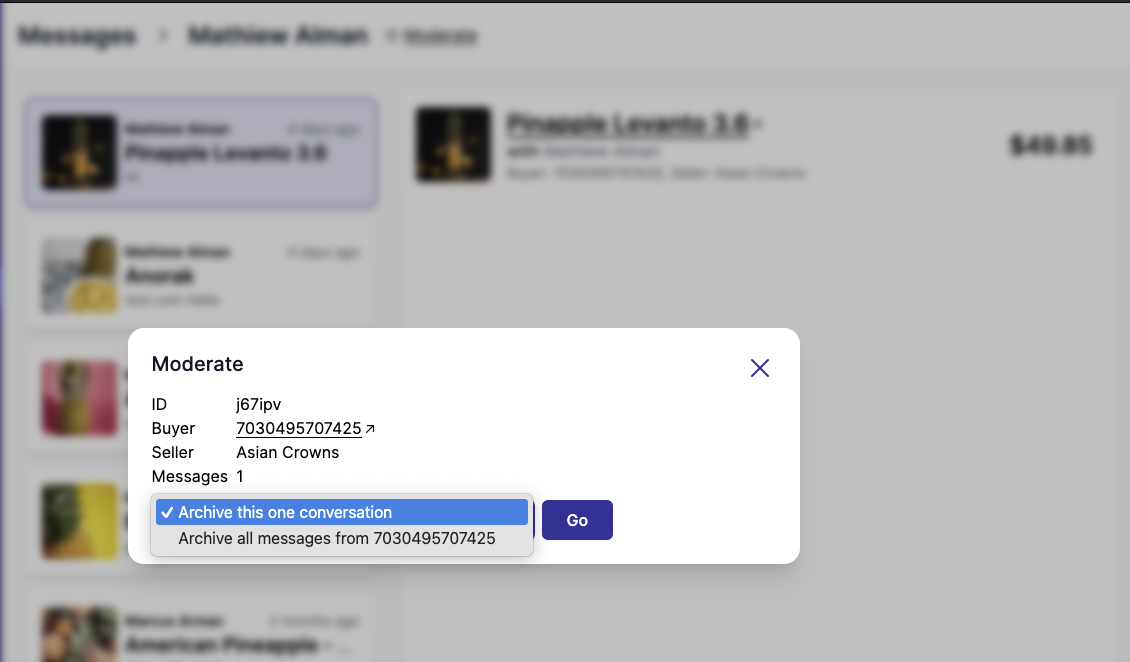
The marketplace is able to moderate a conversation or a customer. To do so, click the button Moderate at the top of the file:
- Archive this one conversation will remove the conversation to the vendor and the customer.
- Archive all messages from {customer ID} will remove all conversations from the fraudulent customer.
Send a message as an admin, seller, or buyer
The marketplace can also jump in the conversation to reply on behalf of the vendor, buyer, or even send a message as an administrator.
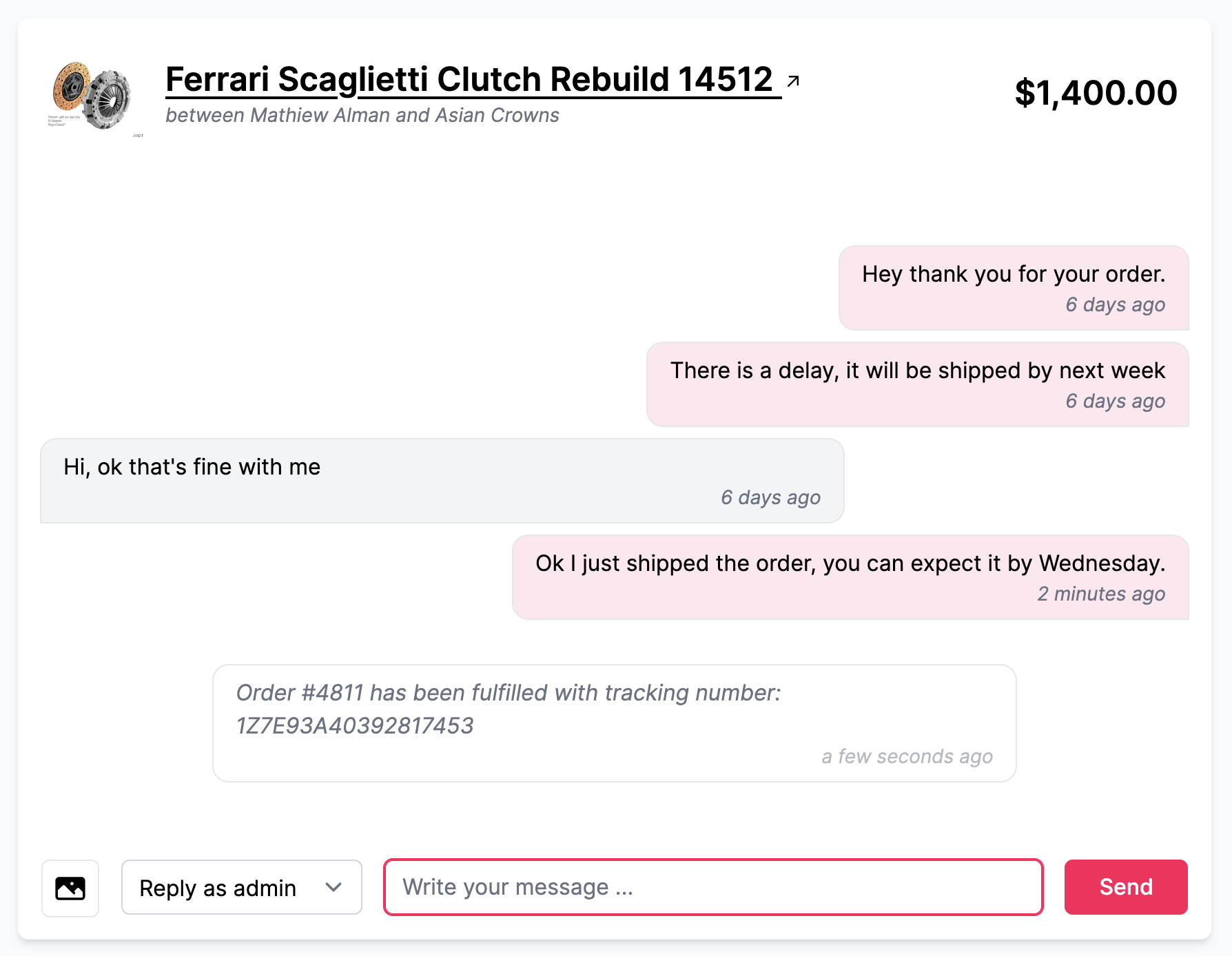
Messages sent as an admin will be sent to both the vendor and the buyer.
See who the customer is
Next to the conversation, the marketplace sees the customer's Shopify profile: name, email, phone, location, customer since, number of orders, amount spent, last order, tags and note. Click the Shopify logo next to Customer to open the customer in Shopify. Vendors never see this card.
It helps to spot a fraudulent customer, or to know who you are talking to before answering on behalf of a vendor.
Available on request
The customer card needs Garnet to read your Shopify customers, a permission it does not ask for by default. Contact us to enable it, then accept the new permission the next time you open Garnet from your Shopify admin.