
Invoicing
Garnet generates invoices for each order. The Invoicing settings let you choose who appears as the seller on these invoices, depending on your billing model.
Go to Admin Panel > Finance > Invoicing to configure.
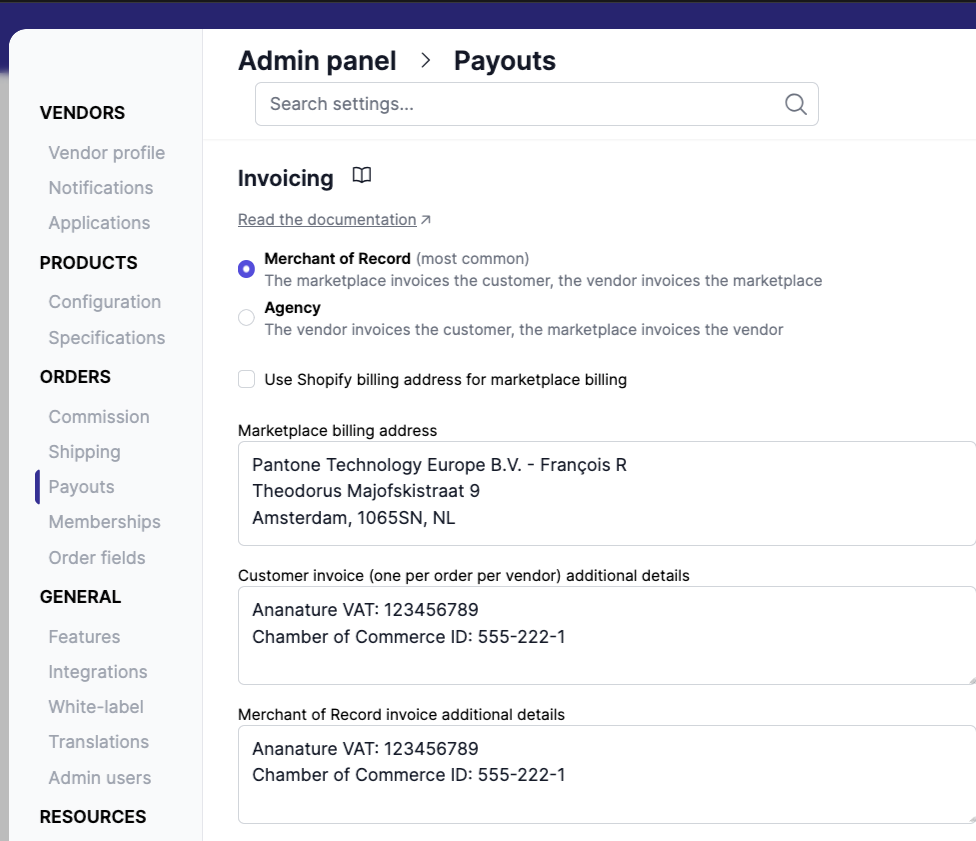
Merchant of Record vs. Agency
There are two billing models for multi-vendor marketplaces:
| Merchant of Record | Agency | |
|---|---|---|
| Legal seller | Marketplace | Vendor |
| Who invoices the customer? | Marketplace | Vendor |
| VAT / tax liability | Marketplace | Vendor |
| Invoice "Billed from" shows | Marketplace address | Vendor address |
Most marketplaces operate as Merchant of Record. For a detailed comparison including payment provider options, see our blog post Agency vs. Merchant of Record on Shopify. To see who pays whom and which invoices are sent in each model, try the payment flow simulator.
Settings
Billing model
Choose who is the legal seller:
- Merchant of Record (default) — the marketplace invoices the customer. The marketplace's billing address appears on all invoices under "Billed from".
- Agency — each vendor invoices the customer directly. The vendor's billing details appear on invoices under "Billed from".
Marketplace billing address
By default, invoices show the billing address of your Shopify store. To use another one, untick Use Shopify billing address for marketplace billing, then click the Marketplace billing address: start typing and pick the address from the list, or use or enter address manually for an address the search cannot find.
Vendor billing details (Agency model)
When using the Agency model, the vendor's billing information is pulled from their Billing details section in Vendors > [Vendor] > Settings > Payouts. This includes country, type (individual or business), billing address, and tax number.
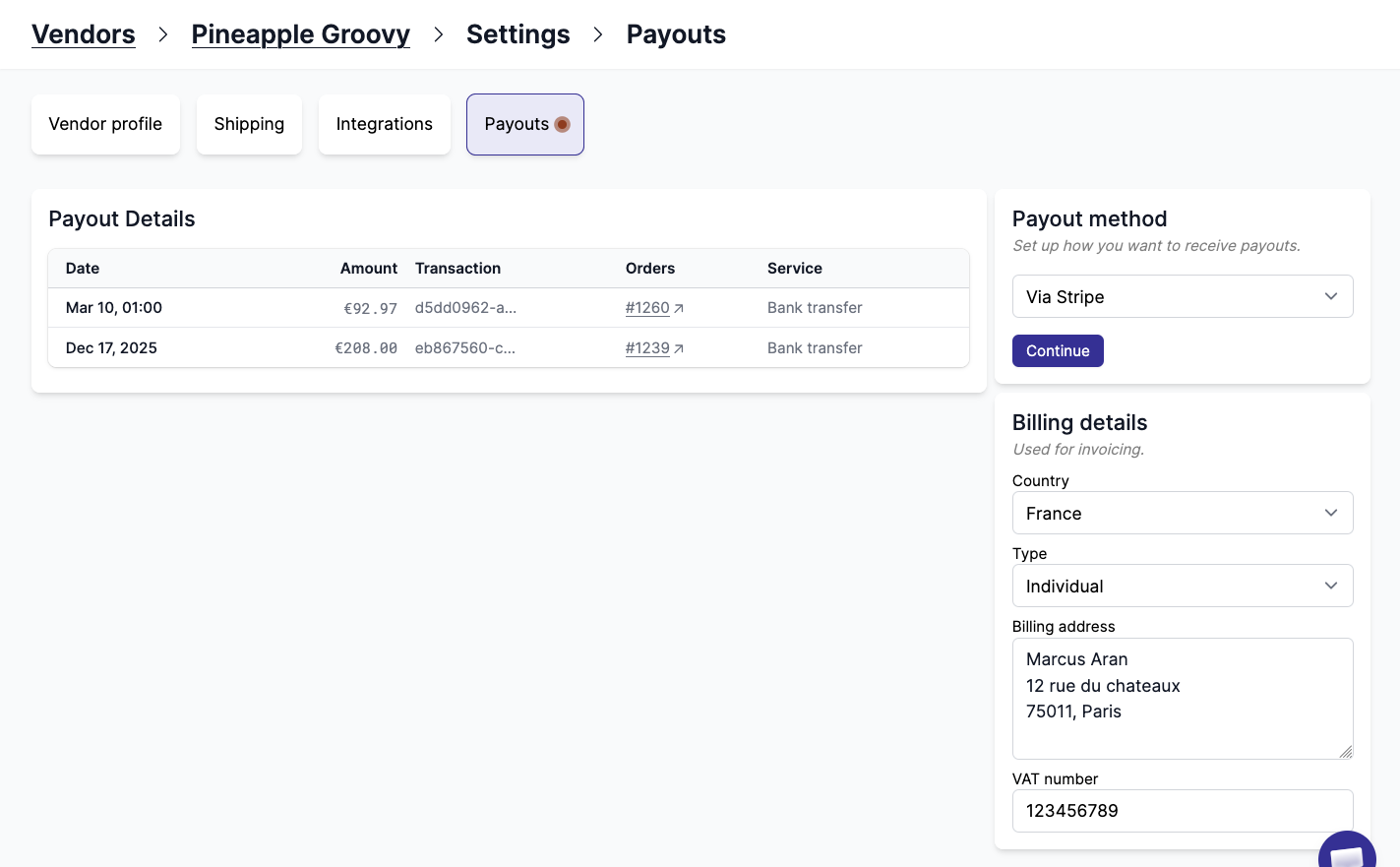
If the vendor has not entered billing details, the vendor name is used as a fallback on invoices.
Customer invoice footer
A free-text field appended to every customer-facing invoice (one per order per vendor). Use it for legal mentions, VAT numbers, or any required compliance text.
Merchant of Record invoice footer
A free-text field appended to invoices between the marketplace and the vendor. Use it for internal VAT references or payment terms.
How invoices are generated
When an invoice is requested for an order, Garnet resolves the "Billed from" address as follows:
- Merchant of Record model — uses the marketplace billing address (Shopify or custom).
- Agency model — queries the vendor's billing details from the database. If the vendor has no billing details on file, the vendor name is shown without an address.
The "Billed to" section always shows the customer's billing address from the Shopify order. If the customer has no billing address, this section is left empty.