
Appearance
Commission and Payment
The marketplace can set tiered commissions based on the listing value. To set the default commission, navigate to Admin panel > Commission
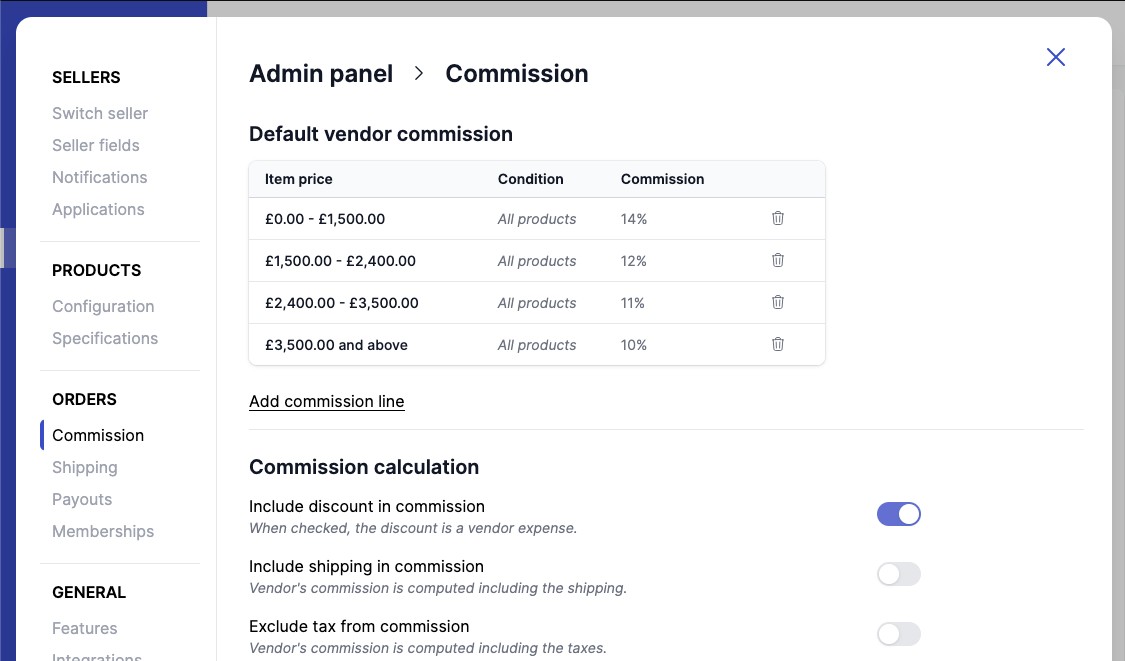
Enjoy our tool below the table to test your commission.
Commission picker
While Garnet Marketplace allows different type of commissions:
- percentage commission, like
20%of the amount, - simple commission, like
$10 + 10%of the amount, - advanced commission, with different stages such as
20%for items below $100 and15%for items above.
The amount the commission is applied on can found in the finance computation.
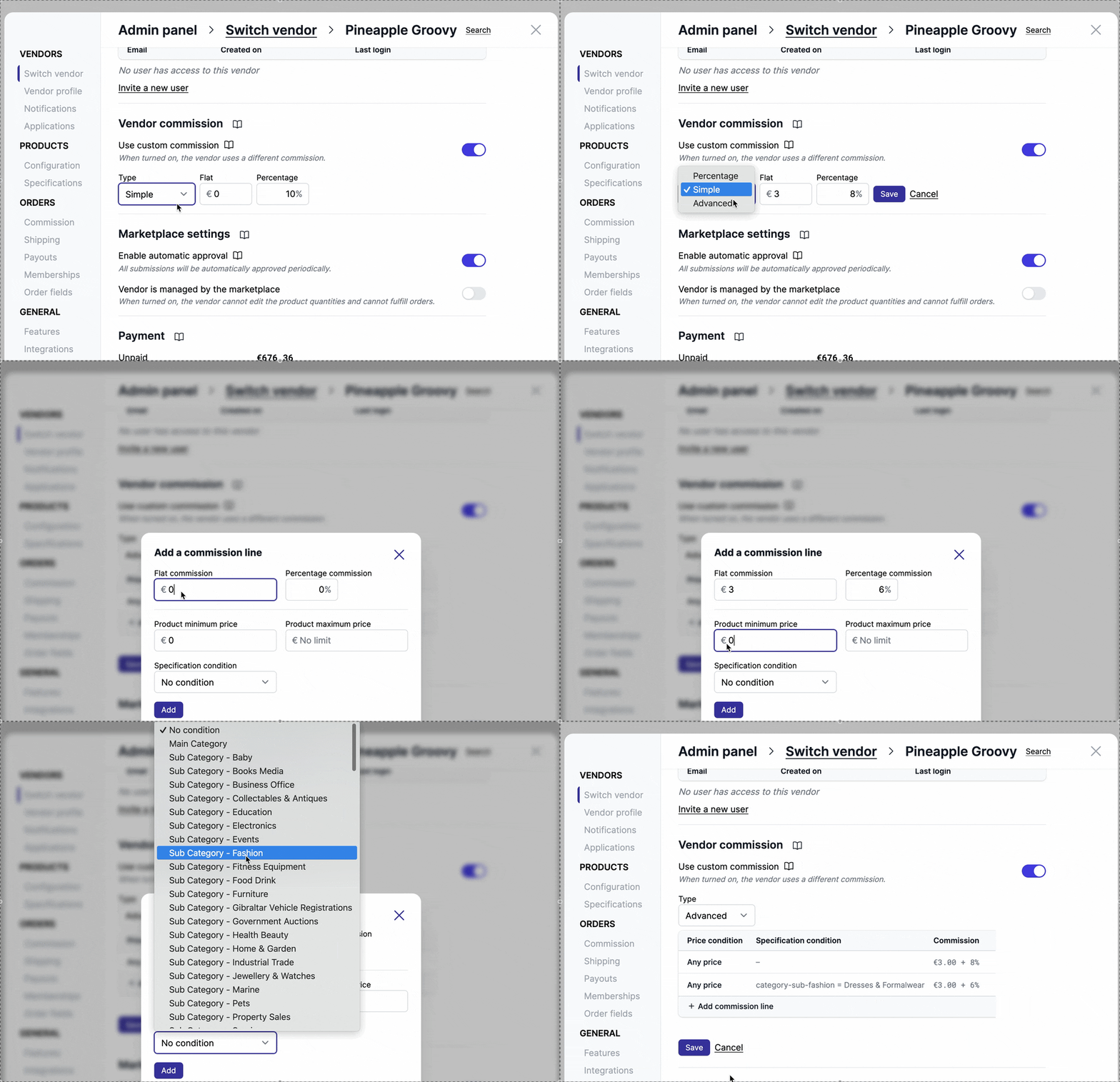
Demonstration of all 3 types of commission.
Default commission
Vendor-level commission
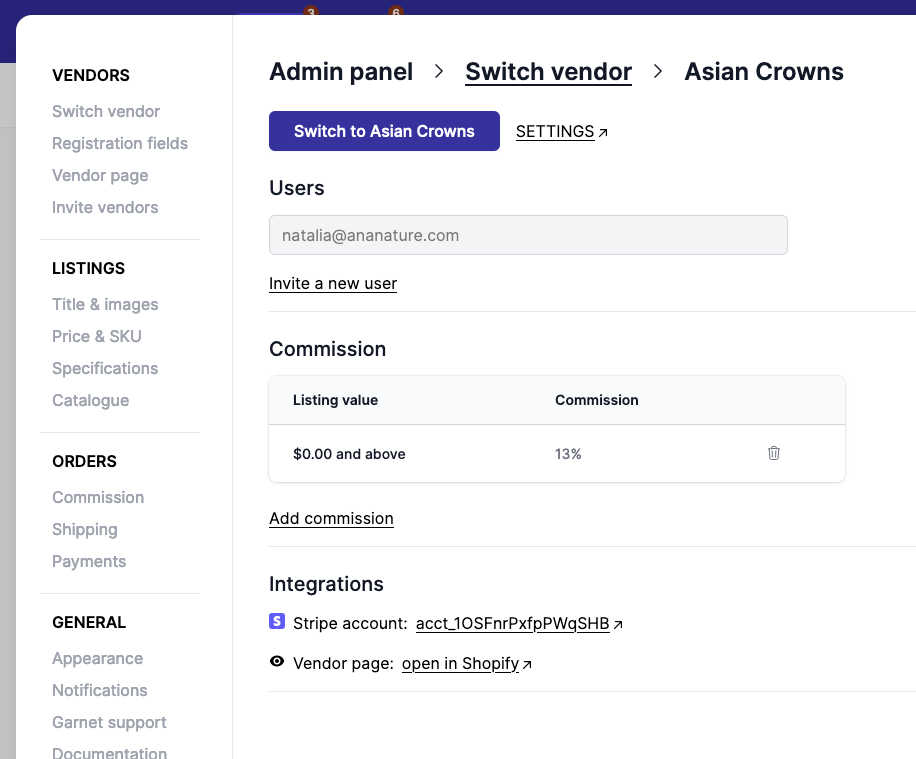
Commission can be overridden at the vendor level. Simply click the vendor in Admin panel > Switch vendor and change their commission.
Product-level commission
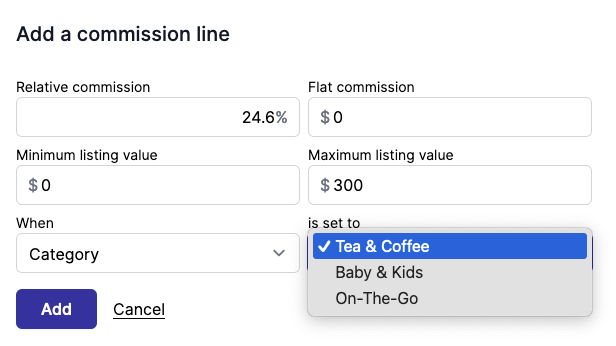
You can leverage your product's specification to narrow down your commission on the product level.
Order-level commission
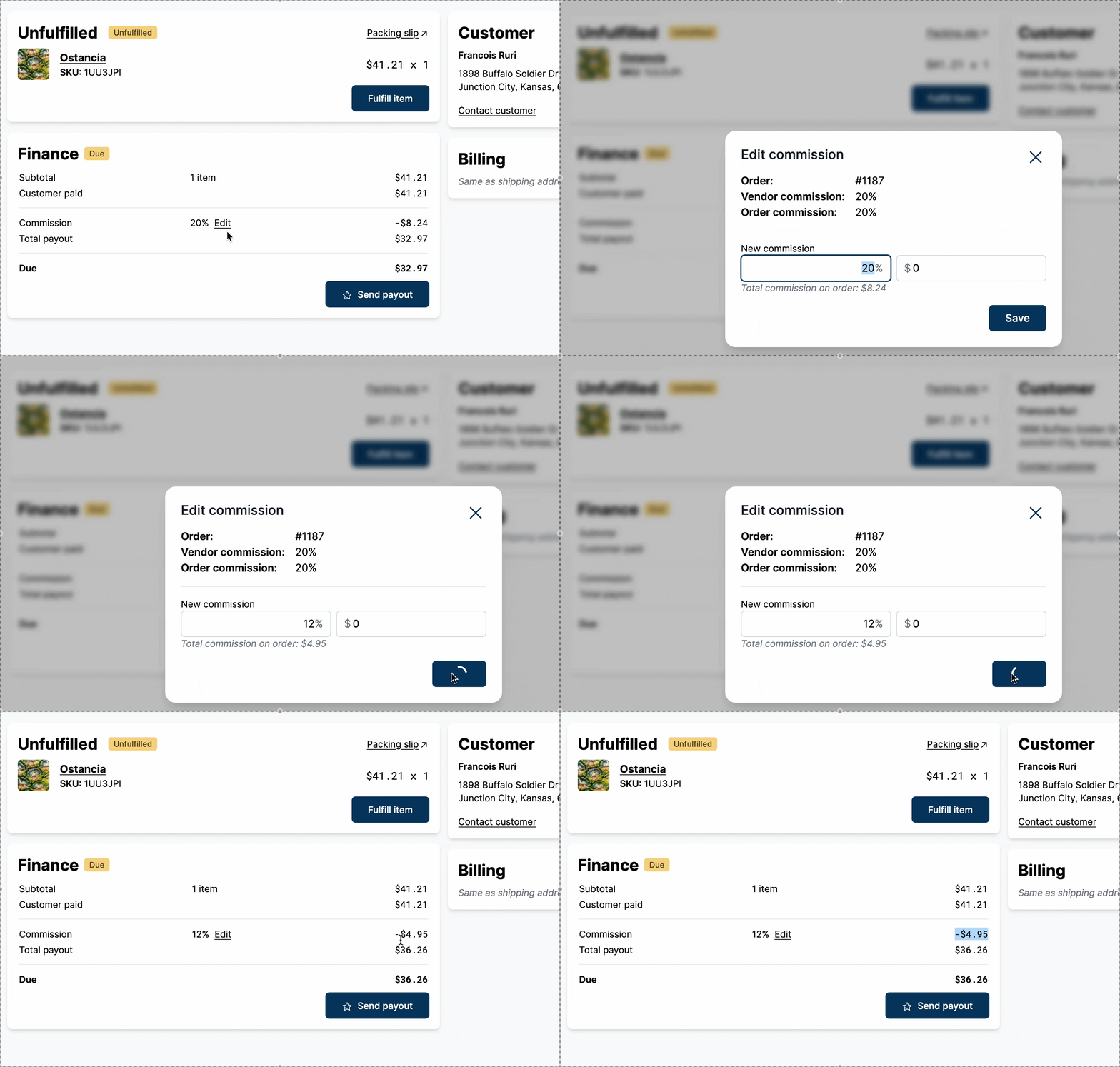
The commission can also be changed on individual orders.
Commission computation
For each order placed on the marketplace, Garnet splits the order per vendor. The commission is computed at the line item level. Here is how the commission is calculated for a vendor:
line item commissions =
  (line item price) * (line item quantity) * (commission in percent) + (flat commission)
order commissions = sum of line item commissions
To learn more about the finance computation with the shipping, discount and taxes, go to finance computation.
Contact us for special use cases.
Cost price commission
For some business models, the commission can be calculated on the product cost price instead of the selling price. Learn more about cost price commission.
Test your commission
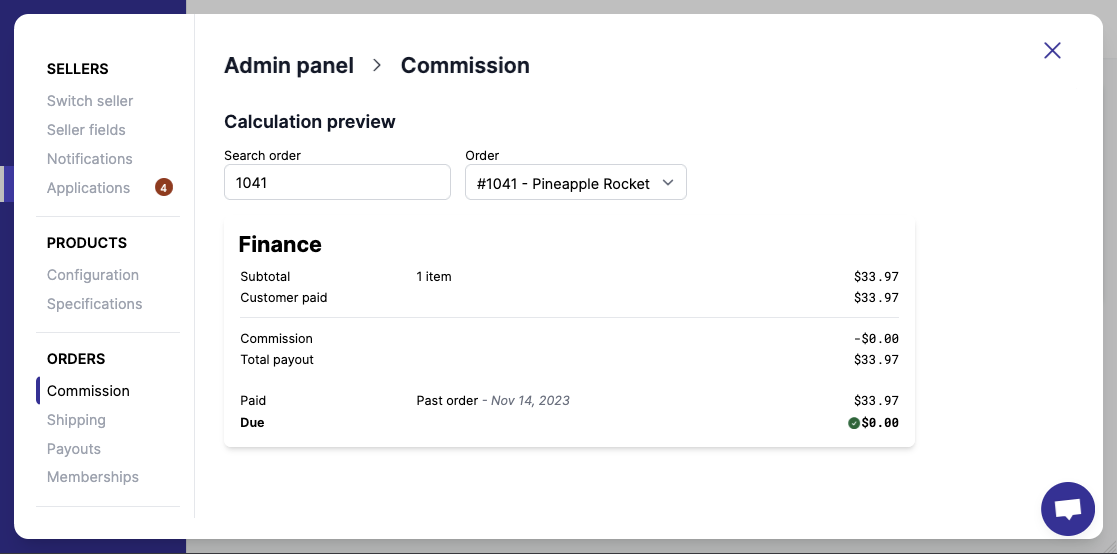
Pick a specific order and test what the payout would be with your updated configuration. Simply type the name of your order and see the calculation details.
PS: We are working on the Order view to properly show payouts to the vendors.