
Appearance
Upload a product
Title, description, media
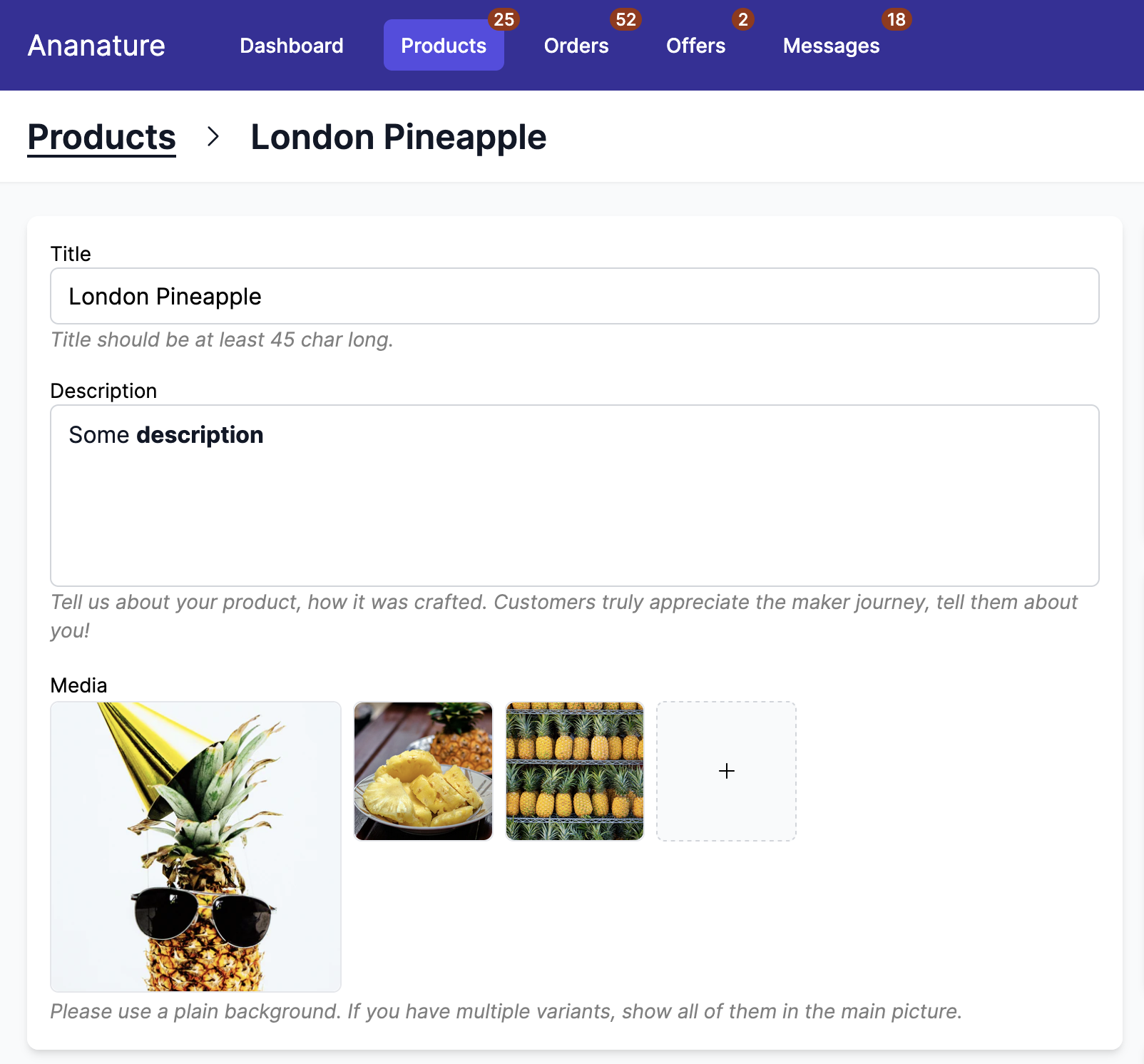
The user can set the product title, description and images. All of them will be mapped to Shopify.
Description can use rich formatting. By selecting the text, the user can put them in bold, italic, add lists and more.
Garnet supports up to 250 images per products. You can find more information in our detailed article.
- supported image extensions:
.png,.jpeg,.psd,.tiff,.bmp,.gif,.svg,.heic, and.webp - supported video extensions:
.mov,.mp4,.gif
Images are directly uploaded in Shopify, so large files will be optimized to customers and will not slow down the page speed.
Guidelines can be added below these fields in Admin Panel > Configuration > Guideline.
Pricing, inventory
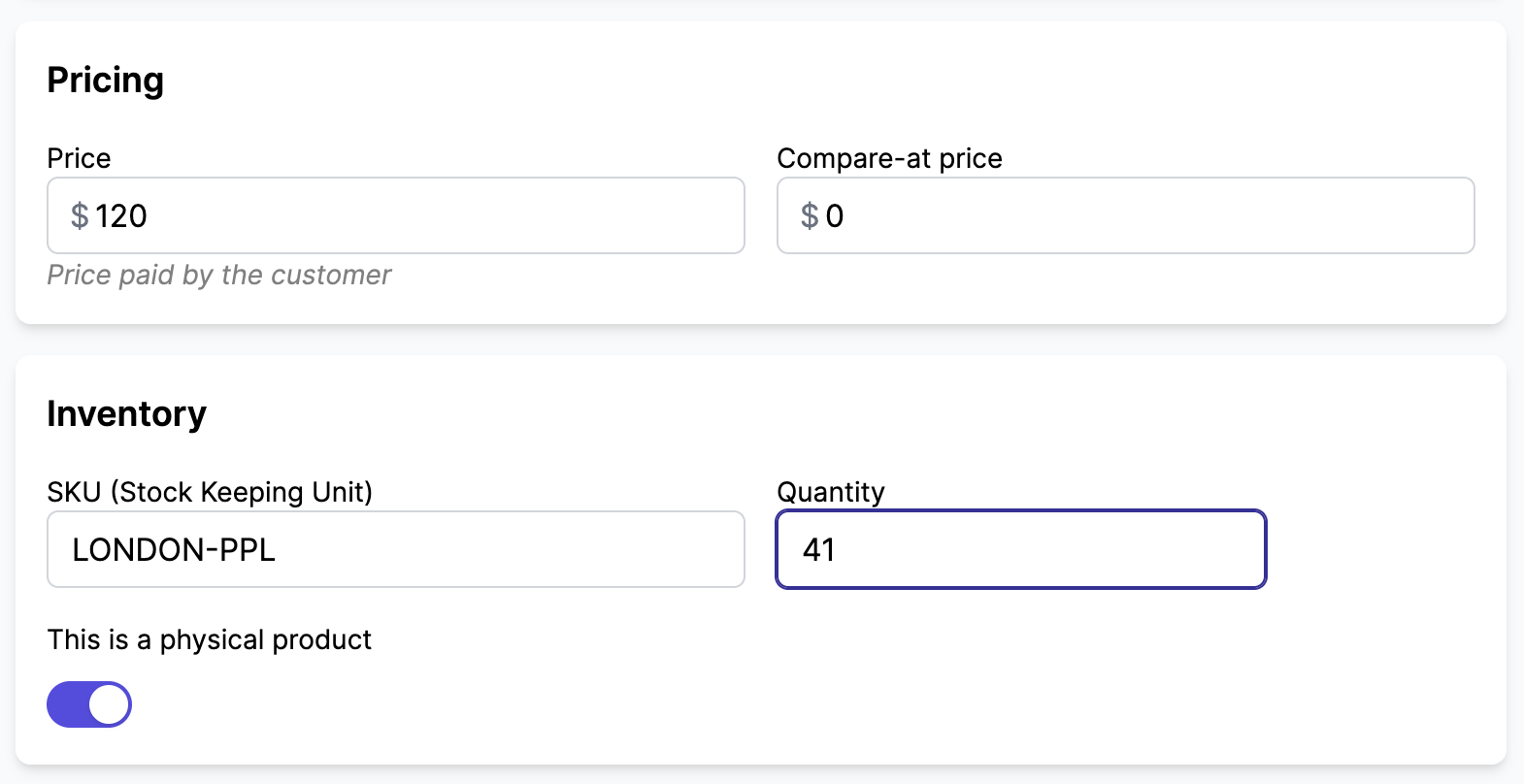
Garnet supports a variety of pricing and inventory fields that can be enabled/disabled in Admin Panel > Configuration. For instance, you can hide or show the SKU, Compare Price, Barcode based on your business needs.
Bundles
Garnet supports Shopify bundles — products made of several component products. When a product is a bundle, a Bundled card lists the products it contains.
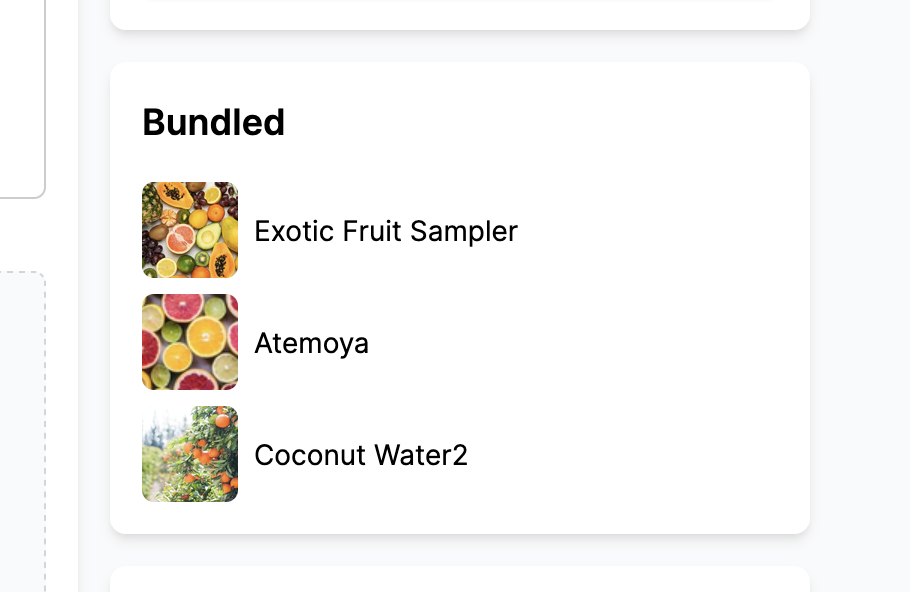
The stock of a bundle cannot be edited in Garnet: it is automatically derived from its component products. To adjust availability, the vendor should change the stock of each individual product instead. As a result, the quantity field is disabled on bundle listings.
In the product list, bundles are prefixed with [Bundle] before their title so they are easy to spot.
Variants
When enabled in Admin Panel > Configuration, the user can add variation to the product. They can add up to 3 variations. The variations can have an unlimited number of options (Shopify Plus only).
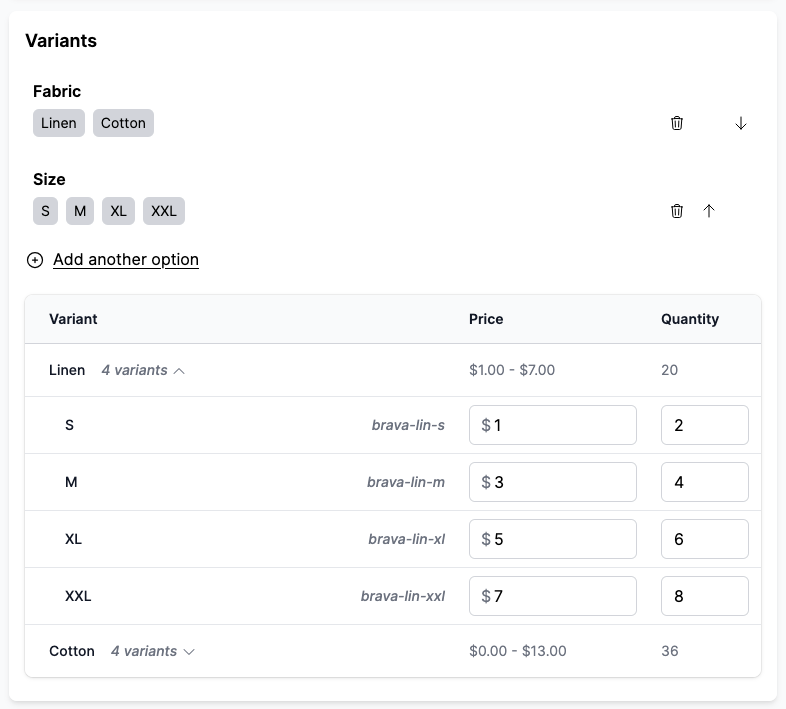
Garnet supports linking metafields with variants. It enables the marketplace to have strictly defined variation and to prevent vendors from adding options inconsistent with the marketplace.
Specifications
We have detailed articles for specifications, they are business fields that the vendor can fill when creating the product. Internally, they represent metafields.
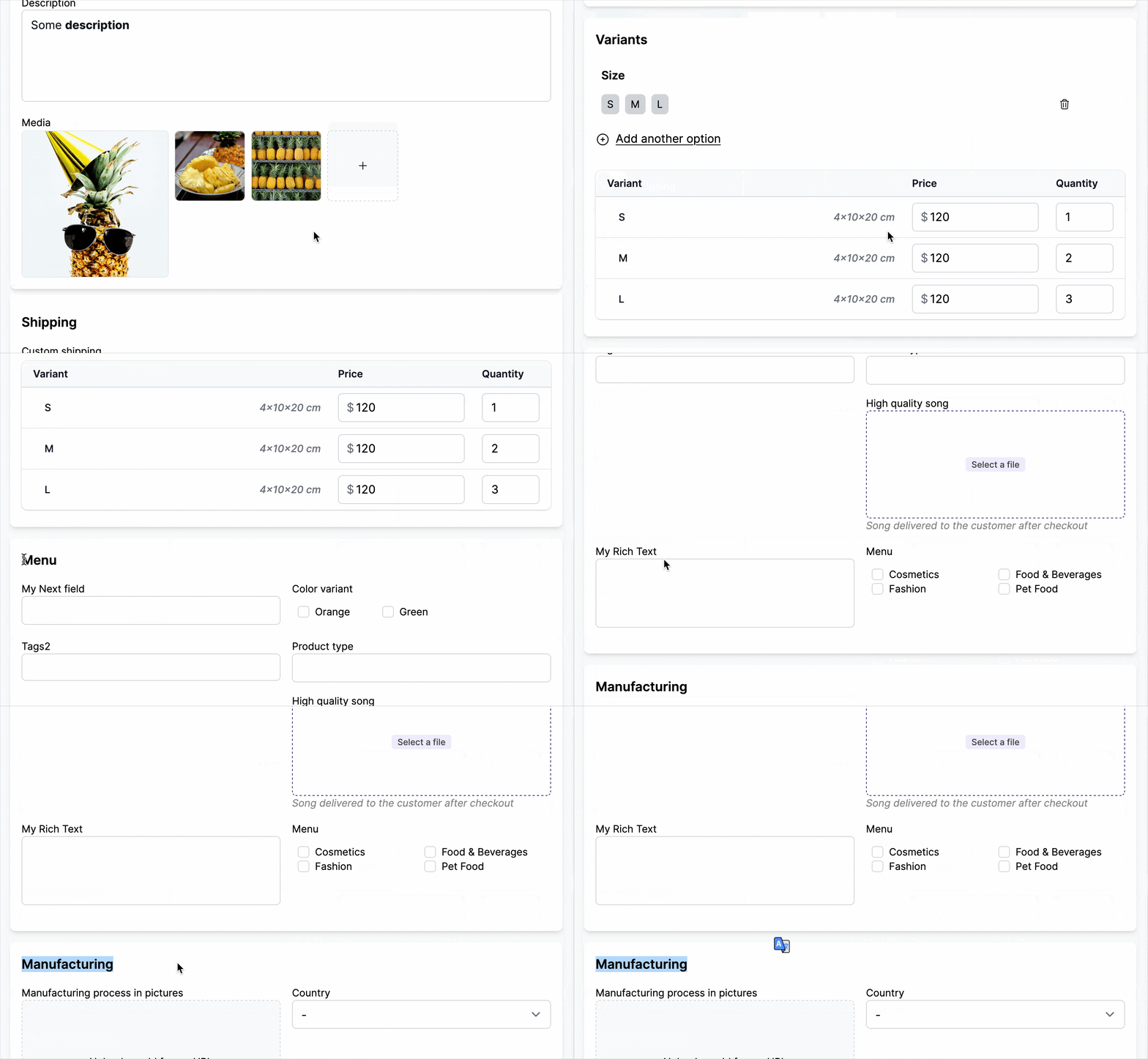
Specifications can be reordered, broken down in sections, and have conditional display. Garnet supports a large variety of field types such as text, images, products, list of text, files, multiple images and more.
Custom options
The vendor can set custom options to the products. These options are product optional (or required) add-ons the customer can add to the product.
Contact us to enable.
Shipping
Displayed based on the settings. At most, the user can set:
- the product weight
- the product dimensions when using the live shipping rates
- the custom pickup when the vendor opt-in for local pickup
- the custom shipping to override the shipping at the product level. Contact us to enable.
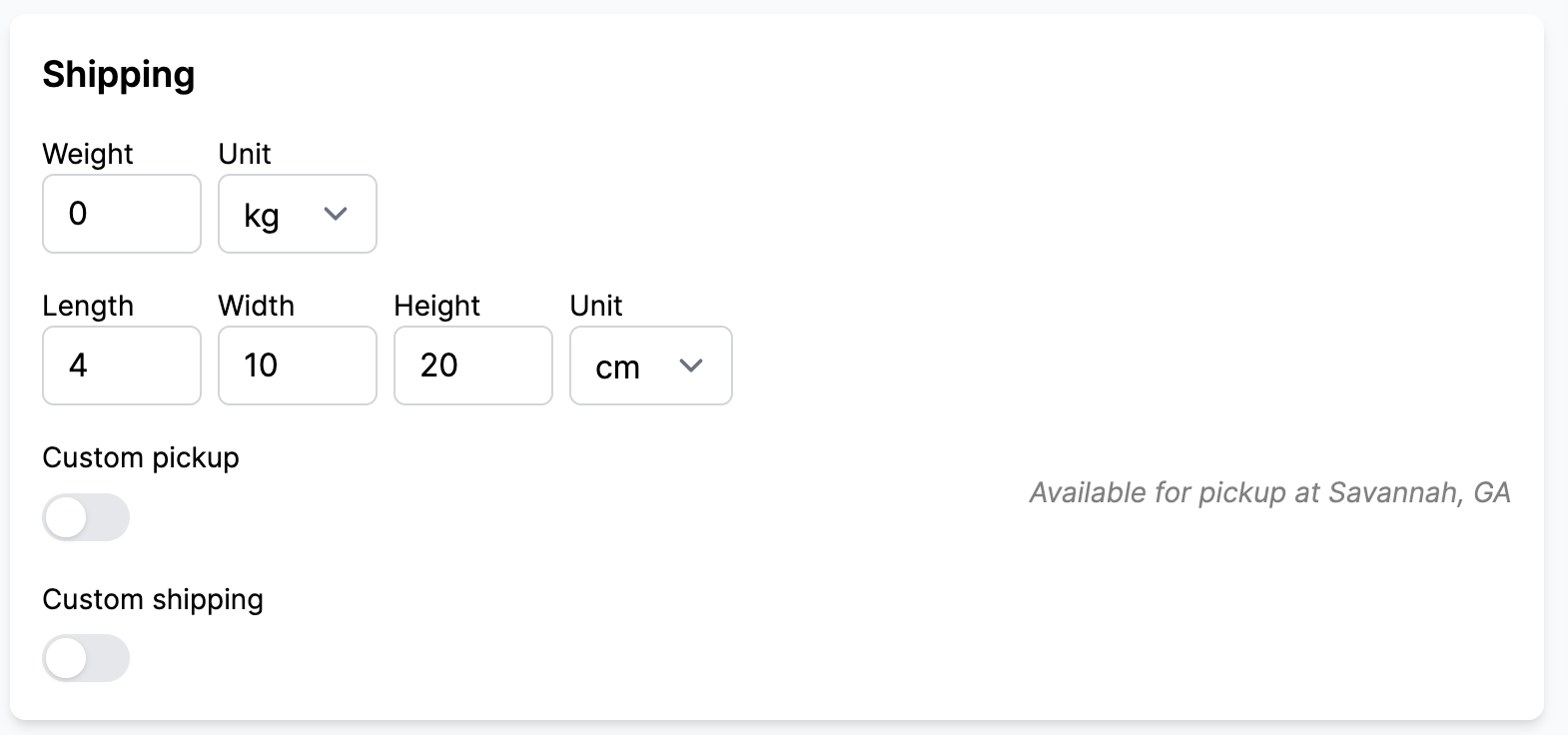
The shipping information will be used internally by Garnet Marketplace to compute the right shipping cost.
Search engine listing
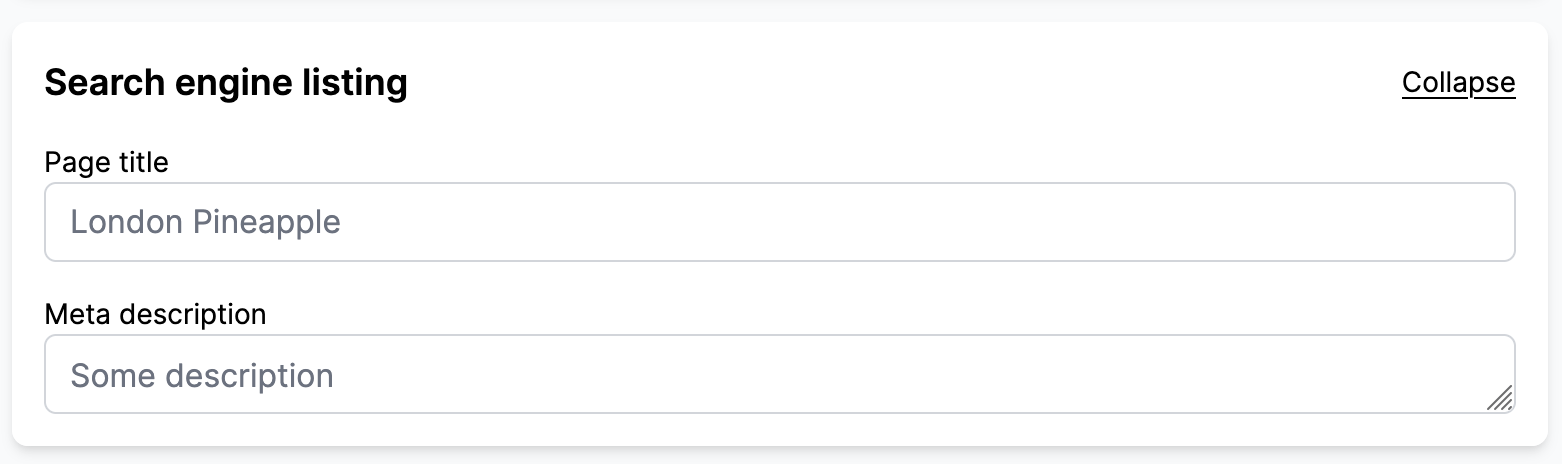
When enabled in Admin Panel > Configuration, the vendor can set the product SEO title and description. By default, they will match the product title and the product description (maxed at 160 characters).
Save, approve, reject, delete, duplicate
By default, the vendor can save, delete, and duplicate their products. The admin can also approve and reject the product, learn more about approval.
Admins can prevent vendors from duplicating products by enabling Disable duplicate product in Garnet > Admin Panel > Features > Products. When turned on, the Duplicate button is hidden from the product page.
Translations
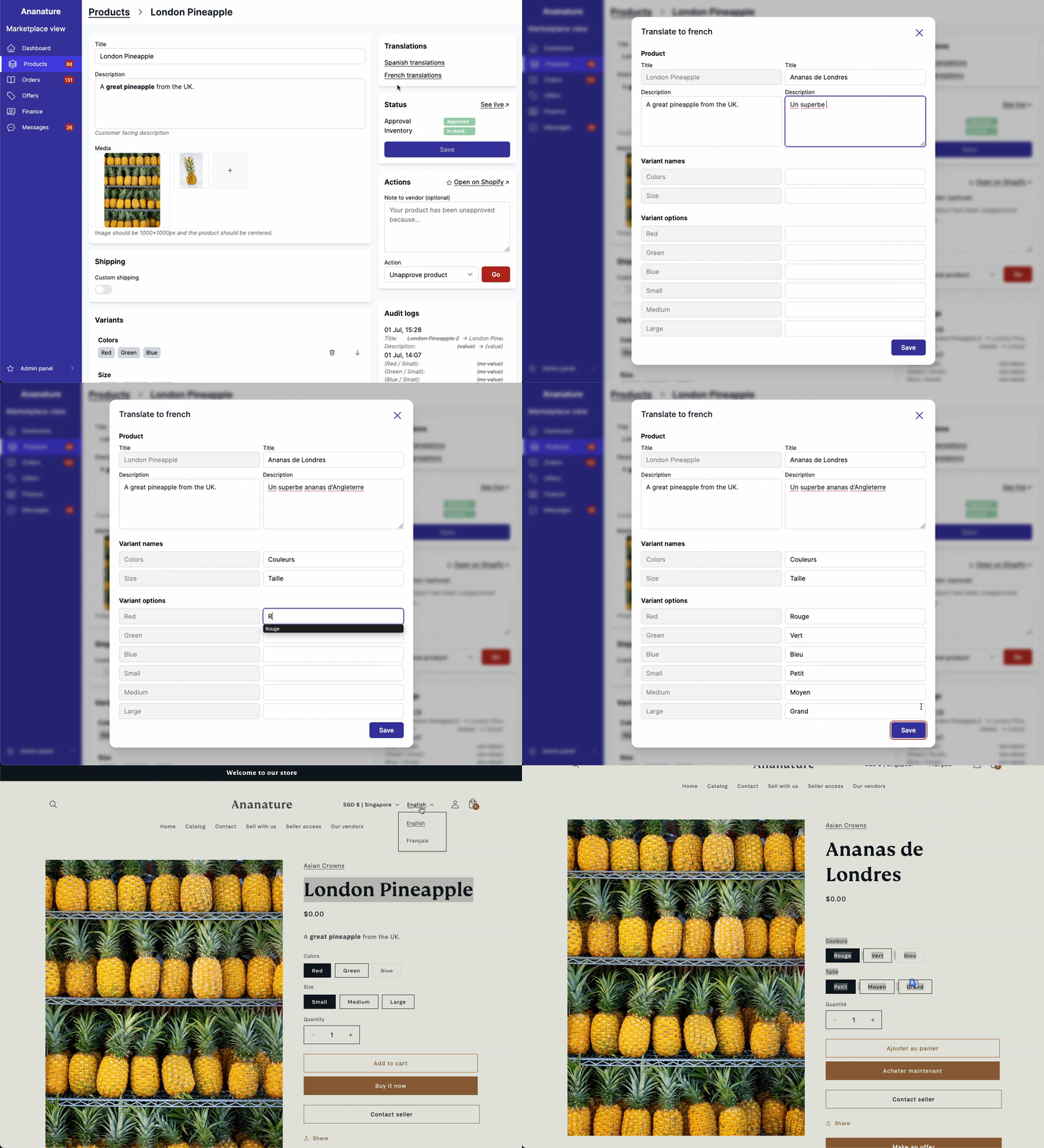
If the marketplace is serving multi-lingual marketplaces, the admins can allow vendors to set translations for each product. These translations will be displayed to the customer and to search engines.
Technical details
Garnet products are Shopify products
Every time a product is created, it is created in Shopify. When a product is not approved, it is in Draft status. Once approved, it is in Active status. Archived products are not shown in Garnet and are excluded in the marketplace's pricing plan.
Garnet metafields do not override metafields from other apps
If you have other apps using metafields, Garnet will integrate with them without problem. All metafields in the namespace custom can be used in Garnet.
Link other fields
Garnet also links additional fields from Shopify to Garnet. For instance, we have ways to map product type, tags, HSBN... Contact us to set them up.