
Appearance
Product Configuration
Listings by default only request a handful of information. Even though the marketplace can set business-related fields with specifications, they can also turn on and off specific core functionalities related to listings. See more below.
Sales configuration
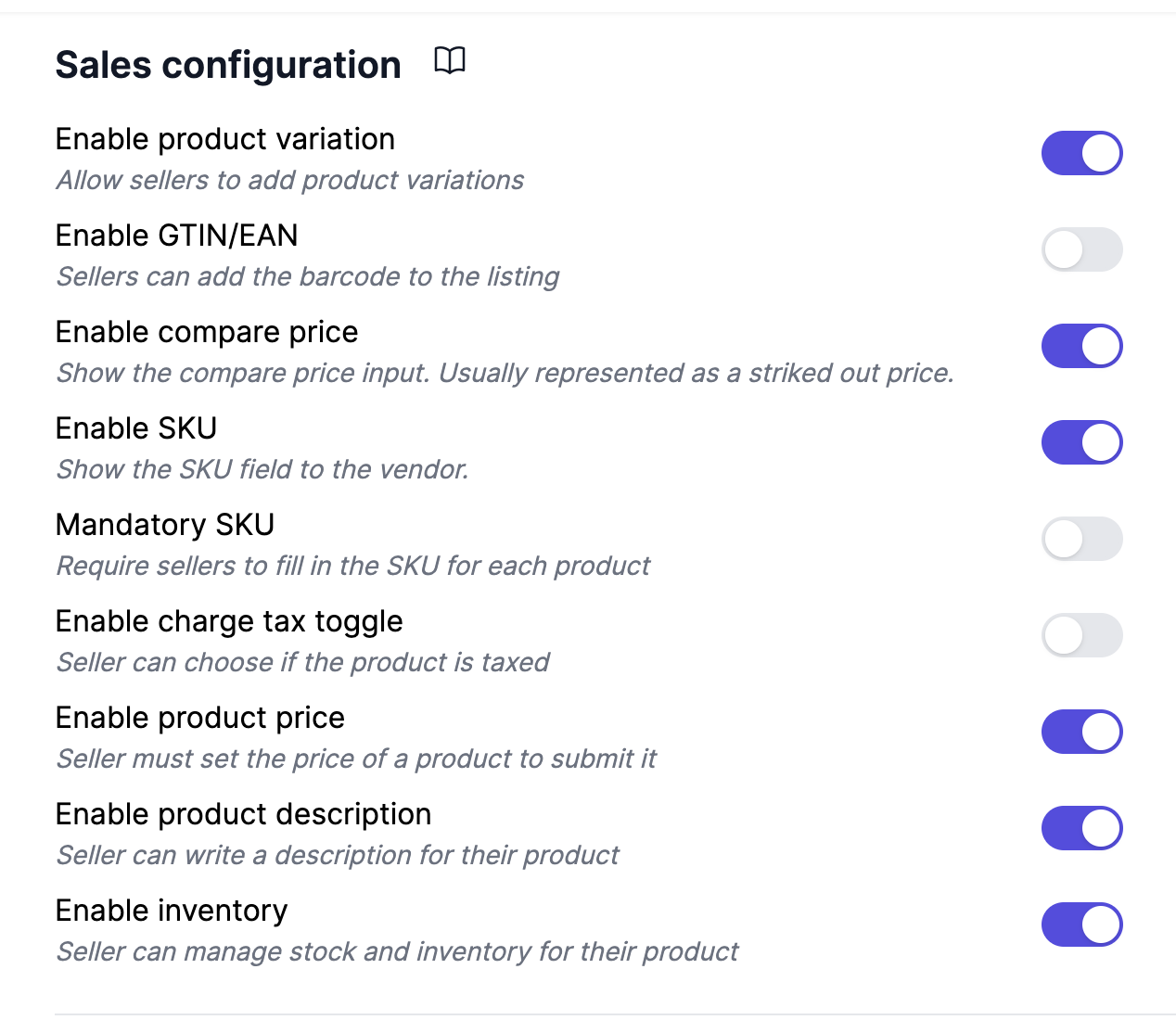
Allow product variations
Allows the vendor to use variations. For instance a T-shirt can come in different sizes or colors. A product can have up to 250 product variations and up to 20k variations under Shopify Plus. If the configuration for SKU, weight, or GTIN is turned on, they will apply for each variation of the product.
Enable GTIN/EAN/Barcode
If your vendors know the GTIN of their product, you can request it with an additional field. It can boost the product's SEO if it is entered correctly.
Enable compare price
Also named strike-out price, it is usually done to display a save %XX tag next to the product.
Plain text description only
All product descriptions will be displayed and saved as text only.
Enable SKU
SKUs are important for businesses and less important for individuals as they don't usually track inventory.
If disabled, Garnet will autogenerate a random SKU such as AJKDO4P for each product created. In such cases, you can consider the SKU to be unique across your whole store.
Mandatory SKU
When enabled, vendors must fill in the SKU for every product and variant before submitting. This option is only available when Enable SKU is turned on.
Enable price
Vendors can manage and set the price for the product. If disabled, the marketplace controls pricing centrally.
Enable description
Vendors can write a description for the product. If disabled, the marketplace manages product descriptions.
Mark product as taxable
Vendors can mark the product to be taxable or not. If the product is not taxable, no tax will be computed by Shopify at checkout.
Enable inventory
Vendors can manage and set the inventory for the product. If disabled, the marketplace controls stock levels centrally.
Fields configuration
Default quantity to 1
When most of your vendors have one item to be sold, simplify their product entry by prefilling the quantity to 1 every time. By default the quantity is missing and must be set.
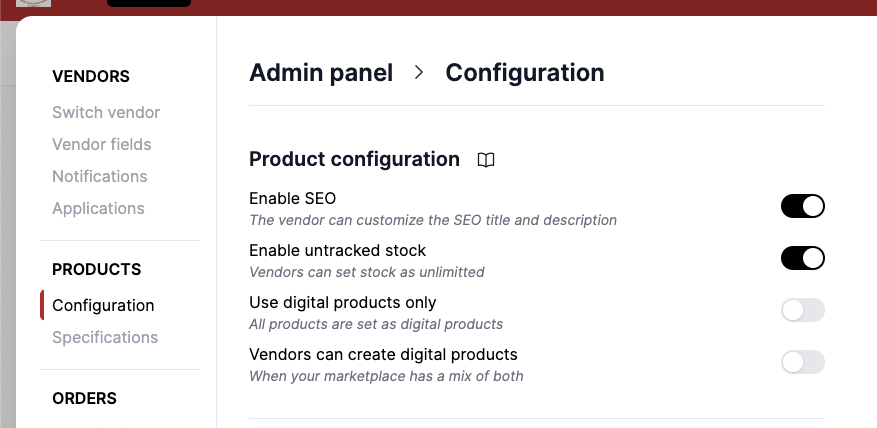
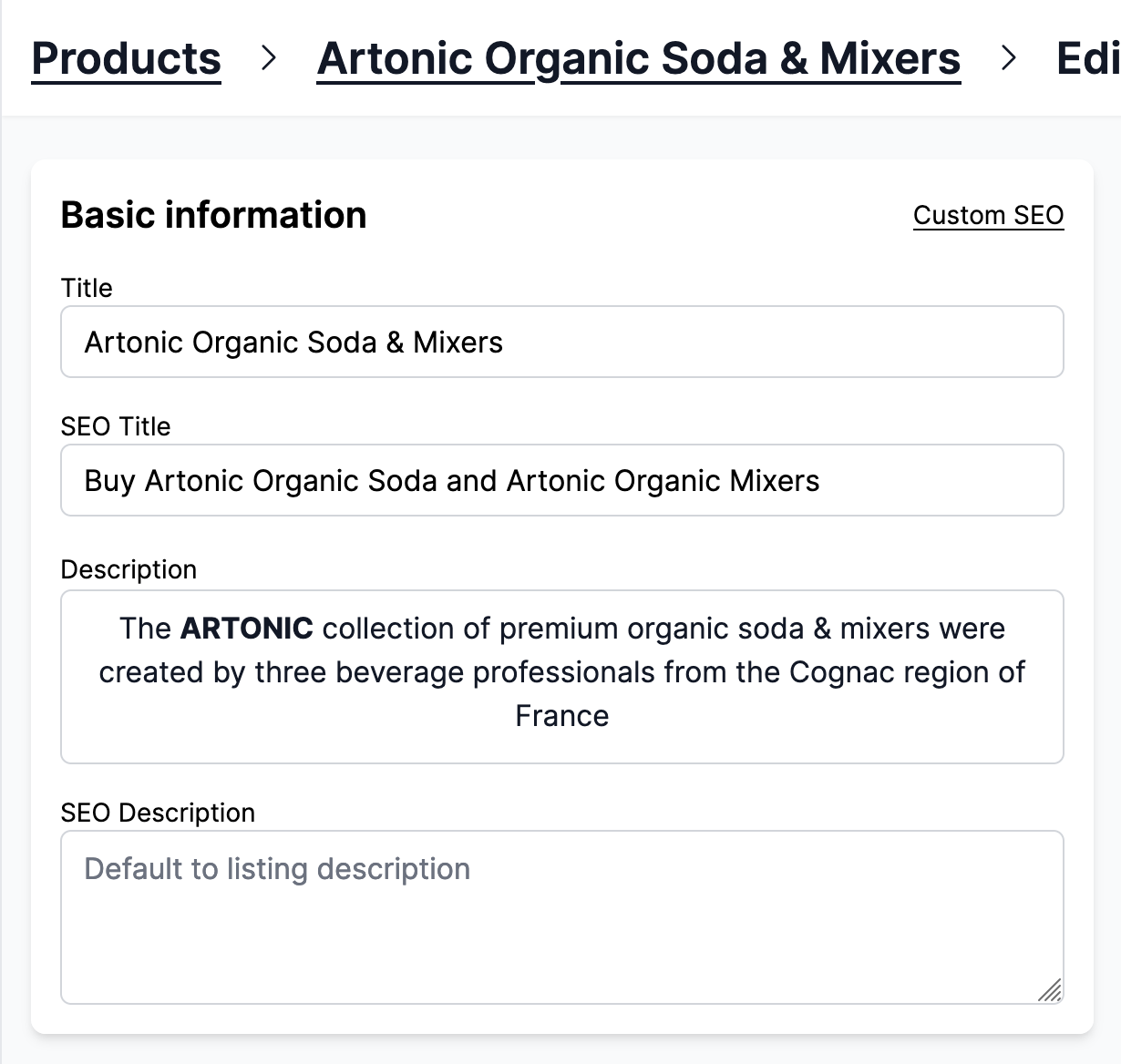
Enable SEO
Vendors can set the product's SEO title and description. By default, they take the value of the product's title and description.
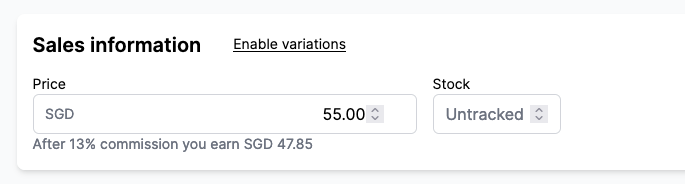
Enable untracked stock
Some vendors have a high or infinite (for digital products) stock for a product and they do not keep track of the stock. Enable them to mark the stock as Untracked when creating a product.
Use digital products only
Remove the option to create physical products. None of your products will need physical fulfillments. Check our guide on digital assets to offer downloadable assets to customers. You might be interested in auto fulfilling digital orders as well.
Vendors can create digital products
Vendors can create digital products. Useful when your marketplace is selling both physical and digital products.
Field Guidelines
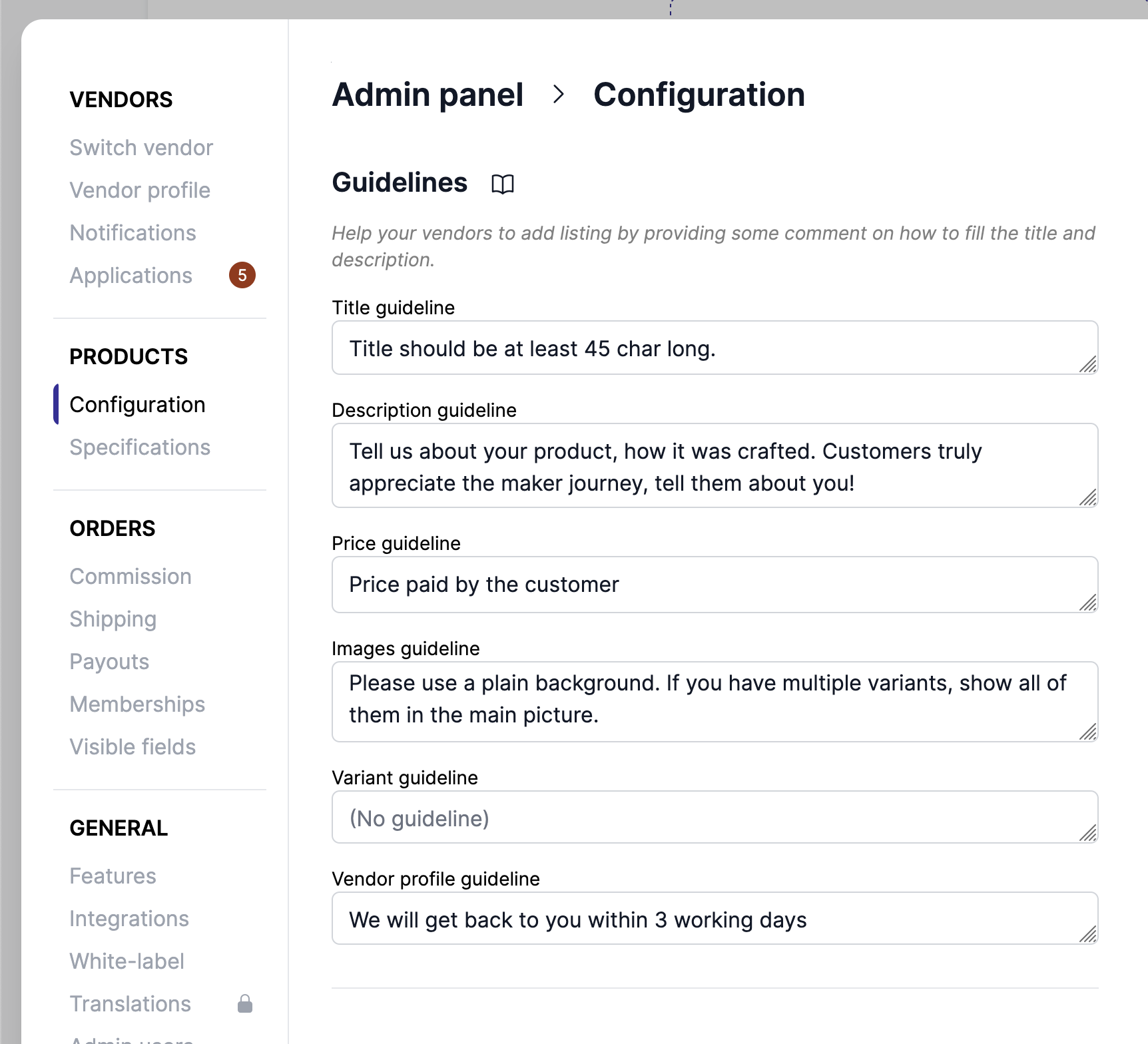
The marketplace can guide the vendors to fill the product listing by adding guidelines and constraints to the listing page. These guidelines will show below the fields on the product page.
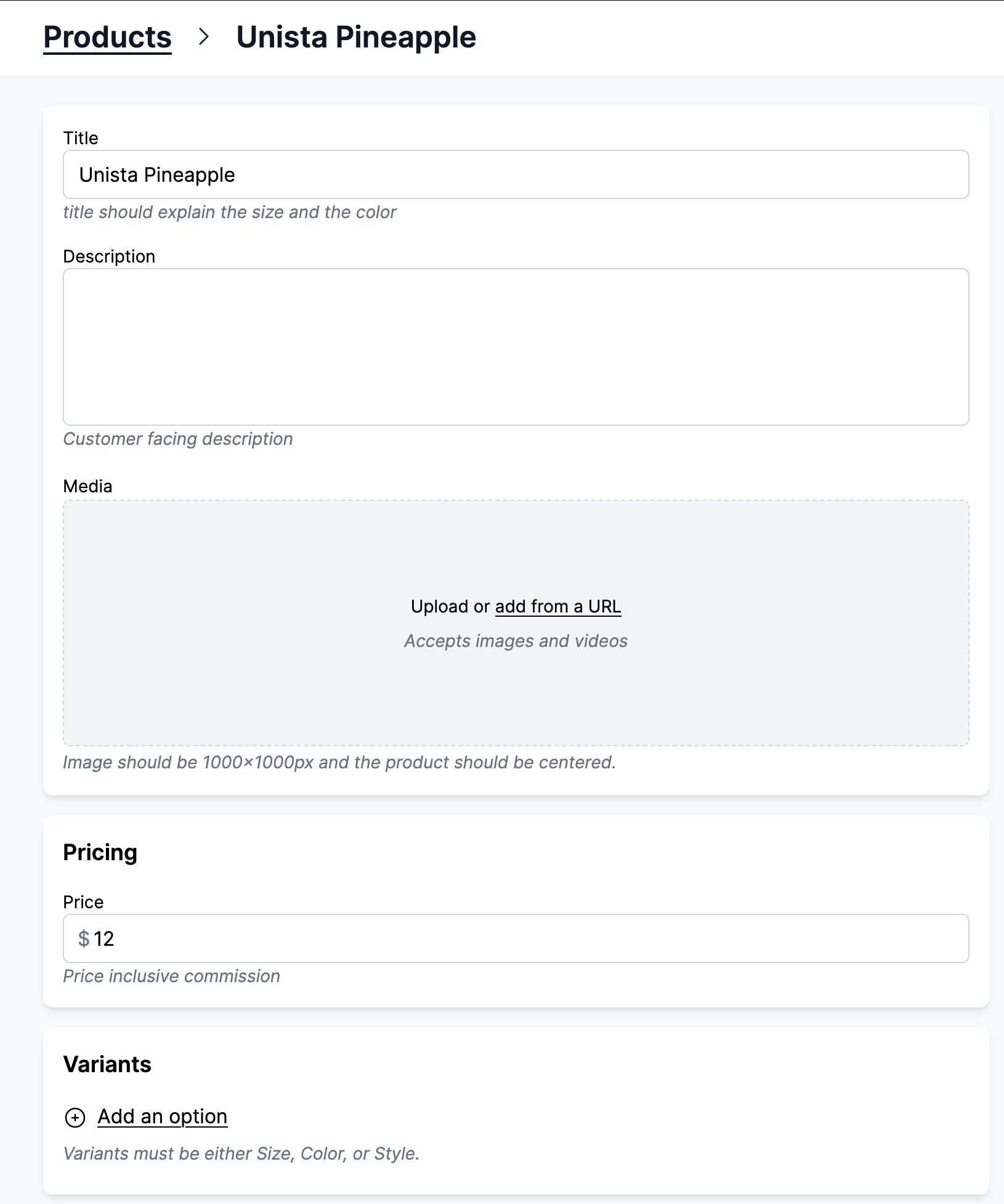
Here the guidelines are in lighter colors below the title, description, image, and variant fields
Default units and templates
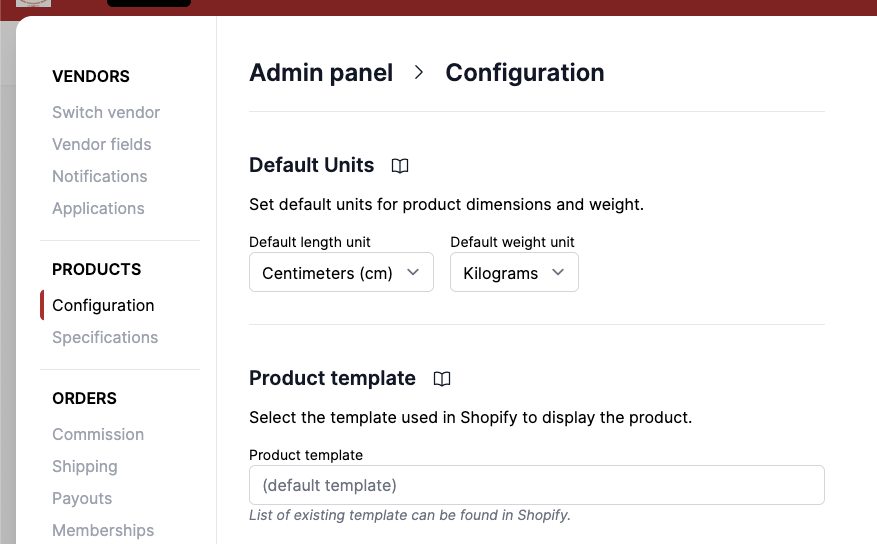
Default Units
These default units will be pre-selected when vendors create new product listings, ensuring consistency across your marketplace.
Length units: Centimeters (cm), Inches (in), Feet (ft), Meters (m), Millimeters (mm), Yards (yd).
Weight units: Grams, Kilograms, Ounces, Pounds
Product template
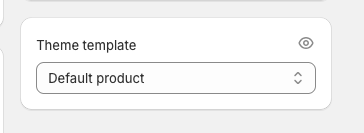
Products can be created using a different Shopify theme template. If not specified, it will use the default template specified by your theme.
The theme can be found in Shopify > Product > Theme template.
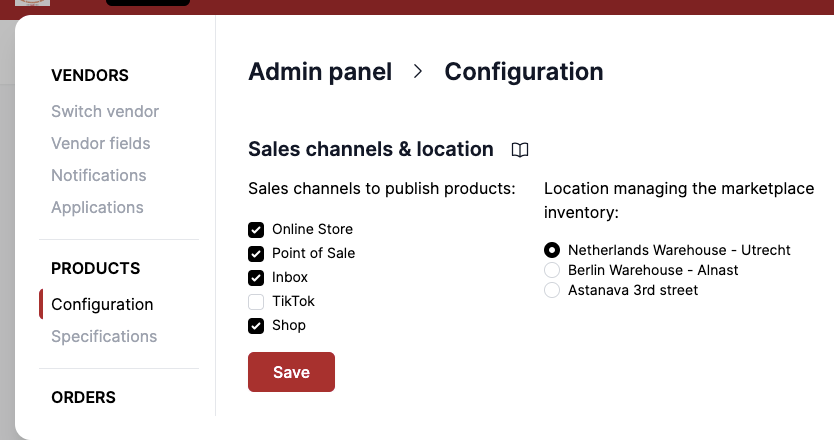
Sales channel and location
The marketplace can customize in which location the product will be created, and in which sales channel it will be published. Garnet will always create products in the same location.
Edit products in other location
Garnet supports editing products in other locations. If the marketplace created products and assigned it to locations that are not the default location, vendors will still be able to edit them.