
Appearance
Product Catalog
Archived feature
The product catalog add-on is no longer available and cannot be enabled on a marketplace. This page is kept for reference for the marketplaces that still run it.
Please reach out if you need vendors to sell offers on a shared list of products.
Product catalog allows the marketplace to restrict vendors to add products only from a subset of selected products by the marketplace. Vendors will compete on the marketplace to sell the best offer (which usually means the cheapest offer).
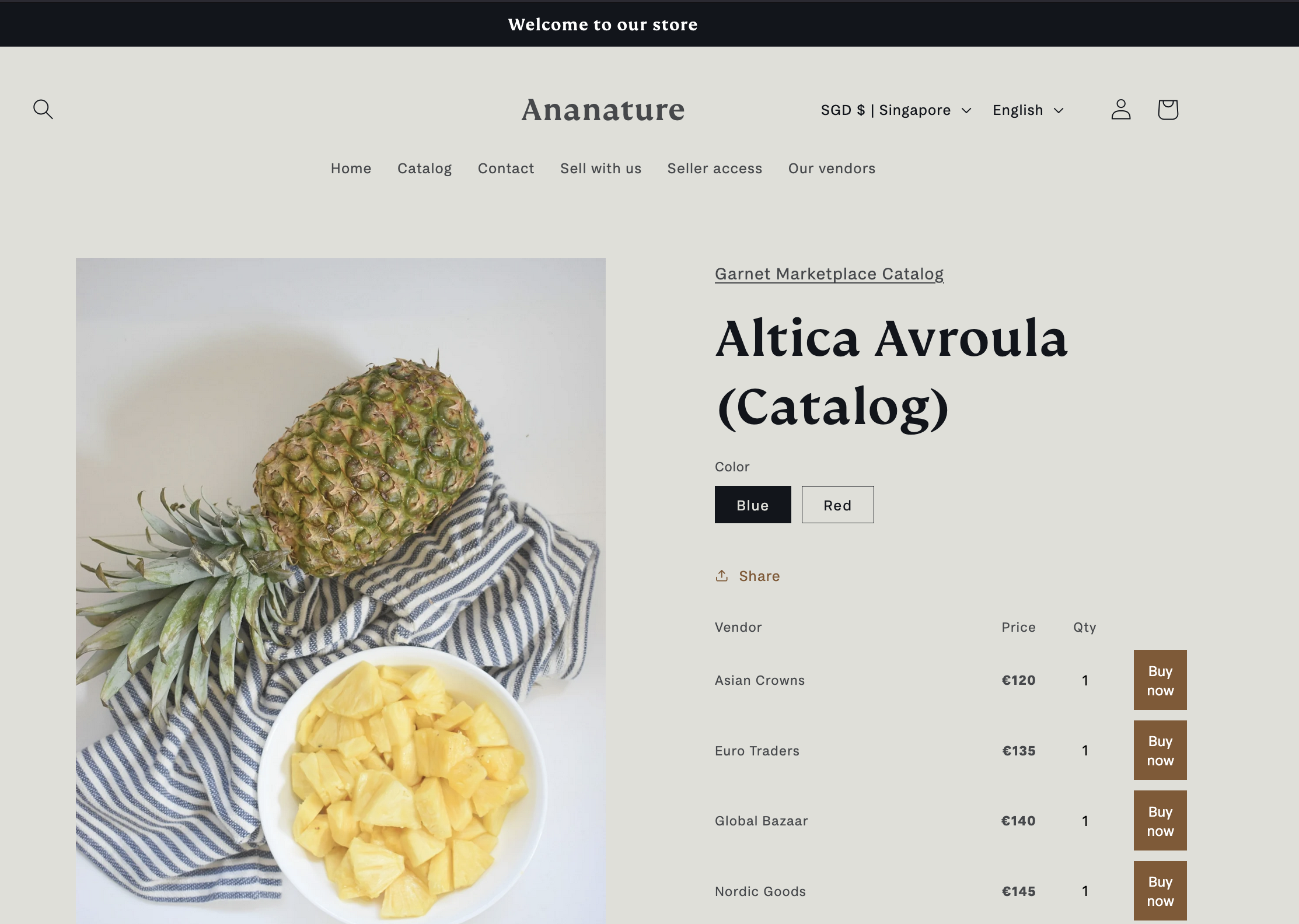
Overview
There are 2 types of products when using the product catalog:
- Catalog entries: These are metaobject instances in Shopify that define each catalog item (title, image, description). They are not products themselves.
- Offer products: These are vendor products linked to a catalog entry via a
catalog_refmetafield. Customers purchase these offers.
Enable product catalog
Create a metaobject definition in Shopify (
Settings > Custom data > Metaobjects). Add fields likedescription(multi-line text) and optionally an image field. Note the definition ID.Enable the catalog feature in
Garnet > Admin Panel > Products > Settings, checkEnable catalog, paste the metaobject definition ID, and save.Create metaobject entries in Shopify (
Content > Metaobjects > Your type). Each entry represents a catalog item that vendors can create offers for.As a vendor, go to
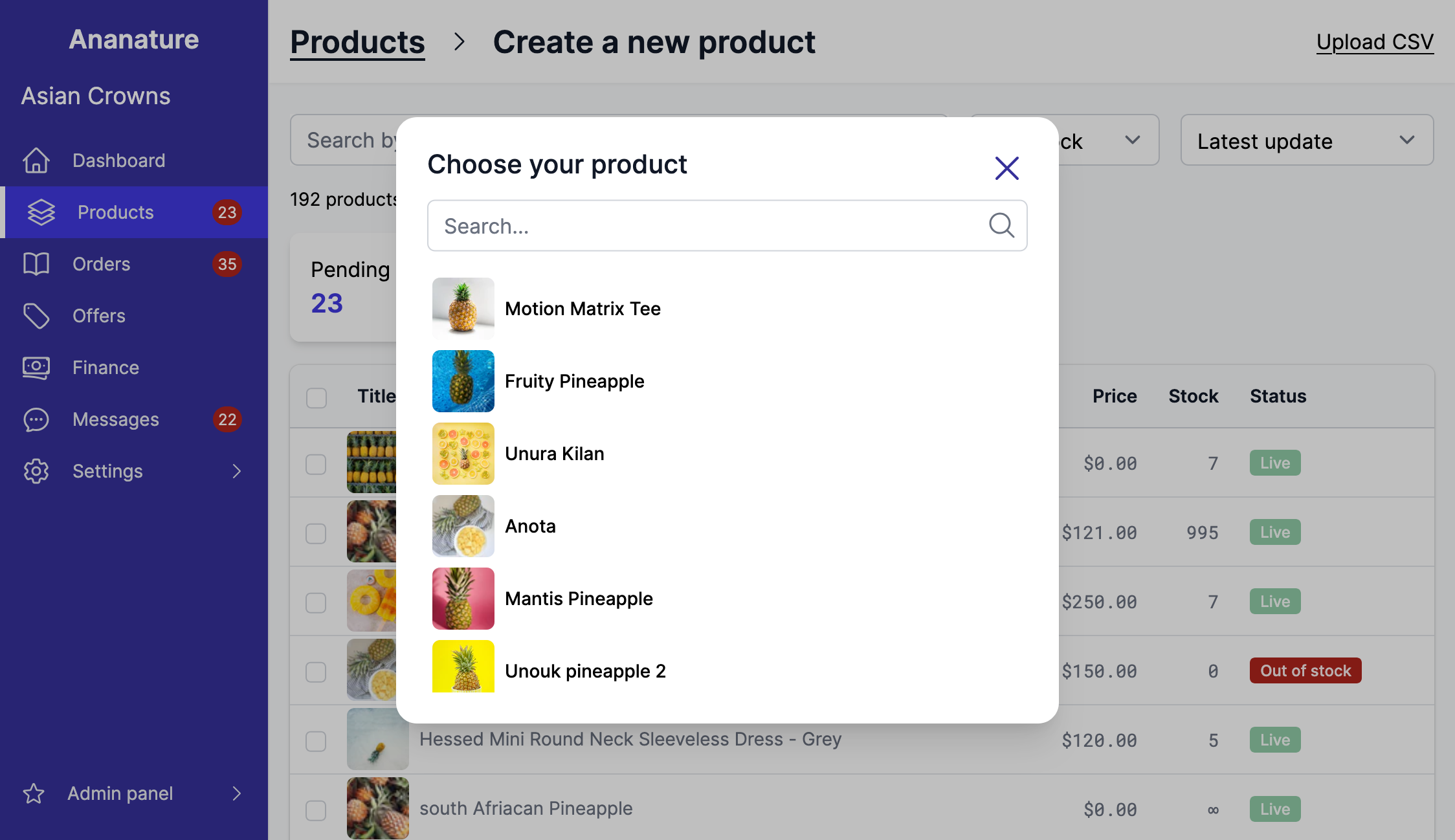
Garnet > Products > Add a product. You will see the list of available catalog entries.
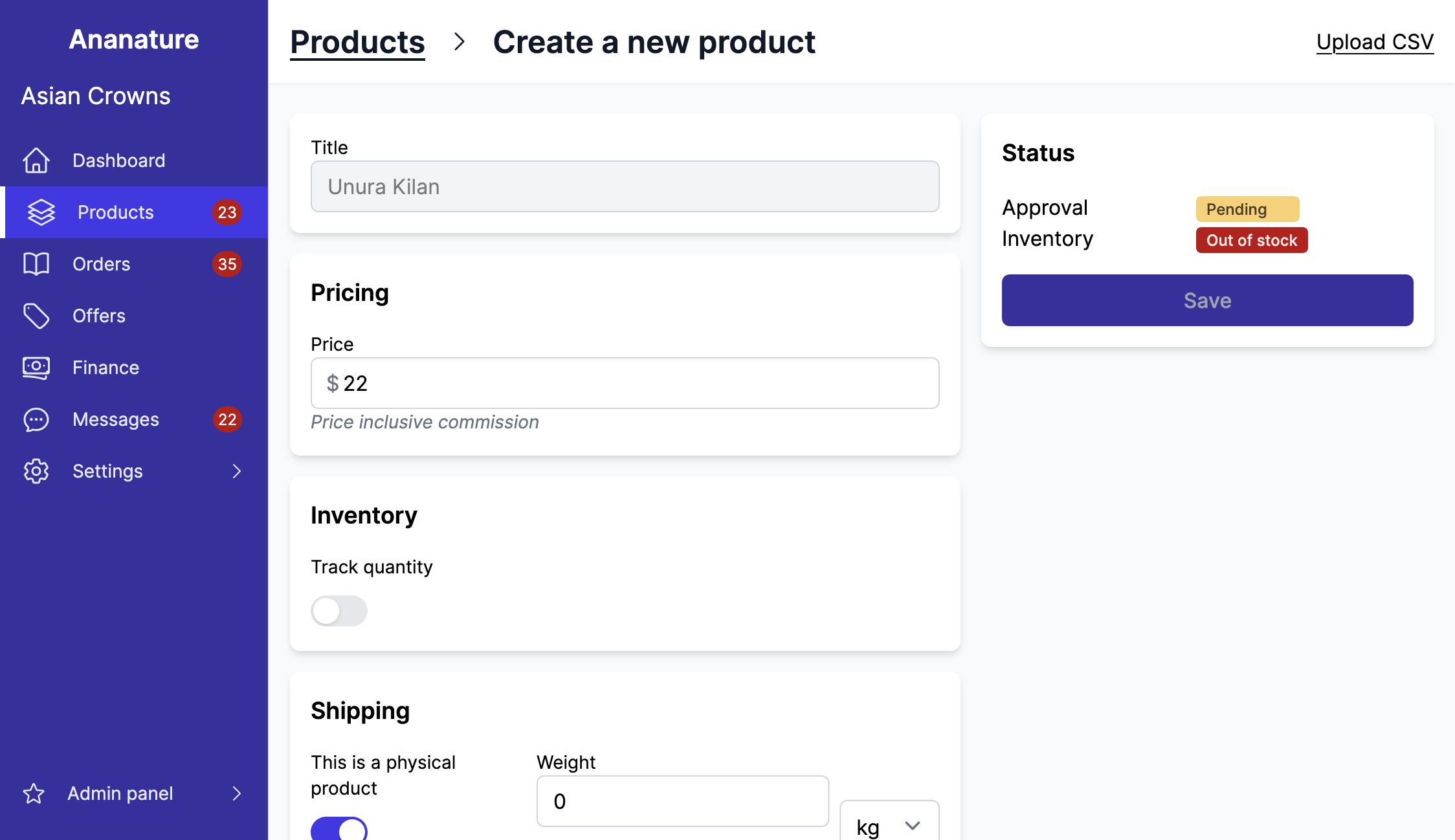
- Create a product based on the catalog entry. The product title and description are pre-filled from the metaobject. You can change the price and other settings defined in the product configuration.
Display the offers on Shopify
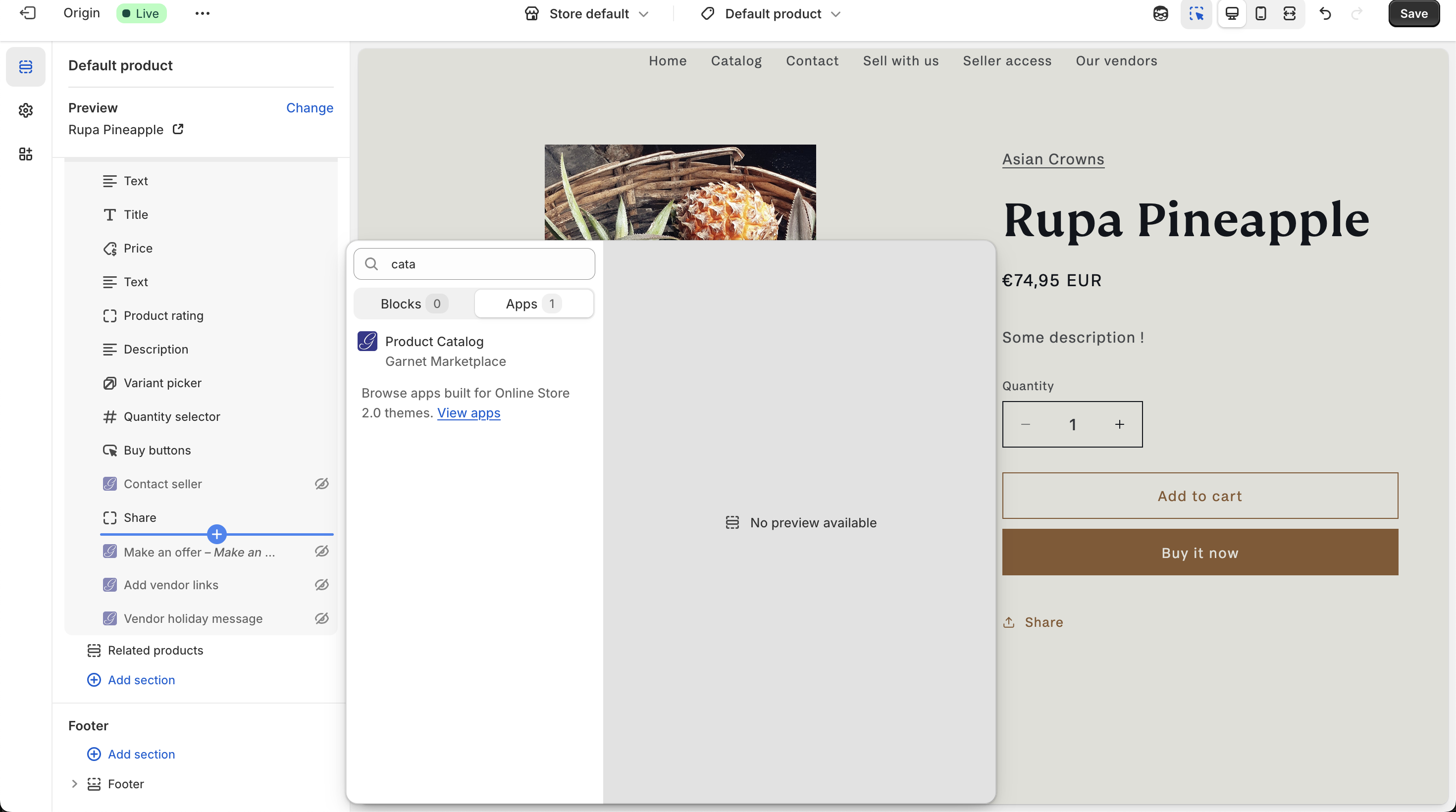
In Shopify > Online store > Themes, open the product page template and add the Product Catalog element.
The component will be displayed only when the product has a catalog_ref metafield pointing to a catalog entry.
Product Catalog FAQ
Here are frequently asked questions about the product Catalog feature. Feel free to contact us for questions.
Why are offers creating additional products?
Shopify needs one product per offer. Garnet ensures the offer is not displayed on the Online Store so vendors cannot find them from the search bar.
My offers are not showing on the product page
Ensure the offer product has a catalog_ref metafield pointing to the correct metaobject entry. This is set automatically when a vendor creates a product from the catalog.
The vendor's offer is not showing
Log in to Garnet as the vendor Garnet > Admin Panel > Switch vendor, the offer should show. Ensure the offer is also approved. If you want to approve all offers automatically, turn on auto-approval.
Customers can still purchase the catalog product
You should remove the Buy buttons on the product page. Garnet's theme component takes care of showing the Buy Button for each individual offer.
Offers are displayed in the search bar
You should prevent the search from displaying offers. For example, you can restrict Shopify search to only show products that have a catalog_ref metafield.