
Appearance
Vendor Dashboard
Vendor dashboard can be turned on in Admin Panel > Features > Dashboard. The dashboard is a vendor view showing all their sales performance and pending actions.
When the dashboard is enabled, it becomes the vendor's home page once they log in.
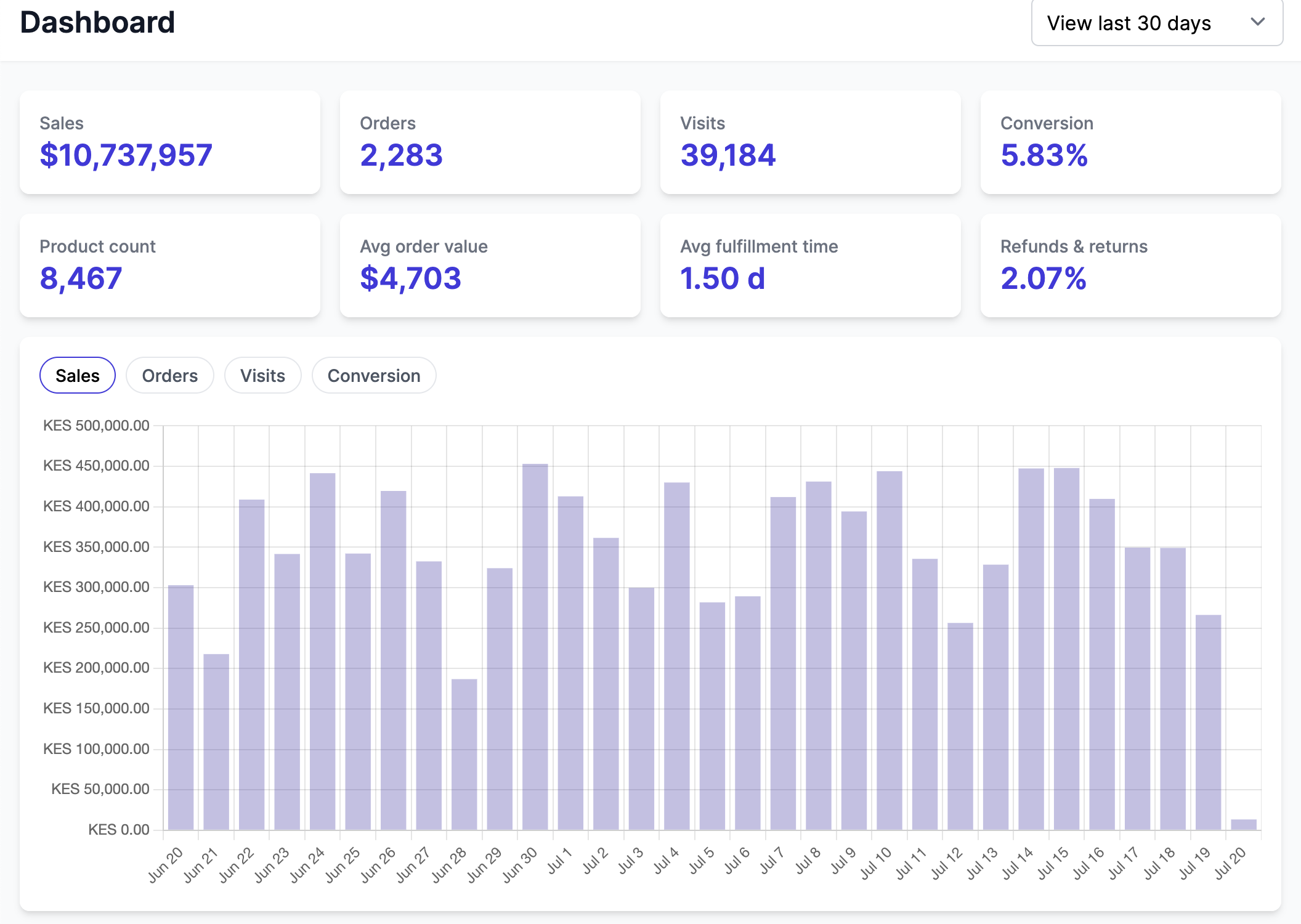
Depending on the Admin Panel settings, the dashboard will show different pending actions. The dashboard links to the following:
Sales > Detailspoints to the Finance view to the line-by-line details,Order to fulfillpoints to the Order view filtered byunfulfilledorders,Live productsandPending productspoints to the Product view with the right filters,Create your first productgoes to Product creation view when the vendor has no products (live or pending),Set payment methodshows when the payout integration is enabled and the vendor did not do the payout onboarding process,Complete vendor pageshows when the vendor page is enabled and the page is not live,Configure shippingshows when shipping is enabled and the vendor did not set any shipping rate.