Appearance
Translations
Garnet Marketplace is available in multiple languages. Languages are defined based on the browser default language.
If you wish to enforce a language on your marketplace account, or if you need an additional language, please contact us.
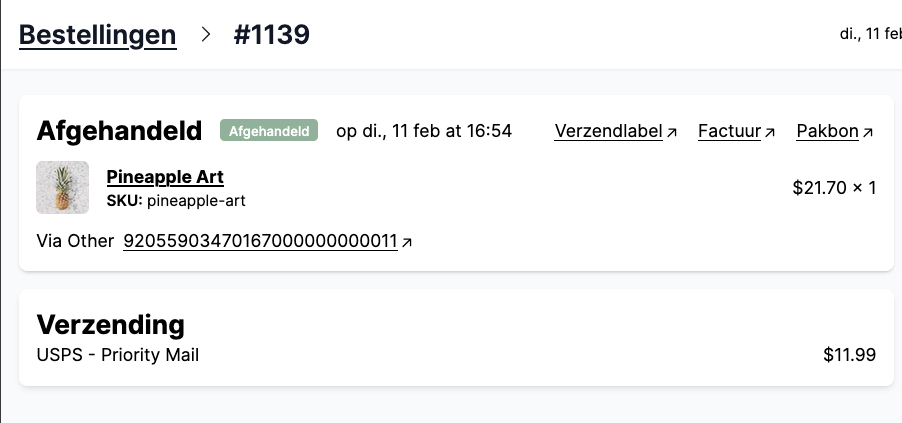
General translations
Garnet is available in the following languages:
- English
- French
- Spanish
- German
- Dutch
- Polish
- Italian
- Arabic
- Hungarian
- Romanian
- Tagalog
- Chinese (Simplified)
The displayed languages will show based on the user's browser preference.
Override the interface language
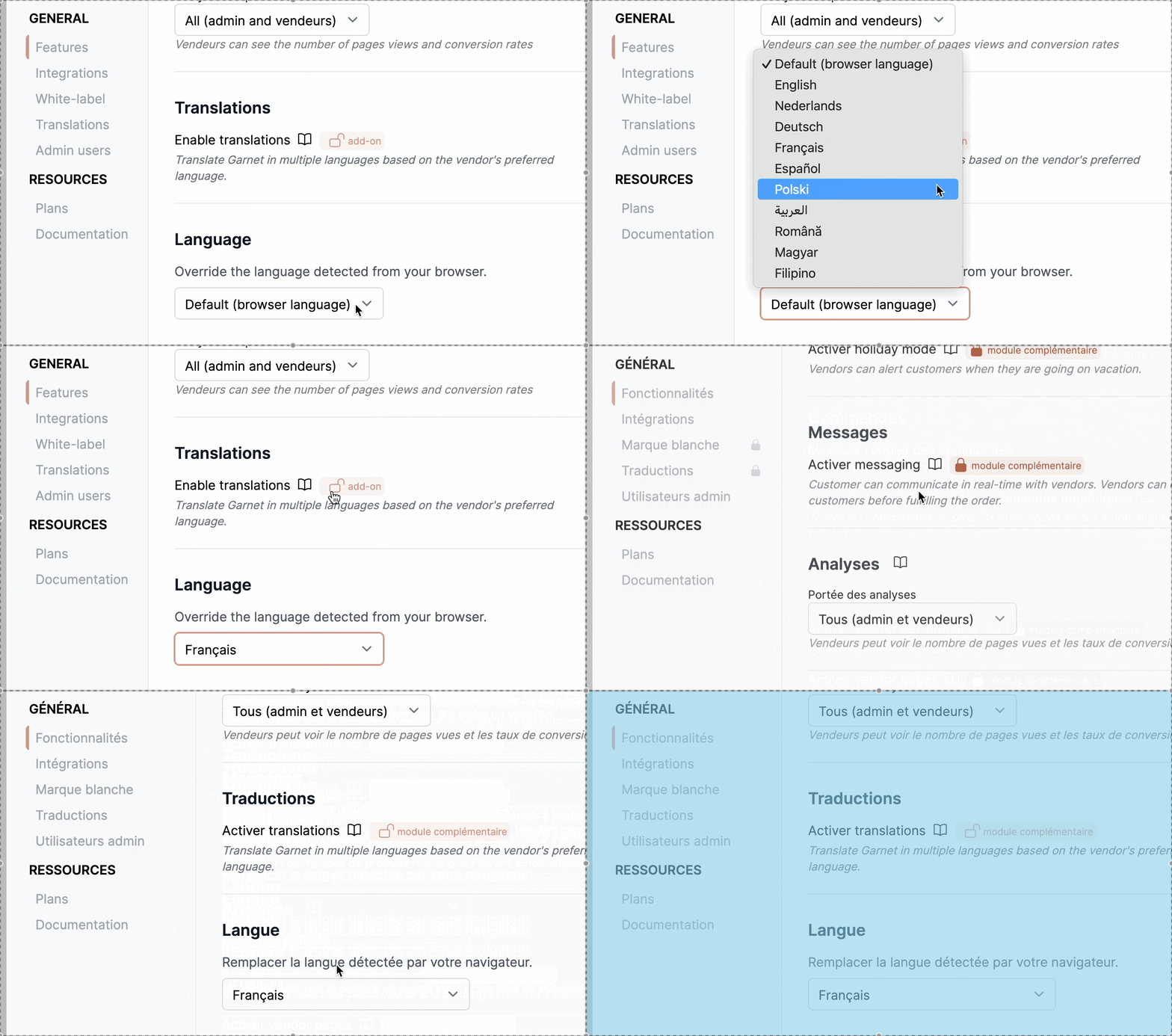
If you want to use a language different from the one detected from your browser, you can force it for your own account:
- Open the profile menu at the top right of Garnet
- Pick a language from the
Languagedropdown, or chooseDefault (browser language)to go back to automatic detection
The page reloads and the seller center is displayed in the selected language. This setting only applies to your own browser — it does not change the language for other users of the marketplace.
Storefront translations
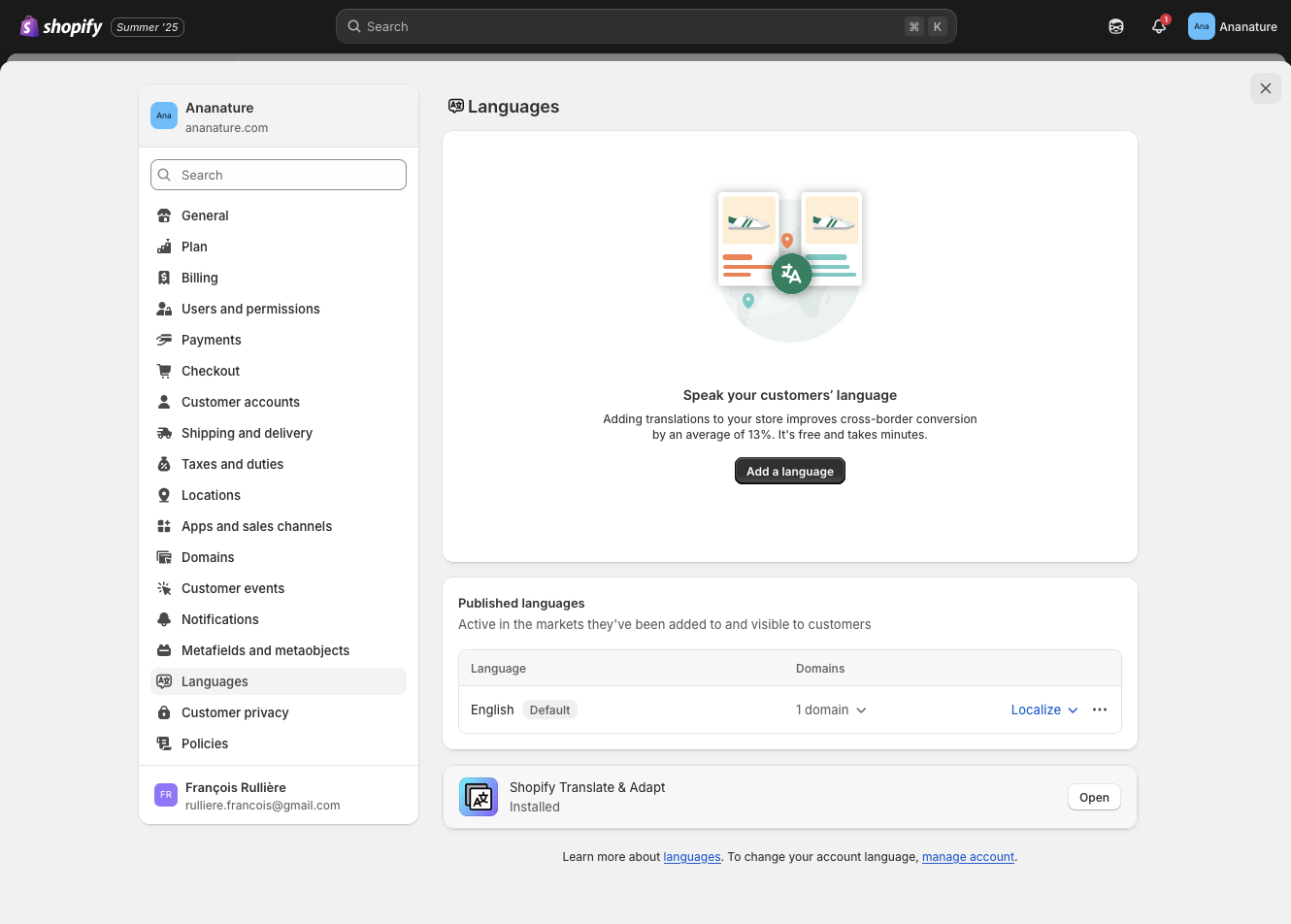
For the marketplace to display the actual storefront in a different language, you need to activate the translation in Shopify.
- Install the Translate & Adapt app (Made by Shopify)
- Add the translation languages in
In Shopify > Settings > Language(see below)
Translate user fields in Garnet
In Garnet > Admin Panel > General > Languages, the marketplace can translate vendors fields to its available languages.
On this view, you will see on the left the list of fields to be translated, and the right the translated value.
A missing or unchanged translation is displayed with a dash (-) in the right side panel.
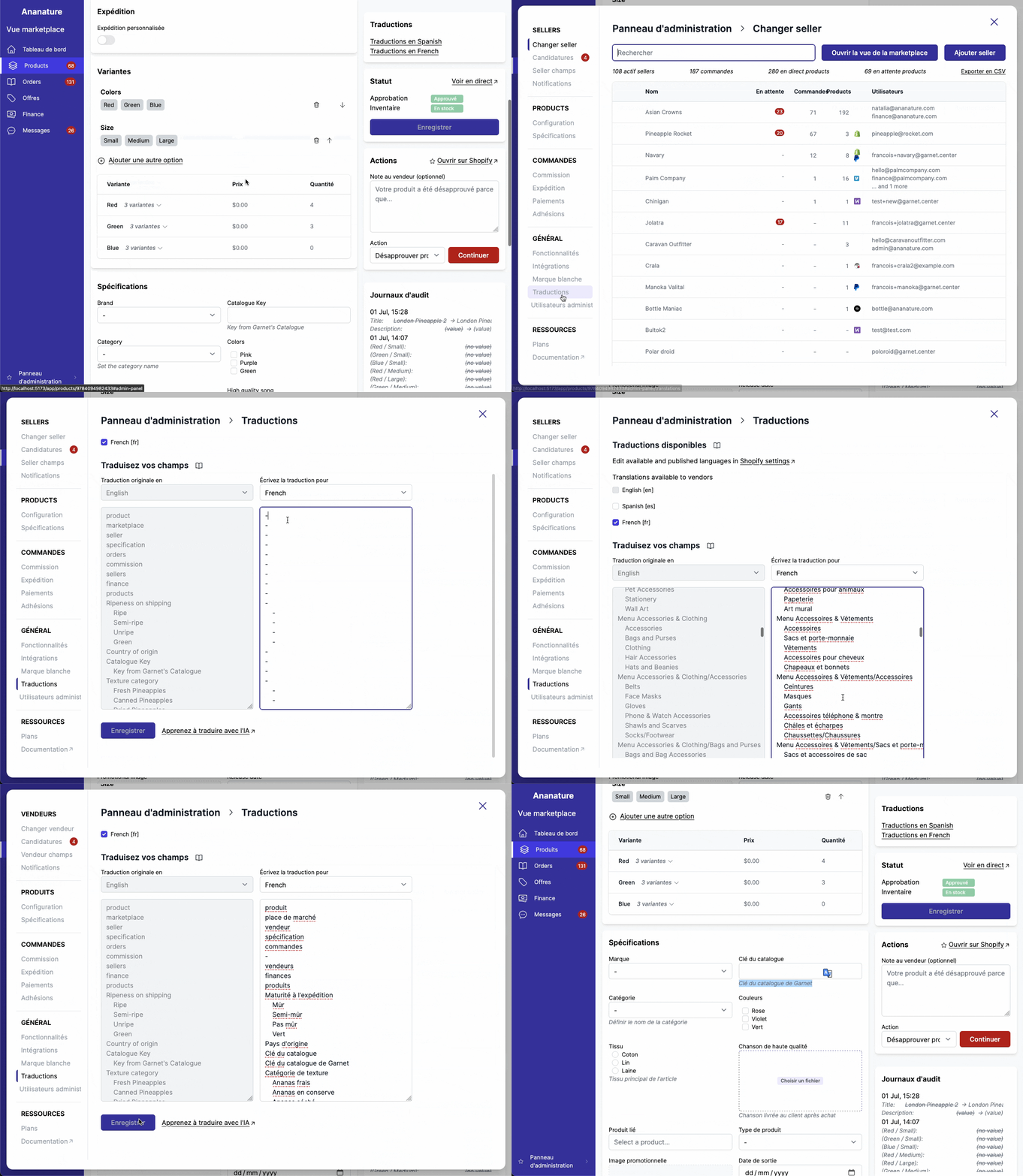
Translate with AI
AI will help you greatly to fill the translation. To do so, go to your favorite AI prompt (like chatgpt.com) and paste the following prompt:
We are doing translation of my marketplace seller center using Garnet Marketplace. I will paste below a list of words in my main language. If a word is indented, it is an option value of the last non-indented word — take this into account when doing the translation. Non-indented words must also be translated. Report the translation in exactly the same format, do not miss a line. If I do not specify the language I want to translate it to, ask me. Once I finished a translation, ask me if I need to translate in another language. Display the output in a code block so I can easily copy/paste it.Then, paste the original field names (list of words on the left), and the AI will provide the right information.
Translate product data
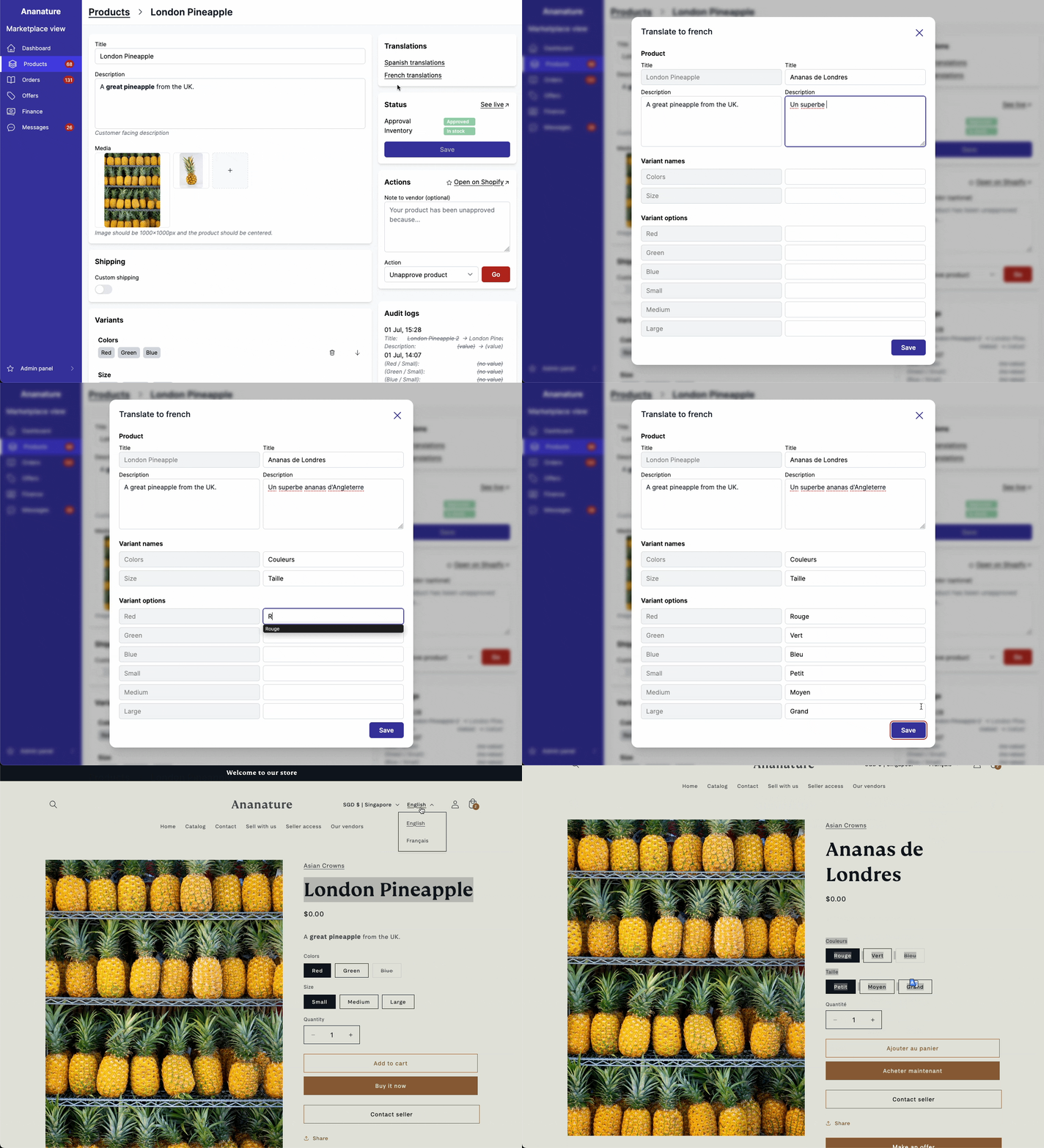
When translations are turned on, vendors can edit product translation by clicking a link on the translation panel at the top right.
All translations can be found and edited in the Translate & Adapt app.