
Automated payout
Marketplaces can opt in for automated payments. They can decide a payment schedule that can be advertised on their website. It provides a consistent and easy way to send payouts to all vendors.
Schedule
Garnet is very flexible when it comes to the payout schedule. There are 2 main categories:
- Relative schedule, to pay vendors a specific number of days after the order has been fulfilled,
- Periodic schedule, to pay vendors regularly at precise dates.
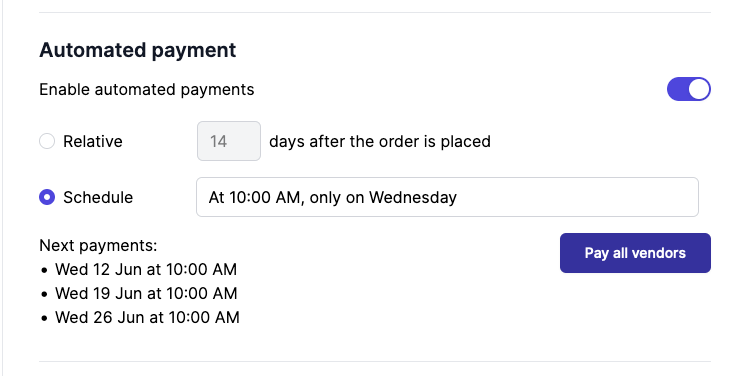
Most marketplaces choose the periodic schedule as it reduces the overhead costs of payment services. The periodic schedule is also more predicatable and can be configured to happen during working hours.
Choose a relative schedule when you need to adhere to strict industry constraints. We recommend that marketplaces start with a periodic schedule.
Get started
Garnet offers automated payments for vendors integrated with Stripe Connect. Follow our documentation to invite vendors to create a Stripe account.
Then go to Admin Panel > Finance > Payout methods > Automated payouts and set your preferred schedule. Note that schedule update are requestes and we wiill reach out to you within 48 hours to enable it.
Relative schedule
Relative schedule enables the marketplace to pay their vendors a specific number of days after the order has been fulfilled. The payment will be sent within a window of one hour of the expected payment time.
Usually, marketplaces define terms and conditions with their customers and payment terms with their vendors accordingly. For instance, if a customer can request a refund or a return within 14 days, the marketplace can decide to release the payment to the vendors after 21 days.
Periodic schedule
Periodic schedule supports advanced payment schedule in your own timezone, for example:
- Every Wednesday at 10 AM
- Every first Tuesday of the month
- Every 2 weeks
- Every weekdays at 1PM
- Every 6 hours
Refunds after a payout
When an order is refunded after its vendor was paid, the vendor was paid more than they are now owed on it. The next payout deducts that difference from what the vendor is due on their other orders, for full and partial refunds alike: the vendor receives the net amount, and the refunded order is then settled. A positive payout adjustment, such as a fee charged to the vendor, is deducted the same way.
When a vendor owes more than they are due, they are not paid: the balance waits for their next orders. Only orders placed within the last 2 months are deducted; an older balance is settled by hand.
Trigger a payment
Sometimes, marketplaces need to pay all outstanding payments outside of the payment schedule. To do this, click on Pay all vendors from the Admin Panel > Finance > Payout methods > Automated payouts.
Custom payments
Sometimes, the marketplace needs to pay/cancel exceptional transactions with a vendor. Since Garnet Marketplace is well integrated with Stripe, you can simply go to Stripe and edit/create a transfer to the vendor.
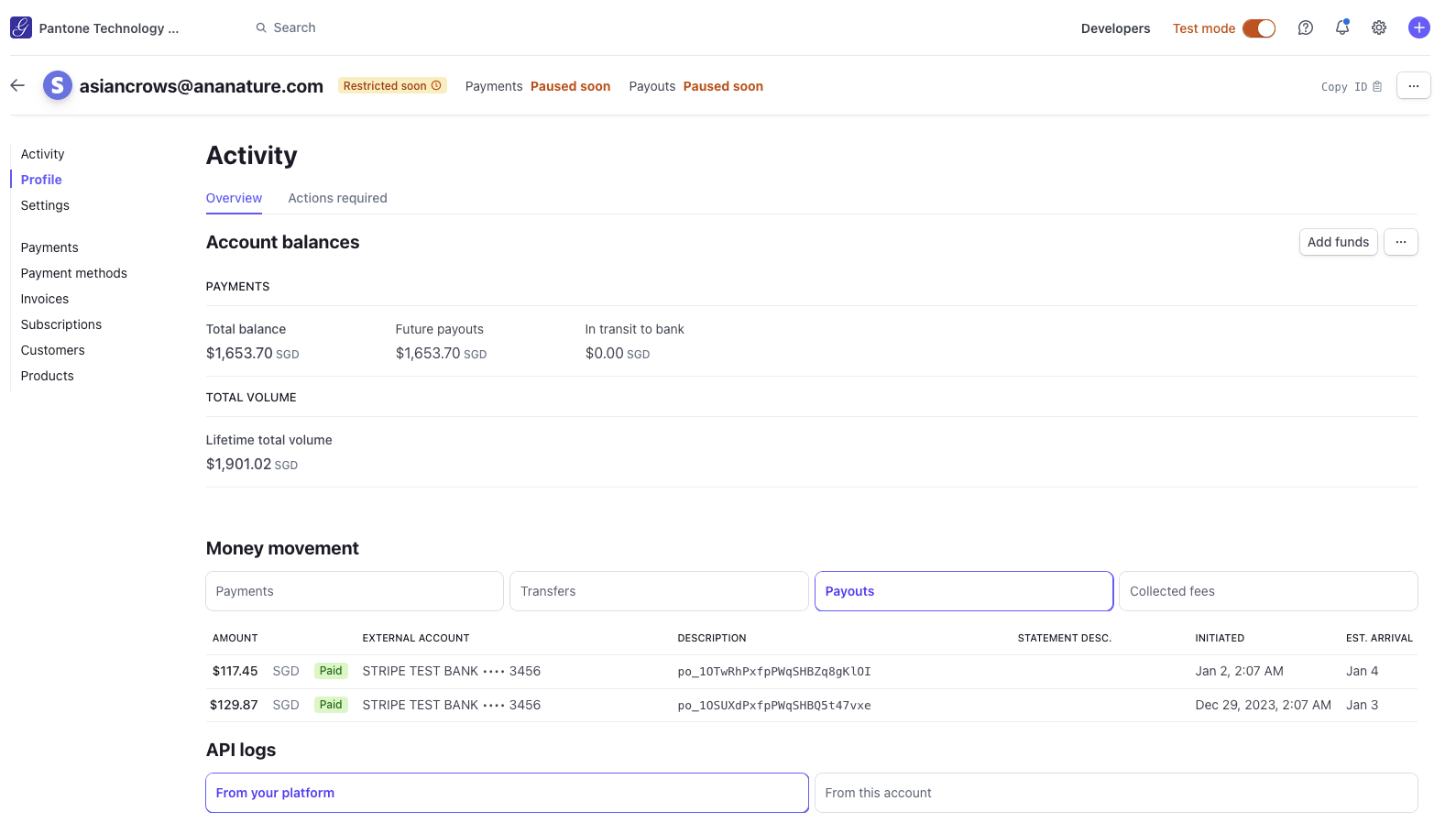
All payments are displayed in Stripe under the vendor's account email. You export all payment details from there.
Payout notifications
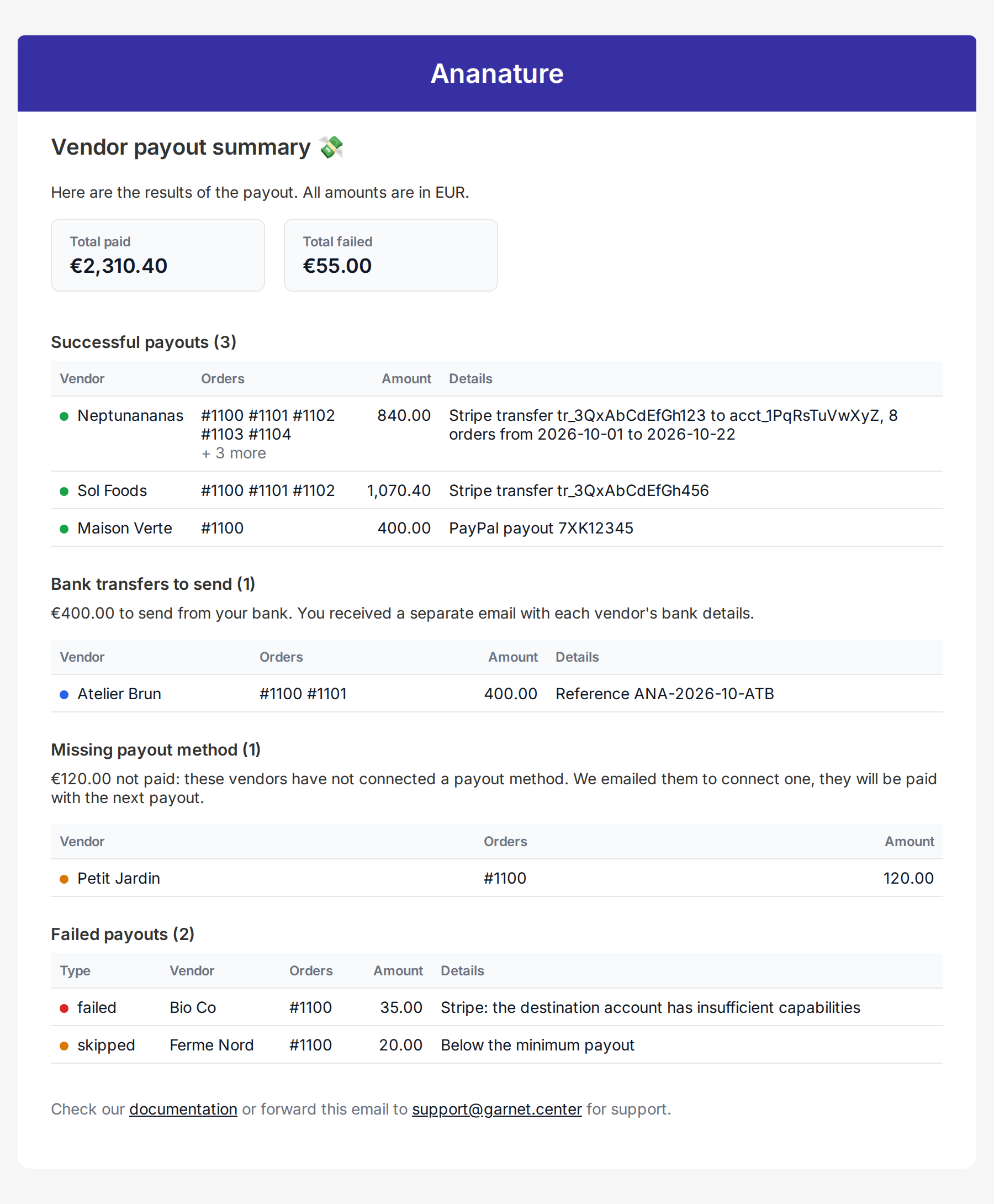
For every payout, Garnet Marketplace will email the administrators a recap with all the payments made linked to Stripe and Garnet.
Marketplaces paying vendors by bank transfer also receive the Bank transfers to send email, with the transfers to make from their bank and a CSV of the vendors' bank details.
If the marketplace account does not have sufficient funds, all transfered will be on hold. Transfers will be retried at the next payment schedule, or can be retried manually from the admin panel.
Vendors without a payout method
A vendor who has not connected a payout method is not paid: the amount stays due until the next payout. Garnet emails them the Payout method missing notification, with the amount and orders waiting and a button to connect a payout method. The recap email lists these vendors in their own section. Turn the notification off from your notification settings if you prefer to reach out to them yourself.