
Vendor Dashboard
Vendor dashboard can be turned on in Admin Panel > Vendors > Settings. The dashboard is a vendor view showing all their sales performance and pending actions.
When the dashboard is enabled, it becomes the vendor's home page once they log in.
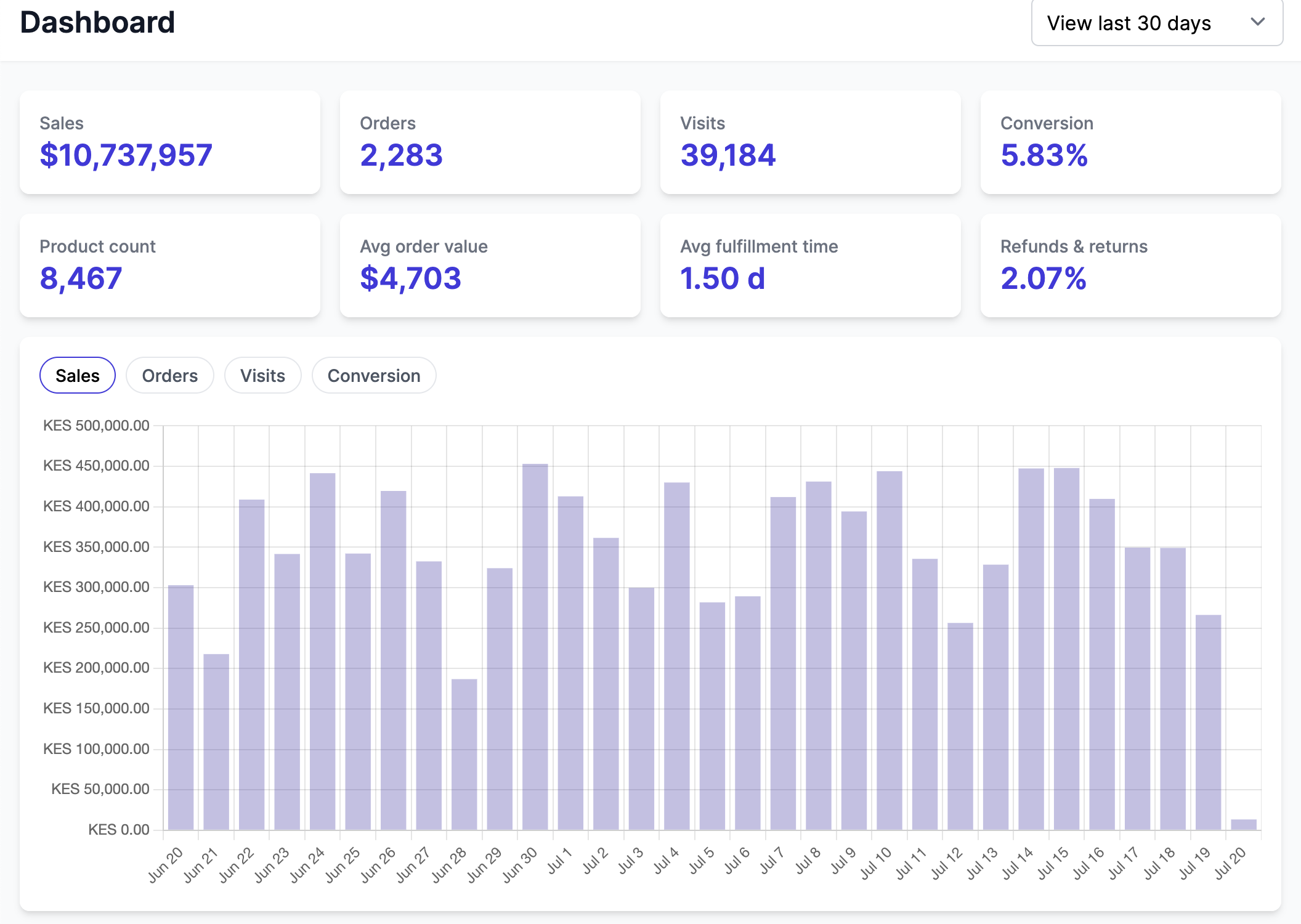
Timeframe
The selector at the top right of the dashboard sets the period every tile and the chart are computed over:
View todayView yesterdayView last 7 daysView last 30 days(the default)View last 12 months
The chosen period is kept in the page address, so a dashboard can be bookmarked or shared on a given timeframe.
The chart underneath follows the period: View today and View yesterday plot it hour by hour, the 7 and 30 day periods plot it day by day, and View last 12 months plots it month by month.
Depending on the Admin Panel settings, the dashboard will show different pending actions. The dashboard links to the following:
Sales > Detailspoints to the Finance view to the line-by-line details,Order to fulfillpoints to the Order view filtered byunfulfilledorders,Live productsandPending productspoints to the Product view with the right filters,Create your first productgoes to Product creation view when the vendor has no products (live or pending),Set payment methodshows when the payout integration is enabled and the vendor did not do the payout onboarding process,Complete vendor pageshows when the vendor page is enabled and the page is not live,Configure shippingshows when shipping is enabled and the vendor did not set any shipping rate.