
Product fields
Each marketplace needs to be tailored to its industry. Marketplaces can request vendors to add additional data to their products to boost their marketplace.
Here are some use cases:
- automatically add products to a collection
- display more product context to the end customer
- use additional information in internal automation
Where are product fields used?
When creating a new product, vendors set the product fields in the product form. Note that if you don't have any product field set, the Product fields section is hidden.
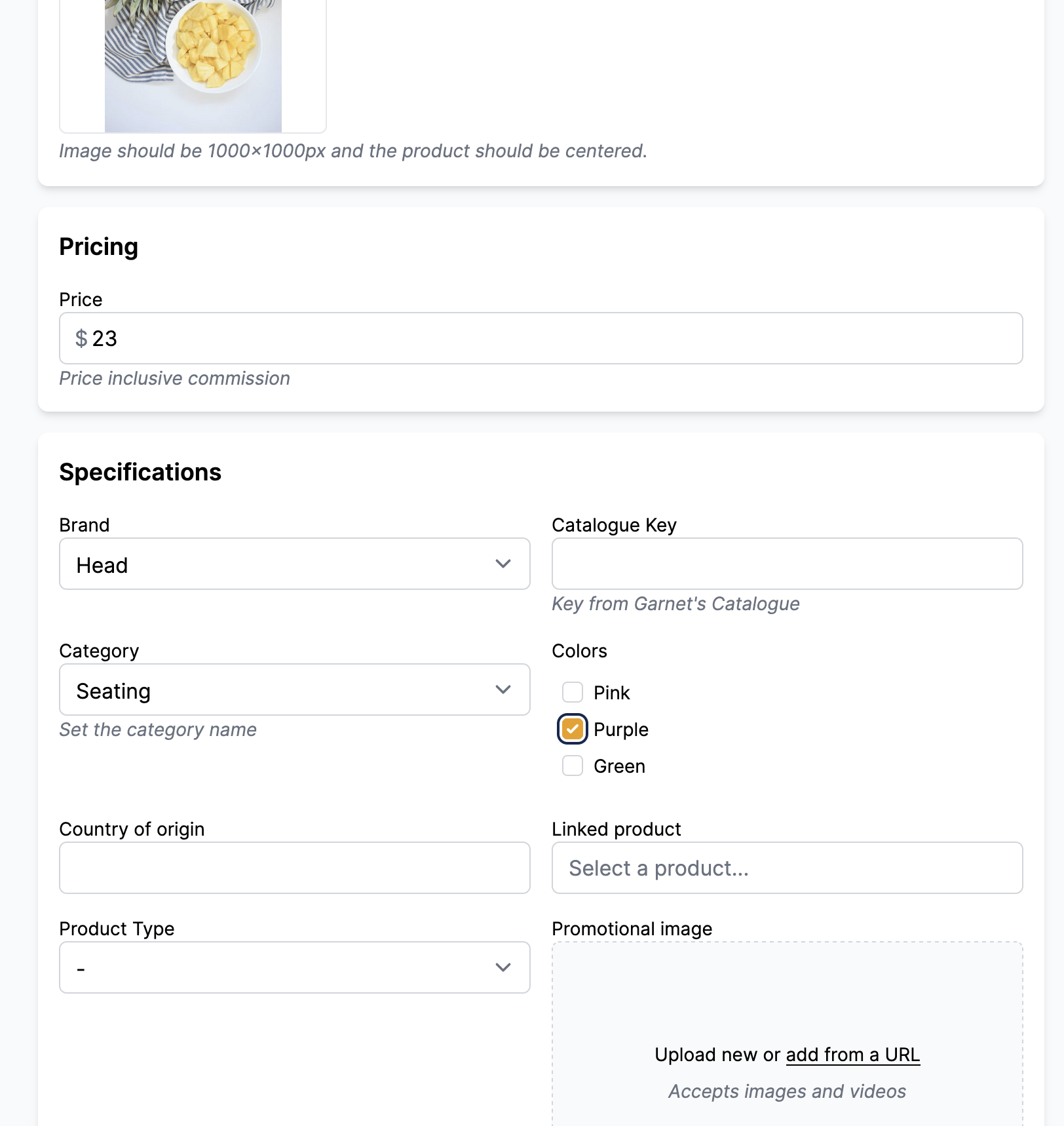
Moreover, when uploading a CSV, all product fields will be available for mapping the data from the CSV to Garnet.
Internally, a product field is a Shopify metafield definition. It is accessible in the Shopify admin console, in Shopify collections, theme templates, and in the liquid code.
View product fields
Product fields can be viewed by the marketplace following Garnet > Admin panel > Products > Product fields.
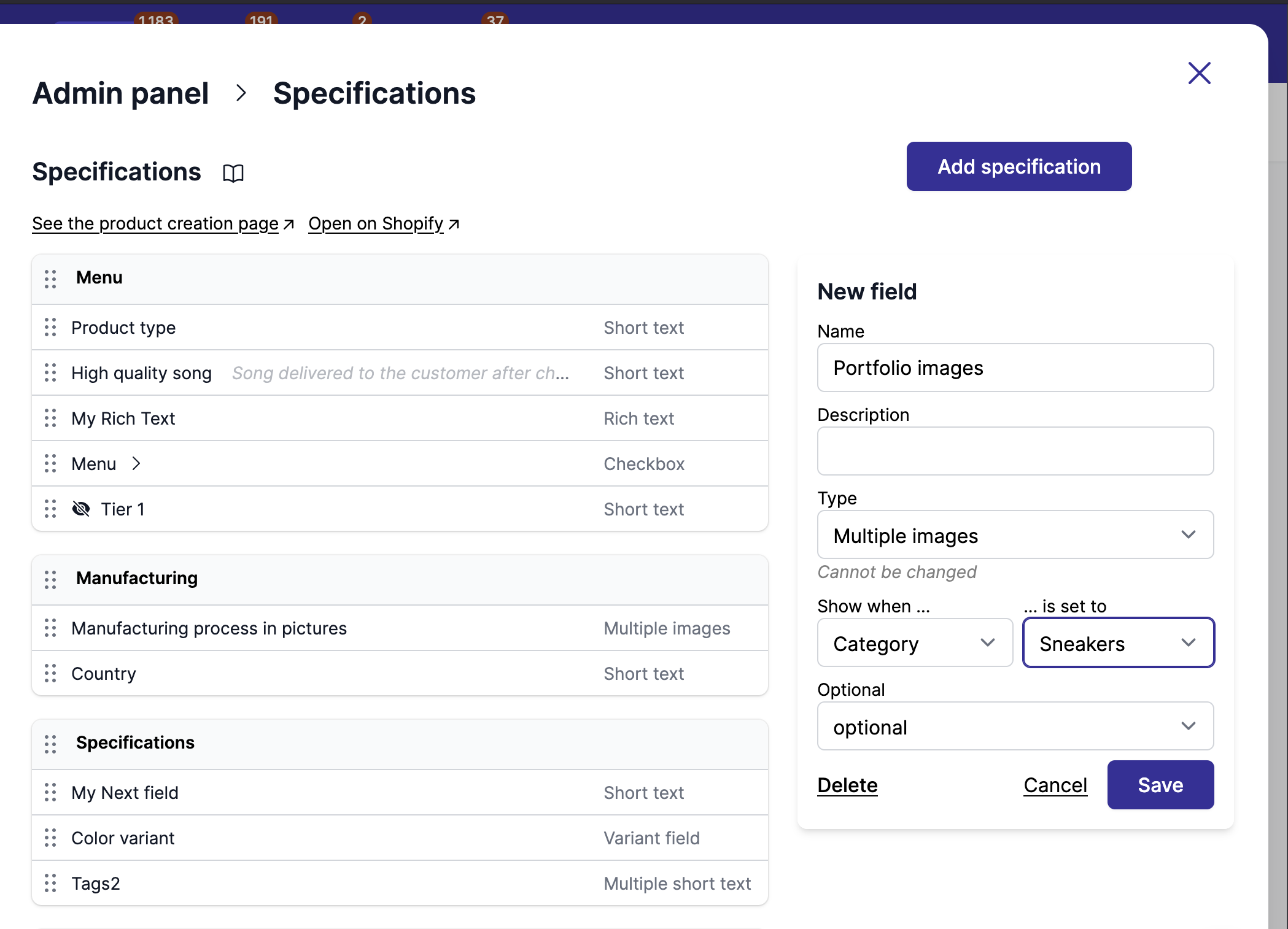
Product fields can be of different types:
| Type | Description | Examples |
|---|---|---|
| Radio | Single choice from predefined options | Size: S/M/L |
| Dropdown | Single choice from dropdown list | Category selection |
| Checkbox | Multiple choices from predefined options | Features: Waterproof, UV protection |
| Short text | Single line of text | Model number |
| Multiple short text | Multiple free text entries | Tags, keywords |
| Long text | Multiple lines of text | Product highlights |
| Rich text | Text with formatting | Tell us your story |
| URL | Web address, email, or phone link | Social profile, product page link |
| Image or video | Single media upload | Product photo |
| Image only | Single image upload, videos are refused | Size chart, certificate scan |
| Multiple images | Multiple media uploads | Product gallery |
| File | File upload | Technical specifications PDF |
| Date | Date selection | Manufacturing date |
| Date & Time | Date and time selection | Release date and time |
| Integer | Whole number | Stock quantity |
| Number | Decimal number | Weight in kg |
| Money | Currency amount | Cost price |
| Product reference | Link to another product | Related product |
| Multiple products | Link to several products | Bundle items, cross-sells |
| Metaobject | Link to a metaobject entry | Artist, exhibition, brand |
Each type is described with a screenshot in field types.
Add product fields
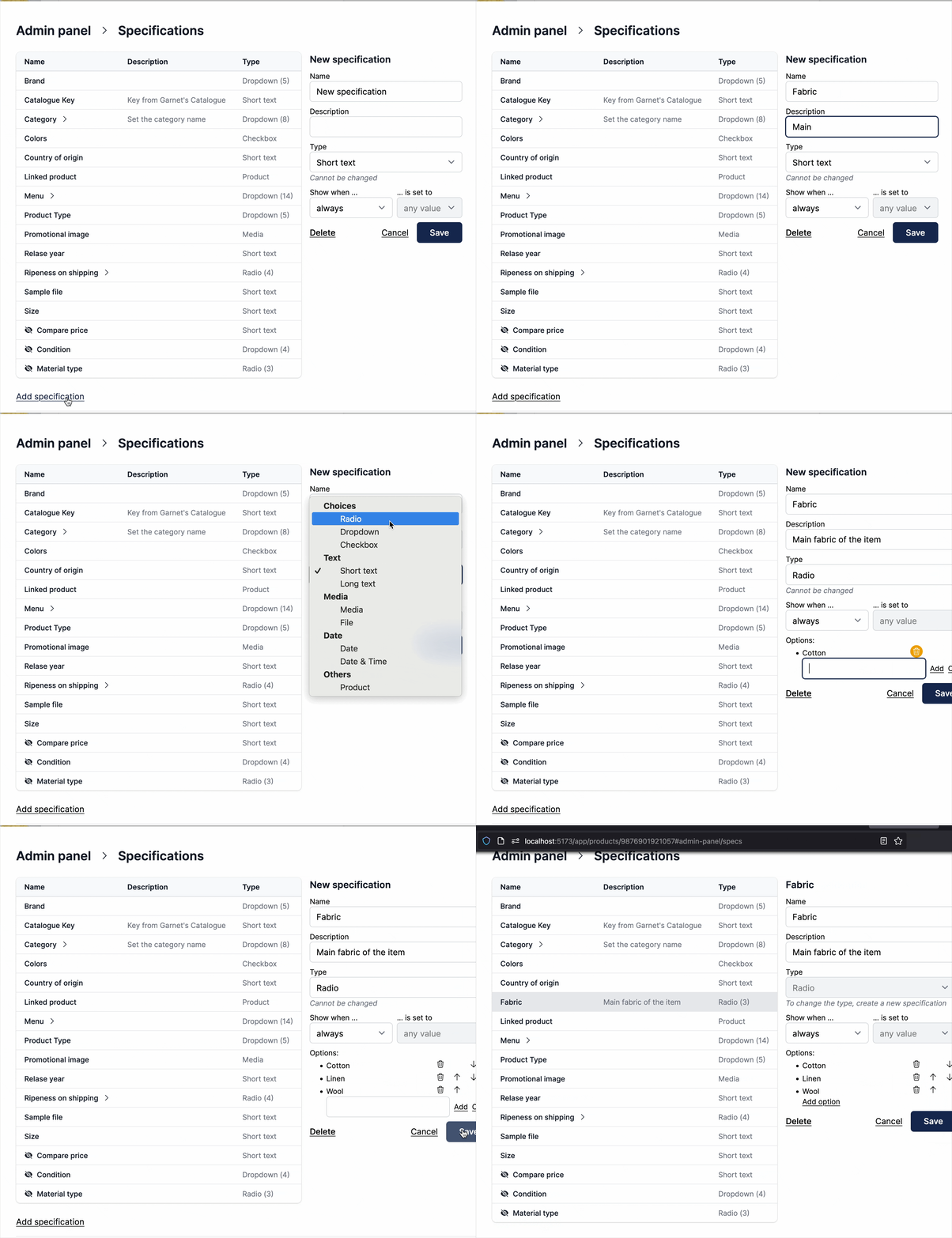
It's easy to add a product field from Garnet, see the video below:
Technical tip
Since product fields are product metafield definitions, you can define them in Shopify > Settings > Metafields > Products. Only metafields with namespace custom will show in Garnet.
If you need a metafield type not supported by Garnet, please contact us.
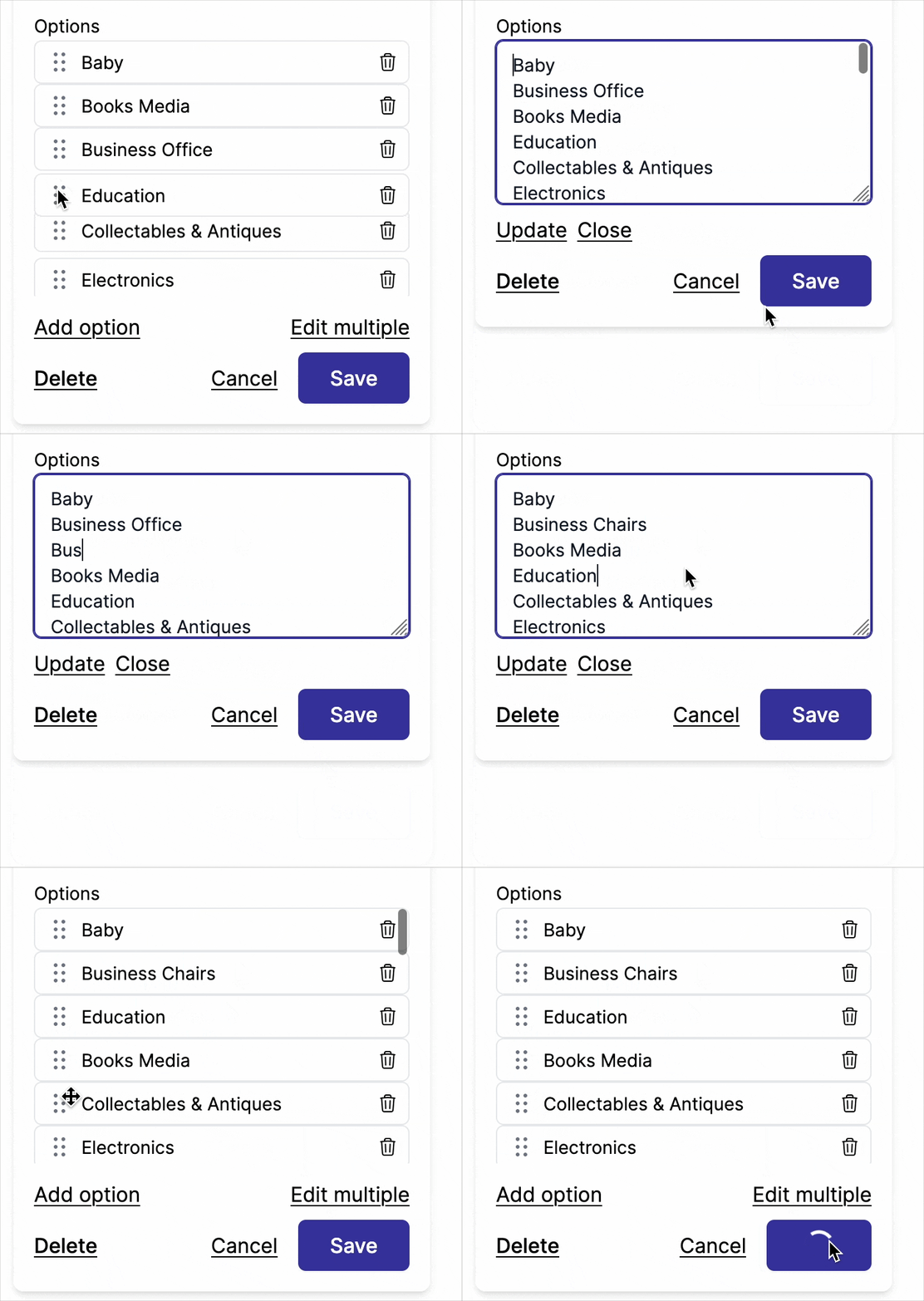
Edit multiple options
You can edit multiple options by using Edit multiple button in the option list.
Delete product fields
To delete a product field, simply click on the Delete button. A confirmation will be prompted.
Warning
Removing a product field is irreversible. When deleted, all its data associated with products is also deleted.
Can't delete a product field?
Sometimes you may receive an error message like Metafield definition cannot be deleted because of the smart_collection_condition capability. In this case, the associated metafield is used in a smart collection and you must remove it from the smart collection first.
Reorder product fields
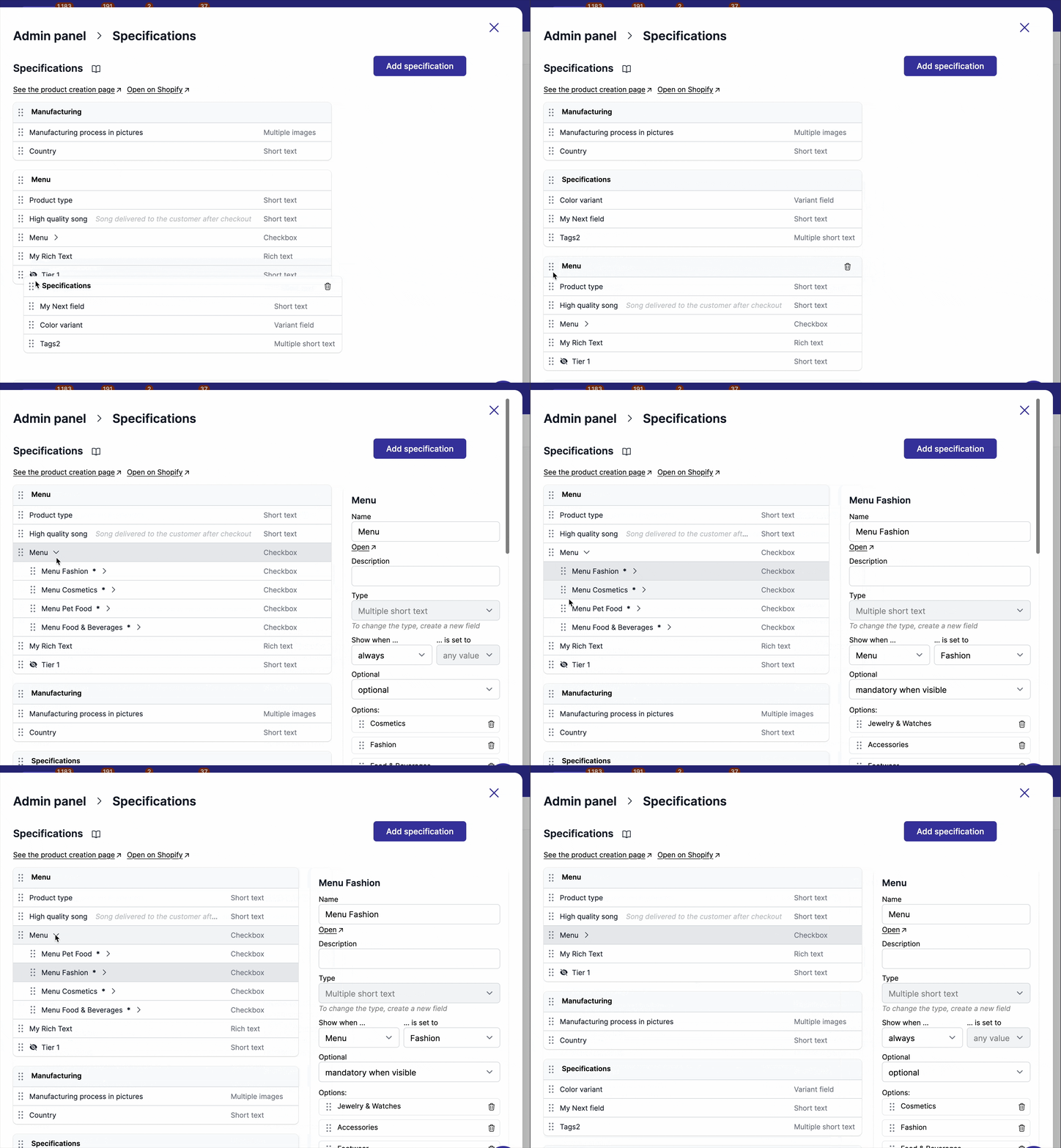
Product fields can be reordered with drag and drop. It is possible to move a product field from one section to another, within the same section, and reorder sections themselves!
Link product fields to variants
Garnet supports linking metafields with variants. It enables the marketplace to have strictly defined variations and to prevent vendors from adding options inconsistent with the marketplace. Learn more about variations.
Product fields are Shopify metafields
In the background, Garnet's product fields are Shopify metafields under the custom namespace. These metafields can be edited in Shopify > Settings > Customer Data > Products.
Metafields vs tags
Metafields are better than tags as they are:
- Typed checked: metafields have the required type (number, date, file...)
- Private: metafields are not displayed in the front-end code unless explicitly used
- Easily accessible: link the value in your theme, and access the value in your liquid code. :::