
Marketplace setup with Stripe integrations
The Stripe Connect integration is a payment solution for marketplaces to automatically pay their vendors.
Whenever the marketplace needs to pay its vendors, Garnet will initiate a Stripe payment from the marketplace account to the vendor account.
The payment is sent in the marketplace currency. When the vendor's Stripe account settles in another currency, Stripe converts it on arrival at its live exchange rate, so the vendor receives their own currency.
The payout events can be customized within Garnet to suit your marketplace needs.
Note that Garnet only facilitates the payment and is never holding the customer's money at any time.
WARNING
Please ensure you have followed all steps below. Most marketplaces having issues with the Stripe integration is simply because they missed a step.
Step 1: Create a Stripe Account and get verified
The marketplace must create a Stripe account following the registration link. After replying to all questions you will need to get verified. It can take a few days and require you to send additional verification documents.
Step 2: Enable Stripe Connect
Setup Stripe Connect for the marketplace account by going to Stripe > Settings > Product settings > Connect or clicking on this link. Then click on the Get started with Connect button.
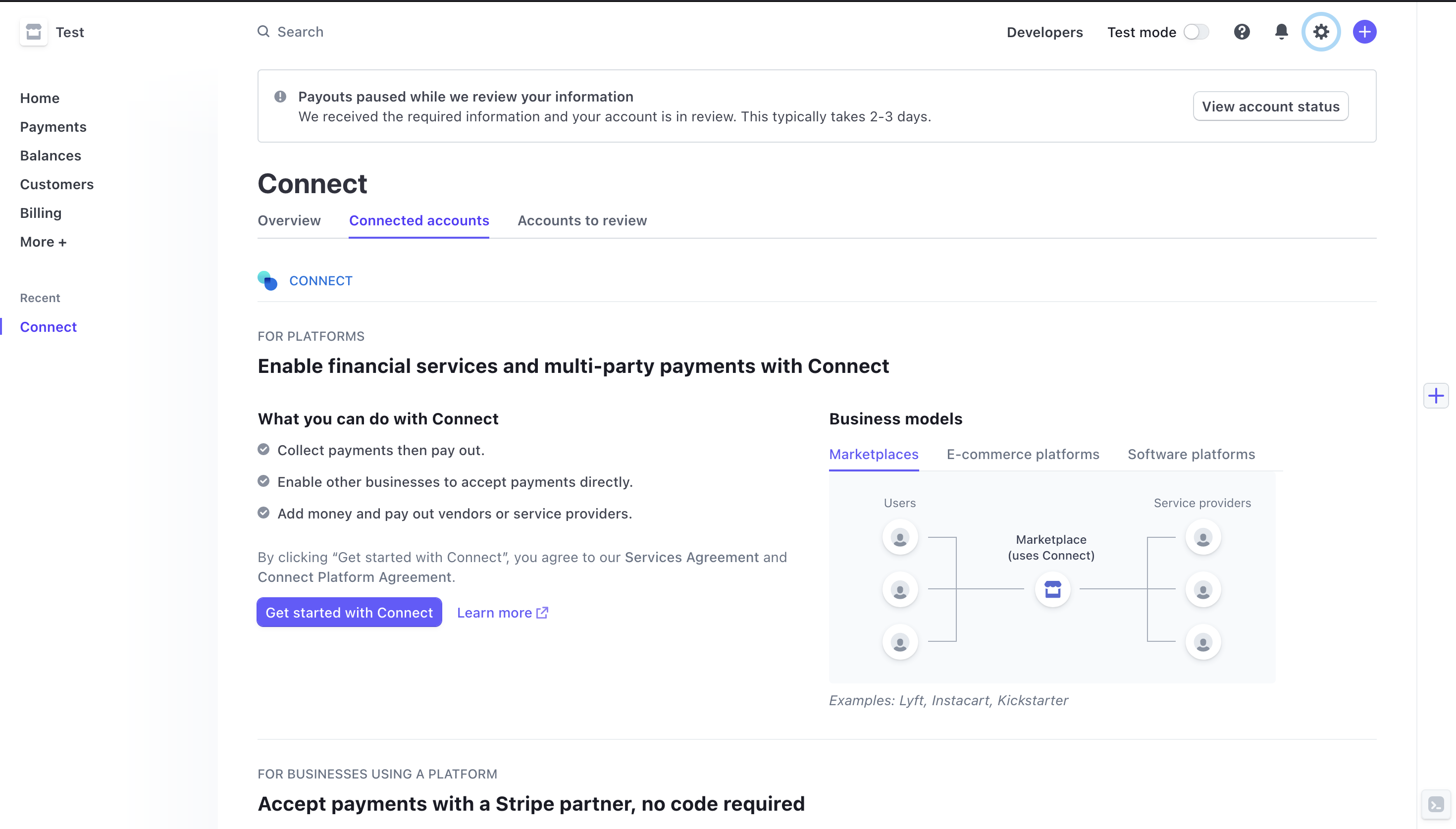
You will have several questions to answer about your business. If you have any question you can contact us. It might take a few days for the account to be verified.
Step 3: Set your branding
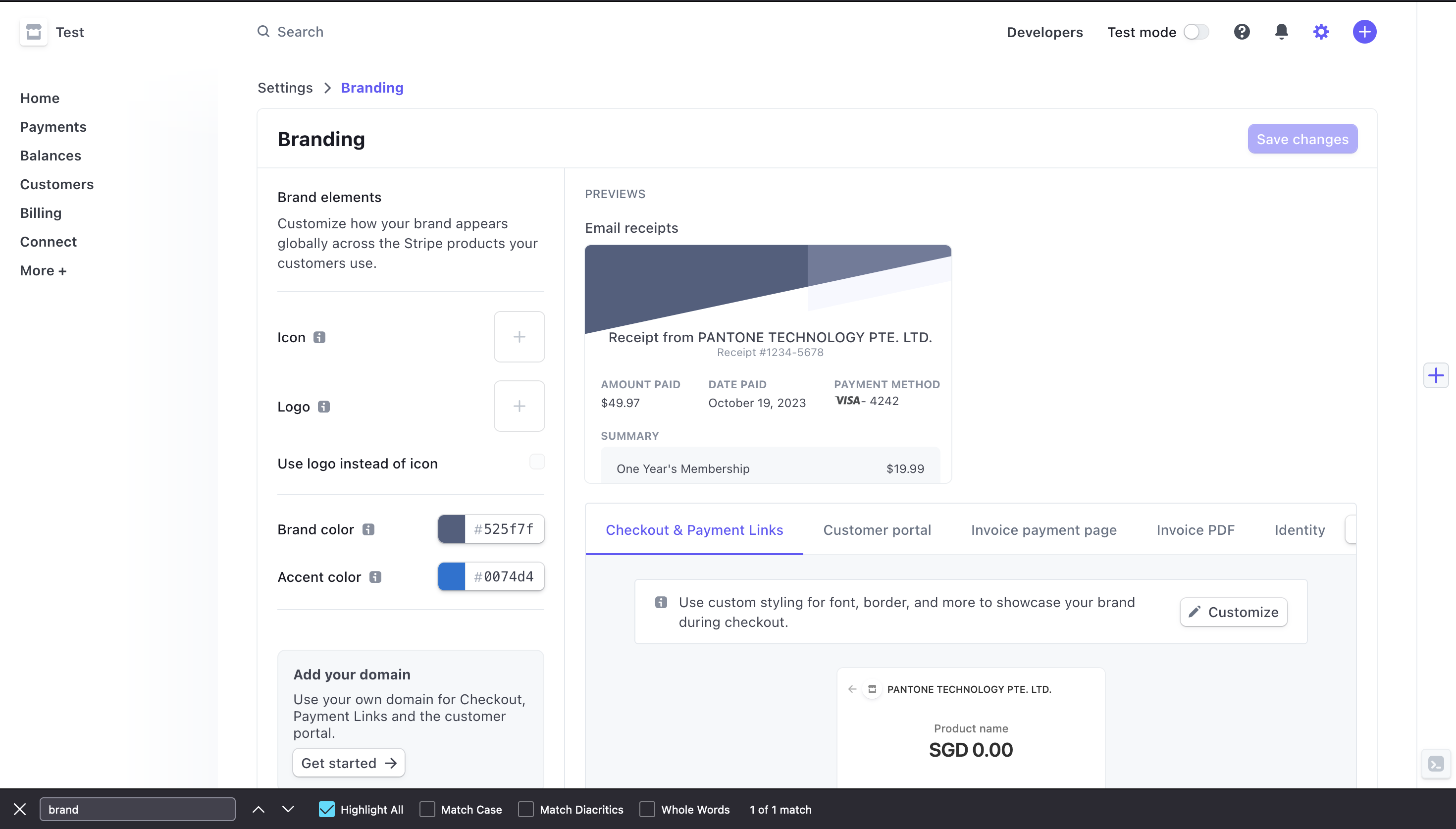
It is important that you set up your logo and theme color in Stripe. Go to Stripe > Settings > Branding or use this link.
Follow the steps provided by Stripe and customize the branding to your liking.
Step 4: Generate a Stripe API key
Then go to Stripe > Developers > API keys and copy the Secret key, you will need it later for the setup.
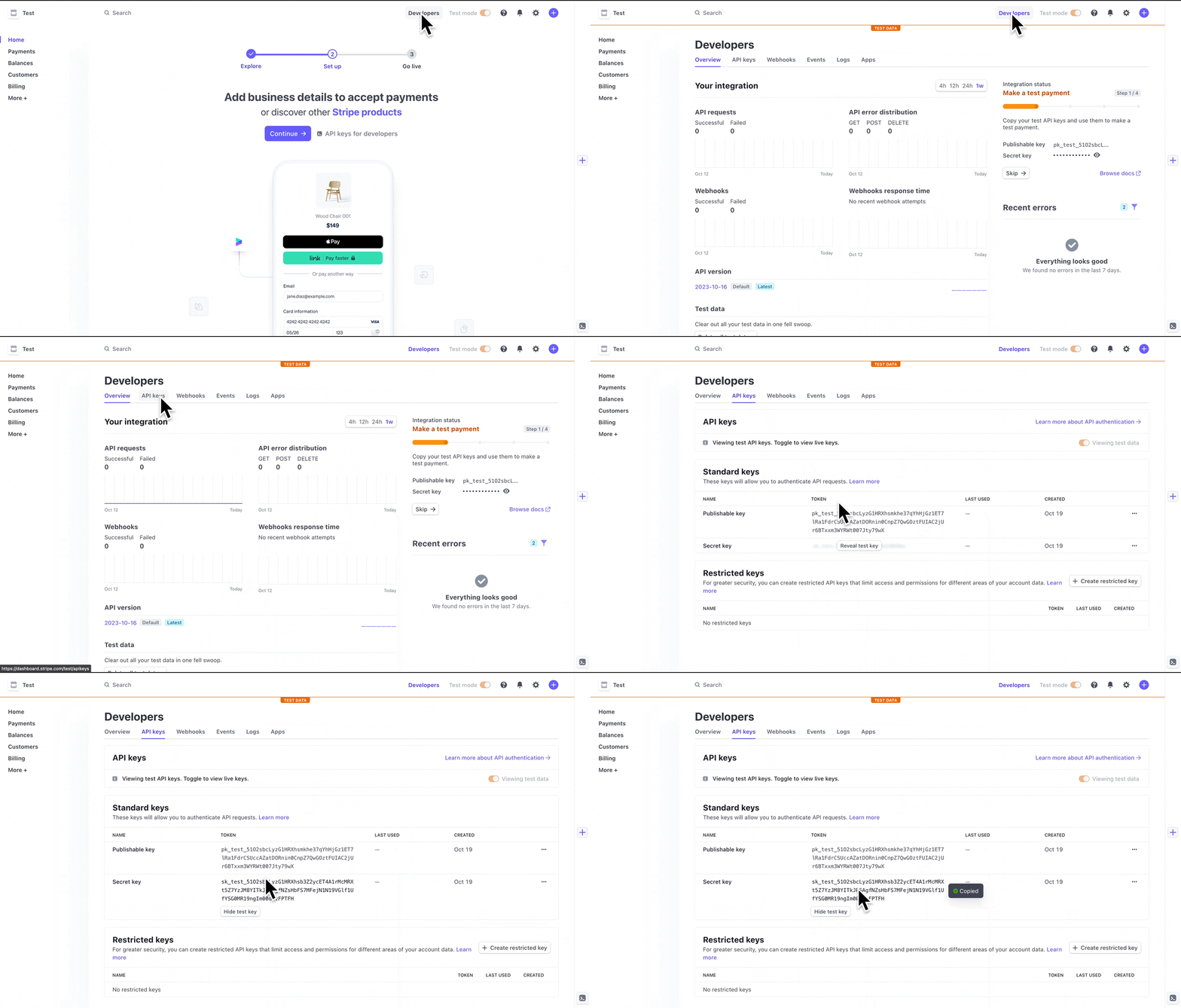
The integration requires a standard API secret key starting with sk_live_. Restricted API keys (rk_live_) are not supported. You can use sandbox API keys (sk_test_) if necessary.
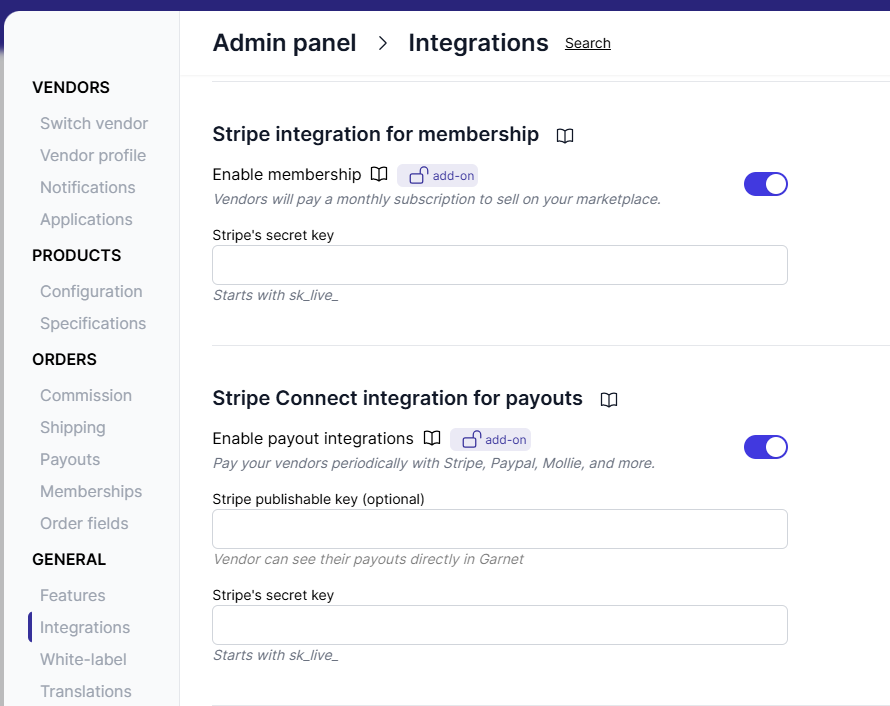
On Garnet, go to Admin panel > Finance > Payout methods > Stripe Connect integration for payouts and input your credentials in the form.
WARNING
Stripe is not available in some countries, make sure to check their availability page.
Step 5: Choose where payouts are taken from
Under Payment source in Admin panel > Finance > Payout methods > Stripe Connect integration for payouts, choose whether payouts are taken From the Stripe balance, the default, or From the marketplace's credit card. See Stripe payment source to compare both and set up the card.
Cost
Stripe Connect comes at roughly USD $2/vendor/month + 0.25% for each transaction. Checkout Stripe Connect pricing for more information under the Express account type.