
Appearance
Search and resolve
Vendors can filter their messages in past conversations. They are also able to organize their chats by marking them as resolved.
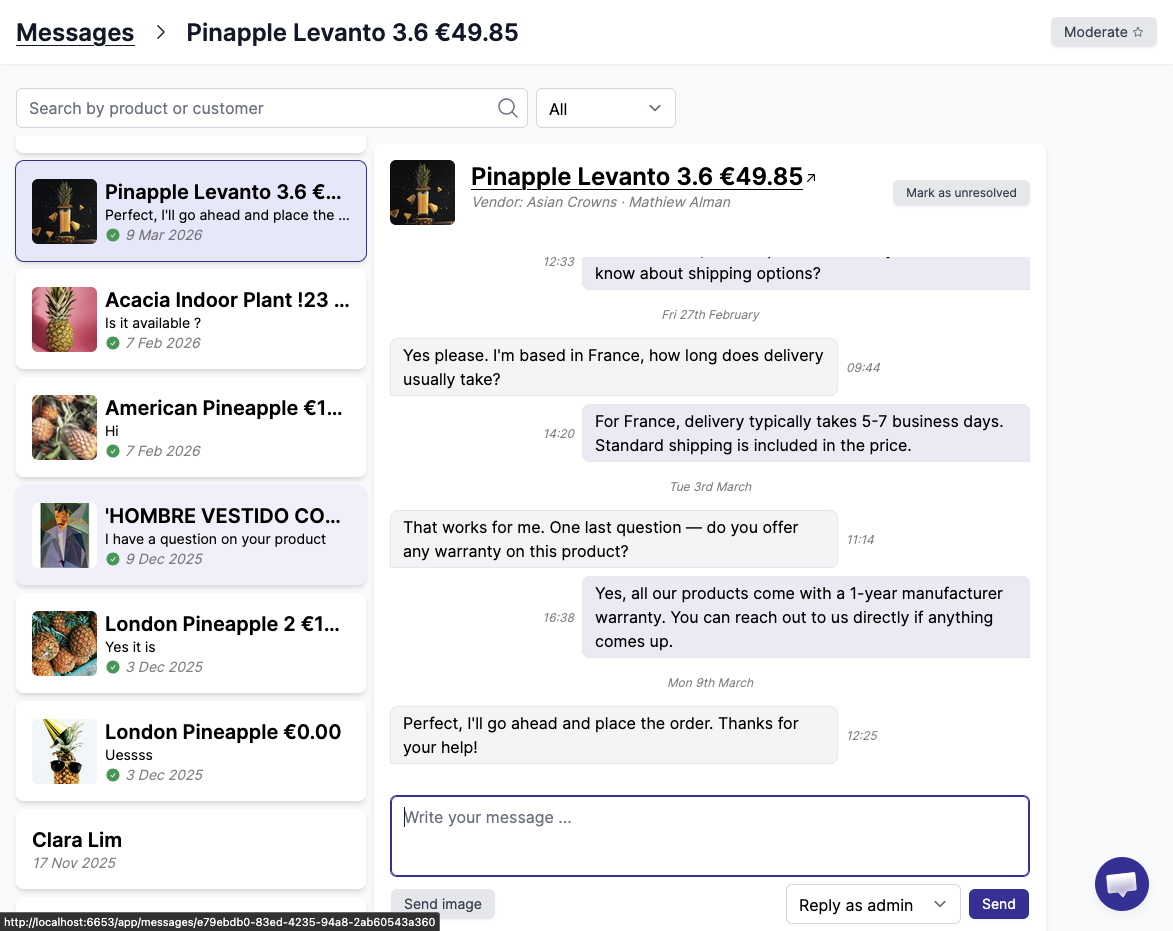
Search conversations
Search is currently available on the product title and customer name.
Mark as resolved
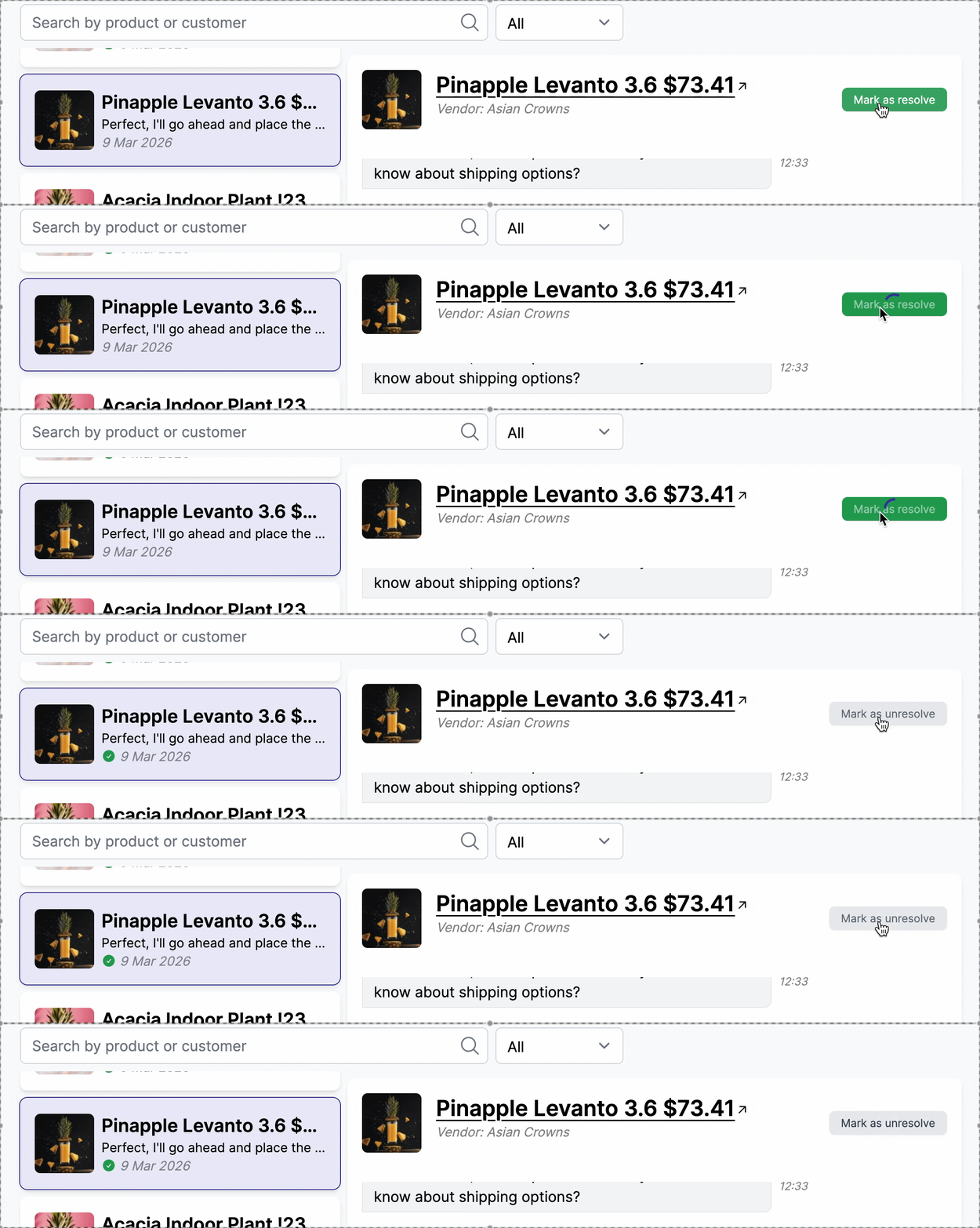
Marking conversations as resolved helps vendors keep their inbox organized and focused on active issues. As the number of conversations grows, unresolved messages can quickly become overwhelming. By resolving handled conversations, vendors can prioritize new requests, reduce response times, and ensure no customer inquiry is missed. If a customer replies to a resolved conversation, it is automatically marked as unresolved again.