
Odoo integration
Integration scope
- ❌ Easy install with Garnet Seller
- ✅ Product synchronisation
- ✅ Order synchronisation
- ✅ Tracking synchronisation
Supported versions: Odoo 17.0 and later, Community or Enterprise, on Odoo Online, Odoo.sh or your own server. The Sales and Inventory apps must be installed.
Odoo Online plans
On Odoo Online and Odoo.sh, only the Custom plan gives access to the API. On the One App Free and Standard plans, Odoo refuses the connection.
Create an API key in Odoo
In Odoo, click your avatar at the top right, then
Preferences.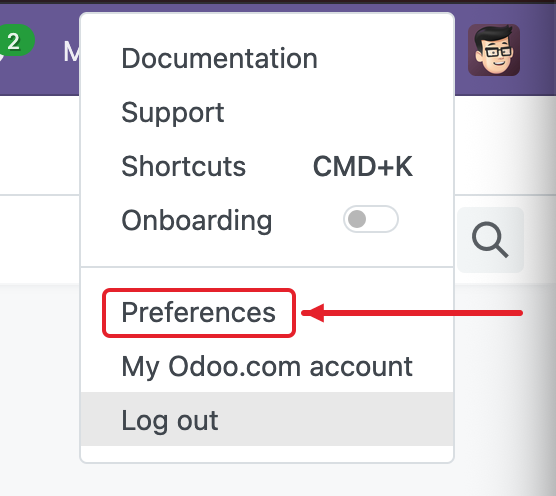
Open the
Account Securitytab and clickNew API Key.Name it
Garnet Marketplace. As duration, choosePersistent Key(Neveron Odoo 20), then clickGenerate key. Only an administrator is offered this choice: another user's key lasts at most 3 months.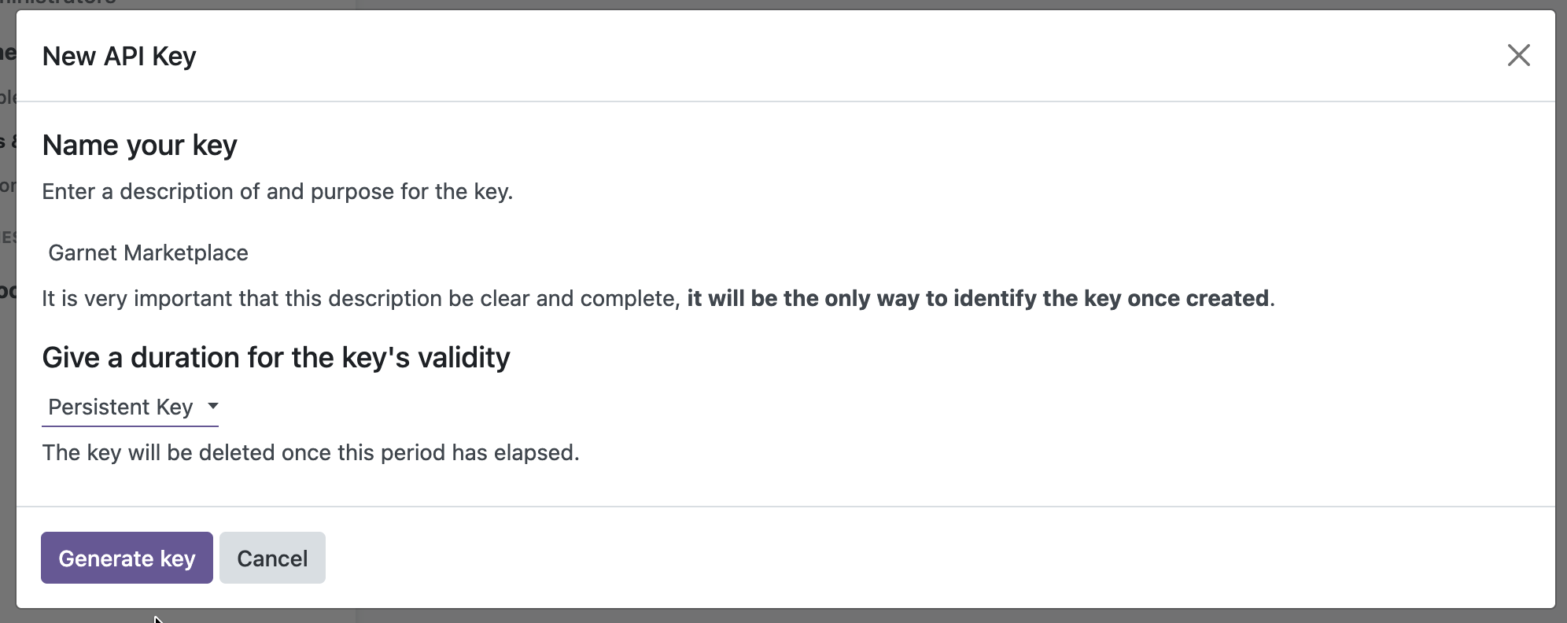
Copy the key: Odoo shows it only once.
Paste it into
Garnet > Settings > Integrations > Odoo, with:- Odoo URL: the address you open Odoo at, for example
mycompany.odoo.com; - Login: the email the key's user logs in with.
On Odoo.sh or your own server, also enter your database name under the advanced settings.
- Odoo URL: the address you open Odoo at, for example
Garnet checks the key, the apps and the user's access rights when you click Connect.
Which user
The key acts as its user. An administrator's key reaches everything the sync needs. A dedicated user needs at least Sales: User: All Documents and Inventory: User, and its key expires after 3 months: create a new one and connect again before then.
Advanced settings
| Setting | Default | What it does |
|---|---|---|
| Database | Your address's subdomain on Odoo Online | The name of your Odoo database. Required on Odoo.sh and your own server. |
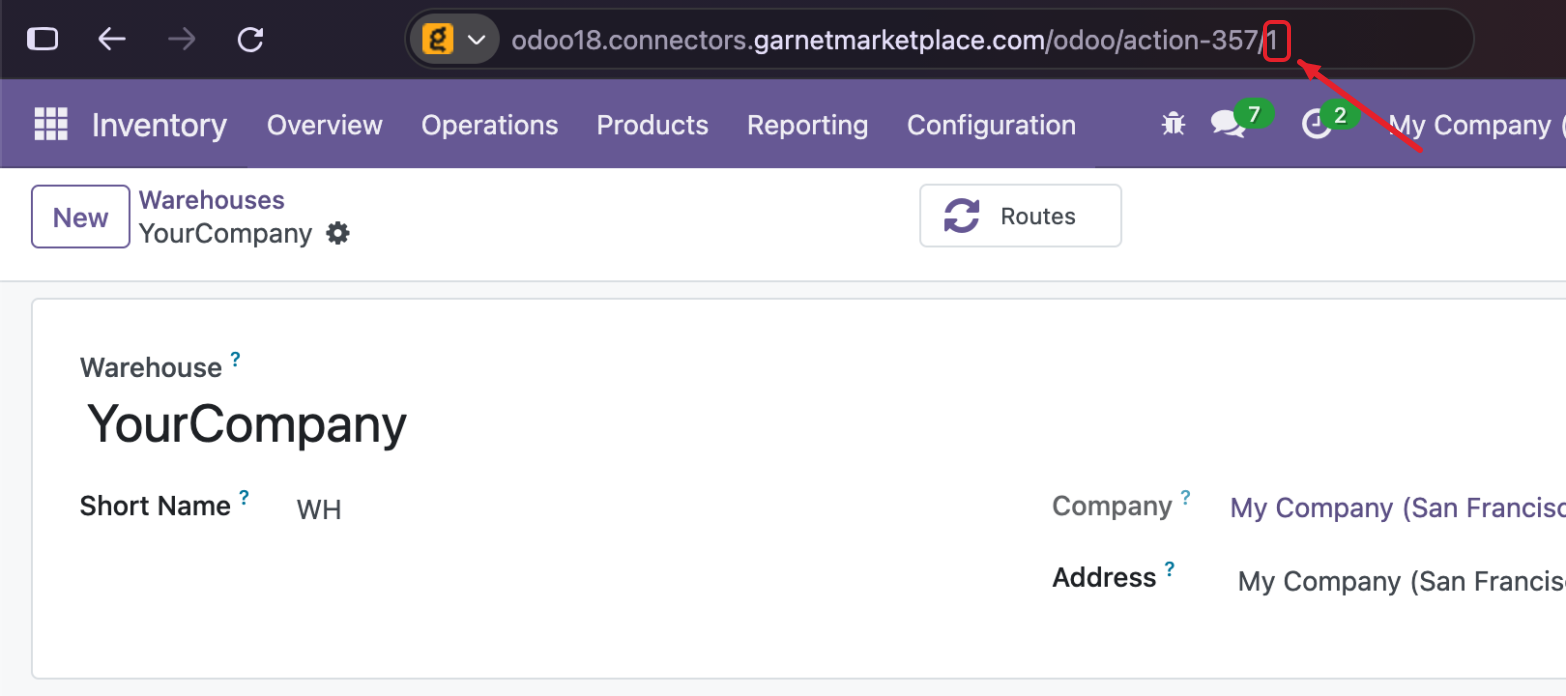
| Warehouse ID | 1 | The warehouse whose stock is published, and that forwarded orders ship from. Its company is the one used. Empty: your company's first warehouse. |
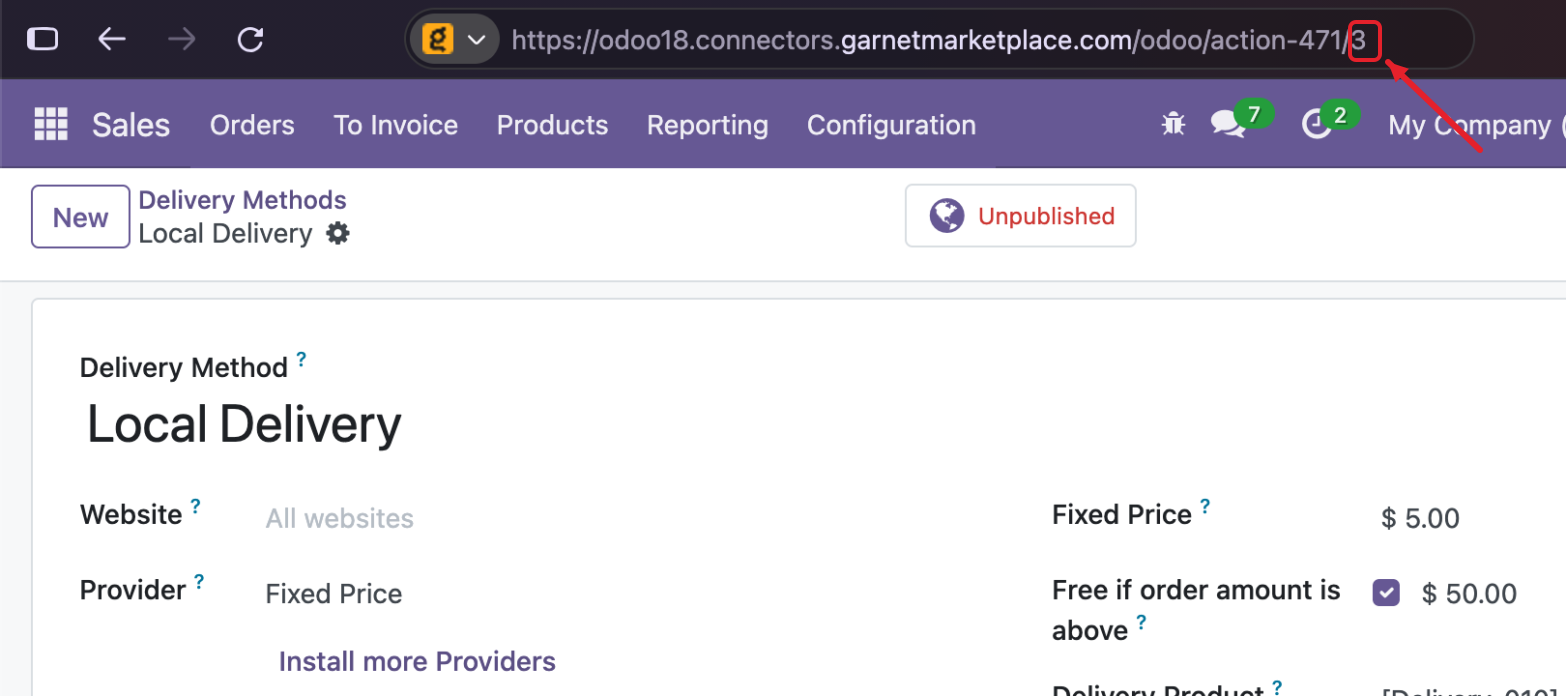
| Delivery method ID | 1 | Adds a shipping line of this delivery method to forwarded orders, priced at what the customer paid. Empty: no shipping line. Needs the Delivery app. |
| Confirm orders | true | Confirms forwarded orders, which reserves their stock and creates the delivery. false leaves quotations. |
To find your database name, turn on the developer mode in Odoo (add ?debug=1 to the address, or Settings > Activate the developer mode): the name shows next to your avatar, at the top right.
See where to find the database name

To find the ID of a warehouse or delivery method, open it in Odoo, from Inventory > Configuration > Warehouses or Sales > Configuration > Delivery Methods (Shipping Methods on Odoo 17). Its ID is in the address: the number at the end from Odoo 18 (…/odoo/action-357/1), the id= value on Odoo 17 (…/web#id=1&…).
See where to find the warehouse ID
See where to find the delivery method ID
Products
Products that can be sold are imported, except services and combos. Each variant becomes a variant on the marketplace, with its attributes as options (size, colour, …). Shopify allows three options: further attributes are left out. Attributes set to Never create variants (custom options) are not imported.
- Price: the sales price, with the attribute extra price of the variant. Pricelists are not applied.
- Stock: the free quantity of the warehouse: on hand, minus what is reserved for other orders. Products whose stock Odoo does not track are published with untracked inventory.
- Description: the eCommerce description, or else the sales description.
- Images: the product image, the extra eCommerce images and the variant images. Unpublished products are imported with their images too.
Orders
When a marketplace order contains the vendor's products, Garnet creates a sales order in Odoo:
- the customer is the marketplace, a company Garnet creates once. Give it a pricelist, payment terms or a fiscal position, and Odoo applies them to every marketplace order;
- the delivery address is the end customer's;
- the Customer Reference is
[Marketplace] #1234, so you can find the order in Odoo; - Odoo prices and taxes the lines as for any order of that customer.
The customer's email is replaced by a placeholder. Turn off Obfuscate customer emails to forward the real address. Odoo sends no email when Garnet confirms the order.
Tracking
When the vendor validates the delivery of a forwarded order, Garnet fulfils the marketplace order within the hour, with the delivery's Tracking Reference and delivery method. A partial delivery fulfils the units it contains; its backorder fulfils the rest when it is validated.