Appearance
eCommerce integrations
Garnet offers many integrations to integrate your vendor's eCommerce platform. All our integrations are in real time and tailor made to ensure that it is easy and fast for vendors to integrate their platform with the marketplace.
Integrations are available in Garnet > Settings > Integrations and is enabled by default.
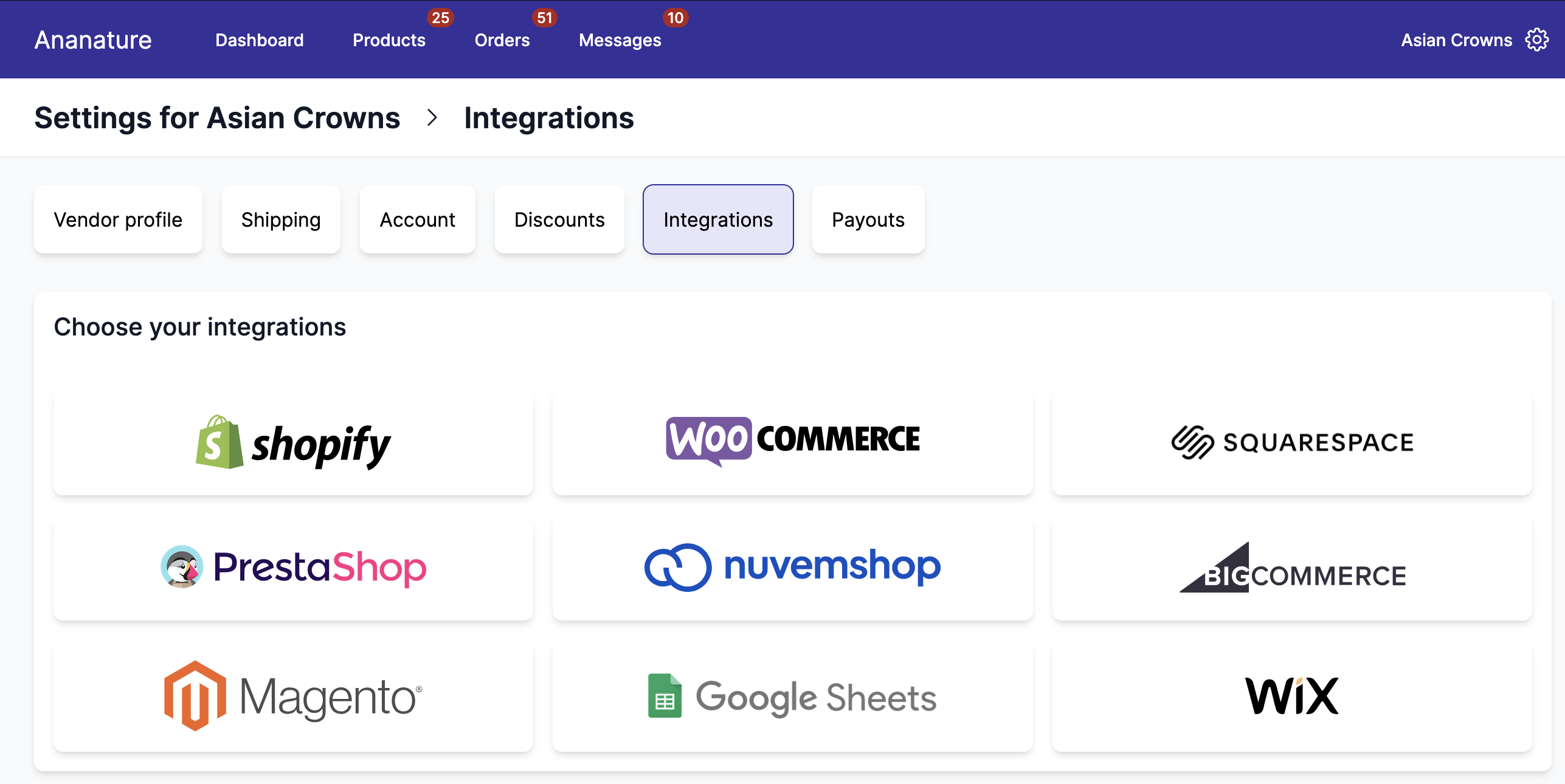
More integrations available can be configured
Navigate the other sections to learn more about them. All our integrations synchronise at least the products between the marketplace and the vendors, and some also synchronise the orders, tracking, and discounts codes.
Order synchronisation
Orders are only forwarded to the vendor's eCommerce platform once they are paid. Authorized (but unpaid) orders are not forwarded.
Integration settings
Once the integration is live, the vendor and the marketplace can configure what information is sent to the marketplace:
- Price transformation to transform the price with a flat fee, percentage, or both. This is useful if the vendor wants to increase their price to cover for the marketplace commission or to cover for shipping.
- Full Synchronization will synchronise all products from the vendor to the marketplace. Title, description, images, price, compare price, SEO.
- Price and Stock Only will synchronise the price and stock. It is the default settings.
- Stock only, useful when the price on the marketplace can change arbitrarily.
- Synchronise all products is enabled by default. When turned off the marketplace can select which product will be accepted in the marketplace.
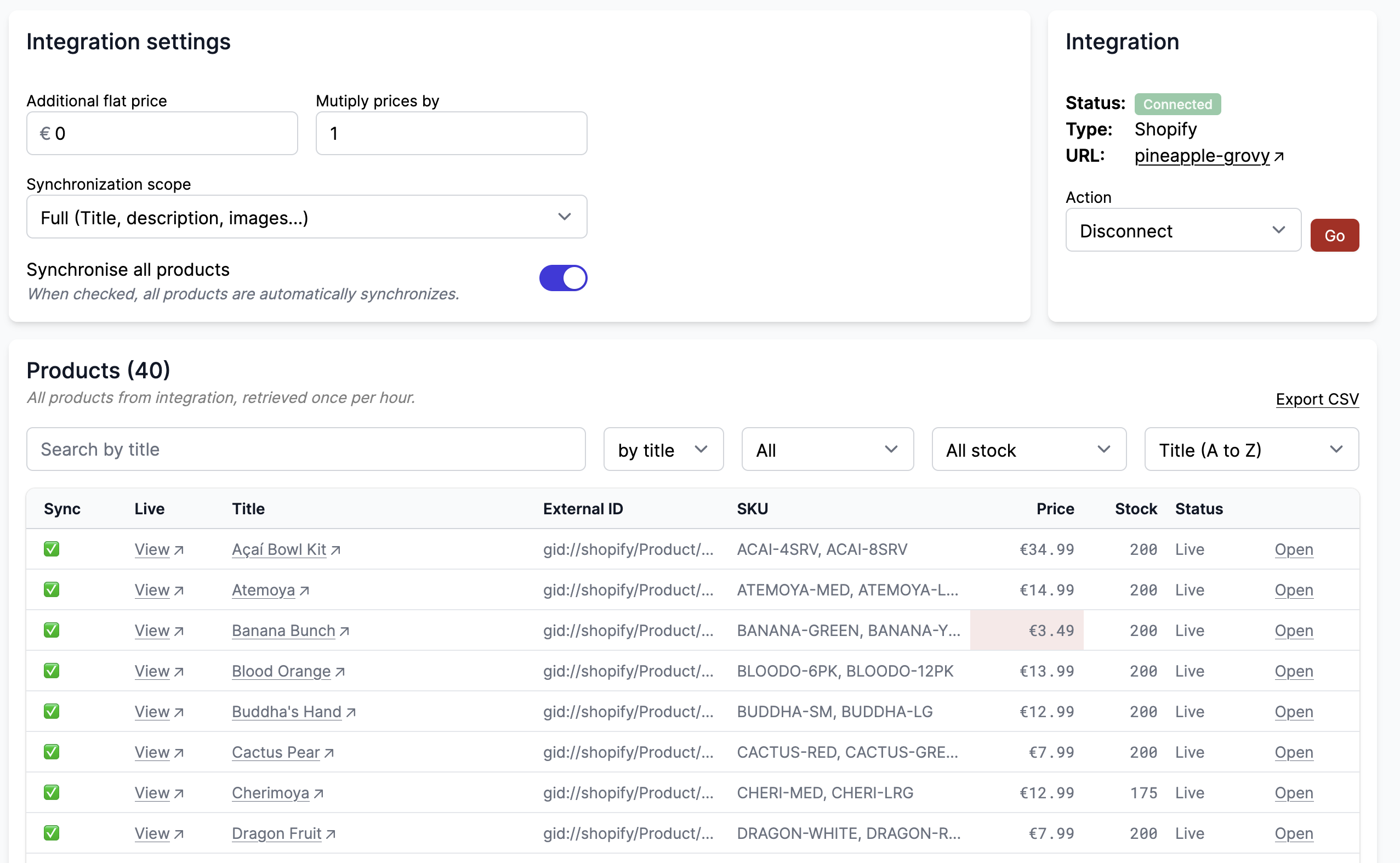
Synchronise specific products
When Synchronise all products is turned off, the user can select which products will be imported. It can then take several minutes for selected products for the changes to be active.
On this list you can see all products from the vendor's store and search by tag, title, SKU, and more. Based on the eCommerce platform, more search filters will be available.
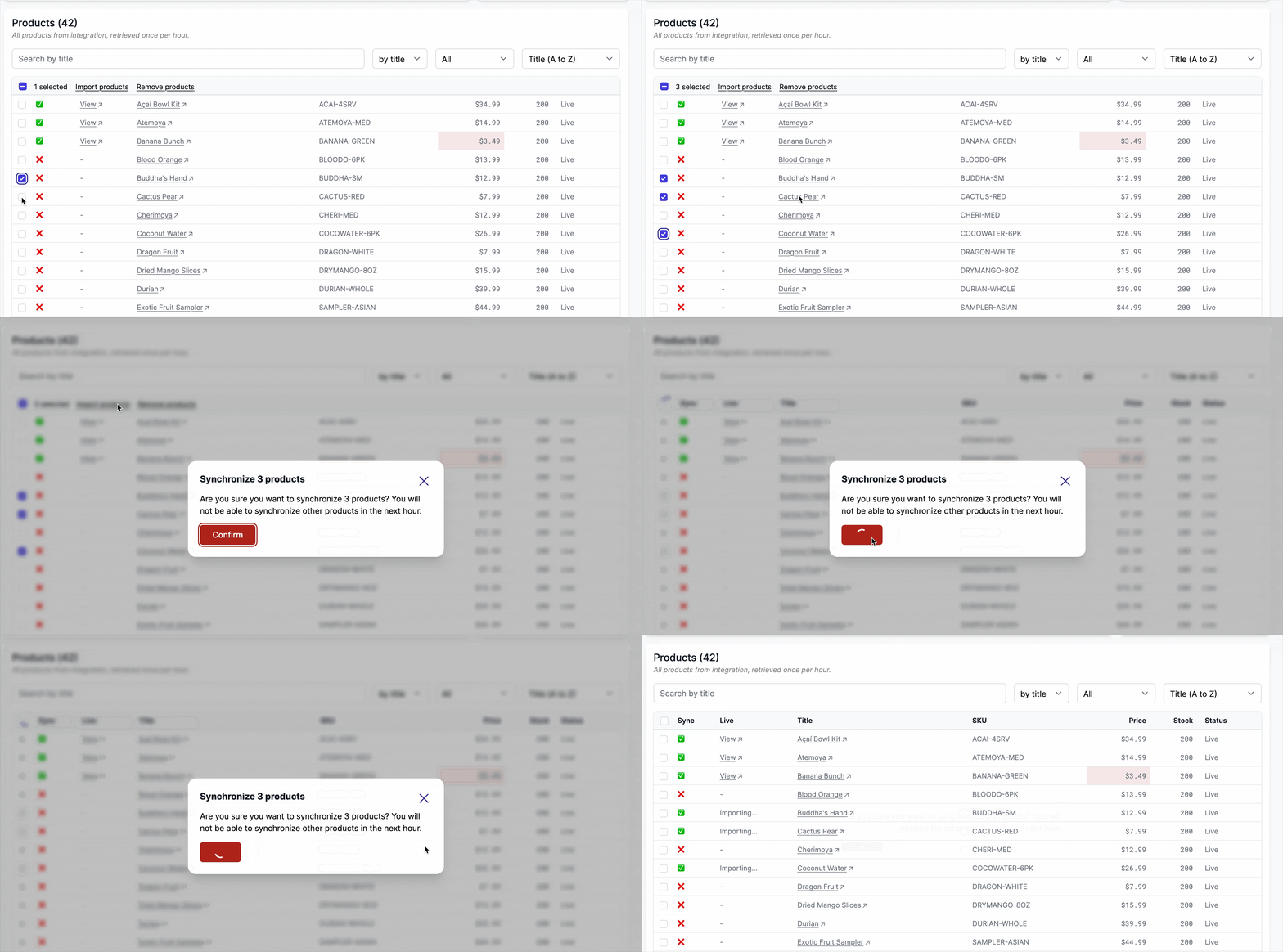
From this view, the user can also un-synchronize products. The products will be deleted from the marketplace.
Click "Open" on any product to view all its details including external ID, price, stock, status, and all metadata fields.
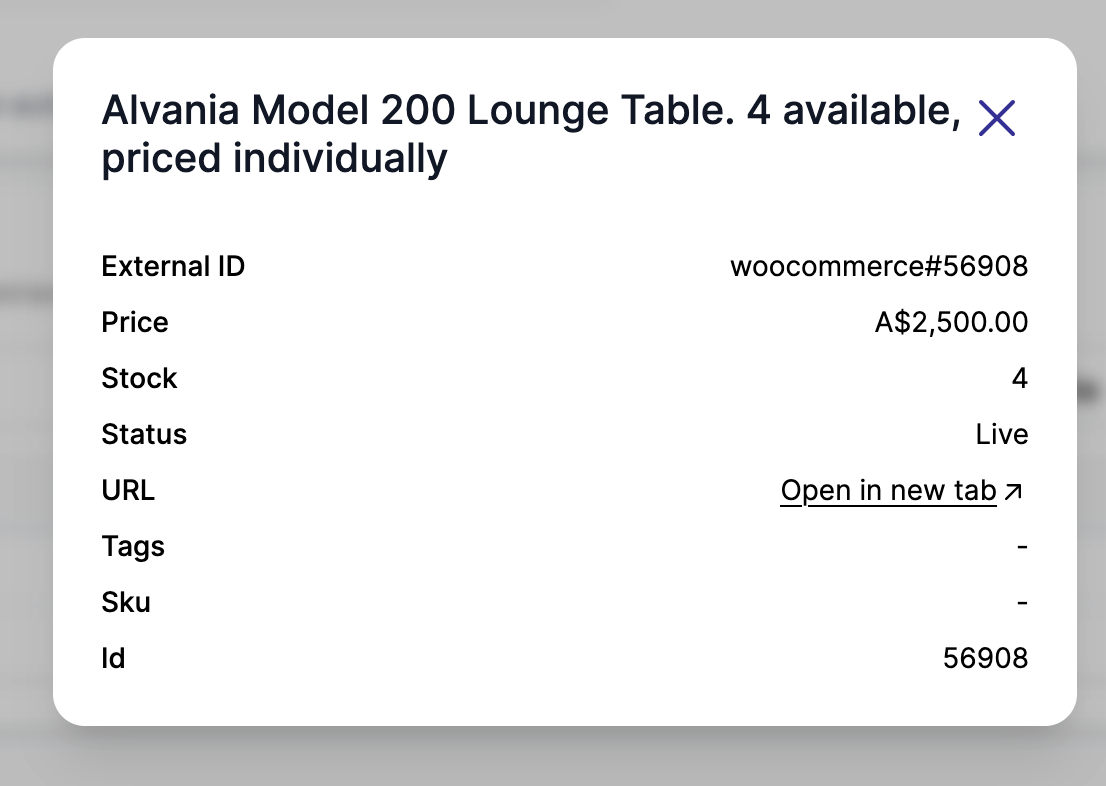
When a row is hightlighted in red, it means the product is either too cheap, out of stock, or
Once per hour.
To avoid hurting the vendor's eCommerce, any synchronisation update is limited to once per hour.
Price and compare price transformation
The vendor and the marketplace can change the product price before it is sent to the marketplace. The price transformation can either be an addition, a multiplication, or a combination of both.
This can be configured in Garnet > Settings > Integrations, by clicking on a connected integration.
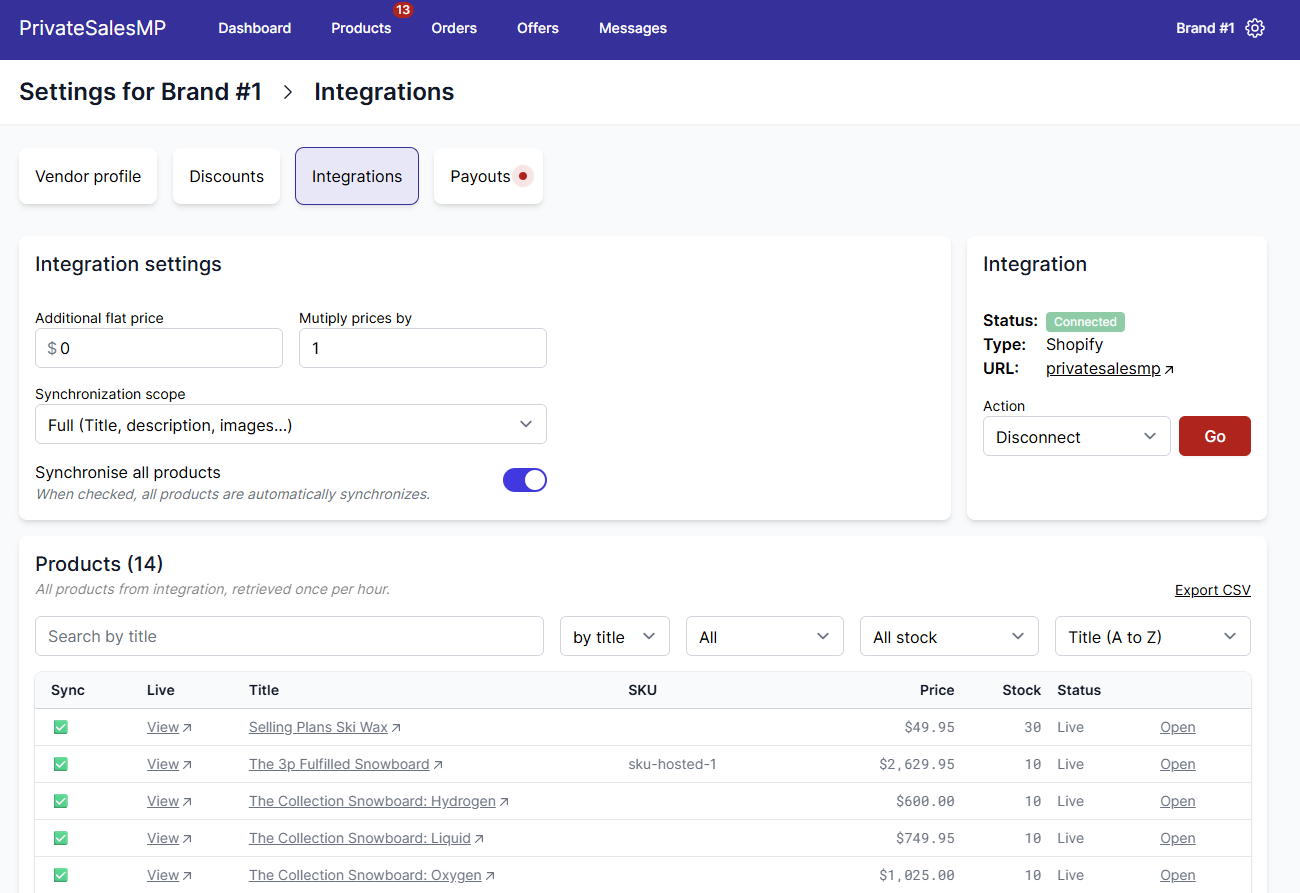
Example 1: a vendor wants to add a flat fee for the marketplace. A product is for sale at $20 and there is a flat $4 increment, the price on the marketplace will be $24.
Example 2: a vendor wants to discount all their products by 20%. A product is for sale at $20 and there is a ratio increment of 0.8, the price on the marketplace will be $16.
Garnet uses the following formula to compute the marketplace price:
Marketplace price = flat + original price * factorOnce changed, it can take up to 10 minutes to update all prices.
Some integrations provide the price transformation interface outside of Garnet as well.
Do not synchronise prices
Sometimes the marketplace prefers to not synchronise the prices between the vendor and the marketplace. When this feature is turned on, vendor's product will be created with the vendor price, and all subsequent update will not change the marketplace's price.
This allows the marketplace to price the product the way they like.
Disconnect
The integration can be disconnected directly from Garnet in Garnet > Settings > Integrations > Disconnect integration. The product will remain and the products and orders will no longer be synchronised with the vendor's eCommerce software.
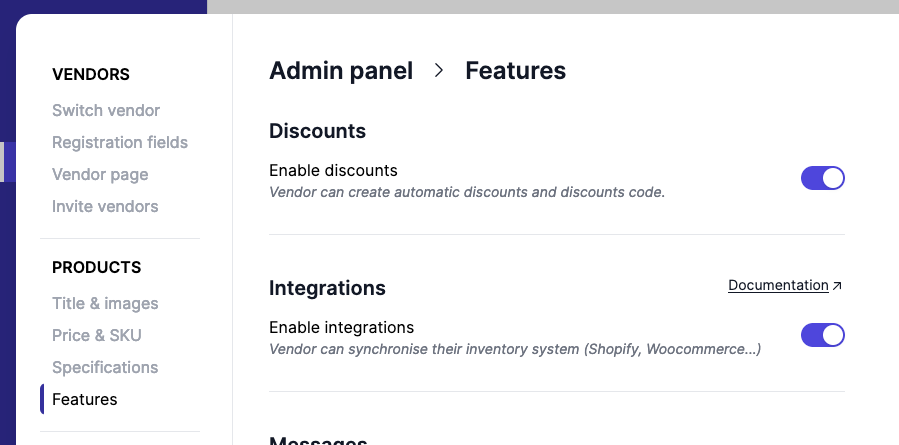
Enable and disable integrations
You can hide the integration tab in Garnet > Admin Panel > Features > Enable integrations. It will disable access to integration to all vendors.