Appearance
Garnet Product Releases
10 March - Improved customer invoice
The default customer invoice now displays all individual tax lines and refund lines, instead of a single aggregated tax amount.
10 March - Stripe link in membership modal
Admins can now click the Stripe logo in the membership modal to open the subscription directly in the Stripe dashboard.
10 March - Messages revamp and search
The messages page has been revamped with several improvements:
- Message titles are now formatted to be easier to search and use.
- Messages linked to orders now link to the actual order for vendors.
- Messages loading speed is now drastically better for vendors with 200+ conversations.
- Removed unnecessary information for customers and vendors.
- Search and filter conversations by customer name, vendor, or product title.
- Conversations can be marked as resolved.
- Preparing for a messaging public API.
7 March - Default parcel dimensions saved on fulfillment
When editing parcel dimensions during order fulfillment, the dimensions are now saved as the default for future orders. This means vendors only need to set their parcel size once, and it will be pre-filled automatically on subsequent fulfillments.
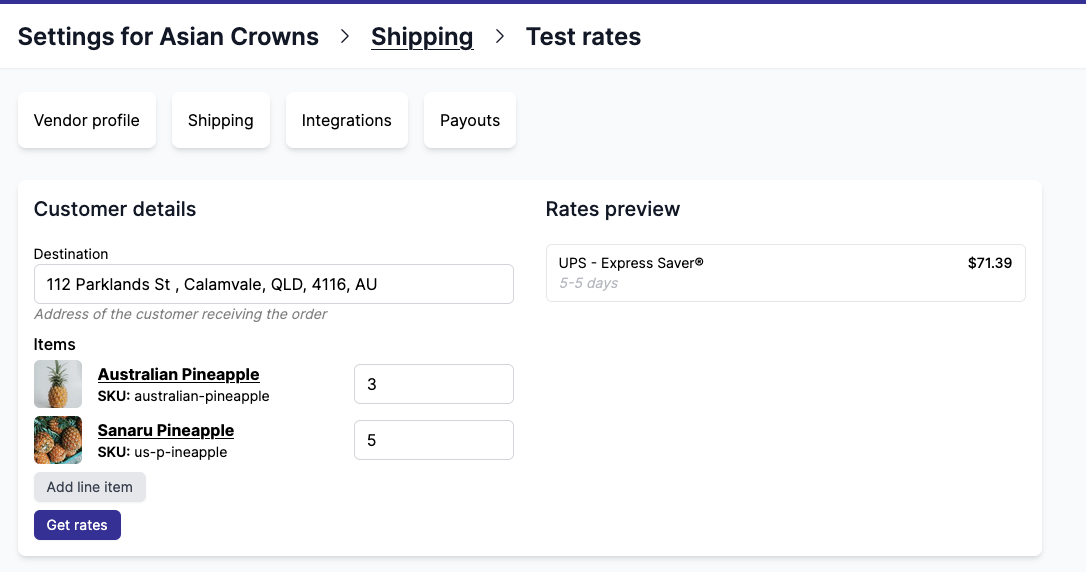
7 March - Shipping rate tester
We added a shipping rate tester to help you verify your shipping configuration. Navigate to Settings > Shipping > Test rates to simulate shipping rates for any destination and product combination.
5 March - Faster order search
Significantly improved the speed of order search. Stores with over 100,000 orders will notice the most impact.
4 March - Marketplace onboarding documentation
We added a comprehensive onboarding guide to the documentation. It covers step-by-step instructions for setting up your marketplace, from inviting vendors to configuring commission, payouts, shipping, and white label.
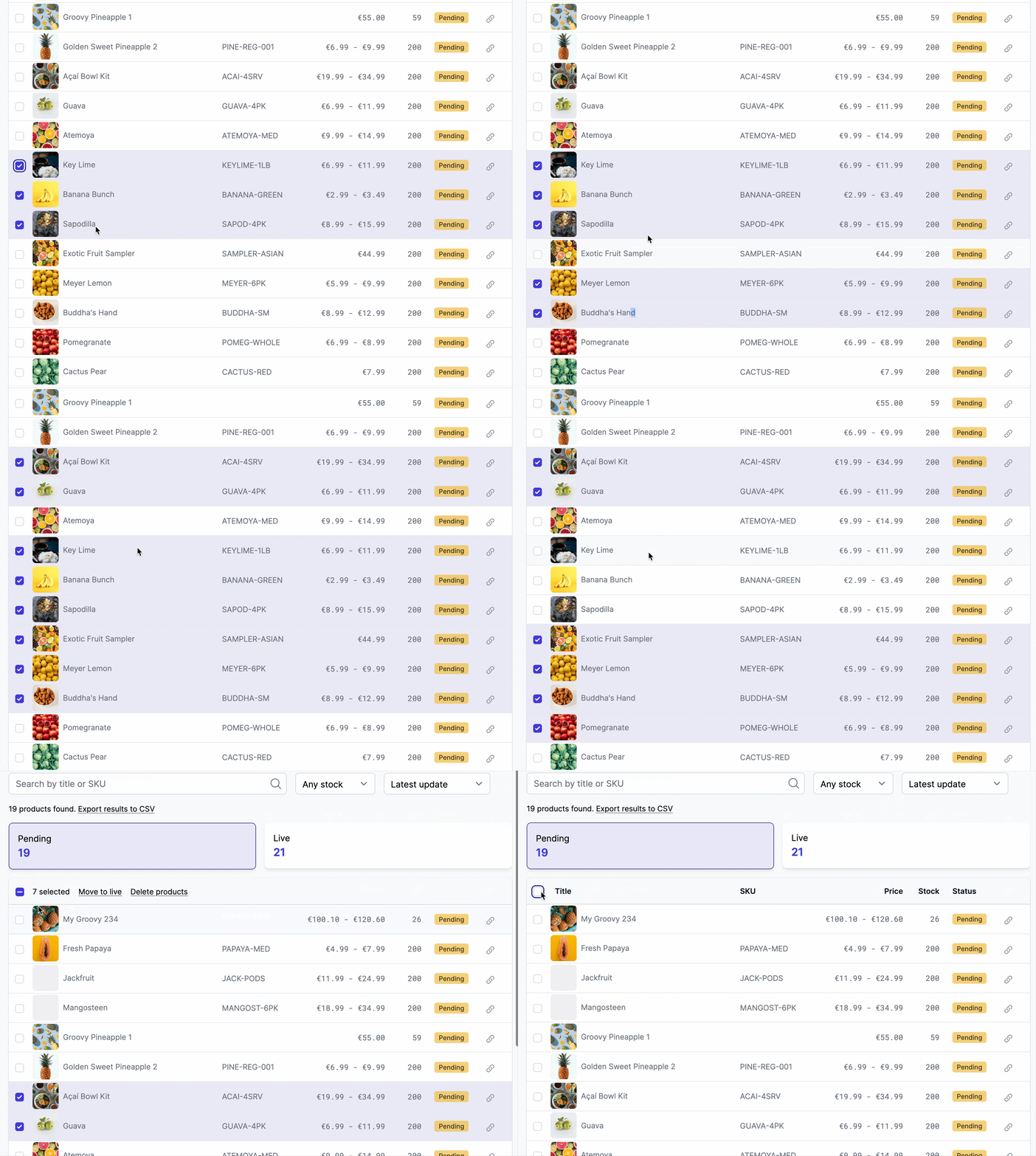
3 March - Select with Shift+click
In any table, hold Shift while clicking a checkbox to select all rows between the last clicked row and the current one. This makes bulk actions faster when working with large lists.
Oh and clicking on the row is the same as clicking the checkbox. We heard you 😄
3 March - Default vendor in notification preview
The notification email preview now uses a consistent default vendor name, so previews look more realistic regardless of the logged-in user.
3 March - Direct link to payout transfer
The order finance section now includes a direct link to the transfer on Stripe, PayPal, Venmo, or Mollie. Click the transaction ID to open the transfer details on the payment provider's dashboard.

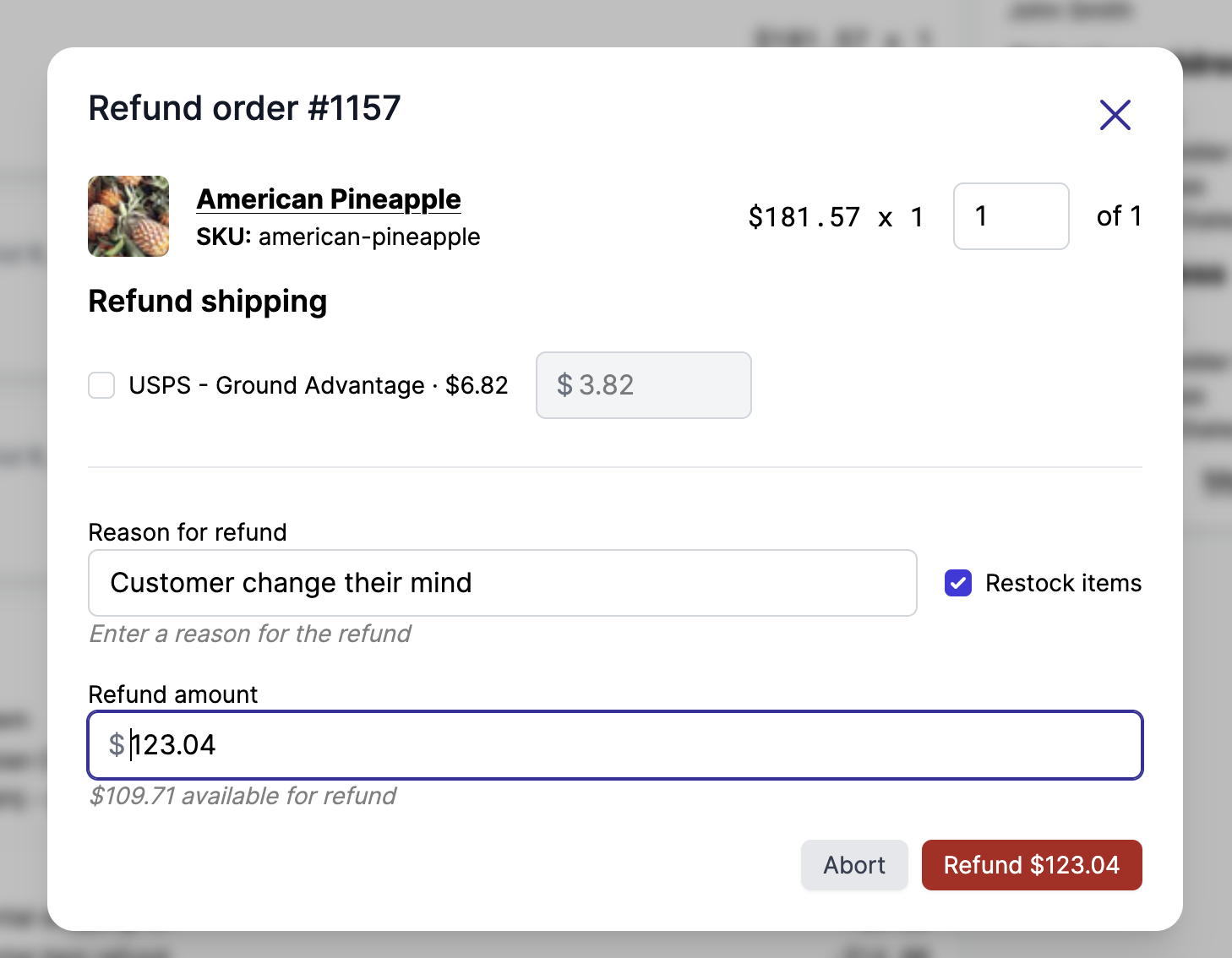
4 March - Cancel and refund order buttons
Marketplace admins can now cancel and refund orders directly from the order details page. Refunding and cancelling from Garnet has the same features as in Shopify, it avoids the marketplace admin to change context.
27 February - Customizable packing slip and invoice templates
You can now customize your packing slip and invoice templates directly from the notification settings page. Edit the HTML to match your brand, and reset to default at any time.
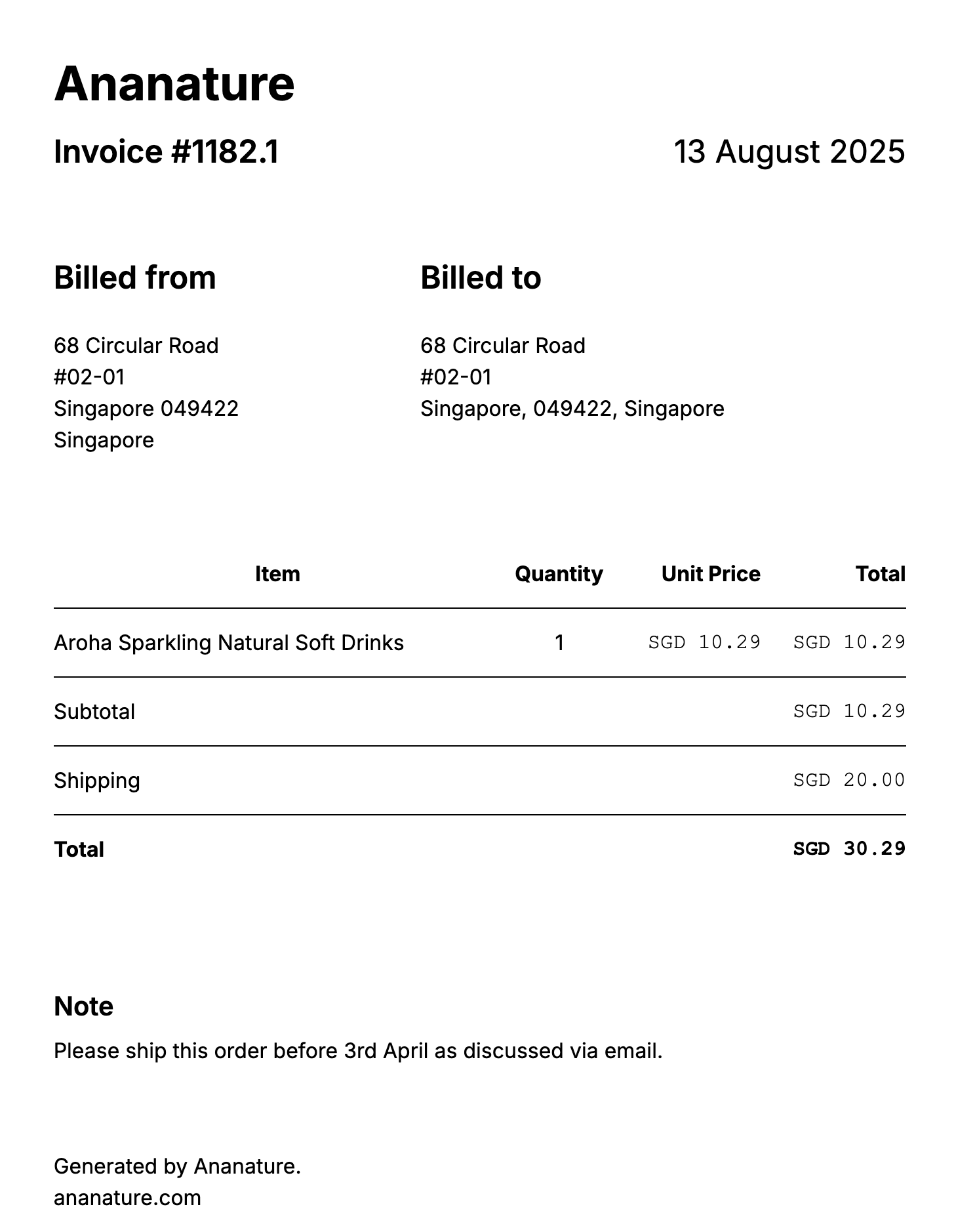
27 February - Invoice now includes discounts and shipping
The invoice document now displays discount and shipping cost rows, giving a more accurate breakdown of the order total.
27 February - Payment status badge on order finance
The order finance section now shows a payment status badge next to "Customer paid" when the order is not fully paid (e.g. pending, partially paid, refunded).
26 February - Negative flat commission
The flat part of the commission can now be negative. This allows marketplace operators to reduce the commission on each order by a fixed amount, effectively giving vendors a discount on the commission fee.
26 February - Stripe Connect support for UAE and Thailand
Vendors in the United Arab Emirates and Thailand can now register and onboard with Stripe Connect for payouts.
25 February - Last 12 months filter on dashboard
The dashboard date filter now includes a "Last 12 months" option, making it easier to analyze performance over the last year.
25 February - Order summary total renamed to total sales
The order summary column previously labeled "Total" has been renamed to "Total sales" for clarity, better reflecting that the value represents the total sales amount.
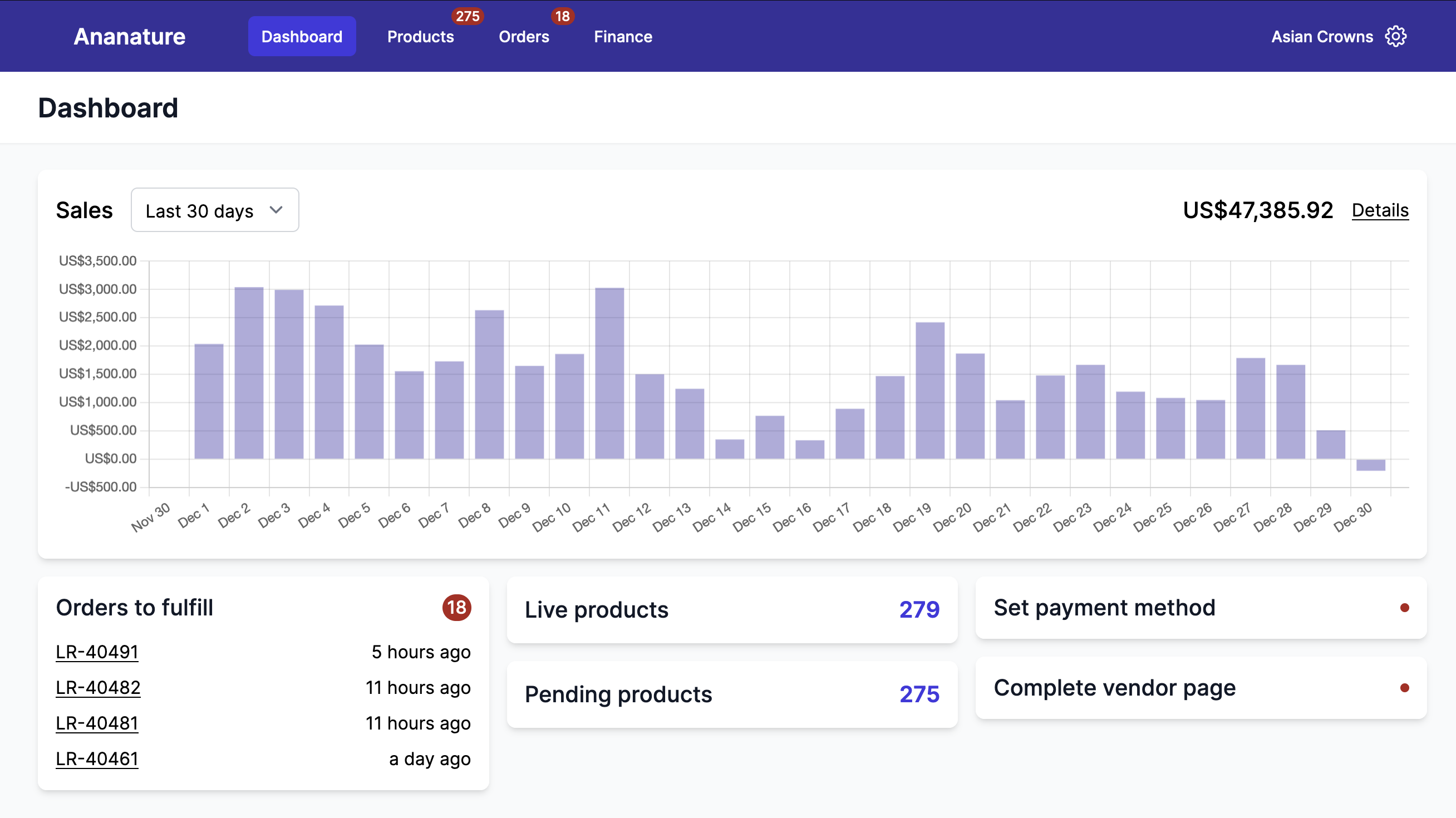
23 February - Cleaner dashboard in marketplace view
The dashboard in marketplace view now shows only admin-relevant information, removing vendor-specific action prompts like "Complete vendor page" or "Set payment method" that are not applicable to marketplace operators.
23 February - Shopify link replaced with icon
The Open on Shopify links across the marketplace app have been replaced with a compact Shopify logo icon, displayed directly in the page title for products, orders, and vendor pages. This saves space and keeps the interface cleaner.
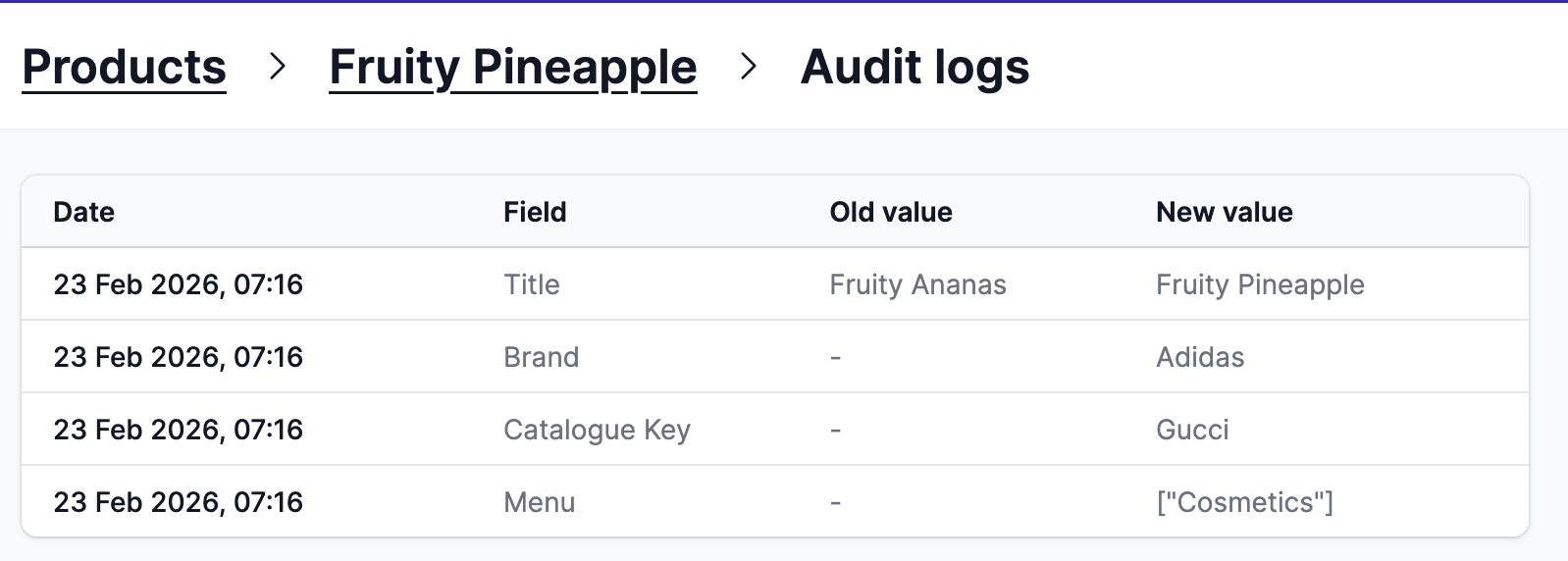
22 February - Audit logs moved to dedicated page
Product audit logs now have their own dedicated page, accessible via the "View audit logs" link on the product edit page. The logs are presented in a compact table with date, field, old value, and new value columns, making it easier to review product change history.
20 February - Improved auto-payout email for high-volume marketplaces
The automated payout summary email now correctly reports the total number of failed payouts instead of the number of unique error types. This fix is especially relevant for marketplaces processing over 1,000 payouts per day.
19 February - Shipping label price tolerance for low-cost orders
When purchasing shipping labels, vendors can now see labels up to $5 above the collected shipping price. Previously, only labels under 1.2x the shipping price were shown, which was too restrictive for low-cost shipments where even a small absolute difference exceeded the 20% threshold.
18 February - CDN shopify-file redirect option
The public CDN endpoint shopify-file now supports a redirect=true query parameter. When set, the endpoint returns a 302 redirect to the Shopify CDN URL instead of JSON, making it usable directly as an image src.
17 February - Sort orders by total or amount due
The orders list now includes a sort filter with options: latest first, oldest first, total (high/low), and amount due (high/low). This makes it easier to find high-value orders or prioritize payouts.
17 February - Fix tracking forwarding for multi-variant products
Fixed an issue where tracking information failed to forward to the marketplace when a vendor fulfilled an order containing multiple variants of the same product. The fulfillment now correctly matches each variant individually instead of matching at the product level.
17 February - Integration products stock filter
The integration products list now includes a stock filter with three options: All, In stock, and In stock & active. This makes it easier to focus on products that are available for sale.
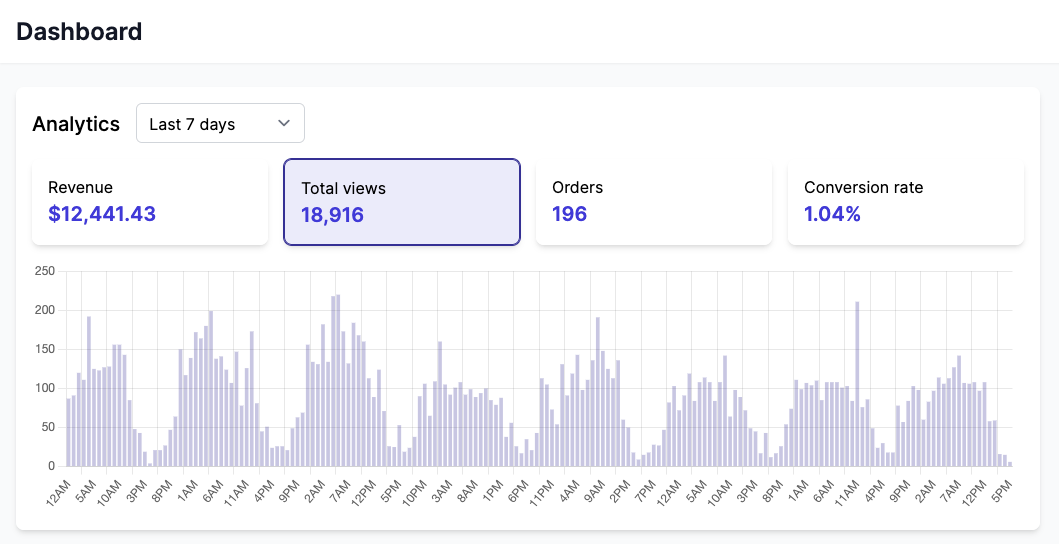
16 February - Storefront Analytics
The new storefront analytics feature tracks product views, add-to-cart events, and collection views directly from your storefront.
The dashboard view now shows 4 key metrics: total views, orders, conversion rate, and revenue. All data are in real time and filter bots to only show relevant information to vendors.
Analytics data includes vendor information for product events, helping marketplace operators understand vendor-level performance.
16 February - Vendors without account sorted alphabetically
The vendors without account list is now sorted alphabetically by name instead of by product count, making it easier to find a specific vendor.
15 February - Overpaid orders filter
The orders payout filter now includes an Overpaid orders option, making it easy to identify orders where the paid amount exceeds the due amount.
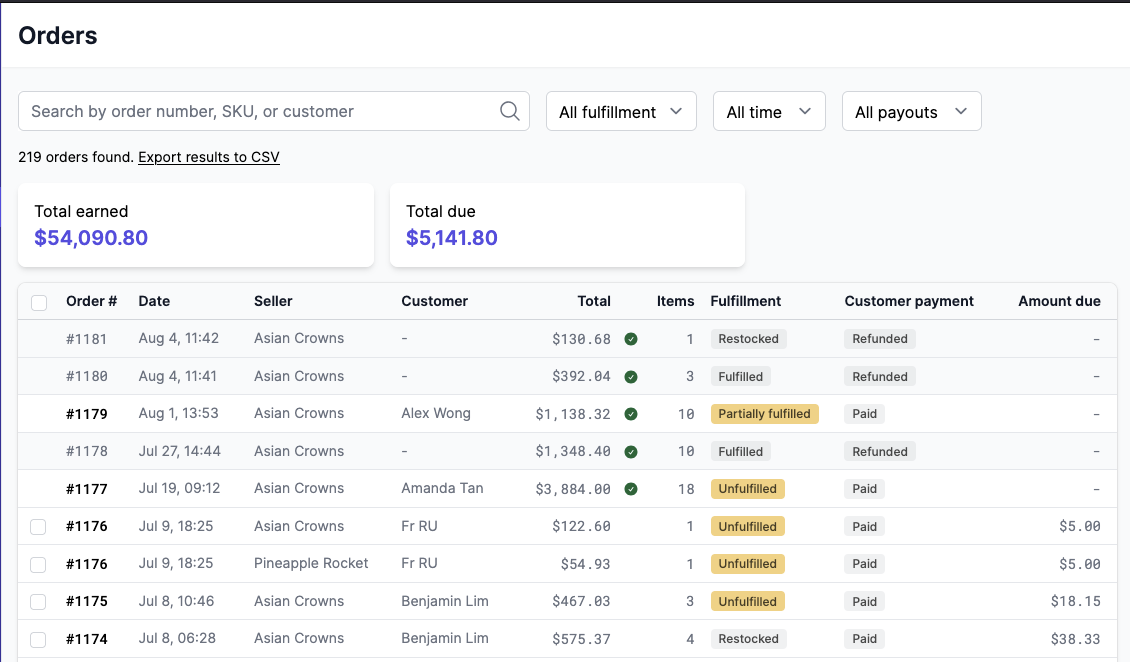
13 February - Cancelled orders now show line items
Cancelled orders now clearly display their line items instead of showing an empty order view. A dedicated "Cancelled" section with a visible badge makes it easier to review what was in the order.
12 February - Mollie payment integration
Garnet now supports Mollie as a payment provider for vendor payouts. Marketplace operators can connect their Mollie account to send payouts directly to their vendors' Mollie accounts.
Mollie provides preferred exchange rates for the euro zone and mange split payment compatible with a marketplace agency model. Contact us to get started.

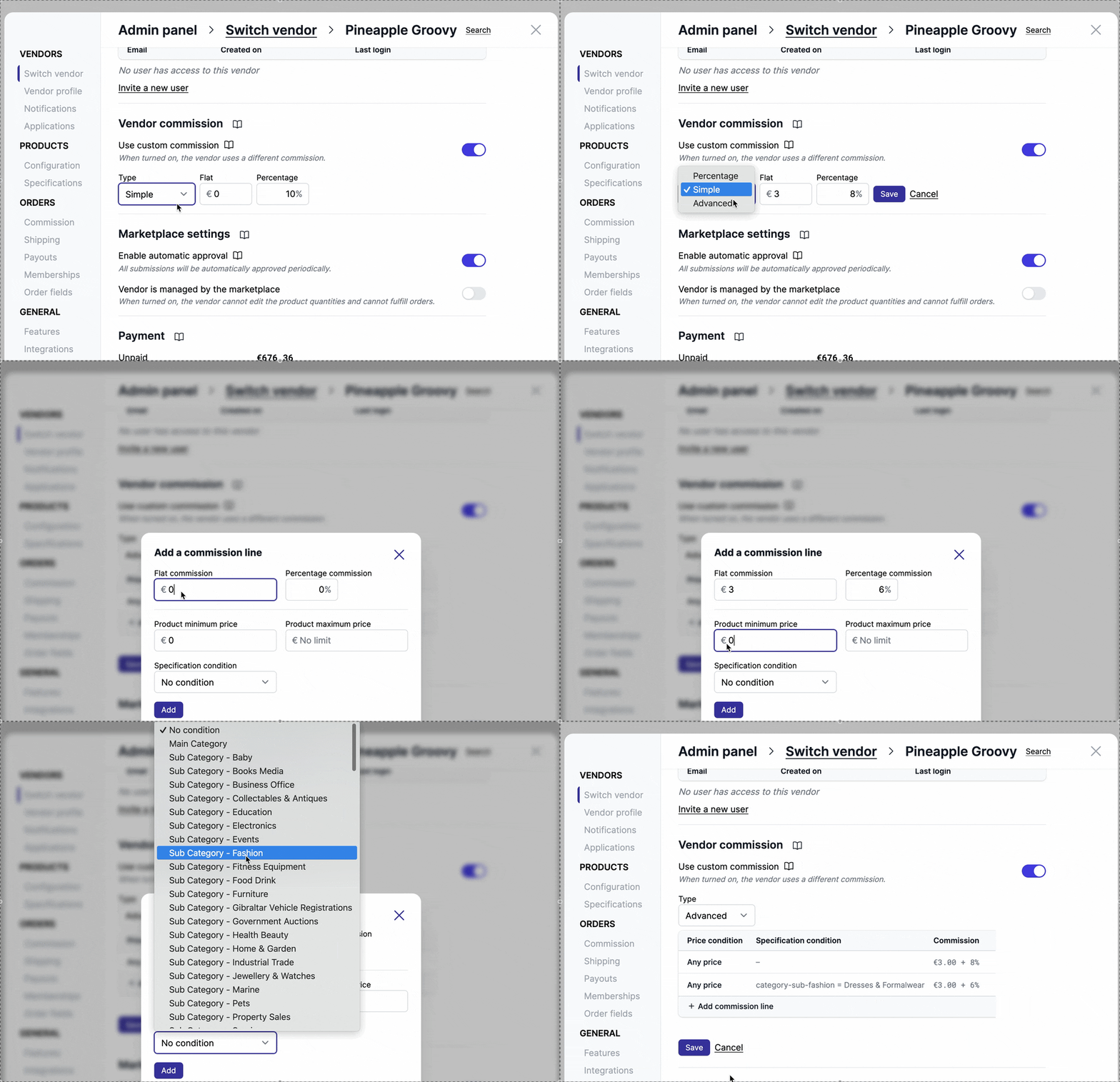
11 February - Advanced commissions support more metafield types
The advanced commission modal now displays specification conditions sorted by section order, matching the organization defined in the marketplace settings.
11 February - Fix order filtering by single-day date range
Orders, exports, and dashboard filtered by date (e.g. from Feb 9 to Feb 9) now correctly return results for the entire day instead of only matching midnight.
10 February - Garnet at Marketplace Connect
We've been to Marketplace Connect! It has been great to meet great marketplaces and technical partners. We learnt a lot from you and we are looking forward to meeting you next year! Proof that we were there, we forgot to take a single selfie of ourselves!

9 February - API integration for custom vendor systems
Vendors without a supported e-commerce platform can now connect to a Garnet marketplace via REST API. The integration supports product synchronization, price and stock updates, tracking submission, and order webhooks. Marketplace admins generate an API key from the integrations settings, and vendors use it to push products and receive orders.
9 February - Automated payouts support up to 10,000 transactions per day
The automated payout email report now supports over 300 transactions per run, up to 10,000 transactions per day. The report is split into successful and failed payouts with totals, and groups repeated errors for easier reading.
5 February - Updated Google Sheets integration documentation
Revamped the Google Sheets integration documentation with a clearer 3-tab structure covering products, orders, and tracking sheets.
4 February - Garnet in Hungarian and Romanian
Garnet is now available in Hungarian and Romanian, bringing the total number of supported languages to 10.
3 February - Squarespace integration product sync
The integration products page now supports Squarespace stores. Vendors with Squarespace integrations can view and manage their product catalog directly from the marketplace.
3 February - Auto-import integrations show all products as synced
When an integration has auto-import enabled, the products list now shows all products as synced and hides the selection checkboxes since all products are automatically imported.
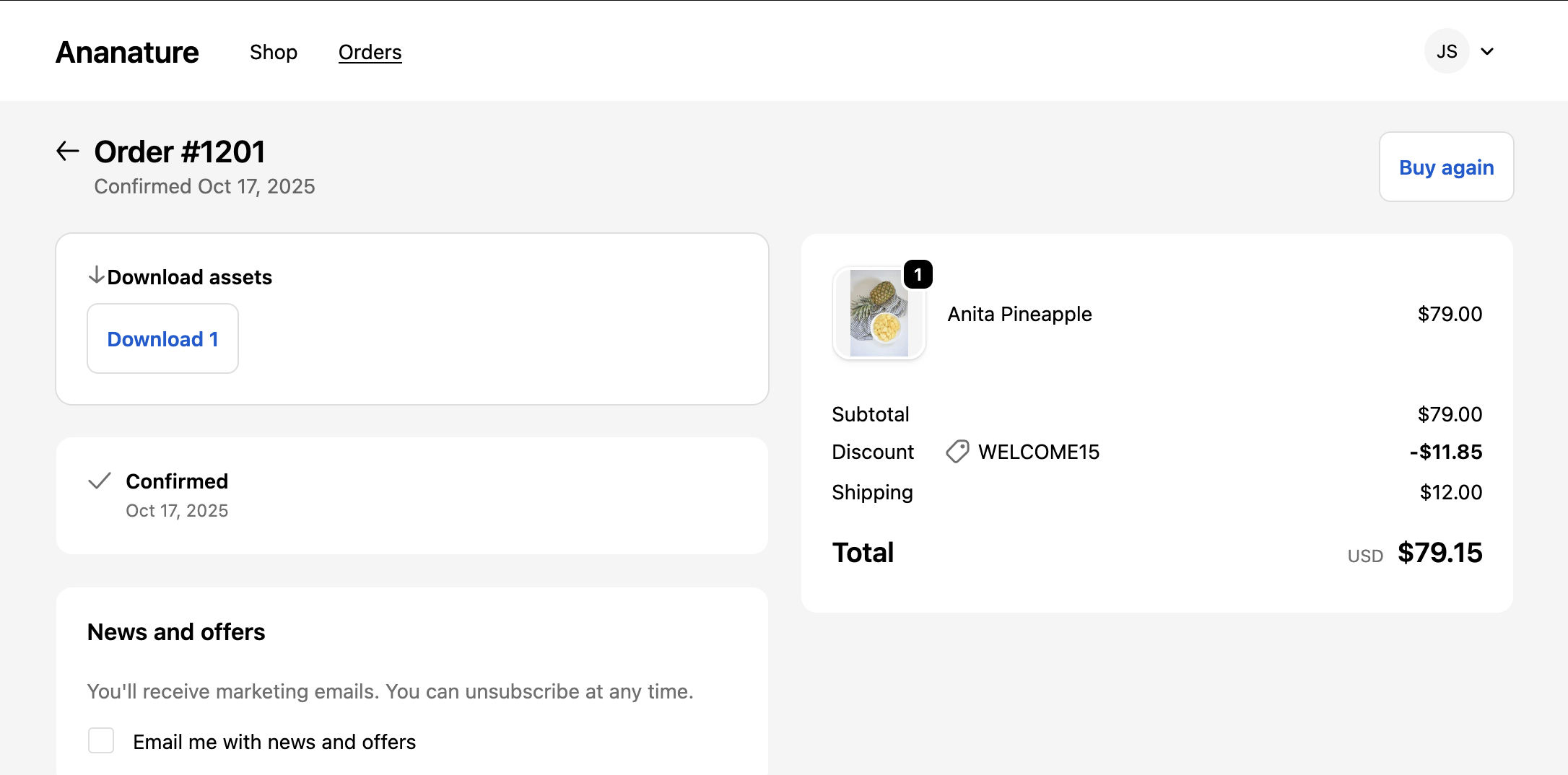
2 February - Digital download on the status and thank you page
Customers can now download digital assets directly from the order status page. A new Digital Assets Download block displays download buttons for each product that has a file specification.
30 January - Clean rich text against scripts and heavy images
Rich text editors now filter allowed formats to prevent embedded images and scripts, improving security and performance.
29 January - Clearer commission settings wording
Improved the commission settings labels and descriptions to make it clearer how each toggle affects vendor commission calculation.
28 January - CSV import supports boolean and rich text metafields
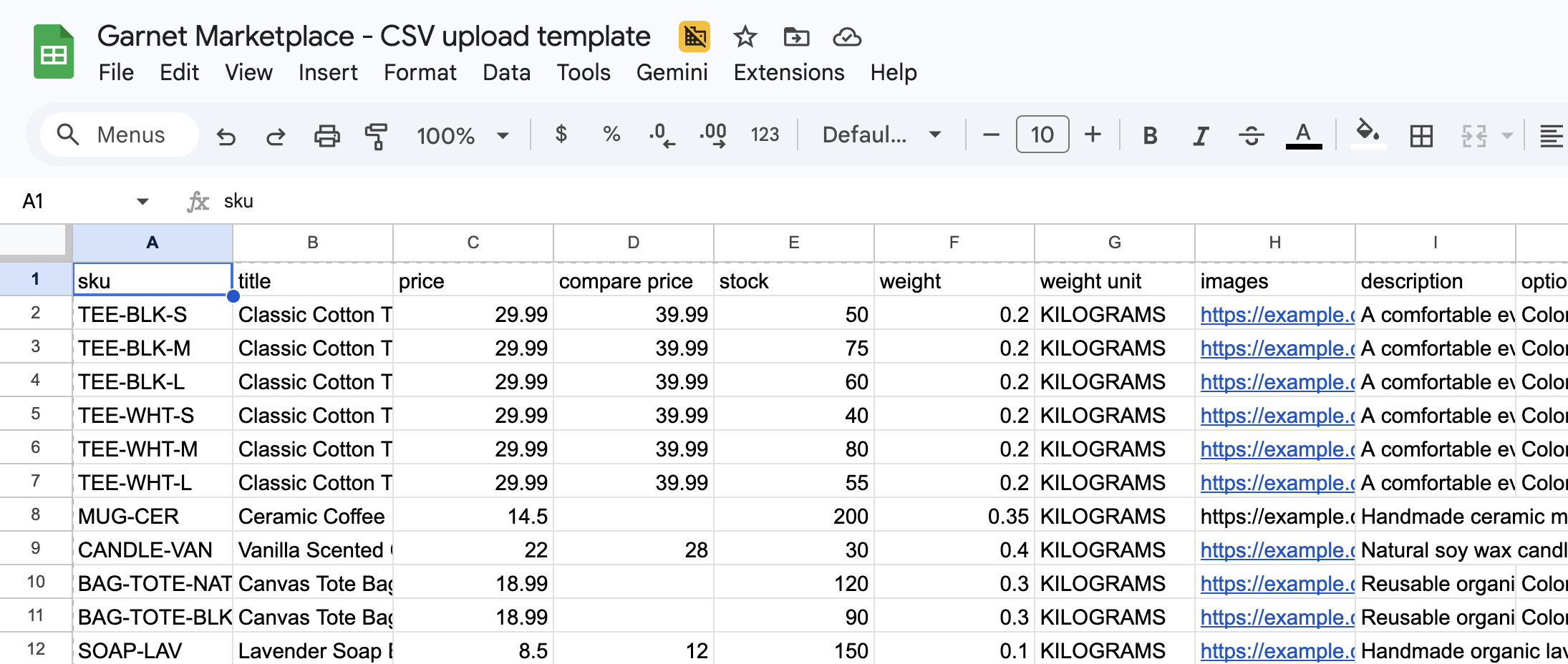
CSV product imports now correctly handle boolean and rich text metafields. Boolean values accept true, 1, or yes (case-insensitive), and rich text fields are automatically converted from plain text to Shopify's rich text format.
28 January - Sanitize product descriptions from integrations
Product descriptions imported from external integrations are now sanitized to remove potentially unsafe HTML as well as tracking code before being synced to Shopify.
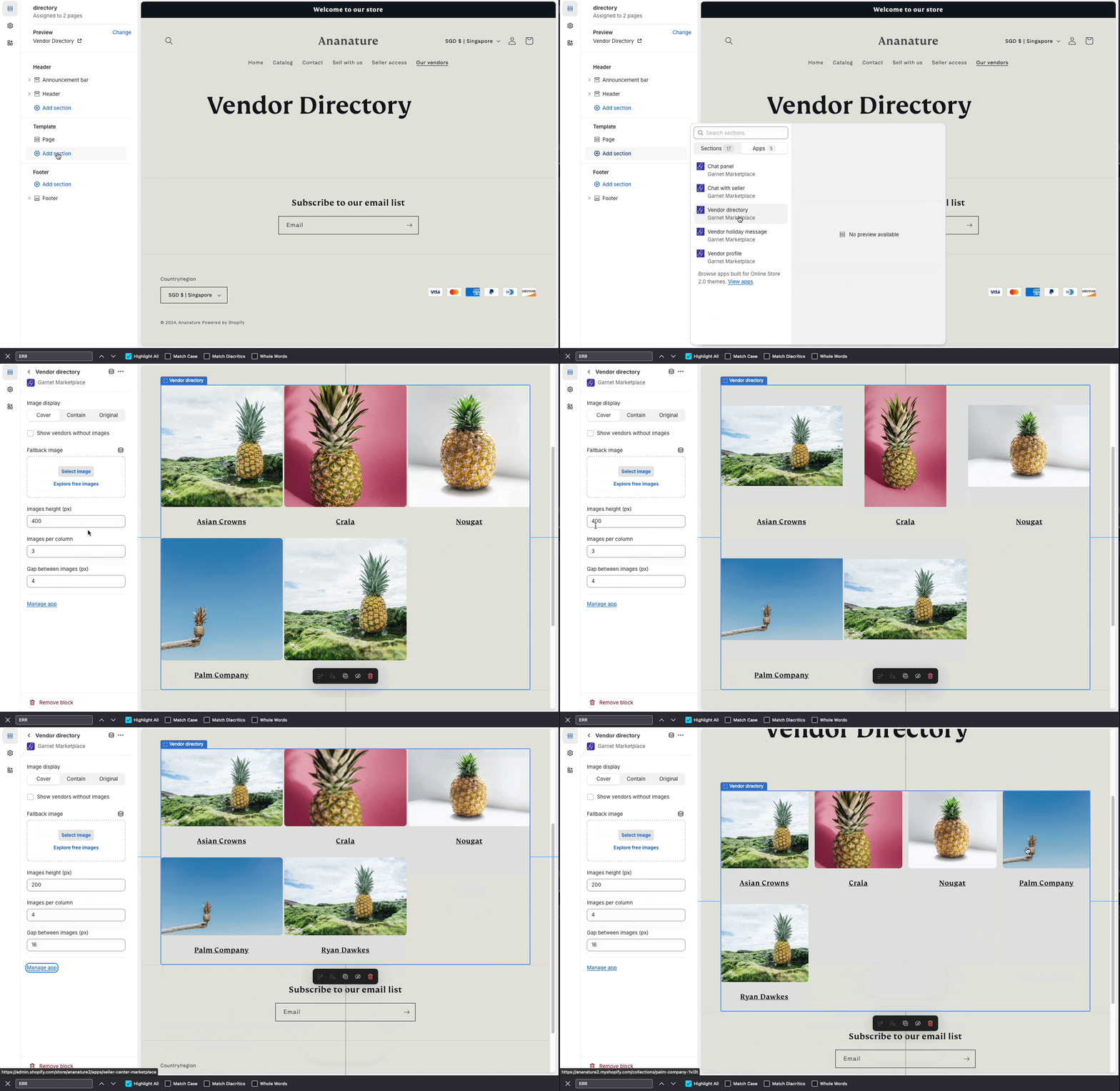
27 January - Vendor directory supports registration metafield images
The vendor directory component can now display images from vendor registration form metafields. Select "Collection metafield" as the image source and enter the metafield key (e.g. profile-picture) to use the vendor's uploaded profile image instead of the collection image.
27 January - Faster integration product approval
Reduced the cooldown between integration product approvals from 1 hour to 10 minutes. Vendors can now approve new batches of products more frequently.
27 January - Fix refunded orders showing as unfulfilled
Fixed an issue where fully refunded orders were incorrectly displayed as unfulfilled in the dashboard. These orders are now correctly treated as completed.
26 January - Search in admin panel
You can now quickly find settings in the Admin Panel using the new search feature. Press Ctrl+K (or Cmd+K on Mac) or click the Search button to open the search modal. Results navigate directly to the matching section.
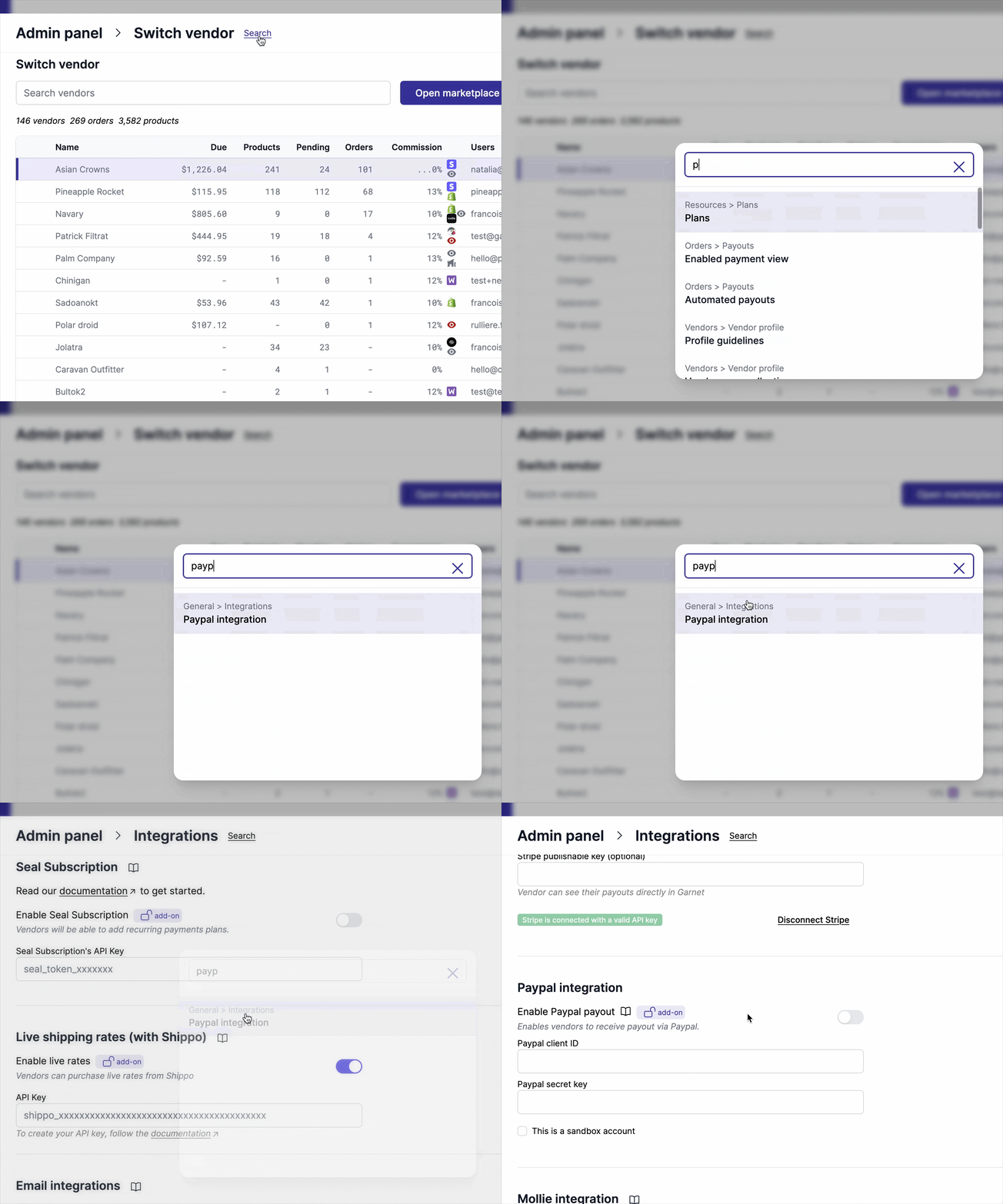
26 January - Admin panel design improvements
We made several improvements to the Admin Panel design to prepare for upcoming features. The panel now has better navigation with hierarchical breadcrumbs, improved form layouts, and a more polished overall appearance.
26 January - Vendor invitation documentation
New video tutorial explaining the 3 ways to invite vendors to your marketplace: manual invitation, application form, or custom authentication form.
23 January - WooCommerce integration now supports unlimited products
The WooCommerce integration no longer has product limits. All large stores can now fully synchronize their catalog with the marketplace.
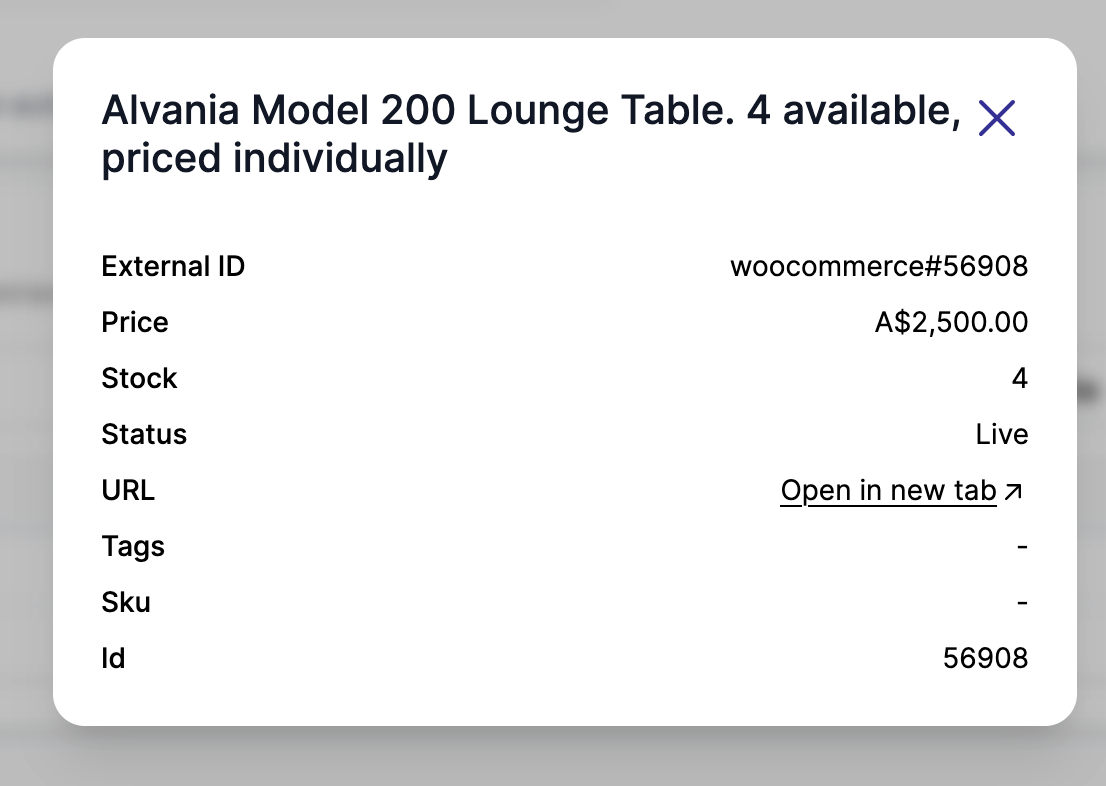
23 January - View integration product details
You can now click "Open" on any product in the integration products list to view all its details in a modal. This includes the external ID, price, stock, status, and all metadata fields from the vendor's store.
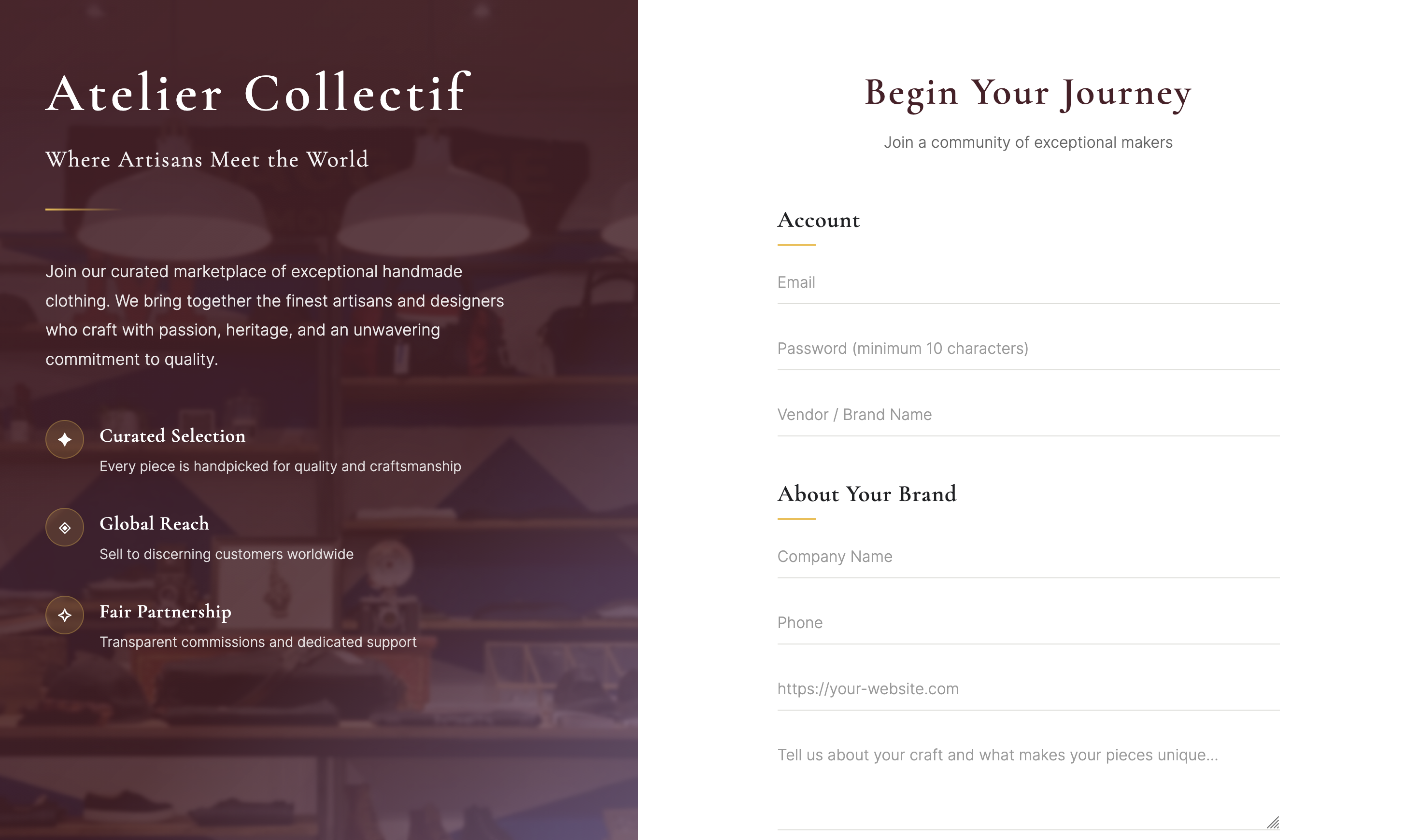
23 January - Vendor self-registration custom code
Marketplaces can now allow vendors to register directly using a custom HTML form with Cloudflare Turnstile verification. Enable "Custom onboarding form" in Admin Panel > Applications and configure your Turnstile keys. The form supports collecting vendor profile fields during registration.
22 January - Custom authentication forms documentation
New documentation for marketplaces that want to build their own login UI using simple HTML forms. Includes code snippets for custom login, password recovery, and registration forms.
22 January - Fix variant dimensions saving to wrong variant
Fixed an issue where variant dimensions (length, width, height, unit) were incorrectly saved to the first variant instead of the currently edited variant.
21 January - Export integration products to CSV
You can now export your integration products to a CSV file. The export includes product details, metadata, and approval status, making it easier to review and manage your catalog outside of Garnet.
21 January - Attach existing images to variants
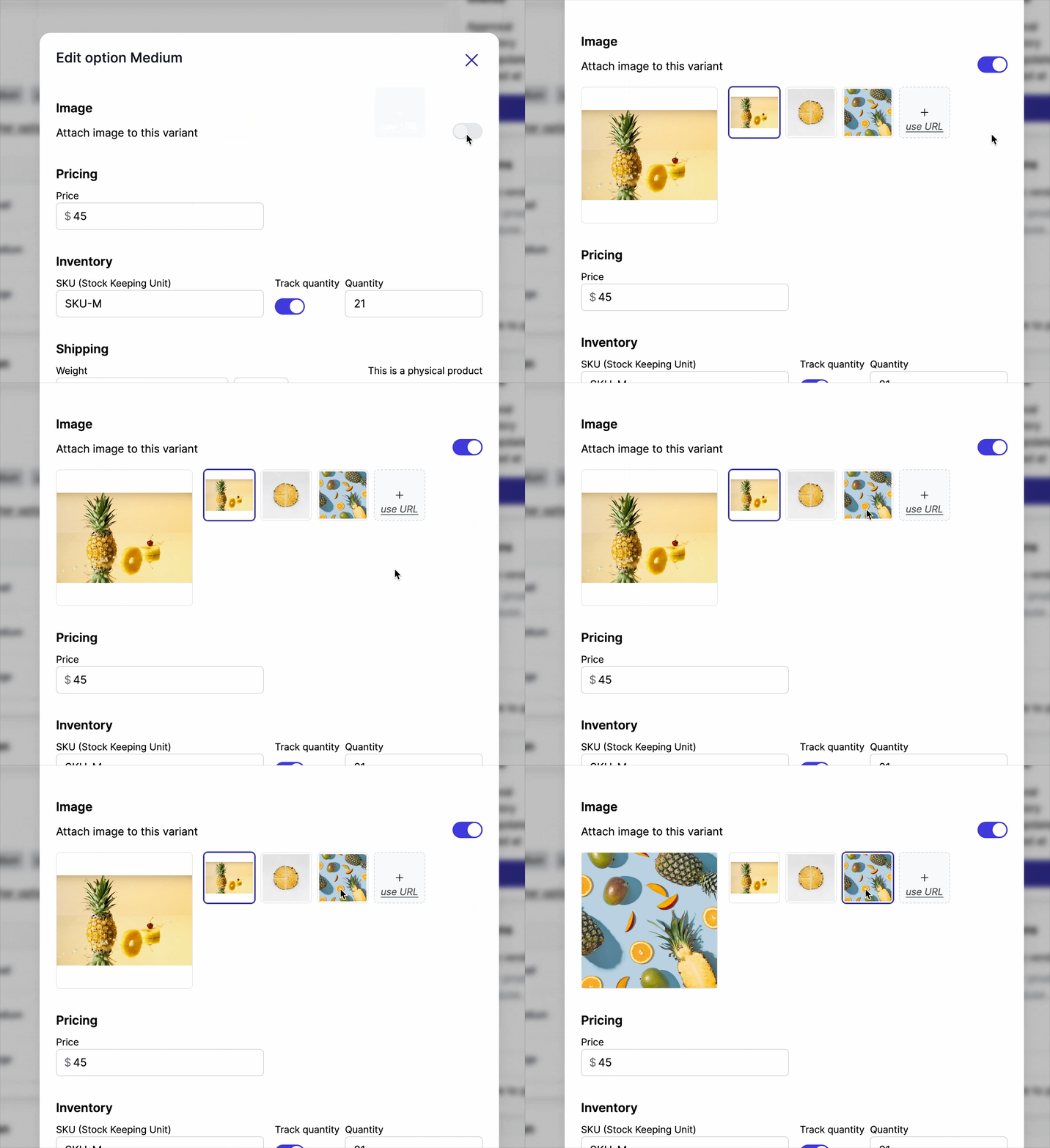
When editing a variant, you can now attach an image from the product's media panel instead of uploading a new one. This reduces duplicate uploads when multiple variants share the same image. Learn more.
21 January - Faster documentation page loads
Improving documentation page load performance and reducing layout shifts.
20 January - Vendor pages now default to newest products first
When a vendor page is created, products are now sorted from newest to oldest by default. This helps showcase the vendor's latest products to customers.
20 January - Vendor notification when order is cancelled
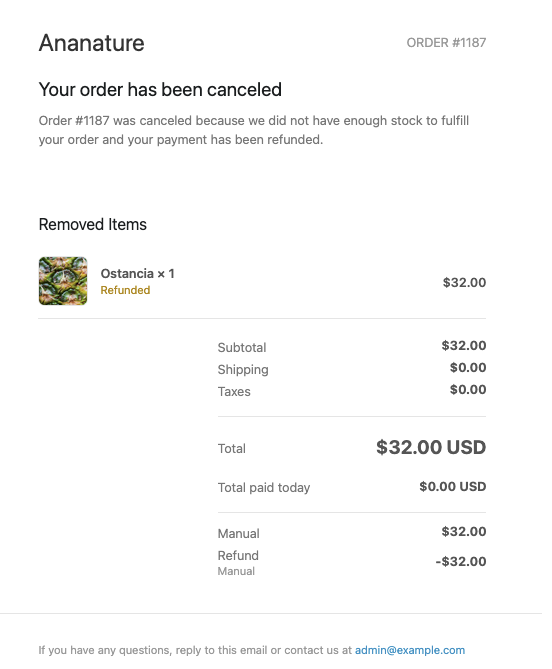
Vendors now receive an email notification when an order is cancelled. This helps vendors stay informed about cancelled orders without needing to constantly check the dashboard.
19 January - Product integration now supports up to 100,000 products
The ecommerce product integration now supports synchronising up to 100,000 products from vendor stores. This allows larger vendors to fully integrate their catalog with the marketplace. Contact us to increase this limit.
16 January - Improved shipping rate slider for complex setups
The shipping rate slider now works better for complex shipping configurations, making it easier to test and visualize shipping rates across multiple carriers and zones.
16 January - Easier specification management
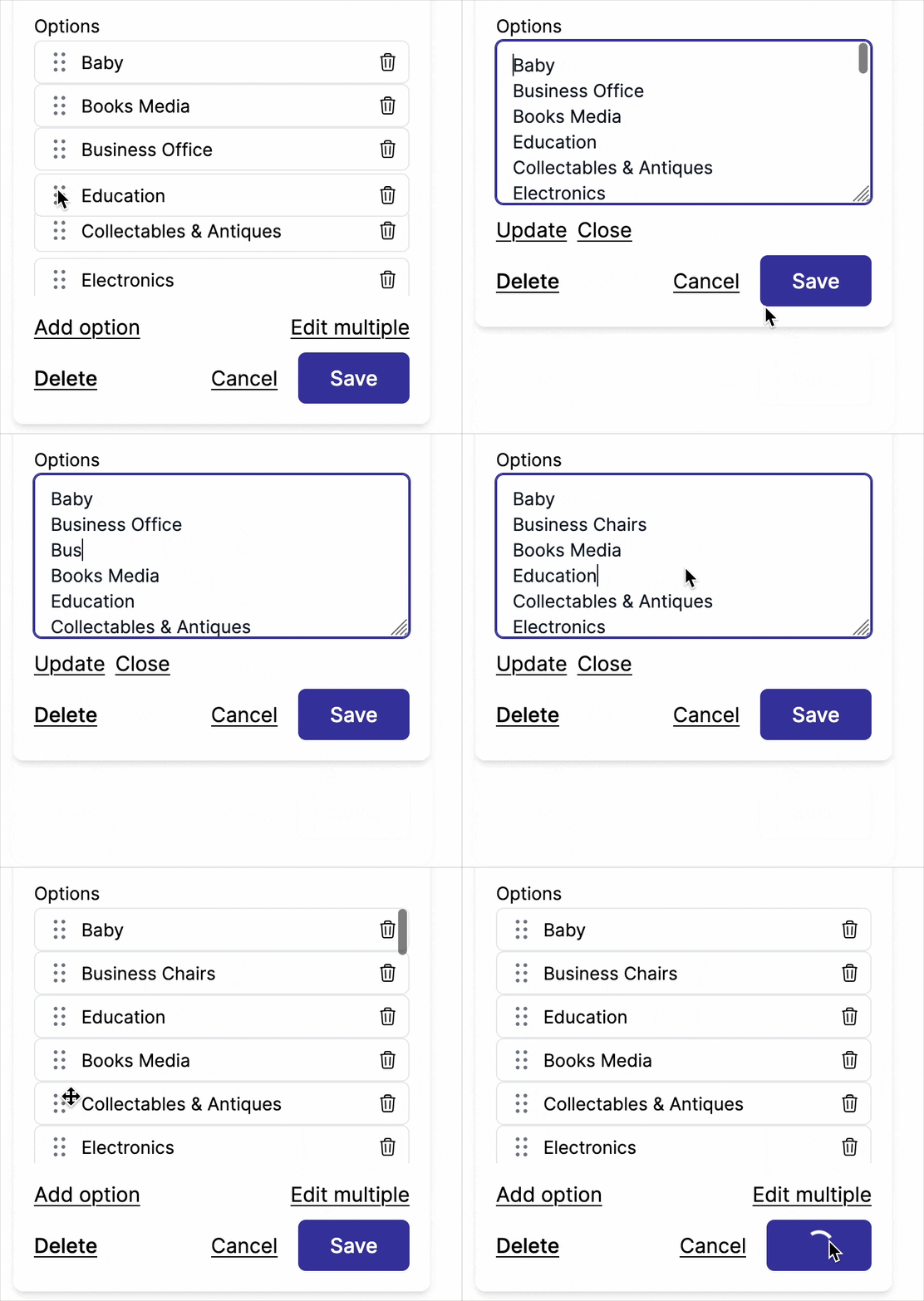
It is now easier to reorder and upload large quantities of product specifications. Use the "Add multiple" option to paste multiple values at once, one per line.
16 January - Improved refund handling
Garnet now supports more edge cases when it comes to refund splitting, including order-level refunds where the entire order is cancelled without specific line items being refunded.
13 January - Stripe balance no longer displayed
The Stripe balance is no longer shown in Garnet. This allows operators to process payouts with privacy.
8 January - Vendor details better display
We improved the design on the vendor details to include more advanced fields.
6 January - Marketplace name in the browser history
Garnet Marketplace has a better footprint on the browser. When a user visited Garnet, they can find back the link using the name of the marketplace.
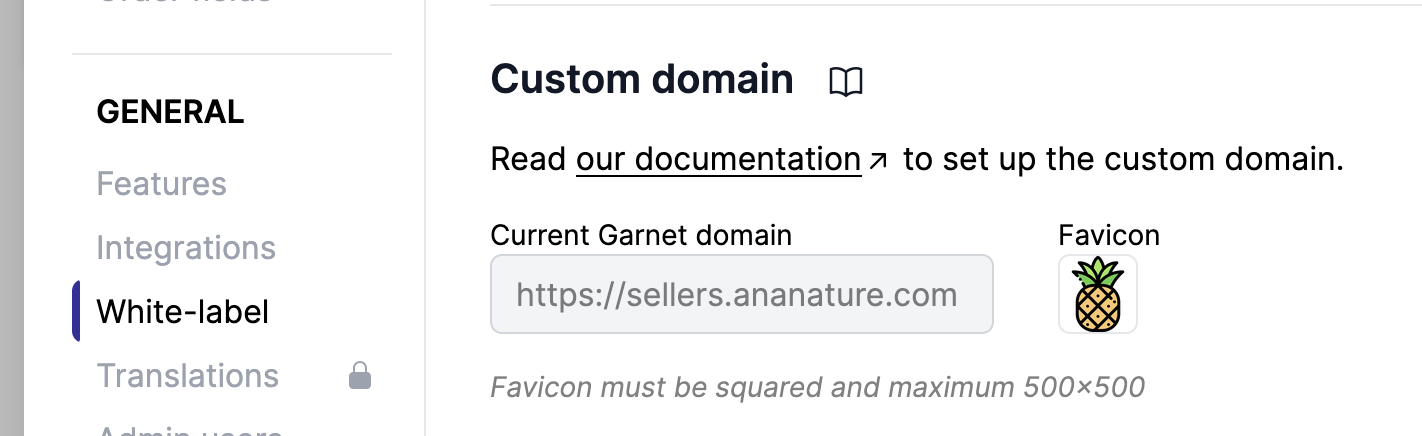
4 January - Add your custom domain favicon
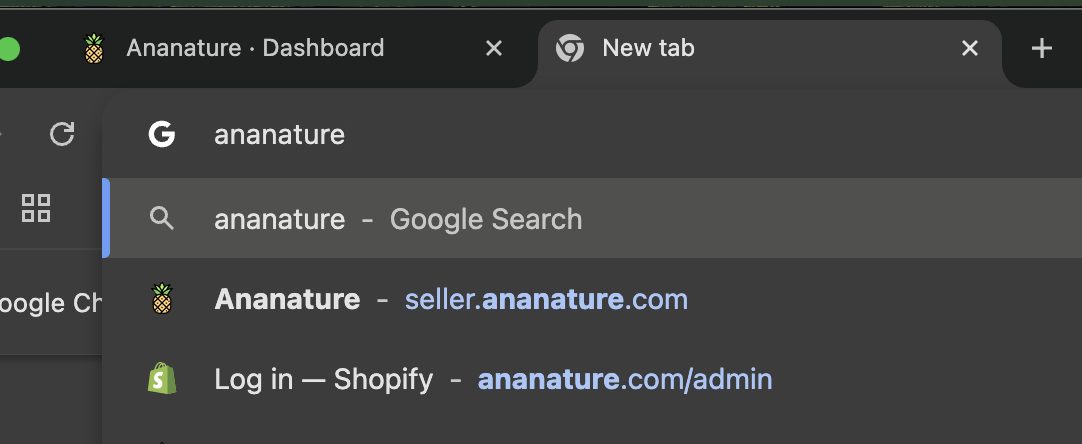
If you set your custom domain, you can now change your favicon. The image will show in the browser tab.
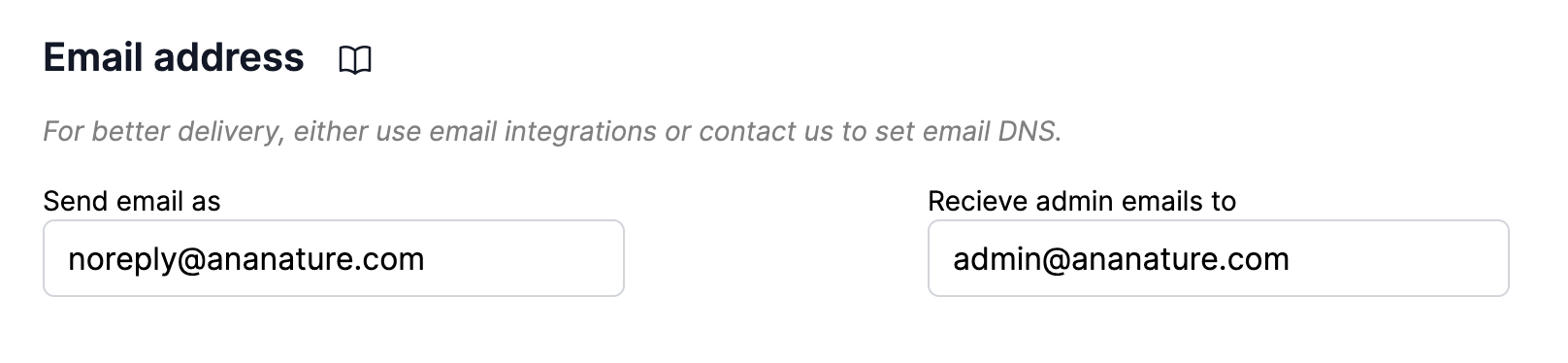
3 January - Customize email addresses
You can now customize your sender and recipient email. Use the recipient address to receive admin emails on a specific mailbox. Use the sender address if you want vendors to reply to a specific email address.