
Appearance
Garnet Product Releases Q2 2025
INFO
To view the latest product releases, navigate to the Release page.
30 June - Search by order id
In the order search bar, the admin and vendors can search by Shopify order id such as 8023311994090. Useful when the marketplace needs to reconcile data from other applications.
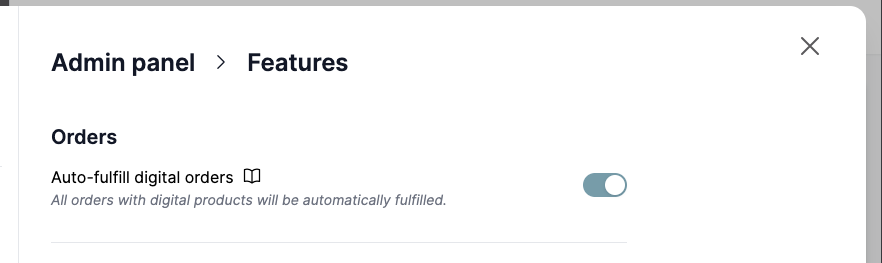
30 June - Auto fulfill orders
Marketplaces can now auto-fulfill digital orders. The setting is included in all plans and is available in Garnet > Admin Panel > General > Features.
Note that high risk orders are not automatically fulfilled.
30 June - Combining admin panel menus
The Admin Panel > Products > Comments section has been merged with Admin Panel > Products > Configuration to leave more room to new settings.
30 June - Consistent design between product, orders, and finance search
24 June - Product catalog
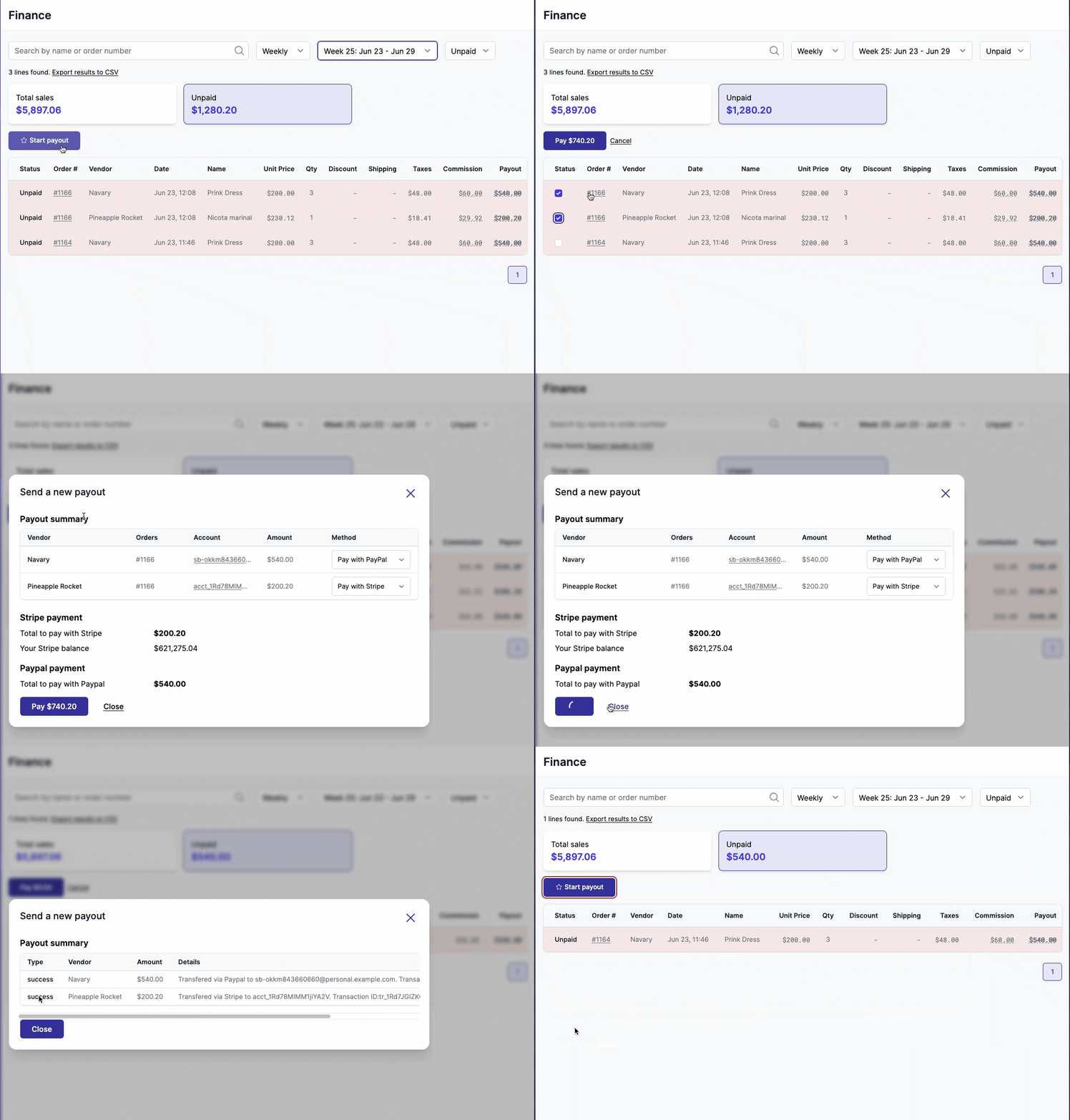
23 June - Better payout feedbacks
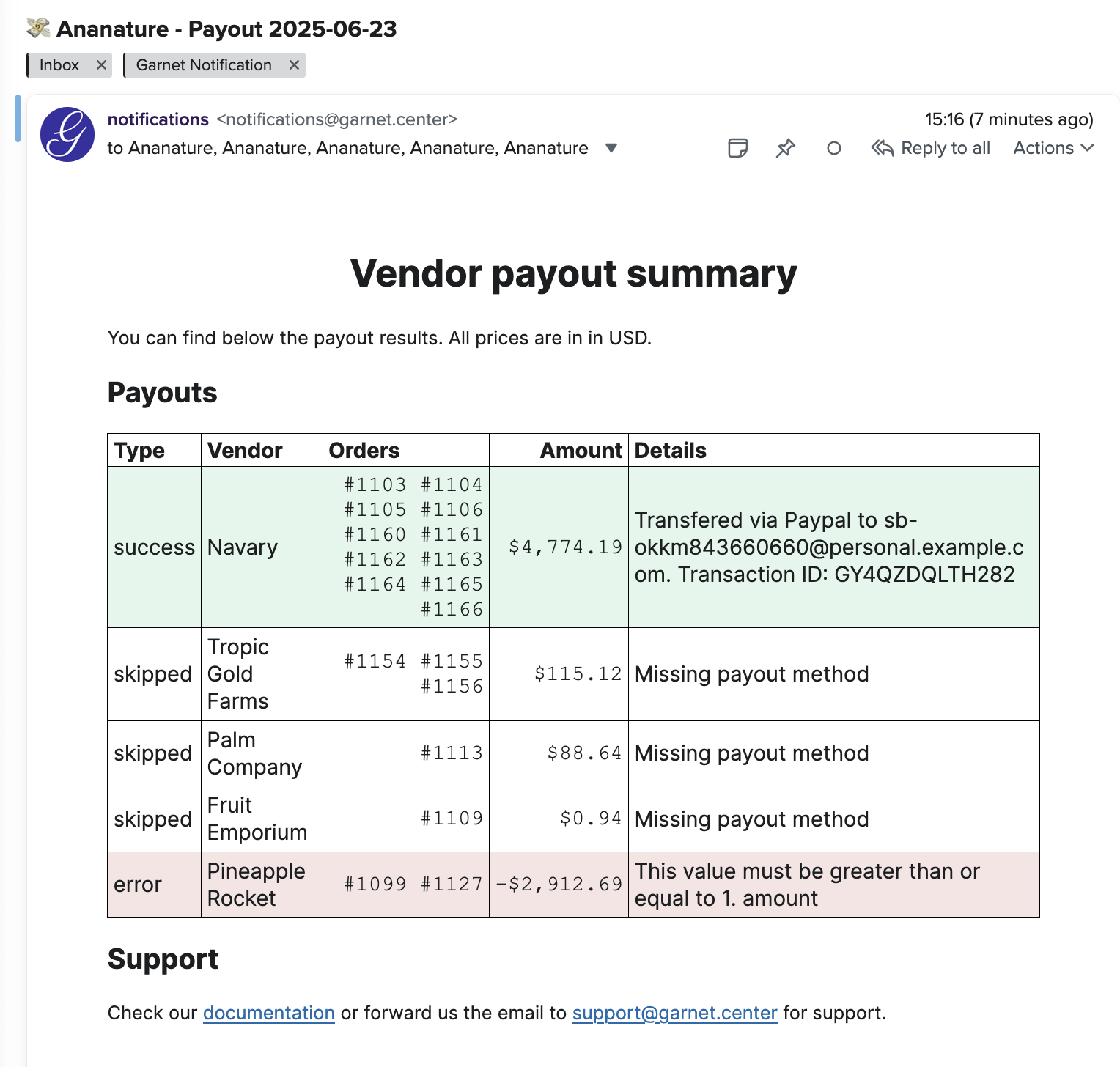
We redesigned the payout modal to show feedback of all paid vendors in one view. If an error occurs for one vendor, the marketplace will clearly see the missed payout and the steps to fix it.
The same report will be sent via email with automated payouts
18 June - Paypal integration generally available
Connect your marketplace with Paypal to send manual payouts and automatic payouts to your vendors. Vendors only need to share their paypal email or Paypal ID. Compatible with Venmo.
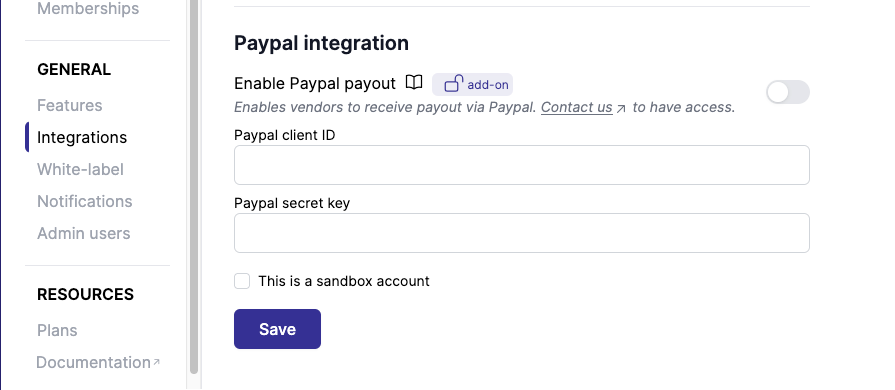
Learn more about Paypal integration
16 June - Product approval documentation update
We have rewritten from scratch the product approval documentation.
16 June - New email template: Unapproved product
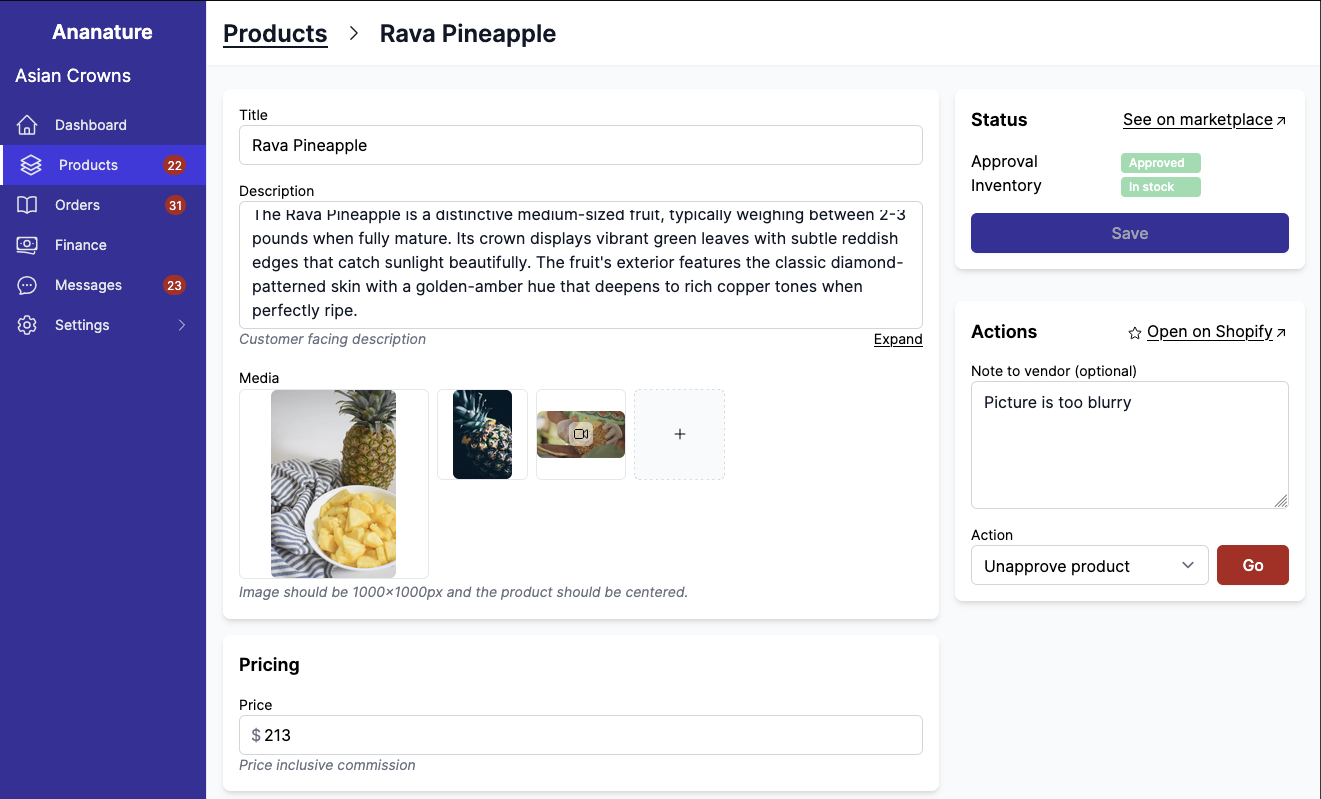
Garnet now sends a new email template when products are unapproved. This email is disabled by default on existing marketplaces and enabled for new installations.
The marketplace also has a new field named Note to vendor when unapproving product to mark it as unapproved.
16 June - Invite an existing vendor
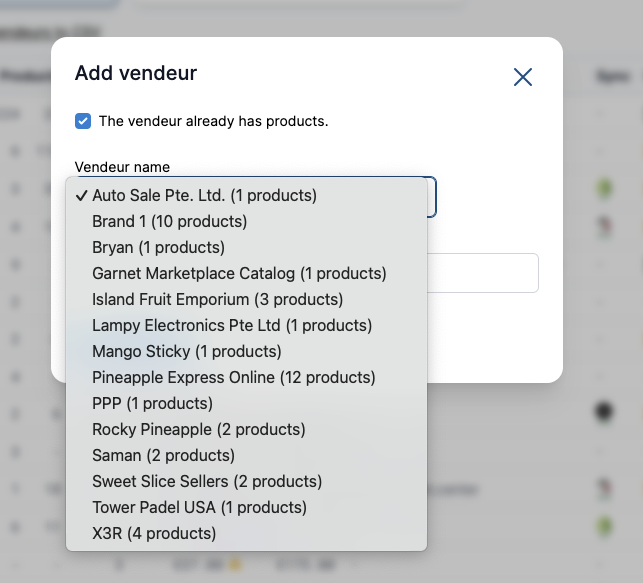
Is the vendor already selling on your marketplace? You can use an existing vendor by clicking The vendor already has products. The field will become a list of choices from existing vendors that do not have an account on your marketplace.
16 June - Vendor can delete their Stripe Connect account
Vendors that no longer want to have their payout information stored by the marketplace can remove their Stripe Connect information from the Settings > Payout tab.
11 June - iOS top color based on your White-Label settings
For White-Label users, the color of the top bar on iOS devices now match your brand.
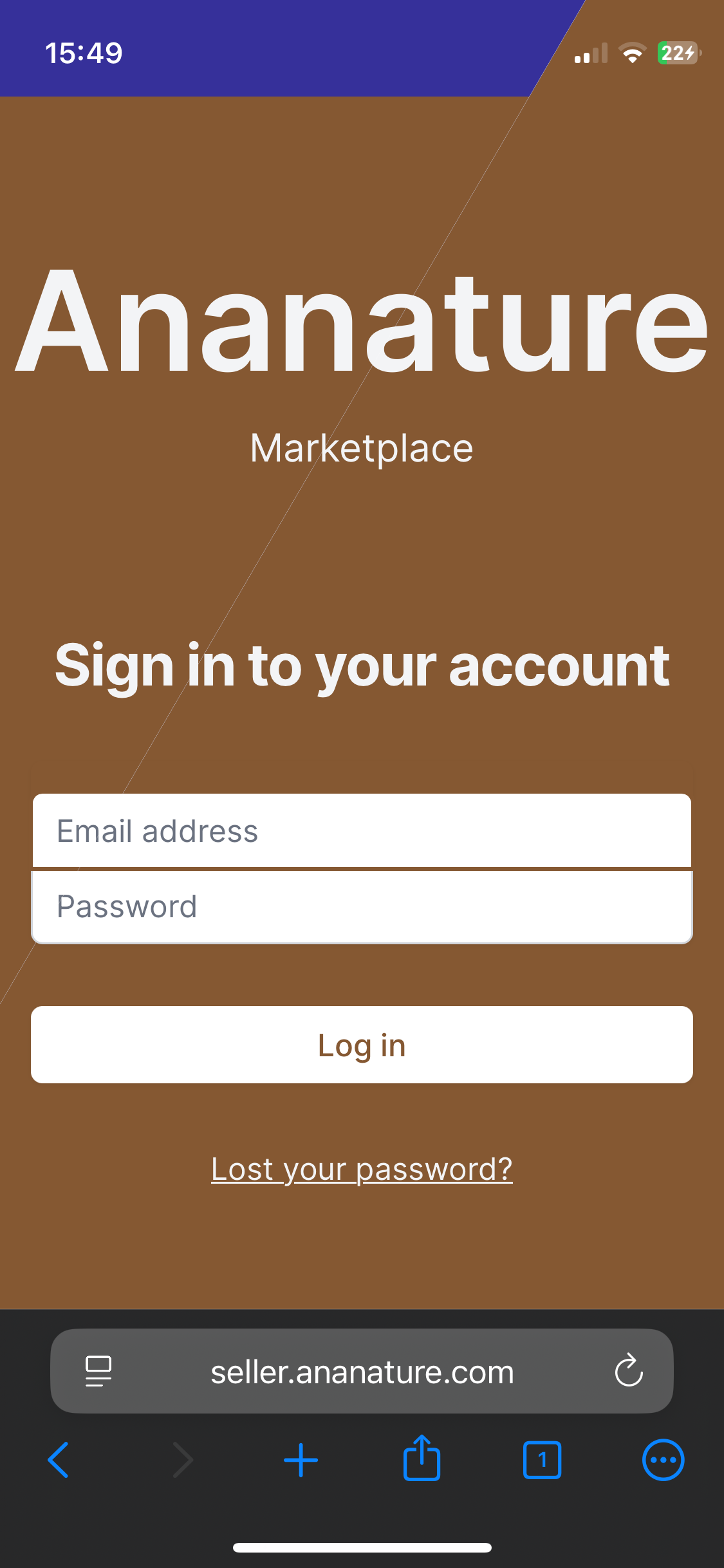
On the left, old top bar in blue. On the right, new top bar in brown (branded color).
10 June - Fulfill up to 100 items
The order fulfillment feature has been upgraded to allow vendors to fulfill up to 100 items with one tracking number.
10 June - Documentation and Admin Panel revamp
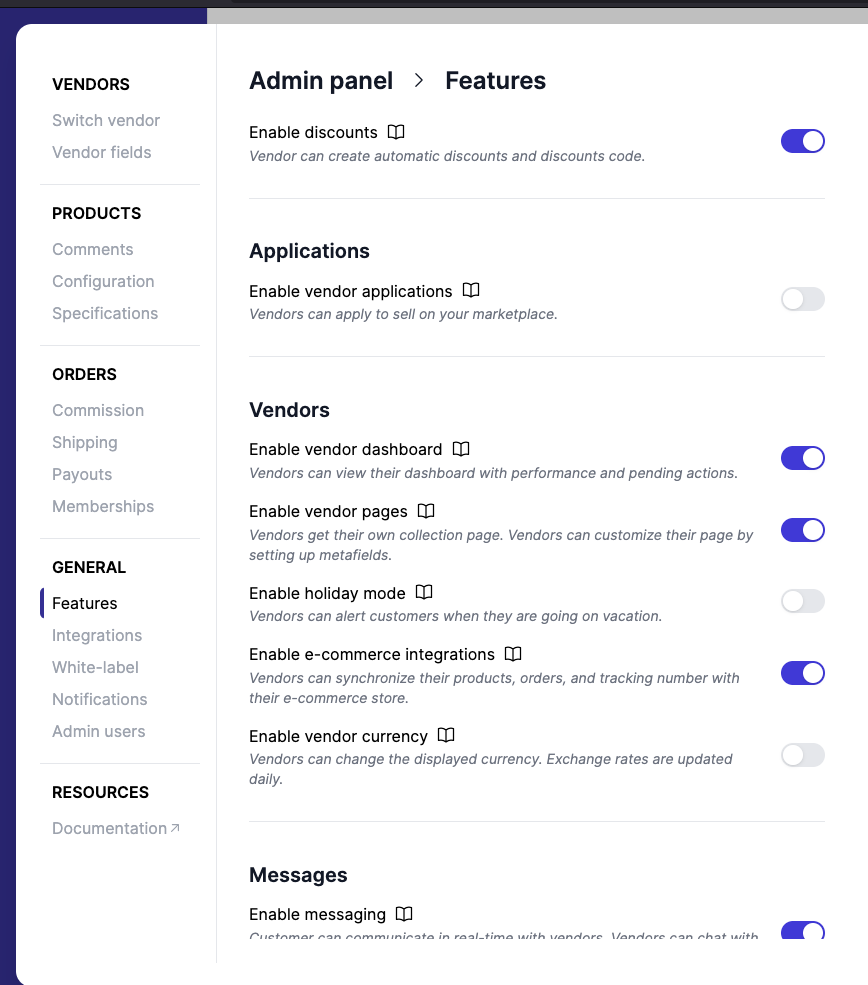
We reorganized the features in the Admin Panel and in the documentation to accommodate more settings. Here are the main points:
- All integrations have moved under the
Integrationssettings, others were combined. - Information relative to pages generated by Garnet are now close to the corresponding feature.
- Stripe and Stripe Connect are on the same tab.
- Documentation linked to the settings have been updated.
- All feature toggles are now in the same place.
- Overall the settings are more organized now, let us know if you have suggestions.
5 June - Marketplace view
To see all products, orders, finance from all vendors combined, click on the Open Marketplace View next to the search bar.
On the Marketplace view, products, orders, and finance lines will have an additional column vendor to refer to the vendor name.
As an administrator, you can now execute operations in bulk such as approving products, send a payout, or even create a discount for all vendors.
3 June - Less financial lines for shipping and discount refunds
Garnet used to have extraneous lines in the finance view for shipping and discount refunds. The view has now been simplified and the shipping and discount refunds are consolidated in the line item refunds.

2 June - Order cancelled items displayed
For complex orders, we need to show both the payment and the fulfillment status of the order. Now for all payment status that are not paid, Garnet will display the financial status side by side with the fulfillment status.
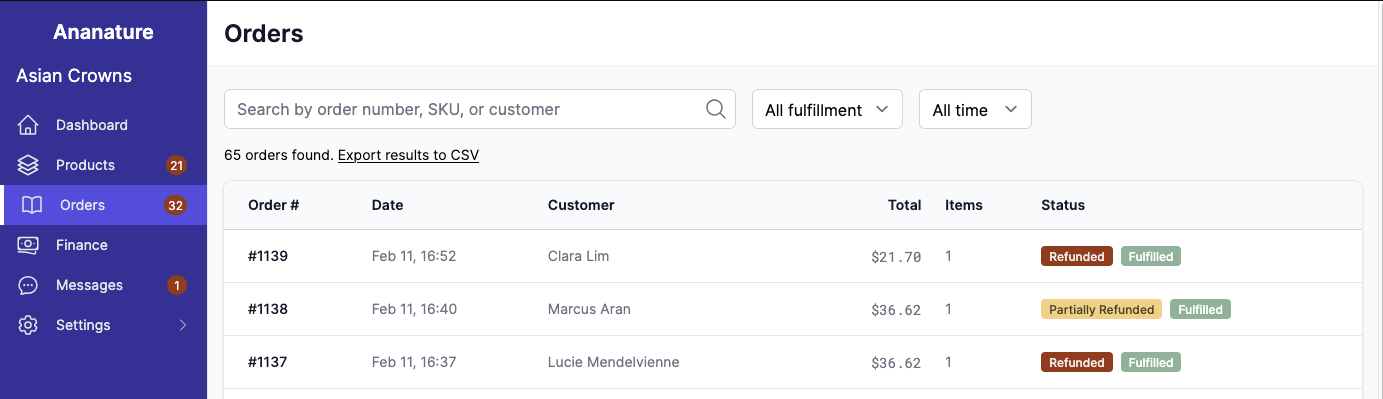
2 June - Search order by customer and total price
We've extended our order search to include the customer full name and the order total price.
2 June - SquareSpace integrations
Garnet Marketplace is now integrated with Squarespace! Vendors using Squarespace can synchronize their products, orders, and tracking number easily. They can sell on Garnet without needing an account.
This is included in the eCommerce integration plan.
31 May - Mandatory specifications
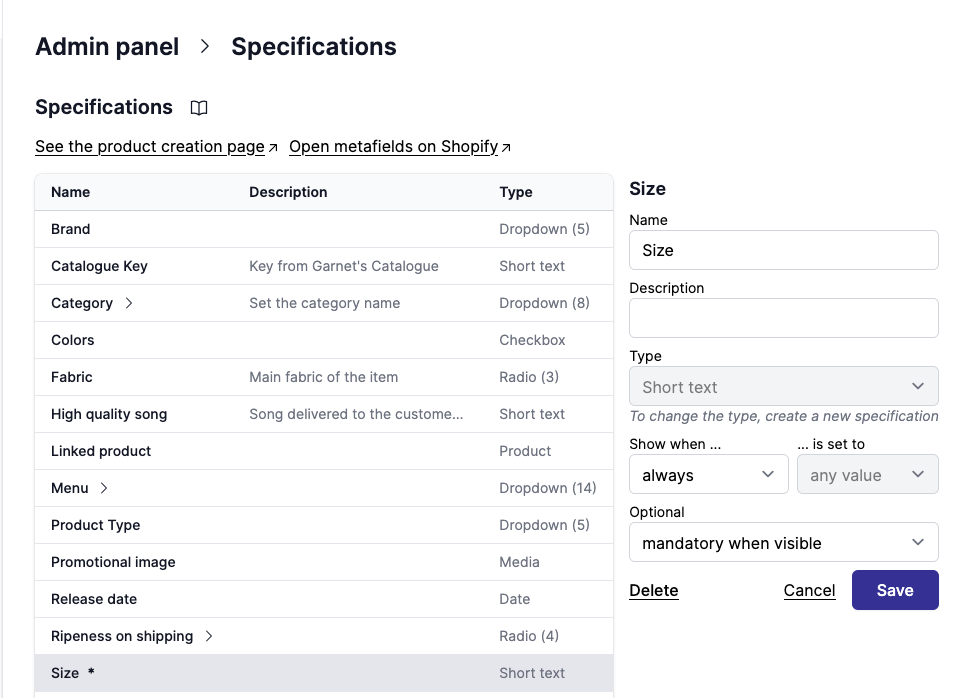
Specifications can now be marked as mandatory. A vendor will need to fill this information before saving the product. It is compatible with specification rules.
29 May - Faster application
When vendors are uploading a large amount of information for vendor application, it could take a few seconds to record all the data. Since the delay created confusion among vendors, we improved the application submission so now it takes less than a second.
26 May - Expand long description
Long description on the product creation page can now be expanded.
22 May - Add preview data in Klavyio documentation
In our documentation, we've updated the Klavyio event available in Garnet.
15 May - More compact checkboxes
Specifications checkboxes are displayed closer to each other, allowing to show more options without scrolling.
13 May - Display discounts dates
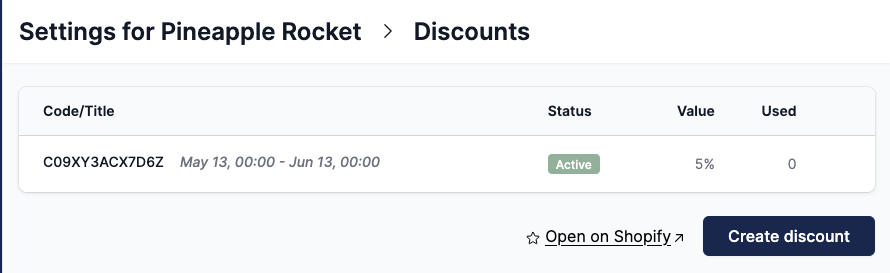
Discounts now displays the validity window directly in Garnet.
13 May - Empty sections
When a specification section is empty because it has been set with nested conditional display, then the section will not show.
12 May - Squarespace integration
Garnet's ecommerce integrations now support Squarespace stores. Vendors only need to click a link and approve the access to be integrated with a marketplace.
9 May - Video upload in registration
Vendor applications now supports video upload.
7 May - Video icons on the product page
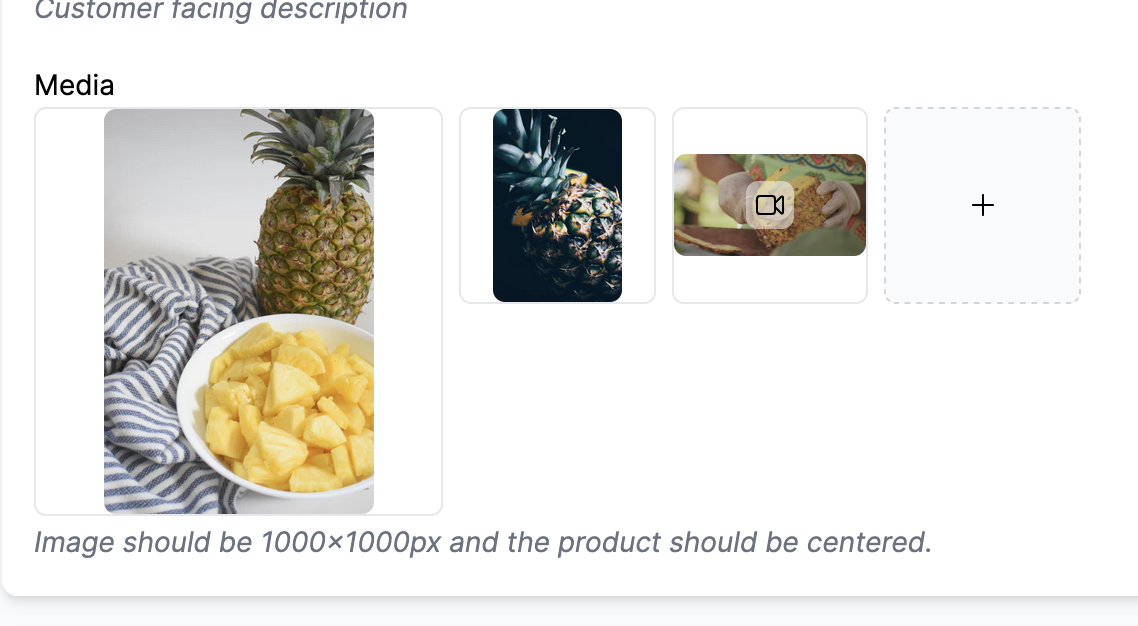
It is now easier to distinguish image and videos from Garnet's product page with the added icon:
5 May - Add a custom name for image and description on the vendor page
The marketplace can now edit the label of image and description of the vendor page fields. These fields are special because they are converted in the collection's image and the collections description rather than a collection metafield.
2 May - Fix shipping with digital custom products
Garnet's shipping properly account for the digital custom products when computing the cart total.
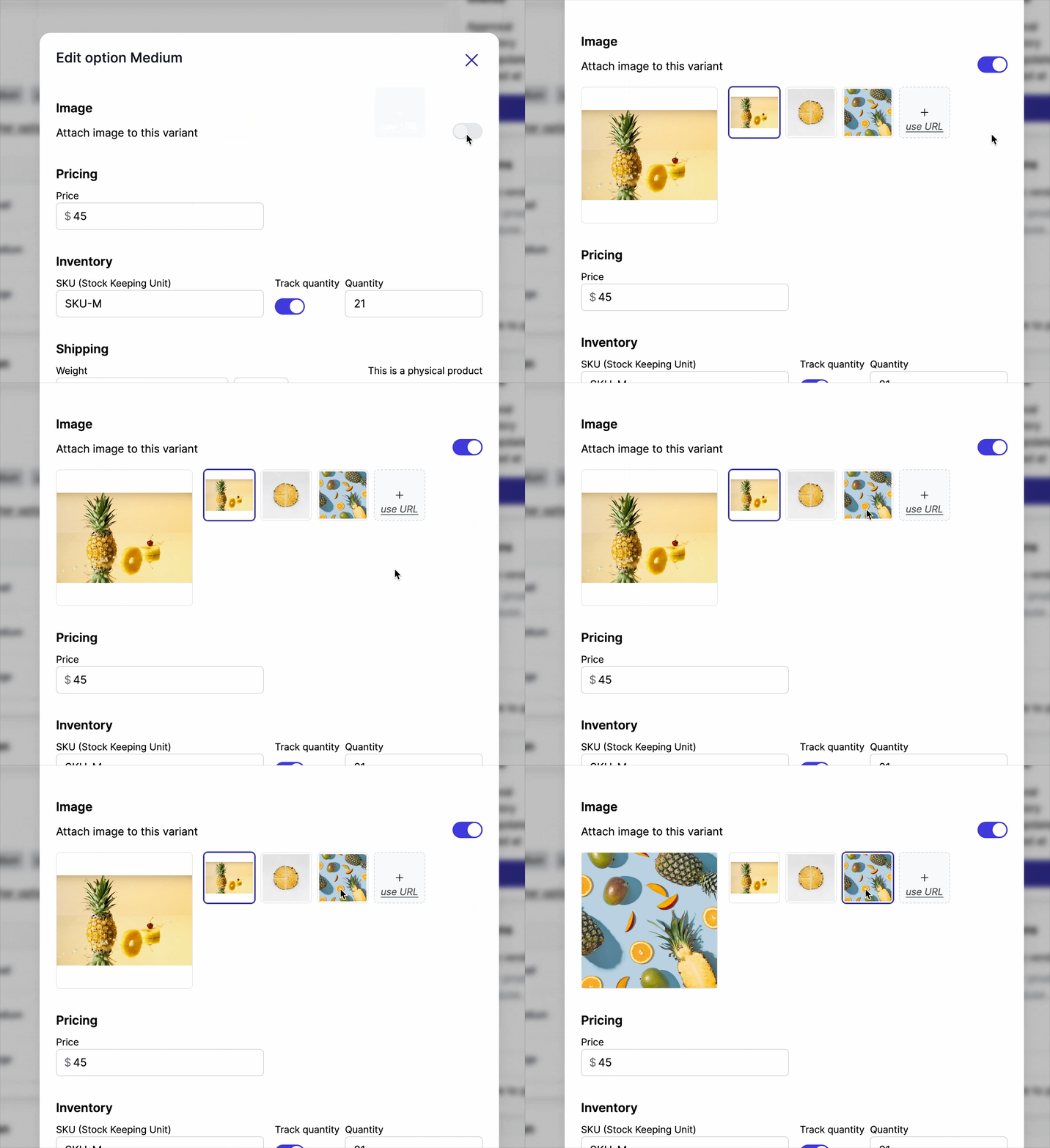
1 May - Add images to variants
Users can now attach an image to a variant, learn more.
30 Apr - Vendor page automated
When the marketplace approves a vendor application and has vendor page enabled, the vendor application will automatically create a vendor application.
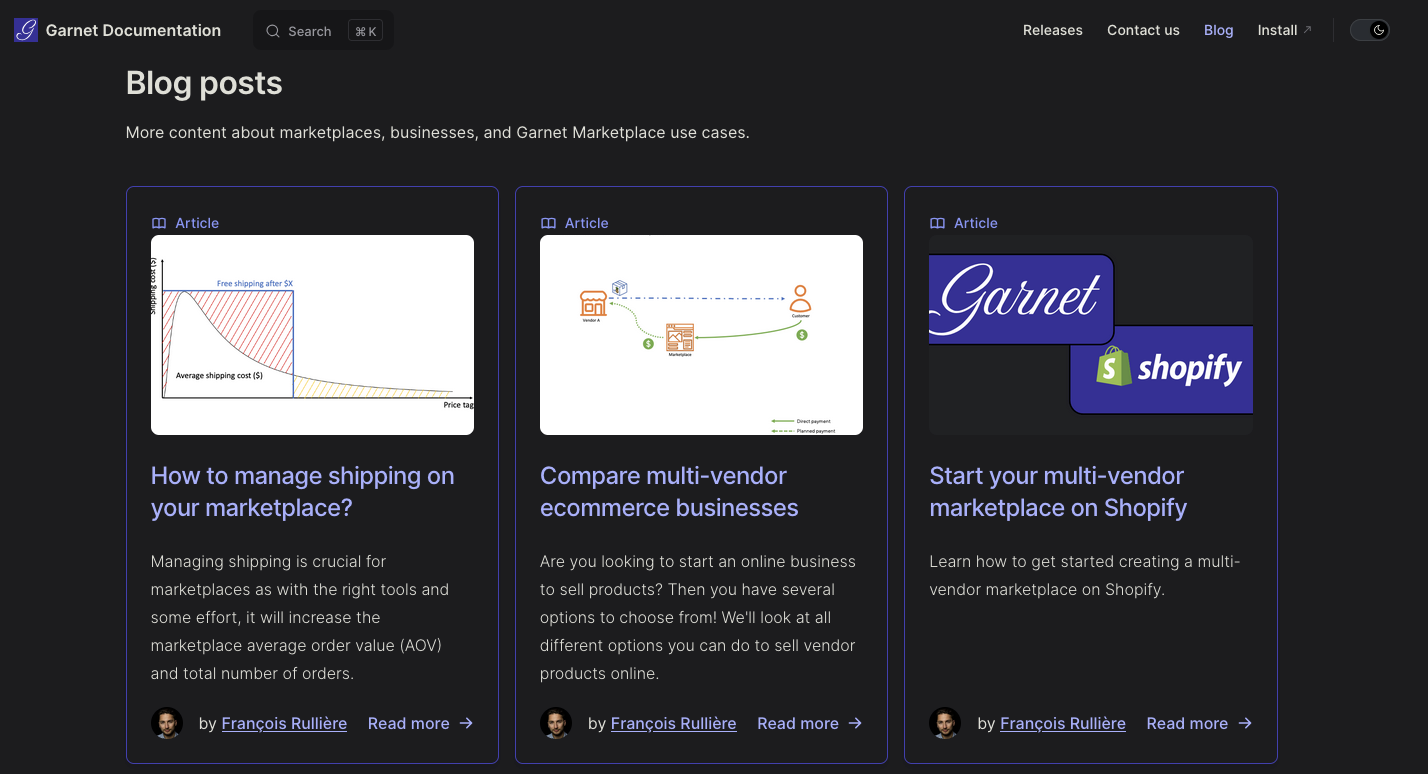
25 Apr - Get started with Garnet Blog
Garnet's blog is now available at https://garnetmarketplace.com/docs/blog. We will publish here
24 Apr - Garnet embedded theme component
The marketplace can now embed Garnet Marketplace in one click using the theme component Garnet embedded.
23 Apr - Download vendors Stripe Ids
When exporting vendors on the Switch Vendor view, the marketplace will now get Stripe information to reconcile with payouts and subscriptions from Stripe.
22 Apr - Rich text in vendor fields
Garnet's vendor fields now supports rich text.
15 Apr - Support support link
Instead of the support email, the marketplace can add a support link.
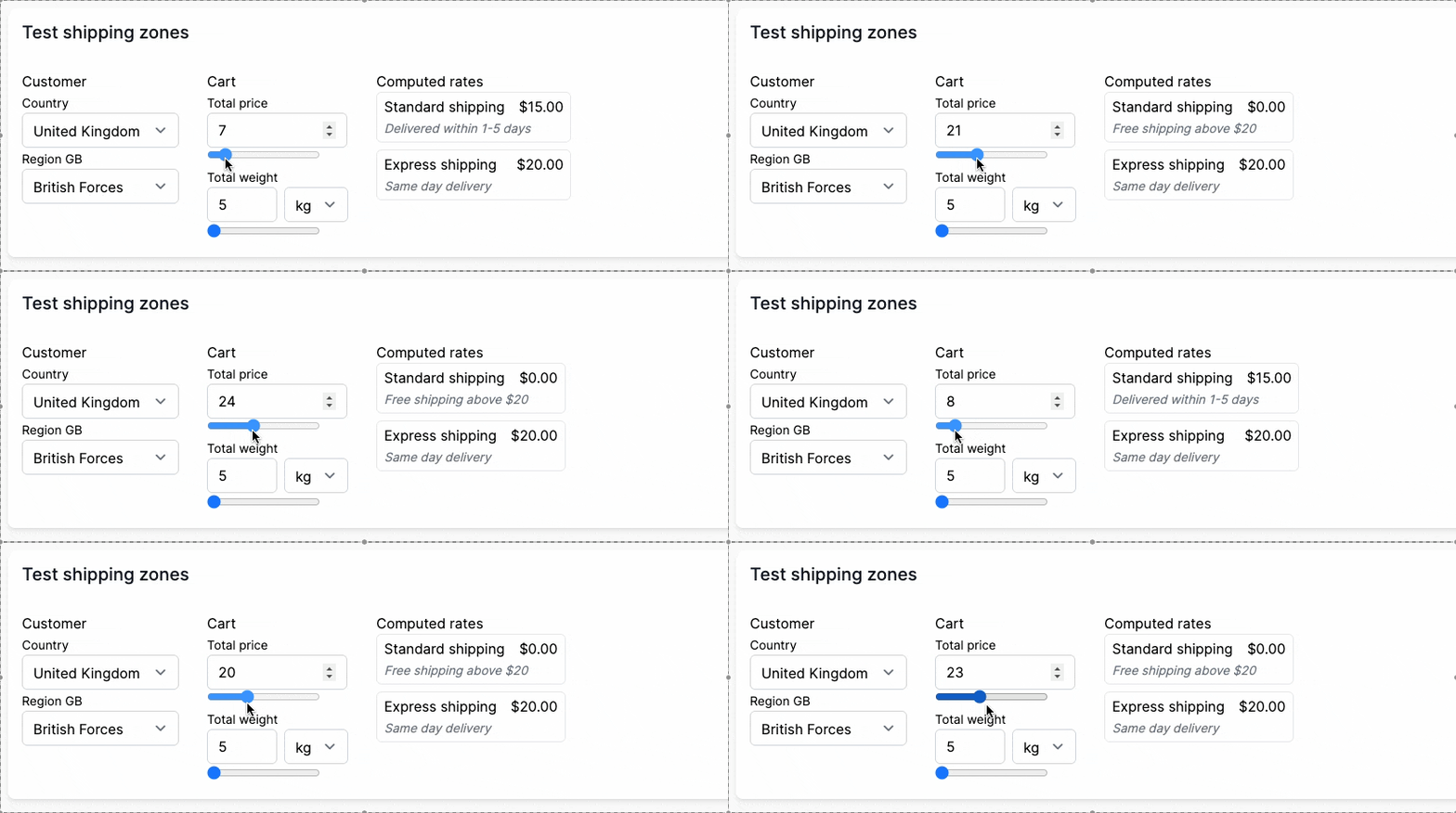
14 Apr - Test shipping zones calculation
The vendors can test their shipping rates directly on the flat shipping page.
10 Apr - CSV upload locale fix
Let's say a vendor is in Europe and the marketplace is in USA. The spreadsheet software from the vendor will probably format numbers as 1.000,00 whereas the marketplace is using 1,000.00. Garnet now supports both number formatting as long as it is consistent within the CSV.
5 Apr - Show weight only when necessary
Do you allow digital products? Then your vendors will not have the option to set the option for digital products. Less fields, less problems.
4 Apr - Order search and date format
The order page can now be searched by specific dates.

We also improved the date time format in the order view and finance view to display the year when necessary.