
Admin roles
By default, every administrator has full access to the marketplace. A role limits what an administrator sees and changes: a team member who only ships orders, an accountant who only reads payouts.
Create a role
- Go to Garnet > Team > Roles and click Create a role.
- Name the role, for example Logistics.
- For each area, tick Read to let the administrator see it, and Write to let them change it too. Write always comes with Read.
- Click Create.
A new role starts with your own access, so untick what the role should not have.
| Area | What it covers |
|---|---|
| Dashboard | The marketplace and vendor dashboards |
| Products | Products, their approval, barcodes and offers |
| Orders | Orders, fulfillments, shipping labels, refunds and cancellations |
| Payouts | Payouts, the vendors' balances, payout methods and billing details |
| Vendors | Vendors, their settings, profile, integration and users; applications |
| Messages | Conversations with customers and vendors |
| Admin Panel | The marketplace settings, notifications, domain and markets |
| Fields and metaobjects | The field definitions and the marketplace's metaobjects |
| Team | Administrators and their roles |
| Billing | Your Garnet plan |
| API Keys | The Stripe, Mollie and other credentials of the marketplace |
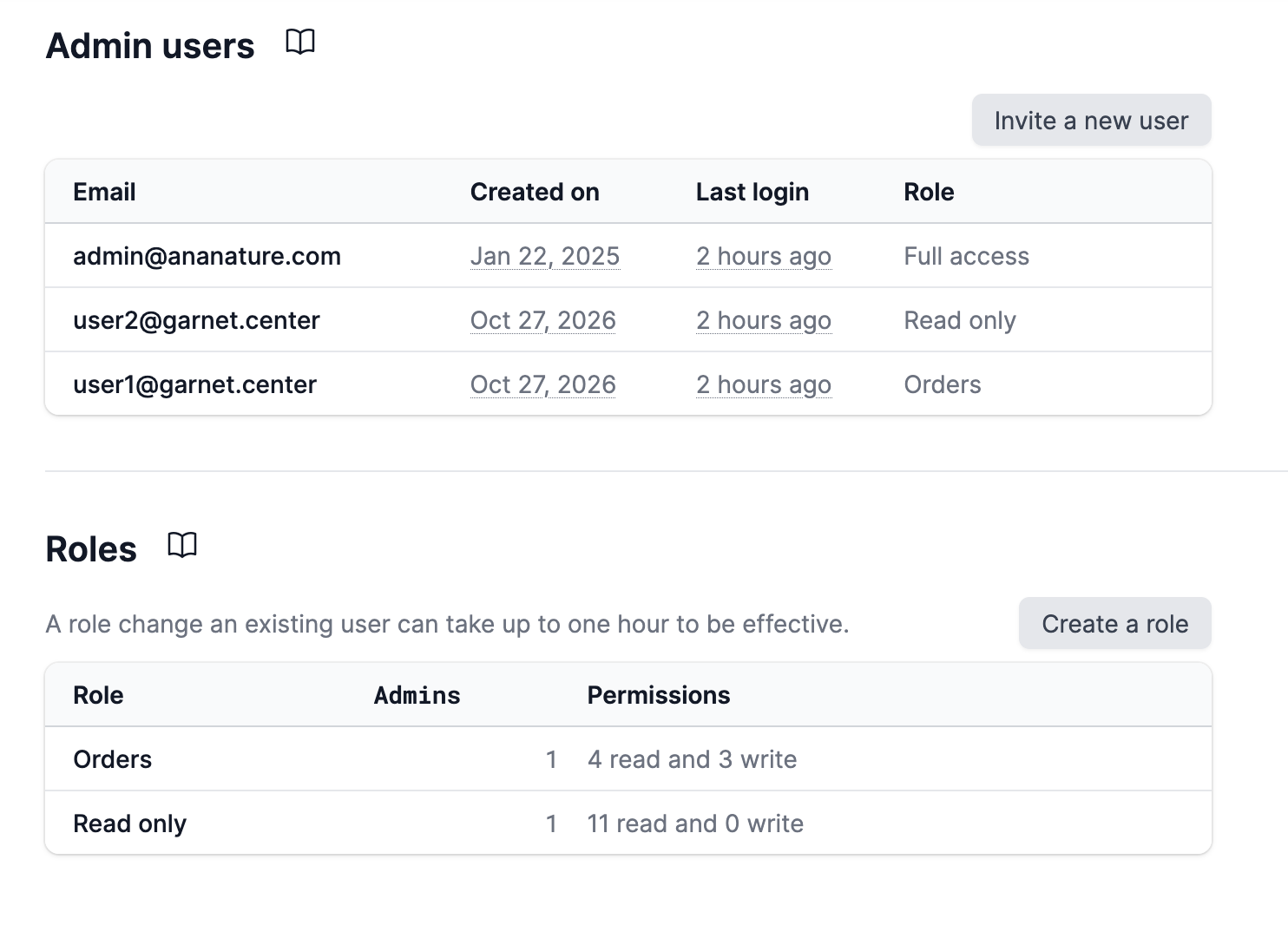
The roles list shows how many administrators hold each role, and how many areas it can read and write.
Give a role to an administrator
In Garnet > Team > Admin users, click an administrator, pick their role and click Save. Pick Full access to remove the limits. You can also pick the role when you invite them.
The change reaches the administrator within an hour. Their connected AI apps lose what the new role takes away on their next request; to give them what it adds, the administrator connects them again.
Edit or delete a role
Click a role to change its name or areas. A change applies to every administrator holding it. To delete a role, first give its administrators another role.
Rules
- You can only give the access you have yourself: an administrator limited to orders cannot create a role that reads payouts, nor give someone full access.
- Garnet's support team is not affected by your roles.